
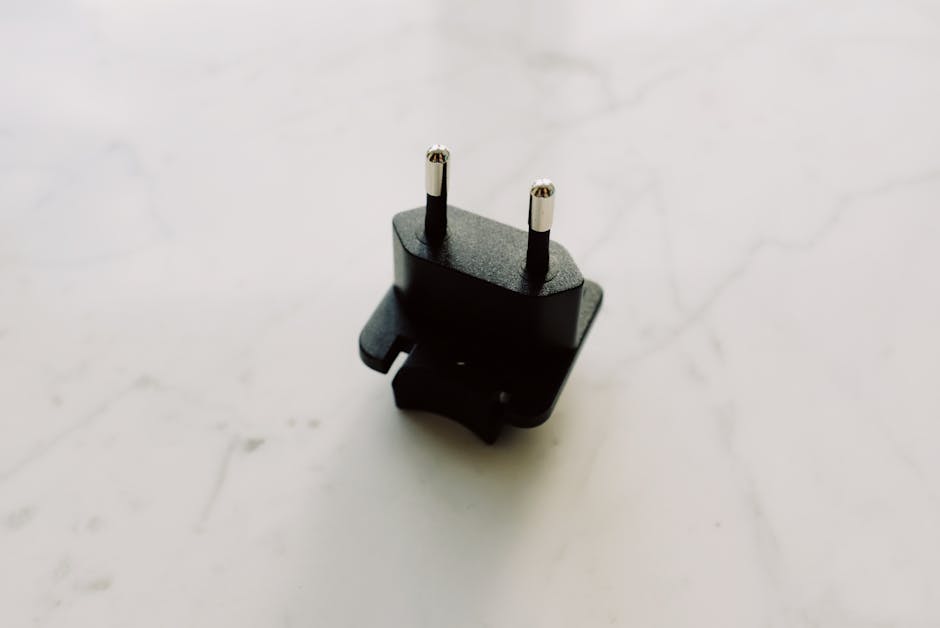
Unleash the Power of Your Voice: Smart Plug for Alexa – Effortless Setup and Seamless Voice Automation
The advent of smart home technology has transformed our living spaces, offering unprecedented convenience and control. Among the most accessible and impactful devices are smart plugs, and when paired with Amazon’s Alexa, they unlock a world of effortless automation. This guide delves into the intricacies of choosing, setting up, and leveraging smart plugs with Alexa, empowering you to control your appliances, lamps, and more, all with the power of your voice.
Understanding the Smart Plug Ecosystem for Alexa
At its core, a smart plug acts as an intermediary between your traditional appliance and your Wi-Fi network. It plugs into a standard electrical outlet, and then your appliance plugs into it. This seemingly simple device then connects to your home’s Wi-Fi, allowing it to be controlled remotely via a smartphone app and, crucially, through voice commands via your Alexa-enabled device. Alexa, acting as the central hub, interprets your spoken commands and relays them to the smart plug, effectively turning your non-smart devices into voice-controlled entities.
Key Features to Look For in an Alexa-Compatible Smart Plug
When embarking on your smart plug journey with Alexa, several features warrant careful consideration to ensure a seamless and satisfying experience:
- Alexa Compatibility: This is paramount. Look for explicit “Works with Alexa” certification on the product packaging or listing. This guarantees straightforward integration with your Alexa app and voice assistant.
- Wi-Fi Connectivity: Most smart plugs operate on a 2.4GHz Wi-Fi network. Ensure your home network is compatible and that the plug’s range will adequately cover the desired appliance’s location. Some newer models offer dual-band support.
- App Control: A robust and intuitive mobile app is essential. This app will be your primary tool for initial setup, creating schedules, setting timers, and monitoring device status. Look for apps that are user-friendly and offer advanced features like away-from-home control.
- Voice Command Functionality: While all Alexa-compatible plugs support voice control, the responsiveness and accuracy can vary. Research user reviews to gauge the reliability of voice commands.
- Energy Monitoring: Some smart plugs offer built-in energy monitoring, allowing you to track the power consumption of connected appliances. This can be invaluable for identifying energy-guzzlers and optimizing your electricity usage.
- Scheduling and Timers: The ability to set schedules for appliances to turn on or off at specific times is a cornerstone of smart home automation. This is perfect for automating your coffee maker in the morning or ensuring lights are off at bedtime. Timers offer more immediate control, such as turning off a fan after a set duration.
- Scene and Routine Integration: The true magic of smart plugs with Alexa lies in their integration into “Scenes” and “Routines.” A Scene can trigger multiple smart devices simultaneously (e.g., a “Goodnight” scene that turns off all lights and locks smart locks), while a Routine allows you to create custom voice commands that execute a series of actions (e.g., “Alexa, I’m home” could turn on specific lights and start your favorite music).
- Compact Design: Consider the physical size and shape of the smart plug. Some are bulky and can obstruct adjacent outlets. Opt for slim or compact designs if outlet space is limited.
- Surge Protection and Safety Certifications: For added peace of mind, look for plugs with surge protection and relevant safety certifications (e.g., UL listed) to protect your appliances and your home.
- No Hub Required: Most modern smart plugs connect directly to your Wi-Fi, eliminating the need for a separate smart home hub, simplifying setup and reducing costs.
The Seamless Setup Process: Bringing Your Appliances to Life
Setting up an Alexa-compatible smart plug is remarkably straightforward, designed for users of all technical skill levels. Here’s a step-by-step breakdown:
- Download the Manufacturer’s App: Begin by downloading the dedicated app for your chosen smart plug brand from your smartphone’s app store (iOS or Android).
- Create an Account and Log In: Open the app and follow the prompts to create a new user account or log in if you already have one.
- Plug In the Smart Plug: Insert the smart plug into a standard electrical outlet. The plug will typically indicate it’s in pairing mode with a flashing LED light.
- Connect to Your Wi-Fi: Within the manufacturer’s app, initiate the pairing process. The app will guide you to connect your smartphone to the smart plug’s temporary Wi-Fi network. Once connected, you’ll be prompted to select your home Wi-Fi network and enter your Wi-Fi password. The smart plug will then connect to your home network.
- Name Your Smart Plug: Give your smart plug a descriptive and easy-to-remember name. This is the name you’ll use for voice commands (e.g., “Living Room Lamp,” “Fan,” “Coffee Maker”). Be specific to avoid confusion.
- Discover Devices in the Alexa App: Open your Amazon Alexa app. Navigate to “Devices” and then tap the “+” icon to “Add Device.” Select “Plug” and then choose the brand of your smart plug. Alexa will then search for and discover your newly set up smart plug.
- Link Accounts (If Necessary): In some cases, Alexa may prompt you to link your smart plug manufacturer’s account to your Amazon account. Follow the on-screen instructions to authorize this connection. This allows Alexa to communicate directly with your smart plug.
- Assign to a Room: For better organization and voice command precision, assign your smart plug to a specific room in your home within the Alexa app (e.g., “Living Room,” “Bedroom”). This allows you to say “Alexa, turn off the lights in the living room” and control all devices in that designated area.
Unlocking the Power of Voice Automation with Alexa
Once your smart plug is set up and linked to Alexa, the possibilities for voice automation are vast and ever-expanding. Here are some of the most popular and effective ways to leverage your new voice-controlled appliances:
-
Basic On/Off Control: The simplest yet most powerful application is turning appliances on and off with your voice.
- “Alexa, turn on [Smart Plug Name].”
- “Alexa, turn off [Smart Plug Name].”
- “Alexa, switch on the fan.”
- “Alexa, switch off the desk lamp.”
-
Scheduling and Timers for Convenience: Automate everyday tasks to save time and energy.
- Schedules: Set your coffee maker to start brewing before you wake up. “Alexa, set a schedule for the coffee maker to turn on at 6:30 AM every weekday.”
- Timers: Ensure your kids’ screens turn off automatically. “Alexa, set a timer for the TV for 1 hour.” Or, use it for cooking. “Alexa, set a kitchen timer for 15 minutes.”
-
Creating Custom Routines: This is where the true intelligence of Alexa shines. Routines allow you to combine multiple actions with a single voice command.
- “Good Morning” Routine: “Alexa, good morning.” This could trigger your smart plug to turn on your bedside lamp, start your coffee maker, and then read you the news and weather.
- “Leaving Home” Routine: “Alexa, I’m leaving.” This could turn off all connected lights, appliances, and even arm your smart security system.
- “Movie Night” Routine: “Alexa, movie time.” This could dim your smart lights, turn on your smart TV (if connected via another smart device), and even adjust your smart thermostat.
-
Energy Management and Monitoring: If your smart plug has energy monitoring capabilities, you can ask Alexa for updates.
- “Alexa, what is the power consumption of the [Smart Plug Name]?”
- “Alexa, show me the energy usage for the living room.” (This requires assigning the plug to a room and potentially using a compatible Alexa display).
-
Away-from-Home Control: Many smart plugs, through their apps, allow you to control devices remotely even when you’re not home. This can be used for security purposes (making it look like someone is home by turning lights on and off) or to ensure you haven’t left anything on.
-
Vacation Mode Simulation: Some smart plugs offer a “vacation mode” that randomly turns lights on and off to simulate occupancy, deterring potential intruders.
-
Controlling Incompatible Devices: While you can’t make every appliance “smart,” a smart plug can give basic on/off control to devices that lack their own smart features. Think of old-fashioned fans, holiday lights, or even slow cookers.
Troubleshooting Common Issues
While setup is generally smooth, occasional hiccups can occur. Here are some common troubleshooting tips:
- Wi-Fi Connectivity Problems: Ensure your Wi-Fi password is correct. Restart your router and the smart plug. Try moving the plug closer to the router. Check if your router is broadcasting on the 2.4GHz band.
- Alexa Not Discovering the Plug: Ensure the plug is in pairing mode. Make sure your Alexa device is connected to the same Wi-Fi network as the smart plug. Try unlinking and relinking the skill in the Alexa app.
- **Voice