
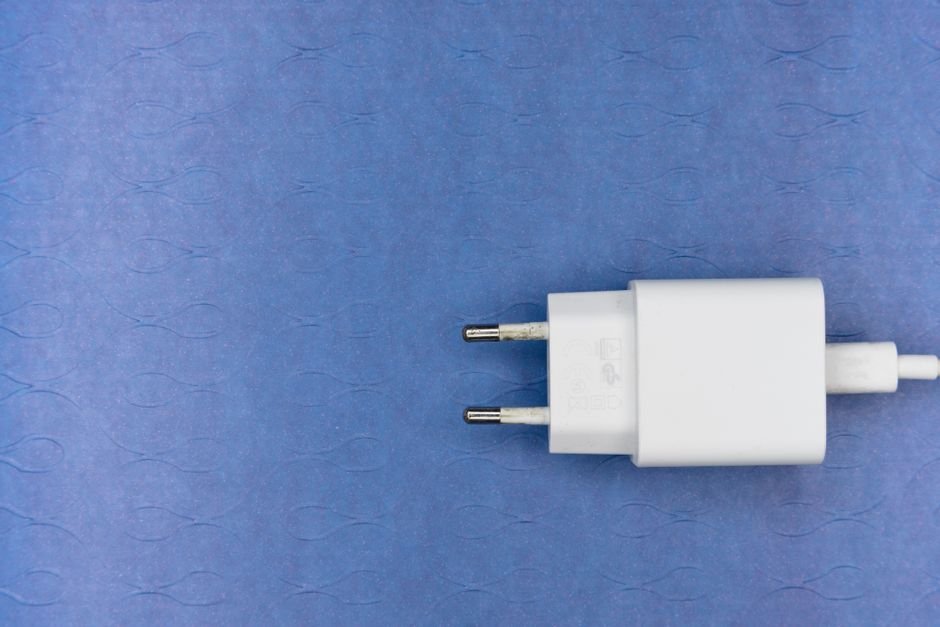
Unlock the Power of Your Alexa Ecosystem: A Deep Dive into Smart Plug Solutions
In the ever-expanding universe of smart home technology, the Amazon Alexa ecosystem stands as a central hub, orchestrating a symphony of connected devices. Among the most accessible and versatile components of this ecosystem are smart plugs. These unassuming devices are the bridge that transforms your traditional appliances into voice-controlled, automated wonders, offering convenience, energy savings, and enhanced security. This comprehensive guide will explore the myriad smart plug solutions available for your Alexa ecosystem, detailing their features, benefits, and how to seamlessly integrate them for a truly intelligent home.
The Fundamental Appeal of Smart Plugs with Alexa
At their core, smart plugs are simple yet revolutionary. They plug into a standard wall outlet, and your existing appliance then plugs into the smart plug. This intermediary device grants your appliance a digital voice and brain, allowing it to communicate with your Alexa-enabled devices. The primary benefit is hands-free control. Imagine being nestled in bed and, with a simple voice command to your Echo Dot, turning off that forgotten lamp in the living room. Or, perhaps, you’re arriving home with arms full of groceries and can ask Alexa to switch on the entryway light before you even reach the door.
Beyond sheer convenience, smart plugs offer tangible economic and environmental advantages. Scheduling lights to turn on and off at specific times can deter potential burglars, creating the illusion of occupancy even when you’re away. Furthermore, by automating the power supply to devices that consume “phantom load” (energy used even when turned off, like chargers or standby modes), smart plugs can significantly reduce your electricity bills. Many smart plugs also boast energy monitoring capabilities, providing insights into your appliance’s power consumption, empowering you to make informed decisions about energy usage.
Key Features to Consider When Choosing Smart Plugs for Alexa
When navigating the diverse landscape of smart plugs, several key features warrant your attention to ensure optimal integration with your Alexa ecosystem:
- Alexa Compatibility: This is paramount. Look for plugs explicitly marketed as “Works with Alexa” or featuring the Alexa logo. This guarantees seamless voice control and integration with Alexa routines and skills.
- Wi-Fi Connectivity: Most smart plugs operate on a 2.4GHz Wi-Fi network. Ensure your home network is robust enough to support multiple connected devices, especially if you plan on installing several smart plugs. Some higher-end models might offer dual-band (2.4GHz and 5GHz) support, though this is less common for basic smart plugs.
- App Control: Alongside Alexa, a dedicated smartphone app is essential. This app allows for initial setup, firmware updates, scheduling, scene creation, and often provides advanced features like energy monitoring. The app should be intuitive and user-friendly.
- Scheduling and Timers: The ability to set schedules for your devices to turn on or off automatically is a cornerstone of smart home automation. This can be used for everything from waking up to a brewing coffee maker to simulating occupancy.
- Energy Monitoring: As mentioned, this feature provides valuable data on appliance power consumption. This is particularly useful for identifying energy-guzzling devices and optimizing your energy usage.
- Voice Control Integration: Beyond basic on/off commands, consider plugs that support more nuanced control, such as dimming for compatible lights (though this usually requires a smart bulb, not just a smart plug).
- Physical Design and Size: Smart plugs come in various shapes and sizes. Consider whether you need compact plugs that won’t obstruct adjacent outlets or if you require a more robust design for heavier appliances. Some plugs also feature individual outlet control for dual-outlet smart plugs.
- Smart Assistant Integration (Beyond Alexa): While the focus is on Alexa, some plugs also work with other smart assistants like Google Assistant or Apple HomeKit. If you have a multi-ecosystem home, this can be a valuable consideration.
- Durability and Safety Certifications: Look for plugs that have undergone rigorous testing and possess safety certifications like UL or ETL. This ensures they meet electrical safety standards.
- Remote Access: The ability to control your smart plugs from outside your home network via the app is crucial for security and convenience.
Top Smart Plug Brands and Their Offerings for Alexa
Several reputable brands have established themselves as leaders in the smart plug market, offering robust and reliable solutions for Alexa users:
- TP-Link Kasa Smart Plugs: Kasa is a perennial favorite, known for its user-friendly app, reliable performance, and competitive pricing. Their various models, including the popular HS100 and HS110 (with energy monitoring), offer seamless Alexa integration. The Kasa app is well-designed and allows for easy scheduling and routine creation.
- Amazon Smart Plug: Developed by Amazon itself, this plug is designed for ultimate simplicity and seamless integration with Alexa. It’s plug-and-play, requiring no separate app for basic functionality, and is often bundled with Echo devices. Its straightforward nature makes it an excellent choice for beginners.
- Wemo Smart Plugs: Wemo has been a pioneer in the smart home space, and their smart plugs offer a robust feature set. They are known for their durability and consistent performance. Wemo plugs integrate effortlessly with Alexa, allowing for voice control and inclusion in Alexa routines.
- Wyze Smart Plugs: Wyze has made a name for itself by offering affordable smart home devices without compromising on functionality. Their smart plugs are a testament to this, providing Alexa compatibility, scheduling, and even energy monitoring at a budget-friendly price point.
- Meross Smart Plugs: Meross offers a range of smart plugs, often with multiple outlets per unit. They provide reliable Alexa integration and a feature-rich app that includes energy monitoring and scheduling. Their multi-plug options are excellent for consolidating control over several devices.
- Eufy Smart Plugs: From Anker, Eufy smart plugs offer a good balance of features, reliability, and design. They integrate well with Alexa and often come with energy monitoring capabilities. Their app is generally well-regarded.
Integrating Smart Plugs into Your Alexa Ecosystem: A Step-by-Step Guide
Getting your smart plugs working with Alexa is a straightforward process. Here’s a general guide:
- Download the Manufacturer’s App: Before you begin, download the dedicated app for your chosen smart plug brand from your smartphone’s app store (e.g., Kasa, Wemo, Wyze).
- Plug in the Smart Plug: Insert the smart plug into a wall outlet.
- Connect to Your Wi-Fi: Open the manufacturer’s app and follow the on-screen instructions to connect the smart plug to your home Wi-Fi network. This usually involves selecting your network and entering your Wi-Fi password.
- Enable the Alexa Skill: Once the smart plug is connected and recognized by its app, open the Amazon Alexa app on your smartphone.
- Discover Devices: Navigate to “Devices” in the Alexa app, then tap the “+” icon and select “Add Device.” Choose “Plug” as the device type and select your smart plug’s brand. Alexa will then prompt you to enable the corresponding Alexa skill. Follow the prompts to link your smart plug account to your Alexa account.
- Assign a Name: After the skill is enabled, Alexa will discover your smart plug. You’ll be prompted to assign a name to your plug. Choose a name that is easy to remember and say (e.g., “Living Room Lamp,” “Coffee Maker,” “Desk Fan”).
- Test Voice Control: Now, try controlling your smart plug with your voice. Say, “Alexa, turn on [your plug’s name]” or “Alexa, turn off [your plug’s name].”
- Create Alexa Routines: This is where the true magic of smart plugs comes alive. In the Alexa app, go to “More” > “Routines.” You can create custom routines triggered by voice commands, time of day, or even other smart home events. For example, you could create a “Good Morning” routine that turns on your coffee maker and a bedside lamp.
Advanced Applications and Use Cases
The utility of smart plugs extends far beyond simple on/off commands. Here are some advanced applications:
- Holiday Lighting Control: Automate your festive indoor and outdoor holiday lights with custom schedules and voice commands.
- Pet Care Automation: Schedule automatic feeders or turn on pet-specific heating pads with voice commands or timed routines.
- Security Enhancements: Use smart plugs to control lamps and radios to simulate occupancy when you’re away, deterring potential intruders. You can also integrate them with motion sensors for automated lighting responses.
- Energy Efficiency Optimization: For appliances with significant standby power consumption (e.g., older TVs, gaming consoles), use smart plugs to completely cut power when not in use, either manually or on a schedule.
- Customizable Wake-Up Routines: Combine smart plugs with smart bulbs (if you have them) or other smart devices to create personalized wake-up experiences that gradually increase light and activate other desired actions.
- Appliance Monitoring and Control: For devices that don’t have built-in smart capabilities but you want to monitor their usage or turn them off remotely, a smart plug is the perfect solution. This could include fans, space heaters, or even humidifiers.
Troubleshooting Common Smart Plug Issues with Alexa
While generally reliable, occasional issues can arise. Here are some common problems and their solutions:
- **Plug Not Responding to Voice Commands