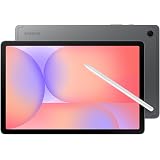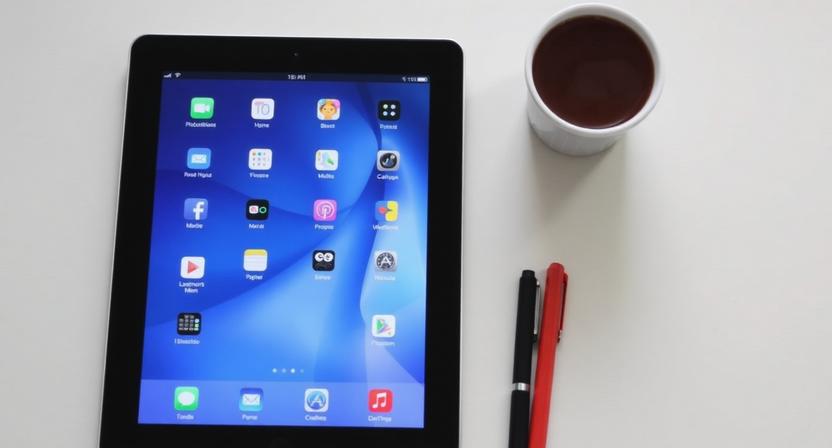
The landscape of education has dramatically shifted, with online classes becoming a ubiquitous and often preferred method of learning for students of all ages. While laptops have long been the default device, tablets are emerging as formidable contenders, offering a unique blend of portability, intuitive touch interfaces, and often, a more affordable price point. Choosing the right tablet for your online learning journey is crucial for a seamless and productive experience. This guide delves into the top contenders, dissecting their strengths, weaknesses, and ideal use cases to help you make an informed decision.
Key Factors to Consider When Choosing a Tablet for Online Classes:
Before diving into specific models, understanding the core features that make a tablet excel for academic purposes is paramount.
- Screen Size and Quality: A larger screen (10 inches and above) generally provides more comfortable viewing of lectures, reading digital textbooks, and multitasking. High resolution (Full HD or higher) ensures crisp text and clear images, reducing eye strain.
- Performance and Processor: For smooth multitasking, running multiple apps simultaneously (e.g., video conferencing, note-taking, web browsing), and handling demanding educational software, a capable processor is essential. Look for mid-range to high-end chipsets.
- Storage: Ample storage is vital for downloading lectures, e-books, assignments, and educational apps. Aim for at least 64GB, with 128GB or more being ideal for heavy users. Cloud storage integration is also a significant plus.
- Battery Life: Long study sessions are common. A tablet with at least 8-10 hours of battery life will prevent interruptions and ensure you can power through your classes.
- Stylus Support: For note-taking, drawing diagrams, annotating PDFs, and interactive learning, a responsive stylus is a game-changer. Features like pressure sensitivity and palm rejection enhance the writing experience.
- Operating System and App Ecosystem: The OS dictates the available apps and overall user experience. iOS (iPadOS), Android, and Windows each offer distinct advantages for education. Consider the apps you’ll need for your specific courses.
- Connectivity: Wi-Fi is standard, but cellular (LTE/5G) connectivity offers flexibility for learning on the go, especially if reliable Wi-Fi isn’t always available.
- Camera Quality: A decent front-facing camera is crucial for clear video conferencing, while a capable rear camera can be useful for scanning documents or capturing visual aids.
- Durability and Portability: While most tablets are relatively portable, consider the build quality and whether a protective case is readily available.
Top Tablets for Online Classes:
1. Apple iPad (10th Gen) – The Accessible Powerhouse
The latest iteration of Apple’s base iPad offers an exceptional balance of performance, features, and affordability, making it a top choice for students.
- Screen: 10.9-inch Liquid Retina display with True Tone. This vibrant and sharp display is excellent for viewing lectures and reading.
- Performance: A14 Bionic chip. This powerful processor handles multitasking, streaming, and a wide range of educational apps with ease.
- Stylus Support: Supports Apple Pencil (1st generation). While not as advanced as the newer Pencil, it’s more than adequate for note-taking and annotation.
- Storage: Available in 64GB and 256GB. 64GB is manageable for moderate use, but 256GB is recommended for extensive digital libraries.
- Battery Life: Up to 10 hours of surfing the web on Wi-Fi.
- Operating System: iPadOS. This mature OS boasts a vast and well-curated app store with a wealth of educational applications.
- Connectivity: Wi-Fi 6 and optional 5G.
- Camera: 12MP wide rear camera, 12MP ultra-wide front camera with Center Stage. The repositioned front camera is ideal for online classes.
- Unique Features: USB-C connectivity for easier peripheral connection. The Magic Keyboard Folio accessory transforms it into a laptop-like experience.
Ideal For: Students seeking a reliable, user-friendly, and powerful tablet that integrates seamlessly with the Apple ecosystem, at a competitive price point.
2. Apple iPad Air (5th Gen) – The Performance Upgrade
For those who need a bit more processing power and a more premium experience than the base iPad, the iPad Air is an excellent step up.
- Screen: 10.9-inch Liquid Retina display with True Tone.
- Performance: M1 chip. This is the same powerful chip found in many MacBooks, offering exceptional speed and efficiency for demanding tasks.
- Stylus Support: Supports Apple Pencil (2nd generation). This magnetically attaches, charges wirelessly, and offers advanced features like tilt and pressure sensitivity.
- Storage: Available in 64GB and 256GB.
- Battery Life: Up to 10 hours of surfing the web on Wi-Fi.
- Operating System: iPadOS.
- Connectivity: Wi-Fi 6 and optional 5G.
- Camera: 12MP wide rear camera, 12MP ultra-wide front camera with Center Stage.
- Unique Features: Sleek, modern design, USB-C port, and compatibility with the Magic Keyboard.
Ideal For: Students who require robust performance for more complex software, advanced note-taking with the Apple Pencil 2, and a premium feel.
3. Samsung Galaxy Tab S9 FE – The Feature-Rich Android Option
Samsung’s Fan Edition tablets offer a compelling blend of premium features at a more accessible price, making the Tab S9 FE a strong contender in the Android space.
- Screen: 10.9-inch LCD display with a 90Hz refresh rate. While not an AMOLED, it’s still bright and smooth for everyday use.
- Performance: Exynos 1380 processor. This chip provides solid performance for everyday tasks and moderate multitasking.
- Stylus Support: Includes the S Pen in the box. The S Pen offers excellent writing and drawing capabilities with low latency, making it perfect for note-taking and annotation.
- Storage: Available in 128GB and 256GB, with microSD card expansion for up to 1TB. This is a significant advantage for storing large amounts of data.
- Battery Life: Large 8,000 mAh battery, offering excellent longevity for extended study sessions.
- Operating System: Android. Offers a vast app selection and customization options.
- Connectivity: Wi-Fi 6.
- Camera: 8MP rear camera, 12MP ultra-wide front camera.
- Unique Features: IP68 water and dust resistance adds peace of mind. Samsung DeX allows for a desktop-like experience when connected to a monitor or used with a keyboard.
Ideal For: Android users who value the inclusion of a stylus, expandable storage, and robust multitasking features like Samsung DeX.
4. Microsoft Surface Go 3 – The Windows Hybrid
For students who prefer the familiarity and power of Windows or need to run specific Windows-only educational software, the Surface Go 3 offers a compelling 2-in-1 solution.
- Screen: 10.5-inch PixelSense touchscreen. While smaller than some competitors, it’s sharp and vibrant.
- Performance: Intel Pentium Gold or Core i3 processors. The Core i3 configuration offers significantly better performance for more demanding tasks.
- Stylus Support: Supports Surface Pen (sold separately). Offers excellent precision for note-taking and drawing.
- Storage: Available in 64GB eMMC (not recommended for heavy use) and 128GB SSD. Opt for the SSD for a smoother experience.
- Battery Life: Up to 11 hours of typical device usage.
- Operating System: Windows 11 Home. Provides full Windows functionality.
- Connectivity: Wi-Fi 6.
- Camera: 8MP rear camera, 5MP front-facing camera with Windows Hello facial recognition for quick logins.
- Unique Features: Built-in kickstand for versatile viewing angles. The Type Cover keyboard (sold separately) transforms it into a functional laptop.
Ideal For: Students who need a full Windows experience, specific Windows software, or a device that can seamlessly transition between tablet and laptop modes.
5. Amazon Fire HD 10 – The Budget-Friendly Essential
For students on a tight budget who primarily need a device for streaming lectures, reading, and basic note-taking, the Amazon Fire HD 10 is a surprisingly capable option.
- Screen: 10.1-inch Full HD display. While not the sharpest, it’s perfectly adequate for its intended use.
- Performance: Octa-core processor. Sufficient for everyday tasks and light multitasking.
- Stylus Support: Does not officially support styluses for advanced drawing or note-taking, but basic touch input is fine.
- Storage: Available in 32GB and 64GB, with microSD card expansion.
- Battery Life: Up to 12 hours of mixed usage.
OnePlus,Pad Lite, 11-inch (27.94 CM), LCD, 8GB RAM, 128GB ROM, WiFi + LTE, Quad Speakers, 9340mAh Battery, Aero Blue, Not AI Enabled
₹23,990.00 (as of October 16, 2026 22:57 GMT +05:30 - More infoProduct prices and availability are accurate as of the date/time indicated and are subject to change. Any price and availability information displayed on [relevant Amazon Site(s), as applicable] at the time of purchase will apply to the purchase of this product.)
Lenovo Idea Tab ( Smartchoice) with Tab Pen | WiFi+5G |11" 2.5K IPS Display |6GB RAM + 128GB ROM (Expandable Upto 2TB)| MediaTek Dimensity 6300|7040mAh|4 Speakers| Grey
₹21,999.00 (as of October 16, 2026 22:57 GMT +05:30 - More infoProduct prices and availability are accurate as of the date/time indicated and are subject to change. Any price and availability information displayed on [relevant Amazon Site(s), as applicable] at the time of purchase will apply to the purchase of this product.)
Apple iPad Air 27.59 cm (11″) (M4): Liquid Retina Display, 128 GB, 12MP Front/Back Camera, Wi-Fi 7 with Apple N1, Touch ID, All-Day Battery Life — Space Gray
₹74,999.00 (as of October 16, 2026 22:57 GMT +05:30 - More infoProduct prices and availability are accurate as of the date/time indicated and are subject to change. Any price and availability information displayed on [relevant Amazon Site(s), as applicable] at the time of purchase will apply to the purchase of this product.)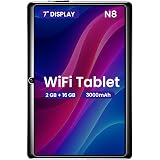
IKALL N8 Android Wi-Fi Tablet – 7 Inch Display, 2GB RAM, 16GB Storage (Expandable), Wi-Fi Only, 3000mAh Battery, Dual Camera, Compact Tablet for Entertainment, Online Learning & Browsing (Black)
₹4,149.00 (as of October 16, 2026 22:57 GMT +05:30 - More infoProduct prices and availability are accurate as of the date/time indicated and are subject to change. Any price and availability information displayed on [relevant Amazon Site(s), as applicable] at the time of purchase will apply to the purchase of this product.)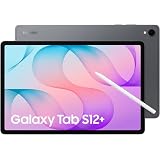
Samsung Galaxy Tab S12+, 12.6-inch Dynamic AMOLED 2X Display, 12GB RAM, 256GB Storage, Wi-Fi, Quad Speakers, Hexagonal S Pen Included, Gray, AI Enabled
₹1,29,999.00 (as of October 16, 2026 22:57 GMT +05:30 - More infoProduct prices and availability are accurate as of the date/time indicated and are subject to change. Any price and availability information displayed on [relevant Amazon Site(s), as applicable] at the time of purchase will apply to the purchase of this product.)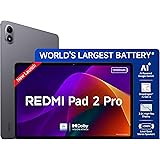
Redmi Pad 2 Pro, 12.1-inch (30.73 CM), LCD Display - 2.5K Sharp & Clear, 8GB RAM, 128GB ROM, Wi-Fi, Quad Speakers, Dolby Atmos, Graphite Grey, AI Enabled
₹26,999.00 (as of October 16, 2026 22:57 GMT +05:30 - More infoProduct prices and availability are accurate as of the date/time indicated and are subject to change. Any price and availability information displayed on [relevant Amazon Site(s), as applicable] at the time of purchase will apply to the purchase of this product.)
Redmi Pad 2, 11-inch (27.94 CM CM), LCD Display - 2.5K Sharp & Clear, 4GB RAM, 128GB ROM, Wi-Fi, Quad Speakers, Dolby Atmos, Graphite Grey, AI Enabled
₹17,999.00 (as of October 16, 2026 22:57 GMT +05:30 - More infoProduct prices and availability are accurate as of the date/time indicated and are subject to change. Any price and availability information displayed on [relevant Amazon Site(s), as applicable] at the time of purchase will apply to the purchase of this product.)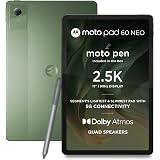
Moto Pad 60 Neo 5G (Pantone Bronze Green, 128, GB, 8, GB)
₹25,822.90 (as of October 16, 2026 22:57 GMT +05:30 - More infoProduct prices and availability are accurate as of the date/time indicated and are subject to change. Any price and availability information displayed on [relevant Amazon Site(s), as applicable] at the time of purchase will apply to the purchase of this product.)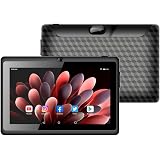
IKALL N12 - Android Wi-Fi Tablet, 3GB RAM, 16GB Storage, 7" Display, 3000mAh Battery, Dual Camera, Compact & Lightweight Tablet for Entertainment & Learning (Black)
₹4,299.00 (as of October 16, 2026 22:57 GMT +05:30 - More infoProduct prices and availability are accurate as of the date/time indicated and are subject to change. Any price and availability information displayed on [relevant Amazon Site(s), as applicable] at the time of purchase will apply to the purchase of this product.)
DOMO Slate SL40 OS10 1C 10 Inch Android Tablet 4G Dual SIM, 4GB RAM, 32GB Storage (Expandable to 1TB), Octa-Core Processor, WXGA Incell Display, 13MP Camera, GPS, WiFi, Bluetooth, Type-C Blue
Now retrieving the price.
(as of October 16, 2026 22:57 GMT +05:30 - More infoProduct prices and availability are accurate as of the date/time indicated and are subject to change. Any price and availability information displayed on [relevant Amazon Site(s), as applicable] at the time of purchase will apply to the purchase of this product.)
IKALL N7 Android Tablet 7 Inch Display, Wi-Fi Only, 2GB RAM, 16GB Internal Storage, 3000mAh Battery, Dual Camera, Lightweight Tablet for Learning, Streaming & Everyday Use - Black
₹4,149.00 (as of October 16, 2026 22:57 GMT +05:30 - More infoProduct prices and availability are accurate as of the date/time indicated and are subject to change. Any price and availability information displayed on [relevant Amazon Site(s), as applicable] at the time of purchase will apply to the purchase of this product.)
Samsung Galaxy Tab A11+ [Smartchoice], 11-inch (27.82 CM), LCD Display, 6GB RAM, 128GB ROM, Wi-Fi, Quad Speakers, Dolby Atmos, Gray, AI Enabled
₹21,499.00 (as of October 16, 2026 22:57 GMT +05:30 - More infoProduct prices and availability are accurate as of the date/time indicated and are subject to change. Any price and availability information displayed on [relevant Amazon Site(s), as applicable] at the time of purchase will apply to the purchase of this product.)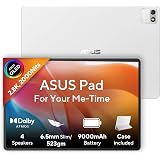
ASUS Pad (12.2inch) 2.8K 2000Nits OLED, MediaTek D8300, 8 GB RAM 256 GB ROM 12.2 inch with Wi-Fi Only Tablet (Pure White)
₹39,999.00 (as of October 16, 2026 22:57 GMT +05:30 - More infoProduct prices and availability are accurate as of the date/time indicated and are subject to change. Any price and availability information displayed on [relevant Amazon Site(s), as applicable] at the time of purchase will apply to the purchase of this product.)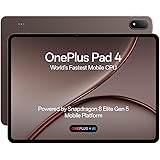
OnePlus, Pad 4, 13.2 inch (33.53 CM), LCD, 8GB RAM, 256GB ROM, WiFi, 8 Speakers, Snapdragon 8 Elite Gen 5, Dune Glow, AI Enabled
₹62,999.00 (as of October 16, 2026 22:57 GMT +05:30 - More infoProduct prices and availability are accurate as of the date/time indicated and are subject to change. Any price and availability information displayed on [relevant Amazon Site(s), as applicable] at the time of purchase will apply to the purchase of this product.)
Brave Ark Android Tablet with Pen| 12.95"(32cm) 2.8K 144Hz Display| Snapdragon 8s Gen 3| AI-Enabled|12GB RAM, 256GB ROM| Segment's Biggest 14550mAh Battery| 8 Speakers|WiFi|Galactic Blue
Now retrieving the price.
(as of October 16, 2026 22:57 GMT +05:30 - More infoProduct prices and availability are accurate as of the date/time indicated and are subject to change. Any price and availability information displayed on [relevant Amazon Site(s), as applicable] at the time of purchase will apply to the purchase of this product.)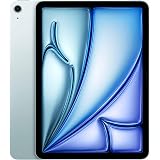
Apple iPad Air 27.59 cm (11″) (M4): Liquid Retina Display, 128 GB, 12MP Front/Back Camera, Wi-Fi 7 with Apple N1, Touch ID, All-Day Battery Life — Blue
₹74,999.00 (as of October 16, 2026 22:57 GMT +05:30 - More infoProduct prices and availability are accurate as of the date/time indicated and are subject to change. Any price and availability information displayed on [relevant Amazon Site(s), as applicable] at the time of purchase will apply to the purchase of this product.)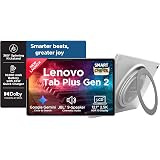
Lenovo Tab Plus Gen 2 {Smartchoice} with JBL 9-unit Speaker System, Wifi only, 12.1" 2.5K Display, 800nits Peak Brightness |8GB RAM + 256GB ROM (Expandable upto 2TB), MediaTek Dimensity 7400| 10200mAh
₹34,999.00 (as of October 16, 2026 22:57 GMT +05:30 - More infoProduct prices and availability are accurate as of the date/time indicated and are subject to change. Any price and availability information displayed on [relevant Amazon Site(s), as applicable] at the time of purchase will apply to the purchase of this product.)
Moto Pad 60 Neo 5G (Pantone Bronze Green, 128, GB, 4, GB)
₹22,999.00 (as of October 16, 2026 22:57 GMT +05:30 - More infoProduct prices and availability are accurate as of the date/time indicated and are subject to change. Any price and availability information displayed on [relevant Amazon Site(s), as applicable] at the time of purchase will apply to the purchase of this product.)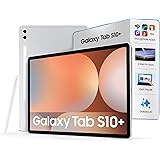
Samsung Galaxy Tab S10+ [Smartchoice], 12.4-inch (31.5 CM), Dynamic AMOLED 2X Display, 12GB RAM, 256GB ROM, Wi-Fi, Quad Speakers, S Pen, Platinum Silver, AI Enabled
₹1,01,999.00 (as of October 16, 2026 22:57 GMT +05:30 - More infoProduct prices and availability are accurate as of the date/time indicated and are subject to change. Any price and availability information displayed on [relevant Amazon Site(s), as applicable] at the time of purchase will apply to the purchase of this product.)