In today’s fast-paced business environment, efficiency is paramount. A sluggish or unreliable printer can be a significant bottleneck, disrupting workflows and impacting overall productivity. For offices that demand speed, crisp text, and cost-effectiveness, WiFi laser printers are the undisputed champions. These devices seamlessly integrate into your network, offering wireless convenience and the robust performance that laser technology is renowned for. This guide delves into the key features to consider and highlights some of the best WiFi laser printers available to help you make an informed decision and supercharge your office’s output.
Why WiFi Laser Printers Reign Supreme for Office Productivity:
Laser printers utilize a toner powder that is fused onto the paper using heat, resulting in exceptionally sharp text and graphics that resist smudging and fading. This makes them ideal for printing high-volume documents, reports, and presentations. The addition of WiFi connectivity elevates their utility by eliminating the need for cumbersome cable connections, allowing for printing from any device connected to your network. This freedom translates directly into increased flexibility and reduced setup time, especially in modern, dynamic office layouts. Furthermore, laser printers generally boast a lower cost per page compared to inkjet alternatives, making them a more economical choice for businesses with consistent printing needs.
Key Features to Prioritize for Office Efficiency:
When selecting a WiFi laser printer, several factors directly influence its ability to boost your office’s productivity.
- Print Speed (PPM): Pages Per Minute (PPM) is a critical metric. For busy offices, a higher PPM significantly reduces waiting times for document retrieval, allowing employees to move on to their next tasks more quickly. Look for models offering at least 25-30 PPM for standard office documents, and higher if your printing volume is exceptionally large.
- Print Quality (Resolution): While laser printers are known for sharp text, the resolution (measured in DPI – Dots Per Inch) determines the clarity of finer details and graphics. For most office applications, 600×600 DPI is sufficient, but 1200×1200 DPI or higher will provide noticeably crisper output, especially for graphics-heavy documents or marketing materials.
- Duplex Printing (Automatic Two-Sided Printing): This feature is a game-changer for reducing paper consumption and streamlining workflows. Automatic duplexing means the printer flips the paper itself, saving employees the manual effort and time of re-feeding pages. This not only saves resources but also ensures a more professional presentation of multi-page documents.
- Connectivity Options: Beyond WiFi, consider other connectivity options like Ethernet for wired network integration, USB for direct connection, and mobile printing support (e.g., AirPrint, Mopria, Google Cloud Print). Robust mobile printing capabilities allow employees to print directly from their smartphones and tablets, enhancing flexibility and responsiveness.
- Paper Handling Capacity: The input and output paper trays determine how often you’ll need to refill the printer. For busy offices, a higher input capacity (e.g., 250-500 sheets) and a decent output tray capacity (e.g., 100-250 sheets) minimize interruptions. Consider models with optional additional trays for even greater capacity.
- All-in-One (AIO) Functionality: Many modern laser printers are All-in-Ones, incorporating scanning, copying, and faxing capabilities. If your office utilizes these functions regularly, an AIO can consolidate equipment, save space, and simplify your technology infrastructure. Look for high-resolution scanners and fast copying speeds.
- Toner Cartridge Cost and Yield: The long-term cost of ownership is heavily influenced by toner prices and how many pages a cartridge can print. Opt for printers that use readily available and reasonably priced toner cartridges. High-yield cartridges can offer a lower cost per page for high-volume printing.
- Security Features: For businesses handling sensitive information, security is paramount. Look for printers with features like secure print release (requiring a PIN to release a print job at the printer), network security protocols (e.g., WPA2/WPA3), and user authentication.
- Durability and Reliability: Office printers are expected to withstand heavy use. Research brands known for their reliability and consider models with a higher duty cycle (the maximum number of pages a printer can reliably produce per month).
- Ease of Use and Management: A user-friendly interface, intuitive controls, and simple setup processes contribute to a smoother user experience. For IT administrators, features like remote management and status monitoring are invaluable for maintaining optimal performance.
Top WiFi Laser Printers for Enhanced Office Productivity:
Based on these crucial features, here are some of the best WiFi laser printers that consistently deliver on performance and efficiency for office environments:
1. Brother MFC-L3750CDW (Color Laser All-in-One):
This robust color laser AIO is a standout for its versatility and value. It offers impressive print speeds of up to 24 PPM for both monochrome and color, a 50-sheet automatic document feeder (ADF) for efficient scanning and copying, and automatic duplex printing. The 250-sheet paper capacity is suitable for medium-sized offices. Its wireless and mobile printing capabilities are excellent, supporting AirPrint, Mopria, and Brother’s own iPrint&Scan app. The toner cartridges offer a good balance of cost and yield, making it an economical choice for color printing needs. The touchscreen interface is intuitive, and the build quality suggests good longevity.
2. HP LaserJet Pro MFP M479fdw (Color Laser Multifunction Printer):
HP’s LaserJet Pro series is synonymous with reliability and performance in business environments. The M479fdw is a powerhouse, boasting speeds of up to 28 PPM for both black and color. It features a large 50-sheet ADF, automatic duplex printing, and a substantial 250-sheet input tray. Its security features are a significant advantage, including HP’s Jetadvantage security solutions. Connectivity is comprehensive, with WiFi, Ethernet, and USB, along with extensive mobile printing support. The print quality is excellent, producing sharp text and vibrant colors. While it might be a higher initial investment, its robust feature set and cost-effective operation make it a superior choice for demanding offices.
3. Canon Color imageCLASS MF743Cdw (Color Laser All-in-One):
Canon’s imageCLASS line is well-regarded for its excellent print quality and user-friendly design. The MF743Cdw delivers vibrant color prints at speeds up to 28 PPM. It includes a 50-sheet ADF, automatic duplex printing, and a 250-sheet paper capacity. The intuitive touchscreen display simplifies operation, and its wireless and mobile printing capabilities are seamless. Canon’s toner technology is known for producing high-quality, consistent results. The security features are adequate for most office needs, and the overall build quality is solid. This printer is a great option for offices that prioritize both color accuracy and efficient document handling.
4. Brother HL-L2395DW (Monochrome Laser Printer):
For offices that primarily need to print black and white documents, the Brother HL-L2395DW is an exceptional choice. This compact monochrome laser printer offers a remarkable print speed of 36 PPM, making it incredibly fast for its class. It features automatic duplex printing, a 250-sheet paper capacity, and a flatbed scanner for occasional copying and scanning needs. Its wireless and Wi-Fi Direct capabilities ensure easy connectivity from any device. The toner cartridges are cost-effective, and the overall running costs are very low, making it a highly economical option for high-volume black and white printing. Its simplicity and reliability are its key strengths.
5. Xerox VersaLink C400DN (Color Laser Printer):
While not strictly a WiFi-only model out of the box, the Xerox VersaLink C400DN is a robust color laser printer that can easily be configured with WiFi. It offers exceptional print speeds of up to 36 PPM for both color and monochrome. Its advanced features include a high-resolution touchscreen interface, a large paper capacity (standard 550 sheets expandable to 2350 sheets), and impressive print quality. Xerox is known for its durable and reliable office equipment. The C400DN is designed for heavy-duty use and offers a suite of security features to protect sensitive data. Its ability to handle large print volumes efficiently and produce professional-quality output makes it ideal for demanding corporate environments.
Optimizing Your Office Printing Workflow:
Beyond choosing the right printer, several strategies can further enhance your office’s printing productivity:
- Embrace Digital Workflows: Before printing, consider if a digital document can suffice. This reduces unnecessary printing and saves resources.
- Set Print Defaults: Configure your printer drivers to default to double-sided printing and black-and-white output whenever possible.
- Regular Maintenance: Keep your printer clean and ensure toner levels are monitored to avoid unexpected downtime.
- Driver Updates: Regularly update your printer drivers to ensure optimal performance and compatibility.
- Network Optimization: Ensure your WiFi network is strong and stable, especially in areas where the printer is located, to prevent connectivity issues.
- Employee Training: Educate your staff on the best practices for using the printer, including its various features and how to troubleshoot common issues.
By investing in a high-quality WiFi laser printer and implementing smart printing strategies, your office can significantly boost efficiency, reduce costs, and streamline operations, allowing your team to.
HP LaserJet Pro P1108 Plus Single Function Monochrome Laser Printer
₹15,299.00 (as of October 16, 2026 09:08 GMT +05:30 - More infoProduct prices and availability are accurate as of the date/time indicated and are subject to change. Any price and availability information displayed on [relevant Amazon Site(s), as applicable] at the time of purchase will apply to the purchase of this product.)
HP LaserJet M208dw Printer, Wireless, Single Function, Print, Hi-Speed USB 2.0, Ethernet, Bluetooth LE, Up to 30 ppm, 150-sheet Input Tray, 100-sheet Output Tray, Black and White, 6GW64A
₹14,699.00 (as of October 16, 2026 09:08 GMT +05:30 - More infoProduct prices and availability are accurate as of the date/time indicated and are subject to change. Any price and availability information displayed on [relevant Amazon Site(s), as applicable] at the time of purchase will apply to the purchase of this product.)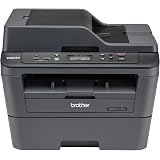
Brother DCP-L2541DW Auto Duplex Laser Printer With 30 PPM Print Speed, Multifunction Print Scan Copy, Automatic Document Feeder, 2 in 1 ID Copy Button, (WIFI, WIFI Direct, LAN, USB), Free Installation
₹20,999.00 (as of October 16, 2026 09:08 GMT +05:30 - More infoProduct prices and availability are accurate as of the date/time indicated and are subject to change. Any price and availability information displayed on [relevant Amazon Site(s), as applicable] at the time of purchase will apply to the purchase of this product.)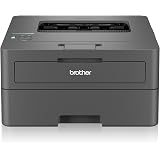
Brother HL-L2440DW (New Launch) Auto Duplex Laser Printer, 30 PPM Print Speed, LCD Display, 64 MB Memory, (WiFi Wireless LAN USB), 250 Sheet Paper Tray, 3000 Pages Inbox Toner, Free Installation
₹13,078.00 (as of October 16, 2026 09:08 GMT +05:30 - More infoProduct prices and availability are accurate as of the date/time indicated and are subject to change. Any price and availability information displayed on [relevant Amazon Site(s), as applicable] at the time of purchase will apply to the purchase of this product.)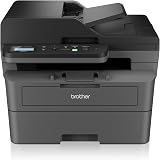
Brother DCP-L2640DW New Launch Auto Duplex Laser Printer, 34 PPM, Print Scan Copy, LCD Display, ADF, 256MB Memory, (WiFi WiFi Direct LAN USB), 250 Sheet Tray, 2 in 1 (ID) Copy Button,Free Installation
₹24,799.00 (as of October 16, 2026 09:08 GMT +05:30 - More infoProduct prices and availability are accurate as of the date/time indicated and are subject to change. Any price and availability information displayed on [relevant Amazon Site(s), as applicable] at the time of purchase will apply to the purchase of this product.)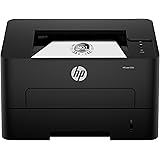
HP 303d Auto Duplex Laser Printer (New Launch), 30 PPM, 256 MB Memory, USB 2.0, Black
₹12,999.00 (as of October 16, 2026 09:08 GMT +05:30 - More infoProduct prices and availability are accurate as of the date/time indicated and are subject to change. Any price and availability information displayed on [relevant Amazon Site(s), as applicable] at the time of purchase will apply to the purchase of this product.)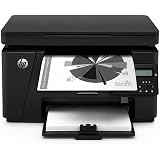
HP LaserJet PRO 126NW Plus All-in-One B&W Printer for Home: Print, Copy, & Scan, Affordable, Compact, Easy Mobile Printing
Now retrieving the price.
(as of October 16, 2026 09:08 GMT +05:30 - More infoProduct prices and availability are accurate as of the date/time indicated and are subject to change. Any price and availability information displayed on [relevant Amazon Site(s), as applicable] at the time of purchase will apply to the purchase of this product.)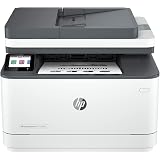
HP LaserJet 3104fdw Duplex Printer: Print, Copy, Scan, Self Reset Dual Band WiFi with self heal, Ethernet, Fast Printing Upto 33ppm, Easy and Secure Setup
₹22,307.00 (as of October 16, 2026 09:08 GMT +05:30 - More infoProduct prices and availability are accurate as of the date/time indicated and are subject to change. Any price and availability information displayed on [relevant Amazon Site(s), as applicable] at the time of purchase will apply to the purchase of this product.)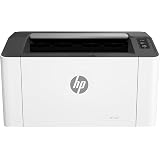
HP Laser 1008w Printer, Monochrome Laser (Home & Home Office), Wi-Fi Direct, Up to 21 ppm, 150-Sheet Input Tray, Compact, 10,000 Page Duty Cycle
₹12,799.00 (as of October 16, 2026 09:08 GMT +05:30 - More infoProduct prices and availability are accurate as of the date/time indicated and are subject to change. Any price and availability information displayed on [relevant Amazon Site(s), as applicable] at the time of purchase will apply to the purchase of this product.)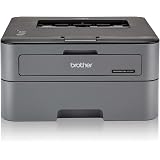
Brother HL-L2321D Automatic Duplex Laser Printer with 30 Pages Per Minute Print Speed (Best in The Category), 8 MB Memory, Large 250 Sheet Paper Tray, USB Connectivity
₹10,999.00 (as of October 16, 2026 09:08 GMT +05:30 - More infoProduct prices and availability are accurate as of the date/time indicated and are subject to change. Any price and availability information displayed on [relevant Amazon Site(s), as applicable] at the time of purchase will apply to the purchase of this product.)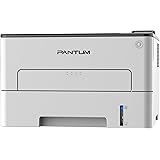
Pantum P3302DN Single Function Laser Printer White For Home and Office Automatic Duplex Printing Network Ready Includes 1500 Page Start Toner Cartridge
₹13,990.00 (as of October 16, 2026 09:08 GMT +05:30 - More infoProduct prices and availability are accurate as of the date/time indicated and are subject to change. Any price and availability information displayed on [relevant Amazon Site(s), as applicable] at the time of purchase will apply to the purchase of this product.)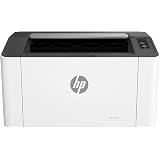
HP Laser 1008a Printer, Single Function, Print, Hi-Speed USB 2.0, Up to 21 ppm, 150-sheet Input Tray, 100-sheet Output Tray, 10,000-page Duty Cycle, 1-Year Warranty, Black and White, 714Z8A
₹11,499.00 (as of October 16, 2026 09:08 GMT +05:30 - More infoProduct prices and availability are accurate as of the date/time indicated and are subject to change. Any price and availability information displayed on [relevant Amazon Site(s), as applicable] at the time of purchase will apply to the purchase of this product.)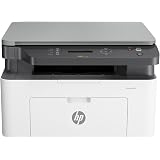
HP Laser MFP 1188w, Wireless, Print, Copy, Scan, Ethernet, Hi-Speed USB 2.0, Up to 21 ppm, 150-sheet Input Tray, 100-sheet Output Tray, 10,000-page Duty Cycle, 1-Year Warranty, Black and White
₹18,499.00 (as of October 16, 2026 09:08 GMT +05:30 - More infoProduct prices and availability are accurate as of the date/time indicated and are subject to change. Any price and availability information displayed on [relevant Amazon Site(s), as applicable] at the time of purchase will apply to the purchase of this product.)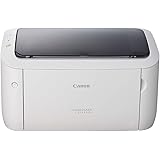
Canon imageCLASS LBP6030W Wi-Fi Mono Printer, Windows, Mac and Linux Support
₹12,799.00 (as of October 16, 2026 09:08 GMT +05:30 - More infoProduct prices and availability are accurate as of the date/time indicated and are subject to change. Any price and availability information displayed on [relevant Amazon Site(s), as applicable] at the time of purchase will apply to the purchase of this product.)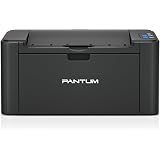
PANTUM P2512W Printer for Home and Office, Wireless, Single Function, Print, Hi-Speed USB 2.0, 22 ppm, 1-Year Warranty, Black Includes 1600 Page Start Toner Cartridge
₹9,390.00 (as of October 16, 2026 09:08 GMT +05:30 - More infoProduct prices and availability are accurate as of the date/time indicated and are subject to change. Any price and availability information displayed on [relevant Amazon Site(s), as applicable] at the time of purchase will apply to the purchase of this product.)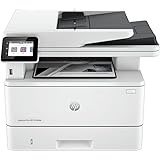
HP LaserJet Pro MFP 4104dw Wireless Monochrome Printer (Print, Scan, Copy)
₹34,999.00 (as of October 16, 2026 09:08 GMT +05:30 - More infoProduct prices and availability are accurate as of the date/time indicated and are subject to change. Any price and availability information displayed on [relevant Amazon Site(s), as applicable] at the time of purchase will apply to the purchase of this product.)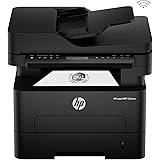
HP 323sdnw Auto Duplex WiFi Laser Printer (New Launch) with ADF, Print Scan Copy, LCD Display, 30 PPM, 256 MB Memory, Black
₹24,499.00 (as of October 16, 2026 09:08 GMT +05:30 - More infoProduct prices and availability are accurate as of the date/time indicated and are subject to change. Any price and availability information displayed on [relevant Amazon Site(s), as applicable] at the time of purchase will apply to the purchase of this product.)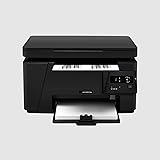
Printer Laser Jet Pro MFP M126A Printer, Copy, Scan, Hi Speed USB 2.0, Free with Data Cable Up to 21 ppm, 150-sheet Input Tray, 100-sheet Output Tray, 8000 Page Duty Cycle Black and White
₹20,592.00 (as of October 16, 2026 09:08 GMT +05:30 - More infoProduct prices and availability are accurate as of the date/time indicated and are subject to change. Any price and availability information displayed on [relevant Amazon Site(s), as applicable] at the time of purchase will apply to the purchase of this product.)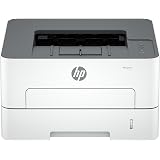
HP Laser 335dn Black & White Laser Printer | Auto Duplex Printing | Ethernet & USB | A4 Network Printer for Home, Small Business & Office | Fast, Reliable & Print Cost Efficient
₹18,999.00 (as of October 16, 2026 09:08 GMT +05:30 - More infoProduct prices and availability are accurate as of the date/time indicated and are subject to change. Any price and availability information displayed on [relevant Amazon Site(s), as applicable] at the time of purchase will apply to the purchase of this product.)