
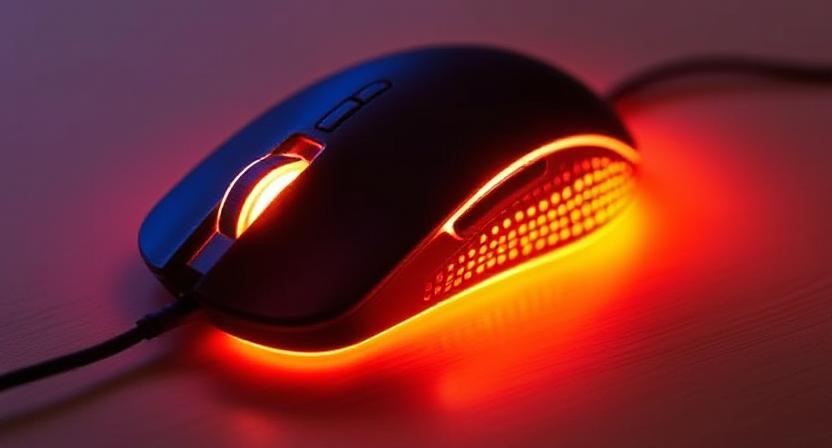
Description: Combat cold hands, stiffness, and RSI risk in your Indian WFH setup with a Heated Mouse. Our expert guide details the health benefits, technology, and why it’s a game-changer.
🇮🇳 Introduction: The Hidden Threat to Indian Productivity – The Cold Hand
In India, when we think of workplace ergonomics, we often focus on chairs, keyboards, and monitor height. However, a significant, often overlooked contributor to daily discomfort and reduced productivity, especially during the long work-from-home (WFH) hours and through the winter months, is the cold, stiff hand.
From the chilly Northern plains where temperatures plunge below freezing, to the air-conditioned offices and homes in metros like Mumbai and Bengaluru where internal temperatures are often regulated for machines rather than human comfort, many Indian professionals suffer from the ailment of a constantly cold mousing hand. This is not just a mild annoyance; it’s a genuine occupational health risk that contributes to conditions like Repetitive Strain Injury (RSI), carpal tunnel syndrome, and generalized hand stiffness.
The solution? The Heated Mouse. A seemingly simple innovation, this device is proving to be a revolutionary accessory, offering soothing warmth to the hand that spends hours performing repetitive, precise movements. This in-depth, expert-led article explores the science, the necessity, and the practical application of the heated mouse, positioning it as an essential investment for the health and sustained productivity of the modern Indian professional.
🥶 Section 1: The Problem of Cold Hands and RSI in the Indian Context
To understand the value of the heated mouse, we must first address the specific challenges faced by computer users in India.
The Physiological Impact of Cold on Hand Function
When hands are cold, the body naturally restricts blood flow (vasoconstriction) to the extremities to conserve core heat. This has several direct negative consequences for a desk worker:
- Decreased Dexterity: Cold muscles and tendons become stiff and less flexible. This reduces the fine motor control needed for precise mouse movements, leading to errors, frustration, and a need for greater physical effort.
- Increased Muscle Tension: The user unconsciously grips the mouse harder to compensate for reduced control, increasing muscle tension in the wrist, forearm, and shoulder. This is a direct pathway to RSI.
- Worsened Pain/Stiffness: For individuals already suffering from mild arthritis or early-stage RSI, cold temperatures can exacerbate joint pain and stiffness, making prolonged work painful and sometimes impossible.
The Indian Winter & AC Dilemma
Unlike Western countries where central heating is standard, Indian offices and homes often rely on localized, variable heating or, conversely, constant, aggressive air conditioning (AC).
- Northern Winters: In cities like Delhi, Lucknow, or Chandigarh, winter temperatures mandate sweaters and blankets, but the mousing hand, exposed and immobile, remains cold.
- Southern AC Cubicles: In large IT campuses in Chennai or Pune, the server rooms and cubicles are kept at consistently low, sub-optimal temperatures (often 20°C or below) to protect equipment. This creates a perpetually chilly environment for the hands, even during the summer months.
Statistics Highlight: Musculoskeletal Disorders (MSDs), including those affecting the hand and wrist, are highly prevalent among Indian computer users. A survey found that over 35% of WFH professionals reported wrist/hand pain, with factors like non-ergonomic setups and prolonged static posture being key contributors.
🔬 Section 2: The Science of Warmth – How the Heated Mouse Promotes Health
The heated mouse is not merely a novelty; it is a therapeutic tool that applies targeted heat therapy (thermotherapy) directly to the area of strain.
Targeted Thermotherapy and Enhanced Circulation
The principle behind a heated mouse is the application of mild, continuous heat to the palm and fingers. This achieves two primary physiological benefits:
- Vasodilation: The warmth encourages the blood vessels in the hand and wrist to widen (vasodilation). This significantly increases blood circulation to the tissues.
- Increased Tissue Elasticity: The enhanced blood flow delivers vital oxygen and nutrients to the muscles and tendons while simultaneously removing metabolic waste products like lactic acid. This process reduces stiffness and makes the muscles and tendons more pliable and less prone to injury from repetitive motion.
The Direct Link to RSI Prevention
While heat therapy alone cannot cure advanced RSI, it is a powerful preventative measure and symptom management technique.
- Reduced Static Load: By keeping the hand warm and relaxed, the user unconsciously reduces the static muscle load—the persistent, low-level muscle contraction required to hold the hand and fingers in place on a cold mouse.
- Pain Management: For chronic sufferers, continuous warmth acts as a gentle, non-chemical analgesic, soothing throbbing or aching pain associated with tendinitis or early carpal tunnel syndrome. Medical professionals often recommend warm compresses for relief from joint stiffness; the heated mouse offers this relief passively, while you work.
| Condition Benefited | How Cold Worsens It | How Heat from the Mouse Helps |
| RSI/Tendinitis | Stiffens tendons, increases grip force. | Improves tissue elasticity, reduces muscle tension. |
| Carpal Tunnel | May increase nerve sensitivity to cold. | Soothes area, promotes better blood flow around the nerve pathway. |
| Arthritis/Stiffness | Causes joints to contract and hurt. | Relaxes muscles and joints, restoring gentle flexibility. |
⚙️ Section 3: Technology and Practicality – Choosing the Right Heated Mouse
For the discerning Indian consumer, understanding the technology and features is key to making a long-lasting, high-value purchase.
Key Technical Features to Evaluate
A quality heated mouse goes beyond just turning on a heating element. Look for these essential features:
- Adjustable Temperature Settings: A must-have. Look for mice with 3 distinct heat levels (e.g., low, medium, high), typically ranging from 30°C to 45°C. The ability to adjust ensures comfort in varying ambient Indian temperatures.
- Heating Zone Focus: Some mice heat the entire palm area, while others focus on the key points of contact—the palm rest and the primary finger buttons. Look for a model that provides uniform, gentle heat to the entire upper surface of the mouse.
- Ergonomic Design: The heat is only beneficial if the mouse is comfortable to hold. Prioritize models that are also ergonomically shaped (contoured or vertical) to support the neutral wrist posture, combining the benefits of warmth and proper form.
- Safety Certifications: Since the device involves electrical heating, ensure the product carries relevant safety certifications (BIS or recognized international certifications) to prevent overheating or electrical hazards.
- Wired vs. Wireless:
- Wired: Offers consistent, uninterrupted power for heating. Generally recommended for the most reliable warmth.
- Wireless: Requires a battery. The heating element is a power drain, so battery life will be significantly reduced compared to a non-heated wireless mouse. Check the dedicated battery life for the heating function.
Availability and Price Point in the Indian Market
While the heated mouse niche is still growing, a range of options are becoming available through major Indian e-commerce platforms, often via international brands or specialized importers.
- Price Spectrum: Genuine, good-quality heated mice typically fall in the ₹2,500 to ₹5,500 range. Cheaper alternatives might compromise on safety, temperature control, and ergonomic design.
- The Alternatives: If a heated mouse is unavailable or too costly, look for heated mouse pads or heated desk mats. These often cover a larger area and can be placed under the keyboard and mouse for warmth, serving as a viable alternative for WFH professionals in cold regions.
Actionable Tip: Always check the power consumption (wattage). A good heated mouse or pad should be highly energy efficient, typically drawing less than 15-20 Watts, making it an eco-friendly and inexpensive source of personal heating.
👨💻 Section 4: Integration and User Experience – Making it Part of Your Routine
Adopting a heated mouse into your Indian WFH setup requires seamless integration. This section addresses user questions and best practices.
Myth Busting: Does a Heated Mouse Cause Sweating?
This is a common concern. A well-designed heated mouse maintains a temperature that is comfortably above human skin temperature (around 30°C to 40°C), which is intended to be soothing, not sweltering.
- The goal is to increase surface temperature and promote blood flow, not to make the hand sweat. If the hand begins to feel clammy, the heat setting is too high and should be lowered immediately.
- Best Practice: Always start at the lowest heat setting and only increase it gradually.
Who Benefits the Most from the Heated Mouse?
This product provides maximum value to specific professional demographics:
- Coders and Developers: Who engage in long, static mouse use (often 8+ hours a day).
- Graphic Designers/Editors: Who rely on precise, fine motor control that can be compromised by cold hands.
- Data Entry/Finance Professionals: Whose work involves continuous mouse clicking and scrolling.
- Seniors and Individuals with Medical Conditions: Particularly those with Raynaud’s phenomenon or circulation issues, where hands get excessively cold and painful.
- WFH Professionals in Unheated Spaces: Where ambient temperature fluctuates drastically.
Maintenance and Longevity
The heated mouse, despite its internal heating element, requires minimal maintenance.
- Cleaning: Use a slightly damp cloth (avoiding excessive water) to wipe the surface. Ensure the device is unplugged before cleaning.
- Cable Management: If wired, ensure the USB cable is not strained, as constant heat cycling combined with cable tension can cause wear over time.
📈 Conclusion: The Strategic Investment in Comfort and Career Longevity
The digital demands of the Indian professional are relentless. For anyone spending significant hours interacting with a computer, the risk of developing a debilitating Repetitive Strain Injury is real. The Heated Mouse emerges as a quiet but powerful hero in this narrative.
It is a strategic investment that pays dividends not just in immediate comfort during cold months or in cold AC environments, but in long-term career longevity by actively mitigating the physical stresses of digital work. By applying gentle, therapeutic warmth, it promotes better circulation, reduces muscle stiffness, and ensures that your hands remain nimble, flexible, and pain-free, allowing you to sustain focus and productivity throughout your arduous workday.
Don’t let cold hands and stiffness dictate your limits. Embrace the power of warmth to elevate your ergonomic health and professional performance.
✍️ Compelling Call to Action
Ready to say goodbye to cold, stiff hands forever? Prioritize your health and productivity today. Click here to explore the top-rated ergonomic heated mice available for the Indian market and feel the revolutionary comfort that your hands truly deserve!
Logitech MK345 Wireless Combo Full-Sized Keyboard with Palm Rest and Comfortable Right-Handed Mouse, 2.4 GHz Wireless USB Receiver, Compatible with PC, Laptop - Black
₹2,545.00 (as of September 19, 2026 15:26 GMT +05:30 - More infoProduct prices and availability are accurate as of the date/time indicated and are subject to change. Any price and availability information displayed on [relevant Amazon Site(s), as applicable] at the time of purchase will apply to the purchase of this product.)
Portronics Key10 Combo Wireless Keyboard and Mouse Set with Wrist Rest, Multimedia Hotkeys, USB Receiver, Adjustable DPI, AI Assistance, Long Key Life & Click Life for PC & Laptop (Grey)
₹1,049.00 (as of September 19, 2026 15:26 GMT +05:30 - More infoProduct prices and availability are accurate as of the date/time indicated and are subject to change. Any price and availability information displayed on [relevant Amazon Site(s), as applicable] at the time of purchase will apply to the purchase of this product.)
GR Deals G2800 Slim Wireless Bluetooth Keyboard and Mouse Combo - Mini Multi-Device Rechargeable Keyboard Set for Laptop, Tablet, Pad & Phone, Lightweight Portable Design (Blue)
₹990.00 (as of September 19, 2026 15:26 GMT +05:30 - More infoProduct prices and availability are accurate as of the date/time indicated and are subject to change. Any price and availability information displayed on [relevant Amazon Site(s), as applicable] at the time of purchase will apply to the purchase of this product.)
HP KM190 Wired Mouse and Keyboard Combo (AB3D3AA)
₹536.00 (as of September 19, 2026 15:26 GMT +05:30 - More infoProduct prices and availability are accurate as of the date/time indicated and are subject to change. Any price and availability information displayed on [relevant Amazon Site(s), as applicable] at the time of purchase will apply to the purchase of this product.)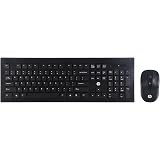
HP USB Wireless Spill Resistance Keyboard and Mouse Combo with 10m Working Range 2.4G Wireless Technology / 3 Years Warranty (4SC12PA), Black
₹1,249.00 (as of September 19, 2026 15:26 GMT +05:30 - More infoProduct prices and availability are accurate as of the date/time indicated and are subject to change. Any price and availability information displayed on [relevant Amazon Site(s), as applicable] at the time of purchase will apply to the purchase of this product.)
Sanbhav Wireless Keyboard Mouse Combo Slim Bluetooth + USB Set for Laptop PC | Silent Keys Compact Mini Keyboard with Mouse | Office, Home, Travel Use (Multicolor Random)
₹899.00 (as of September 19, 2026 15:26 GMT +05:30 - More infoProduct prices and availability are accurate as of the date/time indicated and are subject to change. Any price and availability information displayed on [relevant Amazon Site(s), as applicable] at the time of purchase will apply to the purchase of this product.)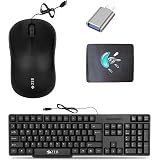
Zeb Wired Keyboard, USB Optical Mouse, Mousepad & C-OTG | Keyboard
₹448.00 (as of September 19, 2026 15:26 GMT +05:30 - More infoProduct prices and availability are accurate as of the date/time indicated and are subject to change. Any price and availability information displayed on [relevant Amazon Site(s), as applicable] at the time of purchase will apply to the purchase of this product.)
pTron Keyvo KW4 Mini Bluetooth Keyboard & Mouse Combo Set for iPad, Tablets, Smartphones, and Computers, 78 Keys, Ultra-Slim, w/ 1600 DPI Precision Optical Sensor (Black)
₹899.00 (as of September 19, 2026 15:26 GMT +05:30 - More infoProduct prices and availability are accurate as of the date/time indicated and are subject to change. Any price and availability information displayed on [relevant Amazon Site(s), as applicable] at the time of purchase will apply to the purchase of this product.)
Logitech MK240 Nano Wireless USB Keyboard and Mouse Set, 12 Function Keys 2.4GHz Wireless, 1000DPI, Spill-Resistant Design, PC/Mac, Black/Chartreuse Yellow
₹1,595.00 (as of September 19, 2026 15:26 GMT +05:30 - More infoProduct prices and availability are accurate as of the date/time indicated and are subject to change. Any price and availability information displayed on [relevant Amazon Site(s), as applicable] at the time of purchase will apply to the purchase of this product.)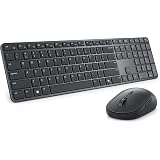
Dell Pro 7 Slim Wireless Keyboard & Mouse Combo KM726, Dual Connectivity (Bluetooth 5.0+2.4GHz RF Dongle), Slim Scissor‑Switch Keys, Silent Plus Optical Mouse up to 6000 DPI, Ergonomic Compact Design
₹6,999.00 (as of September 19, 2026 15:26 GMT +05:30 - More infoProduct prices and availability are accurate as of the date/time indicated and are subject to change. Any price and availability information displayed on [relevant Amazon Site(s), as applicable] at the time of purchase will apply to the purchase of this product.)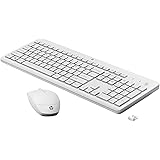
HP 230 Wireless Keyboard and Mouse Combo, 2.4GHz USB dongle, 1600 dpi, Windows PC Compatible, Full-Size Keyboard with Numeric pad, 12 Function Keys, 1-Year Warranty, 0.56 kg, White, 3L1F0AA
₹2,295.00 (as of September 19, 2026 15:26 GMT +05:30 - More infoProduct prices and availability are accurate as of the date/time indicated and are subject to change. Any price and availability information displayed on [relevant Amazon Site(s), as applicable] at the time of purchase will apply to the purchase of this product.)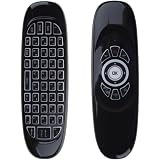
WISTAR C120 3-in-1 Air Mouse Wireless Keyboard Remote | 7-Color RGB Backlit, Rechargeable, 2.4GHz with Motion Sensor, QWERTY Keyboard, For Android TV Box, PC, Smart TV, Projector
₹699.00 (as of September 19, 2026 15:26 GMT +05:30 - More infoProduct prices and availability are accurate as of the date/time indicated and are subject to change. Any price and availability information displayed on [relevant Amazon Site(s), as applicable] at the time of purchase will apply to the purchase of this product.)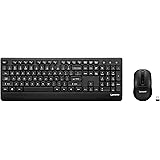
Lenovo 210 2.4GHz Wireless USB Keyboard and Mouse Combo, Waterproof Exoskeleton| Splash Proof Keys| 1600 DPI Full Size Mouse| One-Touch Co-Pilot Key| Adjustable Keyboard Stand | 3 Yr Warranty
₹1,199.00 (as of September 19, 2026 15:26 GMT +05:30 - More infoProduct prices and availability are accurate as of the date/time indicated and are subject to change. Any price and availability information displayed on [relevant Amazon Site(s), as applicable] at the time of purchase will apply to the purchase of this product.)
Adefex Computer Accessories Combo - RGB Wired Gaming Mouse 1200 DPI, Non-Slip Mouse Pad | 4-Port USB Hub & 2-in-1 OTG Connector Laptop & PC Accessories for Work, Gaming & Daily Use
₹469.06 (as of September 19, 2026 15:26 GMT +05:30 - More infoProduct prices and availability are accurate as of the date/time indicated and are subject to change. Any price and availability information displayed on [relevant Amazon Site(s), as applicable] at the time of purchase will apply to the purchase of this product.)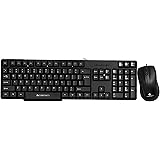
Zebronics Wired Keyboard and Mouse Combo with 104 Keys and a USB Mouse with 1200 DPI -JUDWAA 750
₹399.00 (as of September 19, 2026 15:26 GMT +05:30 - More infoProduct prices and availability are accurate as of the date/time indicated and are subject to change. Any price and availability information displayed on [relevant Amazon Site(s), as applicable] at the time of purchase will apply to the purchase of this product.)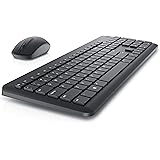
Dell KM3322W Wireless USB Keyboard and Mouse Combo, Anti-Fade & Spill-Resistant Keys, up to 36 Month Battery Life, 3Y Advance Exchange Warranty - Black
₹1,499.00 (as of September 19, 2026 15:26 GMT +05:30 - More infoProduct prices and availability are accurate as of the date/time indicated and are subject to change. Any price and availability information displayed on [relevant Amazon Site(s), as applicable] at the time of purchase will apply to the purchase of this product.)
ENTWINO 4 in 1 Gaming Keyboard and Mouse Combo with Headphone Usb Mousepad Included, Black
₹1,599.00 (as of September 19, 2026 15:26 GMT +05:30 - More infoProduct prices and availability are accurate as of the date/time indicated and are subject to change. Any price and availability information displayed on [relevant Amazon Site(s), as applicable] at the time of purchase will apply to the purchase of this product.)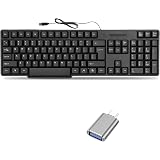
Mophonics Wired Keyboard and C-OTG
₹399.00 (as of September 19, 2026 15:26 GMT +05:30 - More infoProduct prices and availability are accurate as of the date/time indicated and are subject to change. Any price and availability information displayed on [relevant Amazon Site(s), as applicable] at the time of purchase will apply to the purchase of this product.)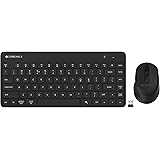
ZEBRONICS Companion 201 2.4GHz Wireless Keyboard & Mouse Combo, 83 Keys, AI Assist Key, 12 Integrated Multimedia Keys, 3 Button Mouse, 1600 DPI, High Precision, Silent Operation (Black)
₹888.00 (as of September 19, 2026 15:26 GMT +05:30 - More infoProduct prices and availability are accurate as of the date/time indicated and are subject to change. Any price and availability information displayed on [relevant Amazon Site(s), as applicable] at the time of purchase will apply to the purchase of this product.)