Description: Master the monitor market in India! Your in-depth guide to choosing the best desktop display for gaming, WFH, and creative work. Specs, price, and top trends covered.
The desktop monitor is the window to your digital world. For Indian consumers, whether you’re a student attending online classes in a bustling city, a working professional managing complex data from your home office, or a passionate gamer seeking that competitive edge, the right display can dramatically elevate your productivity and entertainment. It’s often the single most under-rated component in a PC setup, yet it’s the one you interact with most intensely.
The Indian market, known for its diversity and value-consciousness, offers a bewildering array of options. This comprehensive guide will cut through the noise, providing genuine expertise and actionable insights to help you make a smart, informed purchasing decision tailored specifically for the Indian environment and budget. We’ll explore the crucial specifications, real-world use-cases, and the latest trends shaping the market in 2024-2025.
💻 Understanding Your Needs: The First Step to a Great Monitor
Before diving into the technical jargon, the most important question is: What will you primarily use your desktop monitor for? Your answer will narrow down the essential features and help you allocate your budget wisely.
1. The Home & Office Professional (WFH Warriors)
With the rise of hybrid and remote work models, a reliable and ergonomic monitor is a necessity, not a luxury. For the millions of Indian professionals working from home, the focus must be on comfort and clarity.
- Primary Tasks: Document editing, video conferencing, spreadsheets, web browsing, email.
- Essential Features:
- Size & Resolution: A 24 to 27-inch size is the sweet spot. Opt for Full HD (1920x1080p) for 24-inch and at least Quad HD (QHD/1440p) for 27-inch to ensure sharp text clarity, which is crucial for long work hours.
- Panel Type: IPS (In-Plane Switching) is highly recommended. It offers superior colour accuracy and wide viewing angles, meaning the screen looks consistent even if you shift your posture, a key factor for reducing eye strain.
- Ergonomics: Height, tilt, and swivel adjustability are non-negotiable for maintaining a healthy posture. Look for a VESA mount for flexible mounting options.
- Eye Care: Must-have features include Flicker-Free technology and Low Blue Light filters (often branded as ‘ComfortView’ or similar) to protect your vision during those extended work shifts.
2. The Enthusiast Gamer (Esports Aspirants)
Gaming demands are entirely different. Every millisecond counts, and visual fluidity is paramount to your performance and immersive experience.
- Primary Tasks: Competitive FPS, MOBA, AAA open-world games.
- Essential Features:
- Refresh Rate: A minimum of 144Hz is standard for smooth gameplay; competitive players should target 240Hz or even 360Hz.
- Response Time: A low response time of 1ms (milliseconds) is ideal, often achieved through TN or fast IPS panels, to prevent motion blur and ‘ghosting’.
- Adaptive Sync: Look for NVIDIA G-SYNC or AMD FreeSync (Premium/Pro). These technologies synchronise the monitor’s refresh rate with your GPU’s output, eliminating screen tearing and stuttering—a game-changer for any serious gamer.
- Panel Type: Fast IPS panels are now the most popular choice, offering a great balance of speed and colour quality.
3. The Creative Professional (Designers & Editors)
Colour fidelity is the soul of a creative professional’s work. Precision in hues, gradients, and contrast is vital for photo editing, graphic design, and video production.
- Primary Tasks: Photo/Video editing, graphic design, animation, 3D modelling.
- Essential Features:
- Colour Gamut: Look for high coverage of industry standards: 100% sRGB for web content, and high coverage of Adobe RGB (e.g., 90%+) or DCI-P3 (e.g., 95%+) for print and video production.
- Resolution: 4K (3840×2160) is preferred on larger screens (27-inch and above) to see minute details. WQHD (1440p) is a solid mid-range alternative.
- Panel Type: IPS (In-Plane Switching) or the premium OLED/QD-OLED panels are the top-tier choices for their exceptional colour reproduction and wide viewing angles.
- Calibration: Monitors that come factory-calibrated (e.g., Delta E < 2) guarantee out-of-the-box colour accuracy.
⚙️ The Critical Technical Specifications Explained
Understanding the core specs is the key to differentiating a budget display from a premium one.
Panel Technology: IPS vs. VA vs. TN (and the rise of OLED)
The type of panel determines the monitor’s most fundamental characteristics: colour, speed, and contrast.
| Panel Type | Best For | Pros (Strengths) | Cons (Weaknesses) |
| IPS (In-Plane Switching) | Professionals, General Users, Enthusiast Gaming | Excellent colour accuracy, best viewing angles (up to 178°), fast response times now common. | Can be slightly more expensive; minor ‘IPS glow’ at extreme angles. |
| VA (Vertical Alignment) | Media Consumption, Casual Gaming | Excellent contrast ratio (deep blacks, bright whites—often 3000:1+), great for movies. | Slower response times can lead to ‘ghosting’ in fast-paced games. |
| TN (Twisted Nematic) | Competitive Esports Gaming | Fastest response times (often 1ms) and highest refresh rates, most affordable. | Poor colour reproduction, narrow viewing angles (colours shift if you move). |
| OLED (Organic LED) | Premium Users, Content Creators | Perfect blacks, infinite contrast, and instant response time. | Very expensive, potential for ‘burn-in’ with static UI elements. |
Indian Market Insight: IPS is the current market leader due to its versatility, appealing to both the work-from-home and the enthusiast segments.
Resolution and Pixel Density: Clarity Matters
Resolution is the number of pixels on the screen, expressed as (width x height).
- Full HD (FHD) / 1080p (1920×1080): Most common in the Indian market. Perfectly fine for 24-inch monitors and general use. It’s affordable and easy for most entry-level graphics cards to drive.
- Quad HD (QHD) / 1440p (2560×1440): The current sweet spot for 27-inch monitors. Offers a significant boost in screen real estate and sharpness over FHD, making multitasking much better.
- Ultra HD (UHD) / 4K (3840×2160): Provides phenomenal detail, ideal for creative work and large screens (32-inch and above). Requires a powerful graphics card to handle gaming or rendering.
The ratio of screen size to resolution is called Pixel Density (measured in PPI). A higher PPI means a sharper, clearer image. Aim for a PPI of 90 to 110 for the best balance of clarity and usability without needing excessive scaling.
Refresh Rate (Hz) and Response Time (ms)
These two factors are crucial for motion clarity and are vital for gamers.
- Refresh Rate (Hz): How many times per second the image on the screen is updated.
- 60Hz/75Hz: Standard for office work and media consumption.
- 144Hz/165Hz: Great for all-around gaming.
- 240Hz+: Reserved for serious competitive gamers.
- Response Time (ms): How quickly a pixel can change from one colour to another. A lower number is better.
- 5ms-8ms: Acceptable for general use.
- 1ms (GtG – Grey-to-Grey): Standard for a high-performance gaming monitor.
💡 Practical Considerations for the Indian Buyer
Beyond the core technical specifications, local factors and purchasing trends play a significant role.
Connectivity and Ports
Modern monitors offer a host of connectivity options that can make your desktop setup cleaner and more versatile.
- HDMI 2.0/2.1: The most common port, compatible with almost all devices. HDMI 2.1 is necessary for 4K @ 120Hz gaming on next-gen consoles.
- DisplayPort 1.4: The standard for PC gaming, supporting high refresh rates and resolutions simultaneously.
- USB-C (with Power Delivery): A game-changing feature for laptop users. A single USB-C cable can transmit video, data, and charge your laptop (look for 65W to 90W PD). This eliminates desk clutter—a major benefit for compact Indian home offices.
- Built-in USB Hubs: Allow you to connect a keyboard, mouse, or charging cable directly to the monitor, acting as a docking station.
Ergonomics and Eye Care: A Health Investment
Spending hours in front of a screen is a reality for the modern Indian professional. Ergonomics is an investment in your long-term health.
- Adjustable Stand: Prioritize monitors with a stand that allows for Height, Tilt, Swivel, and Pivot (portrait mode) adjustments. A monitor stand is not just about aesthetics; it’s about aligning the top of the screen with your eye level to prevent neck and back strain.
- Eye Comfort Technologies: As mentioned, Flicker-Free (eliminates rapid background brightness changes) and Low Blue Light (reduces the high-energy blue light spectrum known to cause eye fatigue and disrupt sleep) are crucial. Look for certifications like TÜV Rheinland for assurance.6
Current Market Trends in India (2024-2025 Data)
The Indian monitor market is rapidly evolving, moving towards higher-end specifications, driven by the booming gaming and remote work sectors.
- Trend 1: The QHD/1440p Surge: While FHD still dominates in volume, QHD resolution is experiencing a significant CAGR (Compound Annual Growth Rate) of over 15% in the premium consumer segment. Consumers are increasingly willing to pay a slight premium for better clarity and multitasking ability.
- Trend 2: The Gaming Monitor Boom: The demand for high-refresh-rate monitors (144Hz+) is growing at an unprecedented pace. The adoption of e-sports and competitive gaming is driving this demand, with new brands and budget-friendly options making high-performance displays accessible to the masses.
- Trend 3: Ergonomic and Smart Features: There is a heightened focus on monitors with integrated features like KVM switches (allowing one keyboard/mouse to control two PCs), built-in webcams, and sophisticated ergonomic stands, reflecting the serious investment in home office infrastructure.
💰 Budgeting for Your Desktop Monitor: Value for Money
The “best” monitor isn’t always the most expensive, but the one that offers the best feature set for your budget and use case.
| Price Segment (INR) | Primary Use Case | Recommended Specs | Key Focus |
| ₹7,000 – ₹12,000 | General Use, Students, Office Work | 22-24 inch, FHD (1080p), 60/75Hz, IPS/VA Panel | Affordability, Eye Care Features |
| ₹13,000 – ₹25,000 | WFH Professional, Casual/Mid-Range Gaming | 27 inch, QHD (1440p), 144Hz, Fast IPS Panel, Good Ergonomics | Productivity, Versatility, Gaming Performance |
| ₹26,000 – ₹45,000+ | Creative Professionals, High-End Gaming | 27-32 inch, 4K UHD or High-Refresh 1440p, High Colour Gamut, USB-C PD, Premium Panel | High Fidelity, Colour Accuracy, Top-Tier Performance |
Real-World Case Study: The IT Professional’s Choice
Consider Aarav, an IT consultant in Bengaluru who needs to manage three simultaneous windows—Teams, a large Excel sheet, and his coding IDE.
- Aarav’s Mistake: Buying an affordable 24-inch FHD (1080p) monitor. He found the text small, had to constantly switch windows, and experienced eye strain due to a non-adjustable stand.
- The Recommended Upgrade: A 27-inch QHD (1440p) IPS monitor with a height-adjustable stand and USB-C connectivity.
- The Result: The QHD resolution gave him 77% more pixels than FHD, allowing him to comfortably fit three windows side-by-side. The ergonomic stand reduced his neck pain. The monitor acts as a dock, charging his work laptop and connecting peripherals via a single cable. This monitor became a productivity tool, not just a display.
🛠️ Setting Up Your Monitor for Optimal Indian Conditions
Once you’ve bought the perfect monitor, proper setup is essential for maximizing its potential and longevity in the Indian climate.
Protecting Your Investment
- Power Stability: India’s power grid can be prone to fluctuations. Always use a high-quality surge protector or a UPS (Uninterruptible Power Supply). A sudden power spike can instantly damage your monitor’s delicate internal electronics.
- Ambient Light: Position your monitor to avoid direct sunlight or bright overhead lights reflecting on the screen. Reflections cause significant eye strain. Use an anti-glare screen coating or reposition your desk.
- Dust Management: The fine dust common in many Indian cities can settle on the screen and ventilation ports. Regularly wipe the screen with a microfiber cloth and ensure the monitor’s vents are clear for proper heat dissipation.
Calibration and Settings
Most monitors are not perfectly set up out of the box. A few simple adjustments can make a world of difference:
- Brightness: Adjust the brightness to match your room’s ambient lighting. A good rule of thumb is that the white on your screen should look like a sheet of paper under your lighting. Too bright is worse for your eyes than too dim.
- Colour Profile: Use the manufacturer’s suggested colour profile (e.g., sRGB mode). If you are a creator, invest in a dedicated colourimeter for hardware calibration.
- Windows/macOS Scaling: For high-resolution monitors like 4K, you will need to adjust the display scaling (e.g., to 150%) to ensure text and icons are a comfortable size.
🚀 Conclusion: Elevate Your Digital Experience
Choosing the right desktop monitor in India is about striking a perfect balance between technical superiority, real-world utility, and budget constraints. Don’t be swayed by a low price alone—consider the long-term return on investment in your productivity, health, and entertainment.
For the vast majority of Indian users, a 27-inch QHD IPS monitor with excellent ergonomics and integrated eye-care features represents the ultimate sweet spot. It future-proofs your setup, handles demanding work, and offers a fantastic gaming experience without the extreme cost of premium 4K or OLED panels.
The screen you look at all day deserves your careful consideration. Make an informed choice, and transform your everyday computing experience from mundane to magnificent.
Call to Action: Your Next Step
Ready to find the perfect match? What is your primary use case for your new monitor, and what is your budget? Tell me, and I can suggest a few top-rated models available in the Indian market right now, complete with a feature breakdown!
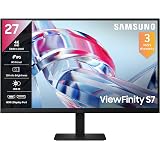
Samsung 27" (68.47cm) 4K UHD Monitor|4K 3840 x 2160|IPS Panel|HDR 10|SRGB 99%|1.07 Billion Colors|Wide Viewing Angle|Ports-HDMI,DP,Headphone|PIP|PBP|Eye Saver Mode|LS27H700EAWXXL |Black
₹20,599.00 (as of September 19, 2026 15:35 GMT +05:30 - More infoProduct prices and availability are accurate as of the date/time indicated and are subject to change. Any price and availability information displayed on [relevant Amazon Site(s), as applicable] at the time of purchase will apply to the purchase of this product.)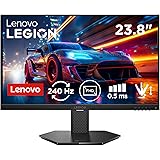
Lenovo Legion 24-10, 24 Inch IPS Full HD Gaming Monitor, 240Hz, 0.5ms, AMD FreeSyn Premium, NVIDIA G-Sync, 99% sRGB, Eyesafe, Dual HDMI, Display Port, Tilt, Swivel, Pivot, Height Adjust, Black
₹10,496.00 (as of September 19, 2026 15:35 GMT +05:30 - More infoProduct prices and availability are accurate as of the date/time indicated and are subject to change. Any price and availability information displayed on [relevant Amazon Site(s), as applicable] at the time of purchase will apply to the purchase of this product.)
Dell SE2225HM 21.5"/54.6cm FHD, 100Hz Refresh, VA Panel, 5ms Response, Tilt Adjust, 3000:1 Contrast, 250 cd/m2, Ports: HDMI, DP 1.2, VGA, TÜV Rheinland 3-Star Eye Comfort, Ultra-Thin bezels Monitor
₹6,599.00 (as of September 19, 2026 15:35 GMT +05:30 - More infoProduct prices and availability are accurate as of the date/time indicated and are subject to change. Any price and availability information displayed on [relevant Amazon Site(s), as applicable] at the time of purchase will apply to the purchase of this product.)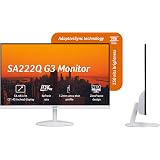
Acer SA222Q G3 21.5 Inch Full HD IPS Monitor | 120Hz Refresh | 1ms VRB | AdaptiveSync | Ultra Slim 7.2mm ZeroFrame | Built-in Dual Speakers | HDMI & VGA | VisionCare | VESA Mount | Tilt Option | White
₹6,999.00 (as of September 19, 2026 15:35 GMT +05:30 - More infoProduct prices and availability are accurate as of the date/time indicated and are subject to change. Any price and availability information displayed on [relevant Amazon Site(s), as applicable] at the time of purchase will apply to the purchase of this product.)
Samsung 24"(60.5 cm) Flat IPS Monitor|IPS Panel|FHD 1920 x 1080|100 Hz|New Super Slim Design|Ports-HDMI,VGA|Tilt Stand Feature -2˚ to 21˚|Game Mode|Eye Saver Mode|Wall Mountable|LS24D300GAWXXL|Black
₹7,290.00 (as of September 19, 2026 15:35 GMT +05:30 - More infoProduct prices and availability are accurate as of the date/time indicated and are subject to change. Any price and availability information displayed on [relevant Amazon Site(s), as applicable] at the time of purchase will apply to the purchase of this product.)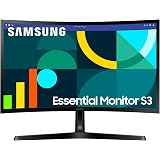
Samsung 24" Curved Monitor|1800R Curved Screen|100Hz|4ms|SRGB 95%|Ports-HDMI,D-Sub,Headphone|Game Mode|EyeSaver Mode|16.7M Color Support|Flicker Free|Off Timer Plus|LS24D368GAWXXL|Black
₹7,999.00 (as of September 19, 2026 15:35 GMT +05:30 - More infoProduct prices and availability are accurate as of the date/time indicated and are subject to change. Any price and availability information displayed on [relevant Amazon Site(s), as applicable] at the time of purchase will apply to the purchase of this product.)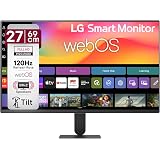
LG 27U511SB 69 cm (27 Inch) Full HD (1920x1080) IPS Smart Monitor with webOS26, 120Hz, Wi-Fi, Bluetooth, Miracast, AirPlay, Speakers, HDMI, USB-A, Slim Stand, 3-Side Virtually Borderless (Black)
₹17,499.00 (as of September 19, 2026 15:35 GMT +05:30 - More infoProduct prices and availability are accurate as of the date/time indicated and are subject to change. Any price and availability information displayed on [relevant Amazon Site(s), as applicable] at the time of purchase will apply to the purchase of this product.)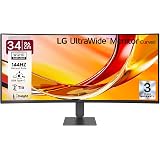
LG 34U640B 86 cm (34 Inch) 21:9 UltraWide WQHD (3440x1440) Curved Monitor(1800R), 144Hz, sRGB 99%(Typ.), HDR10, Anti-Glare, HDMI X 2, DP, USB-C (PD 65W), PBP, PIP, Tilt/Height Adjustable Stand (Black)
₹32,499.00 (as of September 19, 2026 15:35 GMT +05:30 - More infoProduct prices and availability are accurate as of the date/time indicated and are subject to change. Any price and availability information displayed on [relevant Amazon Site(s), as applicable] at the time of purchase will apply to the purchase of this product.)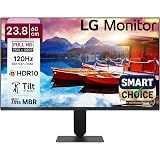
LG24U411A-BN Smartchoice 60 cm (24-inch) Full HD (1920 x 1080) IPS Monitor, 3-Side Virtually Borderless, 1ms MBR, 120Hz, sRGB 99%(Typ.), HDR10, Reader Mode, Flicker Safe, VGA, HDMI, Slim Stand, Black
₹7,499.00 (as of September 19, 2026 15:35 GMT +05:30 - More infoProduct prices and availability are accurate as of the date/time indicated and are subject to change. Any price and availability information displayed on [relevant Amazon Site(s), as applicable] at the time of purchase will apply to the purchase of this product.)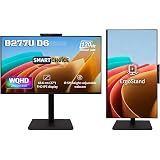
Acer Smartchoice B277U D6 27 Inch WQHD 2560x1440 IPS Monitor | 120Hz | 5MP IR Webcam | HDR10, Delta E
₹20,599.00 (as of September 19, 2026 15:35 GMT +05:30 - More infoProduct prices and availability are accurate as of the date/time indicated and are subject to change. Any price and availability information displayed on [relevant Amazon Site(s), as applicable] at the time of purchase will apply to the purchase of this product.)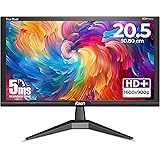
Foxin LED Monitor Crystal 20.5 inch (52.07 cm), HD 1600 x 900p, 60Hz, 5ms Response Time, HDMI & VGA Ports, 16.7M Colors, Wall Mountable Computer Monitor for PC, CCTV & Laptop Screen Extender | Black
₹2,699.00 (as of September 19, 2026 15:35 GMT +05:30 - More infoProduct prices and availability are accurate as of the date/time indicated and are subject to change. Any price and availability information displayed on [relevant Amazon Site(s), as applicable] at the time of purchase will apply to the purchase of this product.)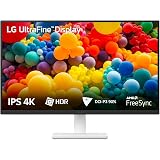
LG 27US500 68.4 cm (27 Inch) Ultra HD 4K (3840x2160) IPS Monitor with 60Hz, 5ms (GtG) HDR10, Flicker Safe, Reader Mode, 2xHDMI, Anti-Glare, 3-Side Virtually Borderless Design, DCI-P3 90% (Black)
₹19,999.00 (as of September 19, 2026 15:35 GMT +05:30 - More infoProduct prices and availability are accurate as of the date/time indicated and are subject to change. Any price and availability information displayed on [relevant Amazon Site(s), as applicable] at the time of purchase will apply to the purchase of this product.)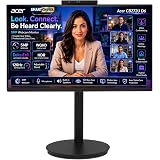
Acer Smartchoice CB272U D6 27 Inch WQHD 2560x1440 IPS Professional Monitor, 120Hz, 1ms VRB, 5MP Webcam, HDR10, DCI-P3 90%, Delta E
₹18,698.00 (as of September 19, 2026 15:35 GMT +05:30 - More infoProduct prices and availability are accurate as of the date/time indicated and are subject to change. Any price and availability information displayed on [relevant Amazon Site(s), as applicable] at the time of purchase will apply to the purchase of this product.)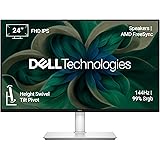
Dell S2425HSM 24"/60.45cm FHD Monitor|Ash White|144Hz Refresh|99% Srgb, 300 cd/m2 Brightness|IPS Panel, 1ms| Contrast 1500:1| 2xHDMI, Built-in 3W Dual Speakers|Warranty 3 Years, Ergonomic|AMD FreeSync
₹11,399.00 (as of September 19, 2026 15:35 GMT +05:30 - More infoProduct prices and availability are accurate as of the date/time indicated and are subject to change. Any price and availability information displayed on [relevant Amazon Site(s), as applicable] at the time of purchase will apply to the purchase of this product.)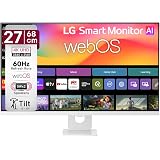
LG 27U731SB 68 cm (27 Inch) UHD (3840 x 2160) IPS Smart Monitor with webOS26, Wi-Fi, Bluetooth, Miracast, AirPlay, Speakers 5WX2, HDMI, USB-C (PD 65W), Slim Stand, 3-Side Virtually Borderless (White)
₹28,499.00 (as of September 19, 2026 15:35 GMT +05:30 - More infoProduct prices and availability are accurate as of the date/time indicated and are subject to change. Any price and availability information displayed on [relevant Amazon Site(s), as applicable] at the time of purchase will apply to the purchase of this product.)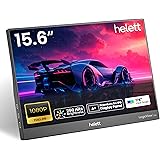
helett® LogicView™ lite 15.6" Single Screen Portable Monitor for Windows,Mac&Android A+ Grade 1920x1080 FHD IPS Display,250 Nits, 60Hz,Ultra Slim|USB Type-C & HDMI, Built-in Speakers|1Year Warranty
₹6,598.00 (as of September 19, 2026 15:35 GMT +05:30 - More infoProduct prices and availability are accurate as of the date/time indicated and are subject to change. Any price and availability information displayed on [relevant Amazon Site(s), as applicable] at the time of purchase will apply to the purchase of this product.)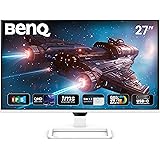
BenQ EW270Q 27" (68.58 cm) 2K QHD 200Hz IPS Gaming Monitor | HDRi|1200:1 Contrast|90% P3 Gamut|350 nits|Built-in-Speakers(5W X2)|AMD FreeSync Premium|USB-C (65 W), HDMI|Game Color Mode(White)
₹18,749.00 (as of September 19, 2026 15:35 GMT +05:30 - More infoProduct prices and availability are accurate as of the date/time indicated and are subject to change. Any price and availability information displayed on [relevant Amazon Site(s), as applicable] at the time of purchase will apply to the purchase of this product.)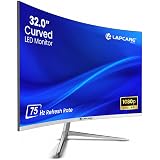
LAPCARE Lapeye 32 Inch Curved Monitor | Full HD 1920x1080 | 75Hz Refresh Rate | HDMI & VGA Ports | Flicker-Free Display | 178° Wide Viewing Angle | Wall Mount Compatible
₹11,499.00 (as of September 19, 2026 15:35 GMT +05:30 - More infoProduct prices and availability are accurate as of the date/time indicated and are subject to change. Any price and availability information displayed on [relevant Amazon Site(s), as applicable] at the time of purchase will apply to the purchase of this product.)
ZEBRONICS EA124 LED Monitor, 24 inch (60.4cm), 250 nits, 100Hz, FHD, 1920x1080, HDMI, VGA, Ultra Slim Bezel, Built-in Speakers, Metal Stand, Wall Mountable
₹6,499.00 (as of September 19, 2026 15:35 GMT +05:30 - More infoProduct prices and availability are accurate as of the date/time indicated and are subject to change. Any price and availability information displayed on [relevant Amazon Site(s), as applicable] at the time of purchase will apply to the purchase of this product.)