Smart plugs are the unsung heroes of home automation, offering a simple yet incredibly effective way to inject intelligence into your existing appliances and electronics. These compact devices transform ordinary devices into connected, controllable entities, opening a world of convenience, energy savings, and enhanced security. This comprehensive guide will delve into the intricacies of smart plugs, empowering you to make informed decisions and unlock their full potential within your smart home ecosystem.
Understanding the Core Functionality: What Exactly is a Smart Plug?
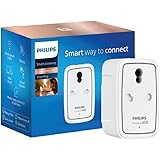
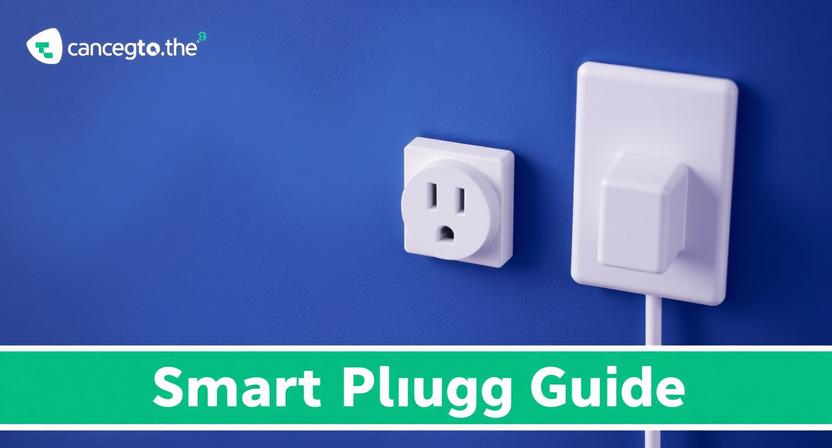
At its heart, a smart plug is an adapter that plugs into a standard wall outlet. It then provides a controllable outlet for your appliance or electronic device. The “smart” aspect comes from its connectivity, typically via Wi-Fi or Bluetooth, allowing it to be controlled remotely through a smartphone app, voice commands, or automated schedules. This simple interface belies the powerful capabilities they offer.
Key Features and Benefits of Smart Plugs:
The allure of smart plugs lies in their diverse range of features, catering to various needs and preferences.
- Remote Control: The most fundamental benefit is the ability to turn devices on and off from anywhere with an internet connection. Left the iron on? No problem. Want to pre-heat your coffee maker before you even get out of bed? Absolutely. This remote access provides unparalleled convenience and peace of mind.
- Scheduling and Timers: Automate your home by setting schedules for your devices. Have your lamps turn on at dusk and off at dawn, or schedule your fan to run during specific hours of the day. Timers allow for one-off activations or deactivations after a set period, perfect for tasks like charging devices or controlling holiday lights.
- Voice Control Integration: Seamlessly integrate smart plugs with popular voice assistants like Amazon Alexa, Google Assistant, and Apple HomeKit. This allows for intuitive, hands-free control. Simply say, “Alexa, turn on the living room lamp,” and watch your home respond.
- Energy Monitoring: Many smart plugs offer built-in energy monitoring capabilities. This feature provides valuable insights into the power consumption of connected devices, helping you identify energy vampires and make informed decisions to reduce your electricity bills. You can track real-time usage, view historical data, and even set alerts for excessive consumption.
- Scene Creation: Group multiple smart plugs and devices into “scenes” for coordinated actions. For example, a “Good Morning” scene could turn on your bedroom lamp, start your coffee maker, and adjust your smart thermostat. A “Movie Night” scene might dim the lights and turn on your entertainment system.
- Away Mode/Vacation Mode: Enhance home security by simulating occupancy when you’re away. This feature randomly turns lights on and off, making it appear as though someone is home, deterring potential intruders.
- Overload Protection: Many smart plugs incorporate safety features like overload protection, which automatically shuts off the power if the connected device draws too much current, preventing damage to the plug and your appliance.
- Compact and Discreet Design: Smart plugs are generally small and unobtrusive, allowing them to blend seamlessly into your home décor without blocking adjacent outlets.
Types of Smart Plugs:
While the core functionality remains consistent, smart plugs come in various forms to suit specific needs:
- Standard Smart Plugs: These are the most common type, offering basic on/off control, scheduling, and often energy monitoring. They are ideal for lamps, fans, coffee makers, and most general-purpose appliances.
- Smart Plugs with USB Ports: These handy devices include integrated USB ports, allowing you to charge smartphones, tablets, and other USB-powered devices directly without needing a separate charger. This is perfect for bedside tables or home offices.
- Outdoor Smart Plugs: Designed to withstand the elements, outdoor smart plugs are weather-resistant and allow you to control landscape lighting, holiday decorations, or garden pumps remotely.
- Multi-Outlet Smart Plugs: These units feature multiple controllable outlets within a single plug, offering a space-saving solution for areas with many devices, such as entertainment centers or workstations.
- Smart Plugs with Surge Protection: For valuable electronics, surge-protected smart plugs provide an extra layer of defense against power surges and spikes, safeguarding your devices from damage.
Choosing the Right Smart Plug: Key Considerations:
Navigating the market can be overwhelming, but by considering these factors, you can select the ideal smart plug for your needs:
- Connectivity Protocol (Wi-Fi vs. Bluetooth):
- Wi-Fi: Offers wider range and direct connection to your home network. Generally requires a stable Wi-Fi signal for reliable operation.
- Bluetooth: Often requires a hub or bridge to connect to your network and control remotely. Typically has a shorter range but can be more power-efficient. Some newer Bluetooth smart plugs offer direct smartphone control without a hub.
- Smart Home Ecosystem Compatibility: Ensure the smart plug is compatible with your existing smart home platform (Amazon Alexa, Google Assistant, Apple HomeKit, Samsung SmartThings, etc.). This is crucial for seamless voice control and scene integration.
- Required Features: Prioritize the features most important to you. Do you need energy monitoring? Voice control? USB ports?
- App Functionality: The accompanying smartphone app is your primary interface. Look for apps that are intuitive, user-friendly, and offer robust features and customization options. Read reviews to gauge app performance and reliability.
- Reliability and Durability: Opt for reputable brands known for their quality and reliability. Check customer reviews for feedback on long-term performance and build quality.
- Safety Certifications: Ensure the smart plug has undergone relevant safety testing and certification (e.g., UL certification) to guarantee it meets safety standards.
- Power Rating: Verify that the smart plug can handle the power requirements of the device you intend to connect. Overloading a smart plug can be a fire hazard.
- Form Factor and Outlet Compatibility: Consider the physical size of the smart plug and whether it will fit comfortably in your desired outlet location, especially in crowded power strips or behind furniture.
Setting Up and Using Your Smart Plugs:
The setup process for most smart plugs is remarkably straightforward:
- Download the App: Install the manufacturer’s app on your smartphone or tablet.
- Create an Account: Follow the on-screen instructions to create a user account.
- Plug in the Smart Plug: Insert the smart plug into a standard wall outlet.
- Connect to Wi-Fi (or Bluetooth): The app will guide you through connecting the smart plug to your home Wi-Fi network or pairing it via Bluetooth. You’ll typically need to enter your Wi-Fi password.
- Name Your Plug: Assign a descriptive name to your smart plug (e.g., “Living Room Lamp,” “Bedroom Fan”). This makes it easier to identify and control.
- Connect Your Device: Plug your appliance or electronic device into the controllable outlet of the smart plug.
- Start Controlling: Use the app to turn the device on/off, set schedules, create scenes, or integrate with your voice assistant.
Creative Applications for Smart Plugs:
Beyond the basic on/off functionality, smart plugs unlock a wealth of creative possibilities:
- Holiday Decorations: Effortlessly manage your festive lights, ensuring they turn on and off automatically.
- Aquariums and Terrariums: Maintain consistent lighting and temperature control for your aquatic or reptile habitats.
- Home Security: Use smart plugs to control lights, radios, or even smart speakers to simulate occupancy when you’re away.
- Energy Savings: Identify and eliminate “phantom load” by scheduling energy-hungry devices to turn off completely when not in use.
- Accessibility: For individuals with mobility challenges, smart plugs provide a convenient way to control appliances without needing to reach them physically.
- Pet Care: Automate pet feeders or pet-related devices to ensure your furry friends are well-cared for, even when you’re not home.
- Gardening: Control grow lights or watering systems for indoor plants or small gardens.
Troubleshooting Common Issues:
While generally reliable, you might encounter occasional hiccups:
- Connectivity Problems: Ensure your Wi-Fi network is stable. Try moving the smart plug closer to your router or restarting both the plug and your router.
- App Not Responding: Close and reopen the app. Check for app updates.
- Device Not Turning On/Off: Verify the device is properly plugged into the smart plug and that the smart plug is receiving power. Check the power rating.
- Voice Commands Not Working: Ensure your voice assistant is properly linked to your smart plug account. Speak clearly and use the correct device name.
By embracing the simplicity and power of smart plugs, you can effortlessly elevate your home automation journey, creating a more convenient, efficient, and secure living environment.
AZIOT 4 Node Smart Switch Mini - WiFi/Bluetooth Communication - Made in India - Timer Function - Works with Google Home and Amazon Alexa… (2 Module Size)
₹1,299.00 (as of September 27, 2026 18:59 GMT +05:30 - More infoProduct prices and availability are accurate as of the date/time indicated and are subject to change. Any price and availability information displayed on [relevant Amazon Site(s), as applicable] at the time of purchase will apply to the purchase of this product.)
AZIOT 2 Node Smart Switch - WiFi/Bluetooth Communication - Made in India - Timer Function - Works with Google Home and Amazon Alexa… (2 Node)
₹879.00 (as of September 27, 2026 18:59 GMT +05:30 - More infoProduct prices and availability are accurate as of the date/time indicated and are subject to change. Any price and availability information displayed on [relevant Amazon Site(s), as applicable] at the time of purchase will apply to the purchase of this product.)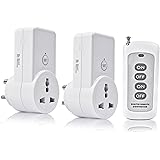
Blackt Electrotech BT16H | 3-Pin Wireless RF Remote Control Power Outlet Switch Socket | 230V 10A Plug with 1 Remote | 100m Range | for Light, Fan, TV & Appliances (2 Socket + 1 Remote)
₹1,398.00 (as of September 27, 2026 18:59 GMT +05:30 - More infoProduct prices and availability are accurate as of the date/time indicated and are subject to change. Any price and availability information displayed on [relevant Amazon Site(s), as applicable] at the time of purchase will apply to the purchase of this product.)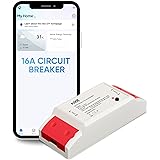
Aziot WiFi + BLE Smart Circuit Breaker - 16Amp, Compatible with Alexa & Google Assistant, Easy Installation, Made in India
₹719.00 (as of September 27, 2026 18:59 GMT +05:30 - More infoProduct prices and availability are accurate as of the date/time indicated and are subject to change. Any price and availability information displayed on [relevant Amazon Site(s), as applicable] at the time of purchase will apply to the purchase of this product.)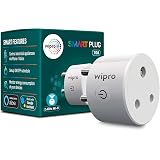
Wipro 10 Amp Smart Plug
₹879.00 (as of September 27, 2026 18:59 GMT +05:30 - More infoProduct prices and availability are accurate as of the date/time indicated and are subject to change. Any price and availability information displayed on [relevant Amazon Site(s), as applicable] at the time of purchase will apply to the purchase of this product.)
Tapo P110 16A Wi-Fi Smart Plug with Energy Monitoring, Suitable for High-Power Appliances & Microwave Ovens, Remote Control, Timer & Schedule, Works with Alexa, Google Assistant, Apple Home
₹979.00 (as of September 27, 2026 18:59 GMT +05:30 - More infoProduct prices and availability are accurate as of the date/time indicated and are subject to change. Any price and availability information displayed on [relevant Amazon Site(s), as applicable] at the time of purchase will apply to the purchase of this product.)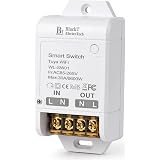
Blackt Electrotech WiFi Smart Switch 30A for Geyser & AC, Works with Alexa & Google Home, Mobile App Control with Timer & Schedule, No Hub Required, Heavy Duty Smart Switch for Appliances | BT74S
Now retrieving the price.
(as of September 27, 2026 18:59 GMT +05:30 - More infoProduct prices and availability are accurate as of the date/time indicated and are subject to change. Any price and availability information displayed on [relevant Amazon Site(s), as applicable] at the time of purchase will apply to the purchase of this product.)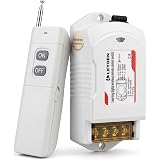
LEYDEN LE-RFC3KM 220VAC 30A RF Remote Control Switch up to 3000m Open Land Range, Heavy Duty Wireless ON/OFF Switch for 2HP Motor, Water Pump, Agriculture, Manual Button
₹1,549.00 (as of September 27, 2026 18:59 GMT +05:30 - More infoProduct prices and availability are accurate as of the date/time indicated and are subject to change. Any price and availability information displayed on [relevant Amazon Site(s), as applicable] at the time of purchase will apply to the purchase of this product.)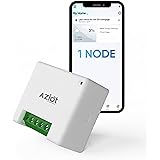
AZIOT 1 Node(16amp) Smart Switch - WiFi/Bluetooth Communication - Made in India - Timer Function - Works with Google Home and Amazon Alexa
₹799.00 (as of September 27, 2026 18:59 GMT +05:30 - More infoProduct prices and availability are accurate as of the date/time indicated and are subject to change. Any price and availability information displayed on [relevant Amazon Site(s), as applicable] at the time of purchase will apply to the purchase of this product.)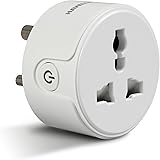
Havells 10 A Wi-Fi Smart Plug (White) with Voice Control & Energy Monitoring — Compatible with Alexa and Google Assistant
₹768.00 (as of September 27, 2026 18:59 GMT +05:30 - More infoProduct prices and availability are accurate as of the date/time indicated and are subject to change. Any price and availability information displayed on [relevant Amazon Site(s), as applicable] at the time of purchase will apply to the purchase of this product.)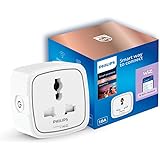
PHILIPS 10A Smart WiFi Plug | Wiz Connected Voice Controlled, Amazon Alexa & Google Assistant Compatible Smart Plug with Energy Consumption Monitoring, Pack of 1
₹996.00 (as of September 27, 2026 18:59 GMT +05:30 - More infoProduct prices and availability are accurate as of the date/time indicated and are subject to change. Any price and availability information displayed on [relevant Amazon Site(s), as applicable] at the time of purchase will apply to the purchase of this product.)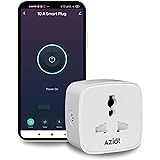
AZIOT 10A Smart Plug with Energy Monitoring – WiFi/Bluetooth – Made in India – Timer Function – Works with Google Home & Amazon Alexa
₹739.00 (as of September 27, 2026 18:59 GMT +05:30 - More infoProduct prices and availability are accurate as of the date/time indicated and are subject to change. Any price and availability information displayed on [relevant Amazon Site(s), as applicable] at the time of purchase will apply to the purchase of this product.)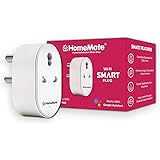
HomeMate WiFi Smart Plug Socket 16A (Pack of 1), With Energy Monitoring, Works with Amazon Alexa, Google Assistant and Siri (Type D - 16A, Pack of 1)
₹798.00 (as of September 27, 2026 18:59 GMT +05:30 - More infoProduct prices and availability are accurate as of the date/time indicated and are subject to change. Any price and availability information displayed on [relevant Amazon Site(s), as applicable] at the time of purchase will apply to the purchase of this product.)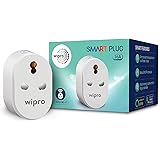
Wipro 16A Wi-Fi Smart Plug with Energy Monitoring- Suitable for Large Appliances like Geysers, Microwave Ovens, Air Conditioners (Works with Alexa and Google Assistant)- White
₹998.00 (as of September 27, 2026 18:59 GMT +05:30 - More infoProduct prices and availability are accurate as of the date/time indicated and are subject to change. Any price and availability information displayed on [relevant Amazon Site(s), as applicable] at the time of purchase will apply to the purchase of this product.)
Wipro 10A smart plug with Energy monitoring- Suitable for small appliances like TVs, Electric Kettle, Mobile and Laptop Chargers (Works with Alexa and Google Assistant)
₹907.00 (as of September 27, 2026 18:59 GMT +05:30 - More infoProduct prices and availability are accurate as of the date/time indicated and are subject to change. Any price and availability information displayed on [relevant Amazon Site(s), as applicable] at the time of purchase will apply to the purchase of this product.)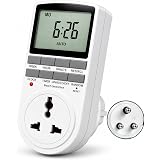
Blackt Electrotech BT41P 230V 10A Digital Programmable Timer Socket Plug – 24x7 Electronic Outlet for Automated Lights, Energy Saving & Home Appliances (New)
₹806.00 (as of September 27, 2026 18:59 GMT +05:30 - More infoProduct prices and availability are accurate as of the date/time indicated and are subject to change. Any price and availability information displayed on [relevant Amazon Site(s), as applicable] at the time of purchase will apply to the purchase of this product.)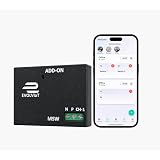
EvolvIOT 1 Node Smart Switch Module, SW1R1T0A16 Wi-Fi, Black Made in India, Time Schedualing, Voice control, Black
₹899.00 (as of September 27, 2026 18:59 GMT +05:30 - More infoProduct prices and availability are accurate as of the date/time indicated and are subject to change. Any price and availability information displayed on [relevant Amazon Site(s), as applicable] at the time of purchase will apply to the purchase of this product.)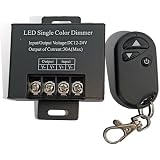
Linga Lighting 12V 24V 30A LED Dimmer Controller with Wireless RF Remote for Single Color LED Strip, COB Strip, 5050 3528 2835 SMD, PWM Brightness Control for Home, Ceiling & Cabinet Lighting
Now retrieving the price.
(as of September 27, 2026 18:59 GMT +05:30 - More infoProduct prices and availability are accurate as of the date/time indicated and are subject to change. Any price and availability information displayed on [relevant Amazon Site(s), as applicable] at the time of purchase will apply to the purchase of this product.)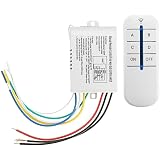
Wireless 4-Way Remote Control Switch, 220V-240V ON/OFF | 30m Control Range, 4-Channel Receiver, LED Indicator, Light Switch Kit, Multi-Group Control
₹480.00 (as of September 27, 2026 18:59 GMT +05:30 - More infoProduct prices and availability are accurate as of the date/time indicated and are subject to change. Any price and availability information displayed on [relevant Amazon Site(s), as applicable] at the time of purchase will apply to the purchase of this product.)