
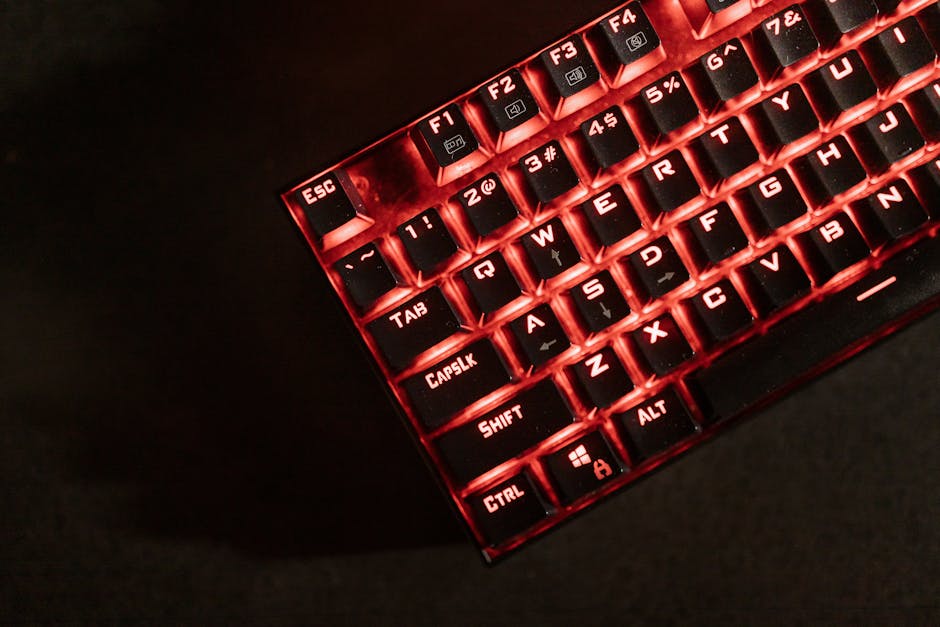
RGB Mechanical Keyboards: Beyond the Lights, What Matters
The allure of RGB mechanical keyboards is undeniable. A symphony of vibrant colors dancing across your desk, pulsating with every keystroke, creates an immersive and visually striking experience. However, for the discerning user, the dazzling light show is merely a surface-level attraction. Beneath the customizable glow lies a realm of mechanical nuances, material choices, and ergonomic considerations that truly define the typing experience and long-term satisfaction. This article delves beyond the aesthetics to explore the critical factors that elevate a good RGB mechanical keyboard to an exceptional one.
The Heart of the Matter: Mechanical Switches
The cornerstone of any mechanical keyboard, and arguably its most significant differentiator, is the type of mechanical switch employed. These individual units beneath each keycap are responsible for registering a keystroke and dictating the tactile feel, audible feedback, and actuation force. For RGB keyboards, manufacturers often offer a selection, typically categorized by their characteristics:
-
Linear Switches: Characterized by a smooth, consistent press from top to bottom with no tactile bump or audible click. These are favored by gamers seeking rapid, unhindered keystrokes and typists who prefer a fluid, quiet experience. Popular examples include Cherry MX Red, Gateron Red, and Kailh Red.
-
Tactile Switches: Provide a noticeable bump during the keypress, signaling the point of actuation without an audible click. This feedback is highly valued by typists who appreciate confirmation of a registered keystroke, reducing errors and improving typing speed. Cherry MX Brown, Gateron Brown, and Kailh Brown are prominent examples.
-
Clicky Switches: Combine a tactile bump with an audible click sound upon actuation. These offer the most pronounced feedback, satisfying those who enjoy the auditory confirmation of each press. However, they can be disruptive in shared environments. Cherry MX Blue, Gateron Blue, and Kailh Blue represent this category.
Beyond these primary types, manufacturers are constantly innovating. You’ll find variations in actuation force (the pressure needed to press the key), travel distance (how far the key travels), and even specialized switches designed for specific purposes like silent operation or increased durability. When choosing an RGB mechanical keyboard, prioritize the switch type that aligns with your primary use case – gaming, typing, or a blend of both. Don’t be swayed solely by the RGB; understanding switch mechanics is paramount.
Keycap Construction: More Than Just Aesthetics
While RGB lighting shines through keycaps, their material and manufacturing process profoundly impact durability, feel, and even the diffusion of light.
-
ABS (Acrylonitrile Butadiene Styrene): A common and cost-effective plastic. ABS keycaps are generally lighter and can produce brighter RGB diffusion due to their translucency. However, they are prone to developing a shine over time with heavy use, and the legends (letters and symbols) can wear off if not double-shot.
-
PBT (Polybutylene Terephthalate): A more premium and durable plastic. PBT keycaps are denser, more resistant to wear and tear, and less likely to develop a shine. They offer a more textured feel, which many users find enhances grip and typing comfort. RGB diffusion might be slightly less vibrant than with ABS, but the increased durability and premium feel often outweigh this.
-
Double-Shot Keycaps: This manufacturing process involves injecting two different colors of plastic to create the keycap and its legend. This ensures that the legends are incredibly durable and will never fade or wear off, regardless of material. Most high-quality RGB mechanical keyboards will feature double-shot keycaps, often made from PBT for ultimate longevity.
The profile of the keycap – its shape and height – also plays a role in ergonomics. Common profiles include OEM, Cherry, SA, and XDA. Experimenting with different profiles can significantly improve typing comfort and reduce finger fatigue during extended sessions.
Build Quality and Materials: The Foundation of Longevity
The chassis and internal construction of an RGB mechanical keyboard are crucial for its overall stability, durability, and premium feel.
-
Plastic Chassis: While common in budget-friendly options, plastic can sometimes feel less robust and may flex under pressure. The quality of the plastic varies significantly, with some higher-end plastic chassis offering excellent rigidity.
-
Aluminum Frame/Plate: Many premium RGB mechanical keyboards incorporate an aluminum top plate or even a full aluminum frame. This significantly enhances rigidity, preventing flex and providing a satisfying heft and premium feel. Aluminum also aids in heat dissipation, which can be a minor consideration for some users.
-
Internal Dampening: Manufacturers often incorporate foam or other dampening materials within the keyboard’s chassis. This helps to reduce pinging sounds and hollow echoes, resulting in a more refined and satisfying typing sound profile.
The weight of the keyboard is also an indicator of its build quality. A heavier keyboard is generally less likely to slide around on your desk during intense gaming or rapid typing.
Connectivity and Features: Beyond the Basic Input
Modern RGB mechanical keyboards offer a range of connectivity options and features that enhance usability and customization.
-
Wired Connectivity: USB-C is the standard for wired connections, offering fast data transfer and the ability to power more demanding RGB lighting. Detachable USB-C cables are a welcome feature for portability and ease of replacement.
-
Wireless Connectivity: Bluetooth and 2.4GHz wireless dongles provide freedom from cables. While convenient, wireless connectivity can introduce slight input lag, which might be a concern for competitive gamers. Look for keyboards with low-latency wireless technology for the best experience.
-
Software Customization: The ability to customize RGB lighting, macros, and key assignments through dedicated software is a significant advantage. High-quality software allows for granular control over individual key lighting, complex animations, and the creation of custom profiles for different applications.
-
On-Board Memory: Keyboards with on-board memory allow you to save your custom profiles and lighting settings directly to the keyboard, eliminating the need for software to be running constantly.
-
Hot-Swappable Switches: This feature allows you to easily remove and replace mechanical switches without soldering. This is invaluable for enthusiasts who want to experiment with different switch types or replace a faulty switch.
-
N-Key Rollover (NKRO) and Anti-Ghosting: Essential for gamers and fast typists, NKRO ensures that every key press is registered, even when multiple keys are pressed simultaneously. Anti-ghosting prevents incorrect keystrokes from being registered when multiple keys are pressed.
Ergonomics and Comfort: Sustaining Long-Term Use
Beyond the raw performance, how a keyboard feels in your hands over extended periods is paramount.
-
Typing Angle and Wrist Rest: The natural angle of the keyboard and the inclusion of a detachable wrist rest can significantly improve comfort and reduce strain on your wrists. Adjustable feet on the keyboard allow for customization of the typing angle.
-
Keycap Profile: As mentioned earlier, different keycap profiles cater to varying hand sizes and typing styles. Experimentation is key to finding what feels most natural.
-
Layout: Standard full-size, tenkeyless (TKL), 75%, 65%, and 60% layouts offer different levels of compactness and functionality. Consider your desk space and the keys you frequently use when choosing a layout.
-
Build Material and Texture: The texture of the keycaps and the chassis material can contribute to a more comfortable and secure grip, preventing your fingers from slipping.
The RGB Ecosystem: Beyond Just Pretty Lights
While the core functionality lies in the switches and build, the RGB implementation itself can be a differentiator.
-
Per-Key RGB: The ability to control the color and animation of each individual key offers the highest level of customization. This allows for intricate lighting effects and personalized setups.
-
Lighting Zones: Some keyboards offer pre-defined lighting zones, allowing for simpler customization of larger areas of the keyboard.
-
Brightness and Diffusion: The quality of the LEDs and the design of the keycaps influence the brightness and how evenly the light is diffused. Some RGB implementations can appear harsh or uneven.
-
Software Integration: Seamless integration with game launchers and other software can enable dynamic RGB effects that react to in-game events, further immersing you in the experience.
In conclusion, while the vibrant spectacle of RGB lighting is often the initial draw, a truly exceptional mechanical keyboard is defined by its underlying engineering. From the nuanced feel of its switches and the enduring quality of its keycaps to the robust construction and thoughtful ergonomic design, these elements work in concert to create a superior typing and gaming experience that transcends mere illumination. Prioritizing these often-overlooked aspects will lead you to a keyboard that not only looks stunning but also performs flawlessly and remains a pleasure to use for years to come.