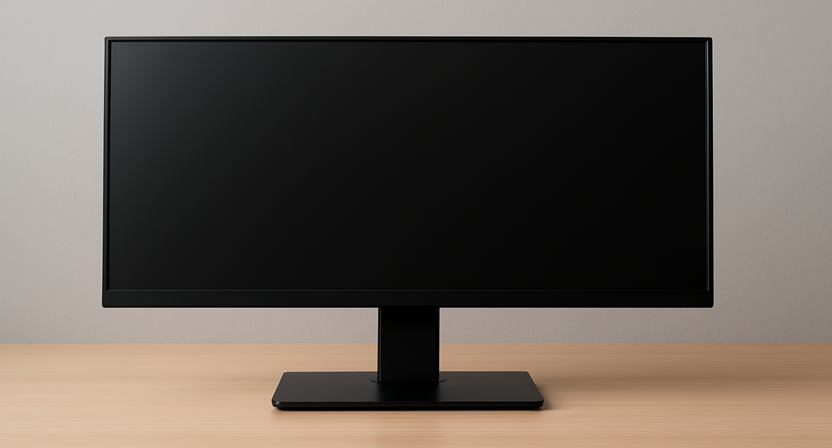
Description: An in-depth guide for Indian buyers on selecting the perfect desktop monitor. Learn the difference between IPS, VA, and OLED, and optimize your screen for WFH, gaming, or professional creation.
🌟 Introduction: The Desktop Monitor as Your Window to Productivity and Play
In the rapidly evolving digital landscape of India, the desktop monitor is no longer just an output device; it is the primary interface through which we interact with the world. With the surge of the hybrid work model, the booming E-sports industry, and a greater emphasis on content creation, the monitor market in India is experiencing robust growth, projected to expand significantly by 2030 (CAGR of over 4%). This expansion is driven by the demand for higher resolutions, advanced gaming features, and superior ergonomic designs.
For the savvy Indian consumer, this flood of options can be overwhelming. Do you prioritize a blazing-fast refresh rate for competitive gaming, or absolute color accuracy for design work? Does the panel type (IPS, VA, OLED) truly matter?
This comprehensive, expert-led article cuts through the technical jargon to provide a clear, structured framework for making the smartest possible investment in your viewing experience. We will explore every angle, offering data-backed insights specifically tailored to the unique budget, space, and usage demands of the Indian reader.
🔬 Section 1: The Core Technology Decoded – Panel Types and Their Real-World Impact
The most fundamental decision when buying a desktop monitor is the display technology, commonly referred to as the panel type. This choice directly dictates color, speed, contrast, and cost.
Understanding the Big Three Desktop Monitor Panel Types
| Panel Type | Full Form | Key Strengths | Key Weaknesses | Ideal Indian User Profile |
| IPS | In-Plane Switching | Best Color Accuracy (100% sRGB/DCI-P3), Wide Viewing Angles (178°), Good Response Time. | Lower Native Contrast (more “grayish” blacks), often higher cost than TN. | Content Creators, Designers, Photographers, General WFH |
| VA | Vertical Alignment | Superior Contrast Ratio (3000:1 or more), Deep Blacks (great for movies), Good Viewing Angles. | Slower response times (can cause ghosting/smearing), especially in budget models. | Movie Enthusiasts, Casual Gamers, General Office Work |
| TN | Twisted Nematic | Fastest Response Times (1ms or less), Highest Refresh Rates (360Hz+), Most Affordable. | Poor Color Reproduction, Narrow Viewing Angles (color shifting when viewed off-center). | Competitive E-sports Gamers (where speed is the only priority) |
The Next-Gen Challenge: OLED and Mini-LED
For the premium segment in India, newer technologies offer significant performance leaps:
- OLED (Organic Light-Emitting Diode): Each pixel emits its own light, resulting in infinite contrast (perfect blacks) and near-instantaneous response times. While premium, the price point and risk of “burn-in” are decreasing, making them the ultimate choice for the top-tier multimedia and gaming setup.
- Mini-LED: An evolution of LED-backlit LCDs, it uses thousands of tiny LEDs grouped into local dimming zones. This dramatically improves contrast and HDR performance, bridging the gap between traditional LED and OLED without the burn-in risk.
Actionable Insight: For the vast majority of Indian users, a modern IPS panel is the best all-rounder, offering the clarity needed for spreadsheets and the colors required for casual multimedia.
📐 Section 2: Defining Your Needs – Specifications by Usage Scenario
A monitor that is fantastic for a professional video editor will be mediocre for a competitive gamer, and vice-versa. Your usage scenario dictates your non-negotiable specifications.
The Professional & Work-from-Home (WFH) Desktop Monitor
For the growing segment of Indian professionals, health and workspace efficiency are paramount.
- Resolution & Size: The 27-inch QHD (2560 x 1440p) is the new standard. It offers a significant jump in screen real estate over the common 24-inch FHD (1080p), allowing two full-sized documents to be viewed side-by-side easily. 4K (3840 x 2160p) is excellent but requires a larger size (32 inches) and a more powerful CPU/GPU to drive.
- Color Gamut: Look for 100% sRGB coverage for general office work. For graphic design, photo editing, or video production (content creation), demand monitors covering 90% or more of the DCI-P3 or Adobe RGB gamut.
- Ergonomics: This is a health investment. A fully adjustable stand with Height, Tilt, Swivel, and Pivot (portrait mode) capability is non-negotiable for long-term comfort and posture.
- Connectivity: The Single-Cable Solution: Look for a monitor with USB-C with Power Delivery (PD). This single cable can transmit video, data, and charge your laptop (often up to 65W or 90W), eliminating cable clutter—a huge advantage in a small Indian apartment setup.
| WFH/Pro Priority | Recommended Specification |
| Resolution/Density | 27-inch QHD (1440p) or 32-inch 4K |
| Ergonomics | Full Height/Tilt/Swivel/Pivot Stand |
| Connectivity | USB-C with 65W+ Power Delivery |
| Health Feature | Low Blue Light Mode / Flicker-Free Technology |
The Gaming Desktop Monitor: Speed is Sovereign
The burgeoning Indian E-sports scene means gamers need specific technology to gain a competitive edge.
- Refresh Rate (Hz): This is the most crucial gaming spec. It measures how many times the screen updates per second.
- Casual: 75Hz or 100Hz offers a subtle improvement over the basic 60Hz.
- Serious/Competitive: 144Hz or 165Hz is the sweet spot. Anything less puts you at a disadvantage.
- E-sports Pro: 240Hz, 360Hz, or higher for maximum fluidity, often paired with a lower 1080p resolution to ensure high frame rates.
- Response Time (ms): Look for 1ms Grey-to-Grey (GtG) or lower. A high response time causes motion blur and “ghosting” in fast-paced games (like FPS or racing titles).
- Adaptive Sync: Ensure the monitor supports AMD FreeSync or NVIDIA G-Sync. This technology synchronizes the monitor’s refresh rate with the GPU’s frame rate, eliminating distracting screen tearing and stuttering.
Expert Insight: Don’t chase 4K resolution in a gaming monitor unless you have a top-tier, latest-generation GPU (e.g., RTX 4070 or above). For the best balance of visuals and smooth performance on mid-range hardware, a 1440p (QHD) resolution at 144Hz or 165Hz is the optimal choice for the modern Indian gamer.
🔌 Section 3: Connectivity, Health, and Hidden Value
Beyond the panel and speed, seemingly minor features can significantly affect your daily experience and the monitor’s longevity.
Connectivity: Future-Proofing Your Investment
Monitor ports are evolving rapidly. Choosing the right ones ensures your monitor remains relevant for the next 5-7 years.
- DisplayPort (DP): The superior choice for high refresh rates (144Hz+) and high resolutions (4K) due to its higher bandwidth compared to older HDMI standards. Use DP for connecting your desktop GPU.
- HDMI: Universal and essential for connecting gaming consoles (PS5/Xbox) or set-top boxes. Ensure it’s HDMI 2.0 or 2.1 for 4K 120Hz support.
- USB Hub: A monitor with built-in USB-A ports acts as a docking station. This is invaluable for connecting your keyboard, mouse, or charging peripherals, keeping cable mess off your desk.
The Health and Comfort Factor: Non-Negotiable for Long Hours
Given the long working hours common in India, eye health must be a priority.
- Blue Light Filters: Most quality monitors offer a “Low Blue Light” mode (sometimes hardware-based). This reduces the blue light spectrum, which is known to disrupt sleep cycles and cause eye strain.
- Flicker-Free Technology: Cheap monitors flicker the backlight to control brightness. High-quality monitors use DC dimming (Flicker-Free technology), which significantly reduces eye fatigue and headaches for sensitive users.
- Matte vs. Glossy: For typical Indian environments with bright sunlight or tube lights, a Matte finish is strongly recommended as it effectively eliminates glare and reflection, a common office frustration.
Understanding Brightness and HDR (High Dynamic Range)
Brightness is measured in nits (cd/m2).
- Minimum Brightness: For a typical indoor environment, 250 – 300 nits is adequate.
- Outdoor/Bright Rooms: Look for 350 nits or higher.
- HDR Content: For truly noticeable HDR performance (required for cinematic movies or compatible games), you need a minimum of 600 nits (VESA DisplayHDR 600 certification). HDR on monitors below 400 nits is often barely distinguishable from standard dynamic range (SDR).
🇮🇳 Section 4: Budgeting, Brands, and The Indian Market Reality
The Indian market is unique, with strong competition across all price segments. Knowing where to spend and where to save is key to a cost-efficient purchase.
Choosing the Right Screen Size Based on Space
In many Indian homes, desk space is a constraint.
- 24-inch (FHD or QHD): Ideal for small desks, students, or as a secondary/vertical monitor in a dual-screen setup. Perfect for 1080p gaming.
- 27-inch (QHD): The best all-purpose size. Provides ample workspace without requiring excessive head turning. Fits most standard desks.
- 32-inch and Ultrawide (34-inch/38-inch): Best for professionals replacing a dual-monitor setup with a single screen or for maximum gaming immersion. Requires a large, sturdy desk.
Brand Trust and After-Sales Service in India
In the accessories market, the quality of after-sales service is a huge factor. While international giants like Dell, HP, and LG offer excellent monitors (especially the UltraSharp and UltraGear series) backed by robust service networks, Indian readers should also look at value-focused brands:
- Acer and Samsung: Offer strong price-to-performance ratios across both budget and mid-range segments. Samsung’s Smart Monitor series (with built-in smart TV OS) is a popular choice for dual-purpose use in smaller living spaces.
- ViewSonic and BenQ: Highly respected brands, particularly for their focus on color accuracy (BenQ PhotoVue/DesignVue) and eye-care technology.
Budget Allocation Strategy:
- Under ₹10,000: Focus on a reliable 24-inch FHD IPS panel with a 75Hz refresh rate and a basic adjustable stand. Prioritize the IPS panel over a higher refresh rate.
- ₹10,000 to ₹25,000: This is the sweet spot. You can secure a 27-inch QHD IPS or a 24-inch 144Hz+ gaming monitor with a solid stand and good color coverage.
- ₹25,000 and Above: Enter the premium tier, where you demand 4K resolution, HDR600+, USB-C PD, and advanced features like KVM switches (to control two PCs with one keyboard/mouse).
📝 Conclusion: Your Display, Your Decision
A desktop monitor is an investment in your daily performance, comfort, and entertainment. Making the right choice hinges on a thorough, expert understanding of how core specifications like panel type, resolution, and refresh rate align with your specific Indian lifestyle—be it demanding WFH schedules, professional content creation, or the high-octane world of E-sports.
Do not settle for a monitor that merely displays an image; choose one that elevates your entire digital experience. By following this detailed guide and focusing on the non-negotiable features for your primary use, you will secure a high-value display that will serve you reliably for years to come.
✍️ Compelling Call to Action
Ready to see the difference a great monitor makes? Use our definitive checklist to identify your ideal screen size and panel type, and then click here to explore the top-rated, ergonomically-superior monitors that redefine clarity and comfort for the modern Indian professional!
FRONTECH (54.61cm, LED, FHD 1920x1080,100Hz, White, 3500R Curved, Bezel Less Design, HDMI & VGA Ports Monitor, 3 Years Warranty (MON-0079C)
₹6,029.00 (as of September 19, 2026 15:35 GMT +05:30 - More infoProduct prices and availability are accurate as of the date/time indicated and are subject to change. Any price and availability information displayed on [relevant Amazon Site(s), as applicable] at the time of purchase will apply to the purchase of this product.)
Acer Smartchoice B277U D6 27 Inch WQHD 2560x1440 IPS Monitor | 120Hz | 5MP IR Webcam | HDR10, Delta E
₹20,599.00 (as of September 19, 2026 15:35 GMT +05:30 - More infoProduct prices and availability are accurate as of the date/time indicated and are subject to change. Any price and availability information displayed on [relevant Amazon Site(s), as applicable] at the time of purchase will apply to the purchase of this product.)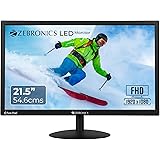
Zebronics 21.5” (54.6cm) LED Monitor, FHD 1920x1080, 250nits Brightness, Dual Input - HDMI/VGA, 2000000:1 Dynamic Contrast Ratio, 16.7M Colors, 16:9 Aspect Ratio, Wall Mountable (EA 122)
₹3,999.00 (as of September 19, 2026 15:35 GMT +05:30 - More infoProduct prices and availability are accurate as of the date/time indicated and are subject to change. Any price and availability information displayed on [relevant Amazon Site(s), as applicable] at the time of purchase will apply to the purchase of this product.)
Acer SmartChoice SA242Y E 23.8 Inch Full HD IPS Monitor I 100Hz Refresh Rate I 1ms VRB I AMD FreeSync I Ultra Slim ZeroFrame Design I VisionCare I HDMI & VGA Inbox HDMI Cable I VESA Mount I Black
₹6,558.00 (as of September 19, 2026 15:35 GMT +05:30 - More infoProduct prices and availability are accurate as of the date/time indicated and are subject to change. Any price and availability information displayed on [relevant Amazon Site(s), as applicable] at the time of purchase will apply to the purchase of this product.)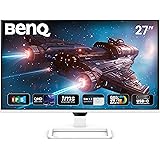
BenQ EW270Q 27" (68.58 cm) 2K QHD 200Hz IPS Gaming Monitor | HDRi|1200:1 Contrast|90% P3 Gamut|350 nits|Built-in-Speakers(5W X2)|AMD FreeSync Premium|USB-C (65 W), HDMI|Game Color Mode(White)
₹18,749.00 (as of September 19, 2026 15:35 GMT +05:30 - More infoProduct prices and availability are accurate as of the date/time indicated and are subject to change. Any price and availability information displayed on [relevant Amazon Site(s), as applicable] at the time of purchase will apply to the purchase of this product.)
Samsung 24" Curved Monitor|1800R Curved Screen|100Hz|4ms|SRGB 95%|Ports-HDMI,D-Sub,Headphone|Game Mode|EyeSaver Mode|16.7M Color Support|Flicker Free|Off Timer Plus|LS24D368GAWXXL|Black
₹7,999.00 (as of September 19, 2026 15:35 GMT +05:30 - More infoProduct prices and availability are accurate as of the date/time indicated and are subject to change. Any price and availability information displayed on [relevant Amazon Site(s), as applicable] at the time of purchase will apply to the purchase of this product.)
ZEBRONICS EA124 LED Monitor, 24 inch (60.4cm), 250 nits, 100Hz, FHD, 1920x1080, HDMI, VGA, Ultra Slim Bezel, Built-in Speakers, Metal Stand, Wall Mountable
₹6,499.00 (as of September 19, 2026 15:35 GMT +05:30 - More infoProduct prices and availability are accurate as of the date/time indicated and are subject to change. Any price and availability information displayed on [relevant Amazon Site(s), as applicable] at the time of purchase will apply to the purchase of this product.)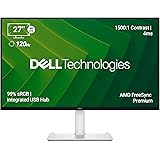
Dell S2725QC 27" 4K (3840 * 2160) USB-C Monitor|Titan Grey|IPS 120Hz| 350 cd/m2 |4 ms, Contrast 1,500:1| Tilt, Height, Pivot & Swivel|Ports: 2X HDMI| 2 * 5W Speakers|99% SRGB |AMD Freesync Premium
₹32,099.00 (as of September 19, 2026 15:35 GMT +05:30 - More infoProduct prices and availability are accurate as of the date/time indicated and are subject to change. Any price and availability information displayed on [relevant Amazon Site(s), as applicable] at the time of purchase will apply to the purchase of this product.)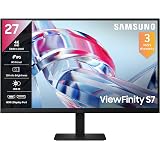
Samsung 27" (68.47cm) 4K UHD Monitor|4K 3840 x 2160|IPS Panel|HDR 10|SRGB 99%|1.07 Billion Colors|Wide Viewing Angle|Ports-HDMI,DP,Headphone|PIP|PBP|Eye Saver Mode|LS27H700EAWXXL |Black
₹20,599.00 (as of September 19, 2026 15:35 GMT +05:30 - More infoProduct prices and availability are accurate as of the date/time indicated and are subject to change. Any price and availability information displayed on [relevant Amazon Site(s), as applicable] at the time of purchase will apply to the purchase of this product.)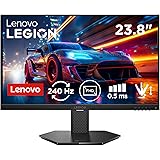
Lenovo Legion 24-10, 24 Inch IPS Full HD Gaming Monitor, 240Hz, 0.5ms, AMD FreeSyn Premium, NVIDIA G-Sync, 99% sRGB, Eyesafe, Dual HDMI, Display Port, Tilt, Swivel, Pivot, Height Adjust, Black
₹10,496.00 (as of September 19, 2026 15:35 GMT +05:30 - More infoProduct prices and availability are accurate as of the date/time indicated and are subject to change. Any price and availability information displayed on [relevant Amazon Site(s), as applicable] at the time of purchase will apply to the purchase of this product.)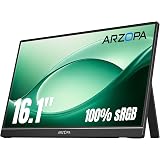
ARZOPA 16.1" Portable Monitor, 100% sRGB FHD 1080P Kickstand Portable Laptop Monitor High Color Gamut Display IPS Eye Care Screen for High-end Office & Entertainment -Z1C
₹12,990.00 (as of September 19, 2026 15:35 GMT +05:30 - More infoProduct prices and availability are accurate as of the date/time indicated and are subject to change. Any price and availability information displayed on [relevant Amazon Site(s), as applicable] at the time of purchase will apply to the purchase of this product.)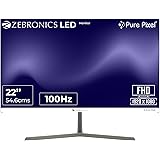
Zebronics Full HD LED Monitor, 21.5 Anti-Glare Screen, 100Hz Refresh Rate, Ultra Slim, Bezel-Less Display, 250nits Brightness, HDMI & VGA, Wall Mountable (A122)
₹5,499.00 (as of September 19, 2026 15:35 GMT +05:30 - More infoProduct prices and availability are accurate as of the date/time indicated and are subject to change. Any price and availability information displayed on [relevant Amazon Site(s), as applicable] at the time of purchase will apply to the purchase of this product.)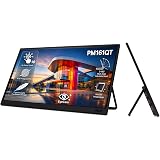
Acer PM161QT 15.6 Inch Full HD IPS Portable Touch Monitor | 10-Point Multi-Touch | USB Type-C & Mini HDMI | Anti-Fingerprint Screen | Built-in Speakers | VisionCare | Multi Angle Adjustable Stand
₹9,999.00 (as of September 19, 2026 15:35 GMT +05:30 - More infoProduct prices and availability are accurate as of the date/time indicated and are subject to change. Any price and availability information displayed on [relevant Amazon Site(s), as applicable] at the time of purchase will apply to the purchase of this product.)
Samsung 24"(60.5 cm) Flat IPS Monitor|IPS Panel|FHD 1920 x 1080|100 Hz|New Super Slim Design|Ports-HDMI,VGA|Tilt Stand Feature -2˚ to 21˚|Game Mode|Eye Saver Mode|Wall Mountable|LS24D300GAWXXL|Black
₹7,290.00 (as of September 19, 2026 15:35 GMT +05:30 - More infoProduct prices and availability are accurate as of the date/time indicated and are subject to change. Any price and availability information displayed on [relevant Amazon Site(s), as applicable] at the time of purchase will apply to the purchase of this product.)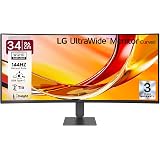
LG 34U640B 86 cm (34 Inch) 21:9 UltraWide WQHD (3440x1440) Curved Monitor(1800R), 144Hz, sRGB 99%(Typ.), HDR10, Anti-Glare, HDMI X 2, DP, USB-C (PD 65W), PBP, PIP, Tilt/Height Adjustable Stand (Black)
₹32,499.00 (as of September 19, 2026 15:35 GMT +05:30 - More infoProduct prices and availability are accurate as of the date/time indicated and are subject to change. Any price and availability information displayed on [relevant Amazon Site(s), as applicable] at the time of purchase will apply to the purchase of this product.)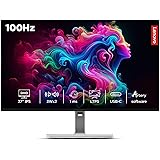
Lenovo L-Series 27 inch (68.5cm) QHD IPS Monitor, 100Hz, 1ms, 99% sRGB, 90% DCI-P3, 3Wx2 Speakers, 4xUSB-A, 1xUSB-C, 2X HDMI 2.1, Tilt, Swivel, Pivot Height Adjust Stand,75W Power delivery, L27h-4A
₹19,889.00 (as of September 19, 2026 15:35 GMT +05:30 - More infoProduct prices and availability are accurate as of the date/time indicated and are subject to change. Any price and availability information displayed on [relevant Amazon Site(s), as applicable] at the time of purchase will apply to the purchase of this product.)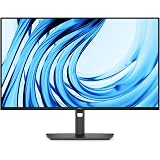
Dell Pro 27 Monitor - P2726H, Full HD (1920x1080), 120Hz, IPS, 5ms | 99% sRGB, Anti-Glare, HDMI, DP, 2X USB-A ,1X USB-B,2X USB -C Downstream Ports, Height Swivel Tilt Pivot, Black
₹19,899.00 (as of September 19, 2026 15:35 GMT +05:30 - More infoProduct prices and availability are accurate as of the date/time indicated and are subject to change. Any price and availability information displayed on [relevant Amazon Site(s), as applicable] at the time of purchase will apply to the purchase of this product.)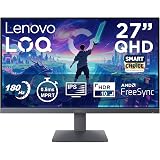
Lenovo LOQ 27Q-10 (Smartchoice) | 27" (68.5cm) QHD (2560x1440) IPS 180Hz Gaming Monitor | 0.5ms, HDR10 Compliance, AMD FreeSync, 99% sRGB, 2xHDMI 2.1 TMDS, 1xDP 1.4| Tilt | Lunar Grey | 68F3GACBIN
₹14,999.00 (as of September 19, 2026 15:35 GMT +05:30 - More infoProduct prices and availability are accurate as of the date/time indicated and are subject to change. Any price and availability information displayed on [relevant Amazon Site(s), as applicable] at the time of purchase will apply to the purchase of this product.)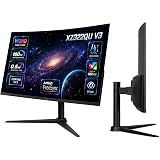
Acer Nitro XZ322QU V3 31.5 Inch Curved Gaming Monitor | WQHD 2560x1440 | 180Hz | Up to 0.5ms GTG | AMD FreeSync | VESA DisplayHDR 400 | 1500R Curved Screen VisionCare | HDMI 2.0 |DisplayPort 1.4
₹21,999.00 (as of September 19, 2026 15:35 GMT +05:30 - More infoProduct prices and availability are accurate as of the date/time indicated and are subject to change. Any price and availability information displayed on [relevant Amazon Site(s), as applicable] at the time of purchase will apply to the purchase of this product.)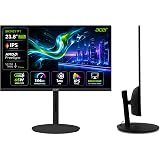
Acer SH242Y P1 23.8 Inch FHD IPS Gaming Monitor I 144Hz Refresh Rate I 1ms VRB I USB Type-C 65W PD I AMD FreeSync I Ultra Slim Design I ErgoStand I HDMI I Built-in Speakers I VisionCare Technology
₹10,599.00 (as of September 19, 2026 15:35 GMT +05:30 - More infoProduct prices and availability are accurate as of the date/time indicated and are subject to change. Any price and availability information displayed on [relevant Amazon Site(s), as applicable] at the time of purchase will apply to the purchase of this product.)
Lenovo L-Series 27 inch (68.5cm) QHD IPS Monitor, 100Hz, 1ms, 99% sRGB, 90% DCI-P3, 3Wx2 Speakers, 4xUSB-A, 1xUSB-C, 2X HDMI 2.1, Tilt, Swivel, Pivot Height Adjust Stand,75W Power delivery, L27h-4A
₹19,889.00 (as of September 19, 2026 15:35 GMT +05:30 - More infoProduct prices and availability are accurate as of the date/time indicated and are subject to change. Any price and availability information displayed on [relevant Amazon Site(s), as applicable] at the time of purchase will apply to the purchase of this product.)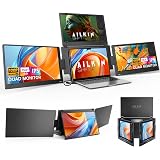
Portable Quad Monitor Laptop Screen Extender FHD 1200P IPS Monitor with Type C to Type C Cable Compatible with Windows(10,11)/ Mac (M1 M2 M3) for 15.6 Triple Screen Extender By AILKIN (Grey/Black)
₹48,999.00 (as of September 19, 2026 15:35 GMT +05:30 - More infoProduct prices and availability are accurate as of the date/time indicated and are subject to change. Any price and availability information displayed on [relevant Amazon Site(s), as applicable] at the time of purchase will apply to the purchase of this product.)
LG 27US500 68.4 cm (27 Inch) Ultra HD 4K (3840x2160) IPS Monitor with 60Hz, 5ms (GtG) HDR10, Flicker Safe, Reader Mode, 2xHDMI, Anti-Glare, 3-Side Virtually Borderless Design, DCI-P3 90% (Black)
₹19,999.00 (as of September 19, 2026 15:35 GMT +05:30 - More infoProduct prices and availability are accurate as of the date/time indicated and are subject to change. Any price and availability information displayed on [relevant Amazon Site(s), as applicable] at the time of purchase will apply to the purchase of this product.)
Lenovo Legion 24-10, 24 Inch IPS Full HD Gaming Monitor, 240Hz, 0.5ms, AMD FreeSyn Premium, NVIDIA G-Sync, 99% sRGB, Eyesafe, Dual HDMI, Display Port, Tilt, Swivel, Pivot, Height Adjust, Black
₹10,496.00 (as of September 19, 2026 15:35 GMT +05:30 - More infoProduct prices and availability are accurate as of the date/time indicated and are subject to change. Any price and availability information displayed on [relevant Amazon Site(s), as applicable] at the time of purchase will apply to the purchase of this product.)
ARZOPA 16.1" Portable Monitor, 100% sRGB FHD 1080P Kickstand Portable Laptop Monitor High Color Gamut Display IPS Eye Care Screen for High-end Office & Entertainment -Z1C
₹12,990.00 (as of September 19, 2026 15:35 GMT +05:30 - More infoProduct prices and availability are accurate as of the date/time indicated and are subject to change. Any price and availability information displayed on [relevant Amazon Site(s), as applicable] at the time of purchase will apply to the purchase of this product.)
BenQ GW2790P 27"(68.58 cm) 120Hz FHD(1920x1080p) IPS Monitor|99% sRGB|Eye-careU|HDMI(v1.4)|DP(v1.2)|Ultra Thin Bezel|1 ms|Eyesafe|VESA MediaSync|B.I.| Speakers|Visual Optimizer|TUV-Certified
₹10,899.00 (as of September 19, 2026 15:35 GMT +05:30 - More infoProduct prices and availability are accurate as of the date/time indicated and are subject to change. Any price and availability information displayed on [relevant Amazon Site(s), as applicable] at the time of purchase will apply to the purchase of this product.)
Acer SH242Y P1 23.8 Inch FHD IPS Gaming Monitor I 144Hz Refresh Rate I 1ms VRB I USB Type-C 65W PD I AMD FreeSync I Ultra Slim Design I ErgoStand I HDMI I Built-in Speakers I VisionCare Technology
₹10,599.00 (as of September 19, 2026 15:35 GMT +05:30 - More infoProduct prices and availability are accurate as of the date/time indicated and are subject to change. Any price and availability information displayed on [relevant Amazon Site(s), as applicable] at the time of purchase will apply to the purchase of this product.)
Samsung Odyssey OLED G8 Gaming Monitor 80cm (32") UHD, 240 Hz, 0.03ms(GTG), FreeSync Premium Pro, DP, HDMI, USB Hub, Height, Tilt, Swivel, Pivot Adjust Stand, (LS32HG800SWXXL, Silver)
₹93,999.00 (as of September 19, 2026 15:35 GMT +05:30 - More infoProduct prices and availability are accurate as of the date/time indicated and are subject to change. Any price and availability information displayed on [relevant Amazon Site(s), as applicable] at the time of purchase will apply to the purchase of this product.)
Acer Smartchoice B277U D6 27 Inch WQHD 2560x1440 IPS Monitor | 120Hz | 5MP IR Webcam | HDR10, Delta E
₹20,599.00 (as of September 19, 2026 15:35 GMT +05:30 - More infoProduct prices and availability are accurate as of the date/time indicated and are subject to change. Any price and availability information displayed on [relevant Amazon Site(s), as applicable] at the time of purchase will apply to the purchase of this product.)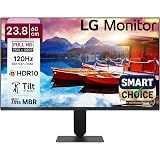
LG24U411A-BN Smartchoice 60 cm (24-inch) Full HD (1920 x 1080) IPS Monitor, 3-Side Virtually Borderless, 1ms MBR, 120Hz, sRGB 99%(Typ.), HDR10, Reader Mode, Flicker Safe, VGA, HDMI, Slim Stand, Black
₹7,499.00 (as of September 19, 2026 15:35 GMT +05:30 - More infoProduct prices and availability are accurate as of the date/time indicated and are subject to change. Any price and availability information displayed on [relevant Amazon Site(s), as applicable] at the time of purchase will apply to the purchase of this product.)
Samsung 24"(60.5 cm) Flat IPS Monitor|IPS Panel|FHD 1920 x 1080|100 Hz|New Super Slim Design|Ports-HDMI,VGA|Tilt Stand Feature -2˚ to 21˚|Game Mode|Eye Saver Mode|Wall Mountable|LS24D300GAWXXL|Black
₹7,290.00 (as of September 19, 2026 15:35 GMT +05:30 - More infoProduct prices and availability are accurate as of the date/time indicated and are subject to change. Any price and availability information displayed on [relevant Amazon Site(s), as applicable] at the time of purchase will apply to the purchase of this product.)
Zebronics Full HD LED Monitor, 21.5 Anti-Glare Screen, 100Hz Refresh Rate, Ultra Slim, Bezel-Less Display, 250nits Brightness, HDMI & VGA, Wall Mountable (A122)
₹5,499.00 (as of September 19, 2026 15:35 GMT +05:30 - More infoProduct prices and availability are accurate as of the date/time indicated and are subject to change. Any price and availability information displayed on [relevant Amazon Site(s), as applicable] at the time of purchase will apply to the purchase of this product.)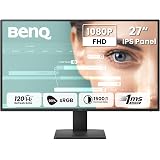
BenQ GW2791P 27"(68.58 cm) 120Hz FHD(1920x1080p) IPS Monitor|99% sRGB|Eye-careU|HDMI(v1.4)|DP(v1.2)|Ultra Thin Bezel|1 ms|Eyesafe|VESA MediaSync|Low Blue Light|TUV-Certified
₹9,998.00 (as of September 19, 2026 15:35 GMT +05:30 - More infoProduct prices and availability are accurate as of the date/time indicated and are subject to change. Any price and availability information displayed on [relevant Amazon Site(s), as applicable] at the time of purchase will apply to the purchase of this product.)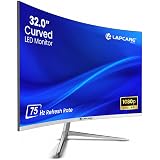
LAPCARE Lapeye 32 Inch Curved Monitor | Full HD 1920x1080 | 75Hz Refresh Rate | HDMI & VGA Ports | Flicker-Free Display | 178° Wide Viewing Angle | Wall Mount Compatible
₹11,499.00 (as of September 19, 2026 15:35 GMT +05:30 - More infoProduct prices and availability are accurate as of the date/time indicated and are subject to change. Any price and availability information displayed on [relevant Amazon Site(s), as applicable] at the time of purchase will apply to the purchase of this product.)
Acer SA272 P1 27 Inch Full HD IPS Ultra Slim (7.2mm Thick) Backlit LED Monitor I Zero Frame I 144Hz Refresh I 1 MS VRB I AMD FreeSync I 1xHDMI 1xVGA I Speakers I Eye Care I Eco Display
₹9,699.00 (as of September 19, 2026 15:35 GMT +05:30 - More infoProduct prices and availability are accurate as of the date/time indicated and are subject to change. Any price and availability information displayed on [relevant Amazon Site(s), as applicable] at the time of purchase will apply to the purchase of this product.)
BenQ GW2790Q, 27 Inch (68.58 cm), IPS, 2K QHD 2560x1440, 100Hz, Black, 99% sRGB, 1500:1 CR, Eye-Careu, Dual HDMI, DisplayPort, Bezel-Less, Eyesafe, Wall Mountable Monitor
₹15,498.00 (as of September 19, 2026 15:35 GMT +05:30 - More infoProduct prices and availability are accurate as of the date/time indicated and are subject to change. Any price and availability information displayed on [relevant Amazon Site(s), as applicable] at the time of purchase will apply to the purchase of this product.)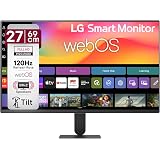
LG 27U511SB 69 cm (27 Inch) Full HD (1920x1080) IPS Smart Monitor with webOS26, 120Hz, Wi-Fi, Bluetooth, Miracast, AirPlay, Speakers, HDMI, USB-A, Slim Stand, 3-Side Virtually Borderless (Black)
₹17,499.00 (as of September 19, 2026 15:35 GMT +05:30 - More infoProduct prices and availability are accurate as of the date/time indicated and are subject to change. Any price and availability information displayed on [relevant Amazon Site(s), as applicable] at the time of purchase will apply to the purchase of this product.)
Zebronics 21.5” (54.6cm) LED Monitor, FHD 1920x1080, 250nits Brightness, Dual Input - HDMI/VGA, 2000000:1 Dynamic Contrast Ratio, 16.7M Colors, 16:9 Aspect Ratio, Wall Mountable (EA 122)
₹3,999.00 (as of September 19, 2026 15:35 GMT +05:30 - More infoProduct prices and availability are accurate as of the date/time indicated and are subject to change. Any price and availability information displayed on [relevant Amazon Site(s), as applicable] at the time of purchase will apply to the purchase of this product.)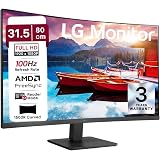
LG 32MR50C 80 cm (31.5 Inch) Full HD Curved (1920x1080) VA PC Monitor w/ 100Hz, 5ms (GtG), AMD FreeSync, D-Sub, 2xHDMI, Tilt Adjustable Anti-Glare, 3-Side Virtually Borderless Design, NTSC 72% (Black)
₹13,499.00 (as of September 19, 2026 15:35 GMT +05:30 - More infoProduct prices and availability are accurate as of the date/time indicated and are subject to change. Any price and availability information displayed on [relevant Amazon Site(s), as applicable] at the time of purchase will apply to the purchase of this product.)