
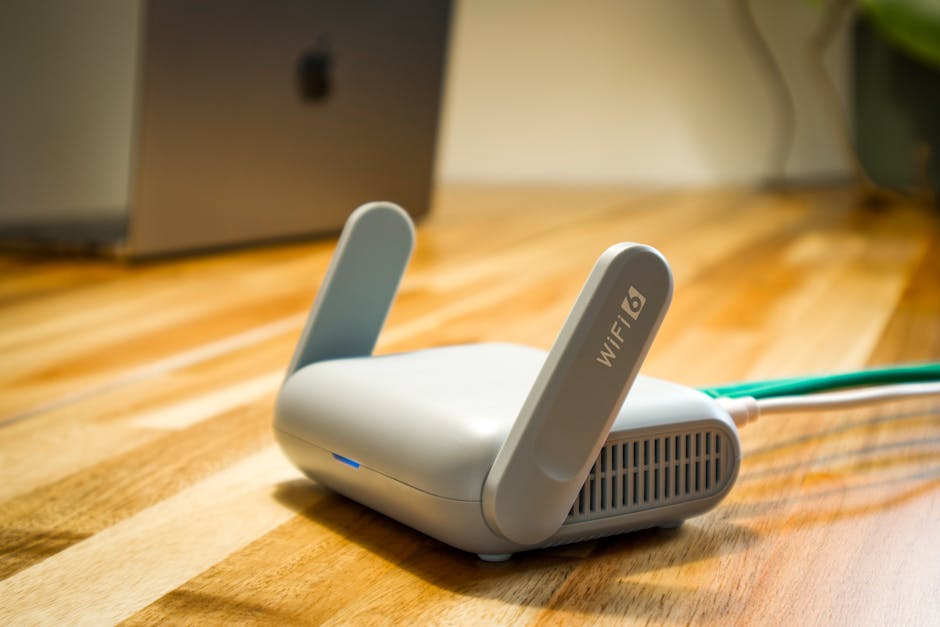
Navigating the Network: Choosing the Best WiFi Router for Your Home
In today’s hyper-connected world, a robust and reliable WiFi network is no longer a luxury; it’s a necessity. From streaming high-definition movies and participating in video conferences to powering smart home devices and keeping multiple gadgets online simultaneously, your WiFi router is the central nervous system of your digital life. Yet, with a dizzying array of options available, selecting the best router can feel like navigating a labyrinth. This comprehensive guide will demystify the process, empowering you to make an informed decision that perfectly suits your home’s needs.
Understanding Your Home Network Needs: The Foundation of Your Choice
Before diving into technical specifications, the most crucial step is to honestly assess your household’s WiFi usage. Consider these factors:
- Size of Your Home: A sprawling mansion requires a different solution than a compact apartment. Signal strength diminishes with distance and obstacles like walls and floors.
- Number of Connected Devices: How many smartphones, tablets, laptops, smart TVs, gaming consoles, and IoT devices will be vying for bandwidth at any given time? More devices mean a greater need for processing power and efficient traffic management.
- Internet Service Provider (ISP) Speed: Your router cannot magically create faster internet than your ISP provides. Ensure your router can handle your subscribed speeds. A gigabit internet plan will be throttled by a router incapable of processing those speeds.
- Primary Usage: Are you a casual browser, a dedicated gamer, a 4K streamer, or a remote worker juggling video calls? Different activities have varying bandwidth and latency demands.
- Future-Proofing: Consider how your needs might evolve. Are you planning to add more smart devices or upgrade your internet plan in the near future?
Key Router Features to Consider: Decoding the Jargon
Once you have a clear picture of your needs, it’s time to understand the technical features that differentiate routers:
1. WiFi Standards (The Generations of Wireless)
This is arguably the most critical factor. WiFi standards dictate the speed, efficiency, and capacity of your wireless network.
- WiFi 5 (802.11ac): Still prevalent and capable of delivering respectable speeds for most households. It operates on the 5GHz band, offering faster speeds than older standards but with a slightly shorter range. Many modern devices are compatible with WiFi 5.
- WiFi 6 (802.11ax): The current mainstream standard. WiFi 6 offers significant improvements over WiFi 5, including higher speeds, increased capacity (handling more devices simultaneously with less congestion), improved efficiency, and better performance in crowded environments. It utilizes technologies like OFDMA (Orthogonal Frequency Division Multiple Access) and MU-MIMO (Multi-User, Multiple Input, Multiple Output) to optimize data delivery.
- WiFi 6E: An extension of WiFi 6, this standard adds a new 6GHz band. This ultra-wide spectrum is less congested, offering even faster speeds and lower latency for compatible devices. However, widespread adoption of 6E devices is still ongoing.
- WiFi 7 (802.11be): The next generation, promising even more substantial speed increases, lower latency, and enhanced reliability. It’s still in its early stages, and devices are not yet widely available. For most users, WiFi 6 or 6E offers the best balance of performance and future-proofing.
Recommendation: For new purchases, WiFi 6 is the sweet spot for most homes. If you have a very large home, a high-speed internet plan, and many demanding devices, or if you’re an early adopter, WiFi 6E is a compelling option.
2. Bands (The Airwaves for Your Data)
Routers operate on different radio frequency bands.
- 2.4GHz Band: Offers a wider range and better penetration through walls and obstacles. However, it’s also more prone to interference from other devices (microwaves, Bluetooth) and generally offers slower speeds.
- 5GHz Band: Provides significantly faster speeds but has a shorter range and is more susceptible to signal degradation by physical barriers.
- 6GHz Band (WiFi 6E): Offers the fastest speeds and least interference due to its dedicated spectrum, but its range is the shortest.
Router Types Based on Bands:
- Dual-Band: Offers both 2.4GHz and 5GHz bands. This is the most common and generally sufficient for most users.
- Tri-Band: Offers one 2.4GHz band and two separate 5GHz bands (or one 5GHz and one 6GHz band in WiFi 6E). This is beneficial for very demanding households with numerous devices, as it can dedicate one 5GHz band to high-bandwidth activities.
3. Speed Ratings (Mbps and Gbps)
Router speed ratings are often represented by a combination of numbers and letters (e.g., AC1900, AX3000). These numbers indicate the theoretical maximum aggregate speed across all bands.
- ACxxx / AXxxx: The “AC” denotes WiFi 5, and “AX” denotes WiFi 6.
- The Numbers: These represent the combined theoretical speeds of the bands. For instance, an AC1900 router might offer 600 Mbps on 2.4GHz and 1300 Mbps on 5GHz. An AX3000 router might offer 600 Mbps on 2.4GHz and 2400 Mbps on 5GHz.
Important Note: These are theoretical maximums. Real-world speeds will always be lower due to interference, distance, device limitations, and your ISP’s speeds. Focus on a router that can comfortably exceed your subscribed internet speed. For plans above 500 Mbps, look for routers with “AX” ratings and speeds of at least AX3000 or higher.
4. Processor and RAM (The Router’s Brainpower)
Just like your computer, a router’s performance is influenced by its internal components.
- Processor (CPU): A faster, multi-core processor allows the router to handle more data traffic simultaneously, manage multiple devices efficiently, and run advanced features without lagging.
- RAM (Memory): More RAM enables the router to store more data packets and manage more active connections.
For demanding households with many devices and high-speed internet, a router with a powerful dual-core or quad-core processor and ample RAM will provide a noticeably smoother experience.
5. MU-MIMO and Beamforming (Optimizing Signal Delivery)
These technologies are crucial for efficient WiFi performance, especially in homes with multiple devices.
- MU-MIMO (Multi-User, Multiple Input, Multiple Output): Allows the router to communicate with multiple devices simultaneously, rather than sequentially. This significantly reduces latency and improves overall network efficiency when many devices are active. WiFi 6 and later standards incorporate MU-MIMO for both download and upload.
- Beamforming: Directs the WiFi signal more precisely towards connected devices, rather than broadcasting it in all directions. This strengthens the signal for individual devices, improving range and stability.
6. Network Security (Protecting Your Digital Haven)
Protecting your home network from unauthorized access is paramount. Look for routers that support:
- WPA3 Encryption: The latest and most secure encryption standard, offering enhanced protection against brute-force attacks and improving overall network security. While WPA2 is still widely used, WPA3 is the future.
- Firewall: Most routers have a built-in firewall to block unwanted incoming traffic.
- Guest Network: This feature allows you to create a separate WiFi network for visitors, isolating them from your main network and protecting your personal devices.
- Regular Firmware Updates: Ensure the manufacturer provides regular firmware updates to patch security vulnerabilities and improve performance.
7. Coverage and Range: Taming the Dead Zones
Router placement and the physical layout of your home significantly impact WiFi coverage.
- Single Router Placement: For smaller homes or apartments, a single, well-placed router might suffice. Place it in a central location, away from obstructions like thick walls, large appliances, and aquariums.
- Mesh WiFi Systems: For larger homes or those with persistent dead zones, a mesh WiFi system is the ideal solution. These systems consist of a main router and several satellite nodes that work together to create a single, seamless WiFi network throughout your entire home. Devices automatically connect to the strongest signal as you move around.
- Range Extenders/Boosters: While cheaper than mesh systems, these devices can sometimes halve your bandwidth and create separate network names, leading to a less seamless experience. Mesh systems are generally superior for comprehensive coverage.
Choosing the Right Router Type:
- Standard Router: Best for smaller apartments or homes with minimal WiFi congestion.
- High-Performance Router: For power users, gamers, streamers, and homes with many devices and high-speed internet. Look for WiFi 6/6E, higher speed ratings, and robust processors.
- Mesh WiFi System: The go-to solution for larger homes, multi-story houses, or areas with difficult WiFi dead zones.
Top Brands and Considerations:
Reputable brands known for their reliable routers include:
- ASUS: Often lauded for their powerful performance, user-friendly interfaces, and advanced features.
- TP-Link: Offers a wide range
