
CCTV Camera Installation: A Comprehensive Guide to Enhanced Security
Securing your home or business has never been more critical, and Closed-Circuit Television (CCTV) camera systems stand as a cornerstone of modern surveillance. Effective CCTV installation is not merely about mounting cameras; it’s a strategic process that requires careful planning, technical understanding, and an awareness of legal and ethical considerations. This comprehensive guide will walk you through every essential aspect of CCTV camera installation, from initial assessment to ongoing maintenance, ensuring you achieve optimal security and peace of mind.
1. Understanding Your Security Needs: The Foundation of Effective Surveillance
Before a single cable is run or a camera is purchased, a thorough assessment of your security needs is paramount. Consider the following:
- Identify Vulnerable Areas: Walk through your property and pinpoint potential entry points, blind spots, high-traffic areas, and valuable assets. This includes doors, windows, driveways, parking lots, reception areas, server rooms, and any location where unauthorized access or theft is a concern.
- Determine Desired Coverage: What do you want to see? Do you need to monitor general activity, identify individuals, read license plates, or detect motion? This will dictate the type of cameras and their placement.
- Consider Environmental Factors: Will cameras be exposed to harsh weather, extreme temperatures, dust, or direct sunlight? This will influence camera housing and durability requirements.
- Budgetary Constraints: CCTV systems vary significantly in price. Establish a realistic budget to guide your equipment and installation choices.
- Legal and Privacy Considerations: Familiarize yourself with local regulations regarding CCTV surveillance, particularly concerning public spaces and employee monitoring. Ensure signage is appropriately displayed.
2. Choosing the Right CCTV System: A Spectrum of Options
The market offers a diverse range of CCTV systems, each with its own advantages:
- Analog CCTV Systems: These are the traditional systems that transmit video signals over coaxial cables. While generally more affordable, they offer lower resolution and fewer advanced features compared to IP systems. They are often suitable for basic monitoring in smaller environments.
- IP (Internet Protocol) CCTV Systems: These modern systems transmit video data over a network, similar to how computers communicate. IP cameras offer significantly higher resolutions, advanced features like analytics (e.g., facial recognition, object detection), remote access via the internet, and scalability. They are the preferred choice for most professional installations.
- Hybrid Systems: These systems combine both analog and IP technologies, allowing for integration with existing analog infrastructure while enabling upgrades to IP capabilities.
3. Selecting the Appropriate Cameras: Tailoring to Your Environment
Camera selection is crucial for achieving the desired surveillance outcome:
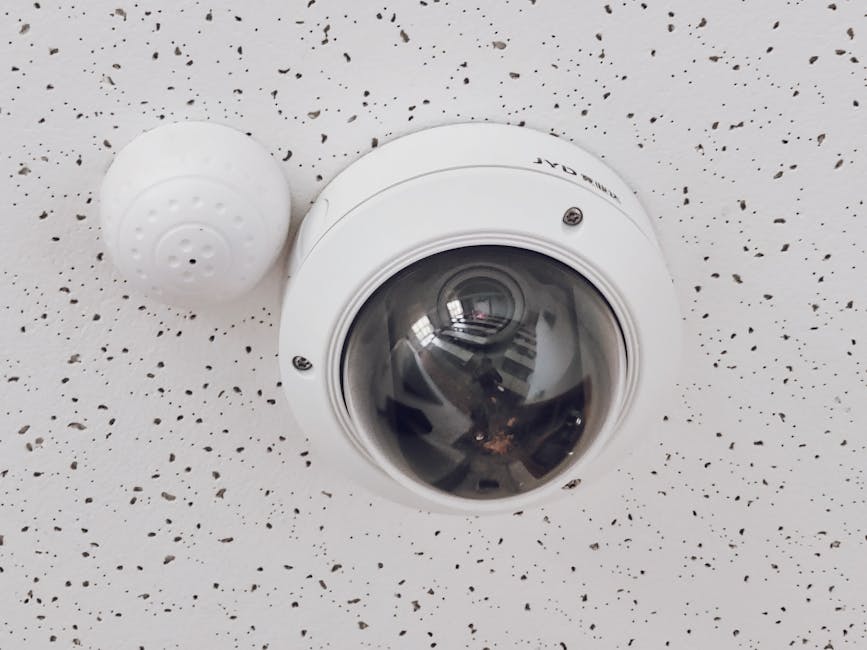
- Dome Cameras: Discreet and vandal-resistant, dome cameras are ideal for indoor and outdoor use, often mounted on ceilings or walls. Their design makes it difficult to determine the camera’s field of view.
- Bullet Cameras: These are easily recognizable and often used for deterring potential intruders. They are typically weather-resistant and can be mounted on walls or poles, offering a focused field of view.
- Turret Cameras: Similar to dome cameras but with a more exposed lens, turret cameras offer a good balance of discreetness and adjustability. They are generally weather-resistant and suitable for various mounting locations.
- PTZ (Pan-Tilt-Zoom) Cameras: These cameras offer remote control over their movement and zoom capabilities, allowing for extensive coverage of large areas. They are ideal for monitoring dynamic environments and tracking subjects.
- Fisheye Cameras: Offering a 360-degree panoramic view, fisheye cameras are excellent for covering wide open spaces with a single device, minimizing blind spots.
- Specialty Cameras: This category includes thermal cameras for low-light or obscured visibility, license plate recognition (LPR) cameras for vehicle identification, and pinhole cameras for covert surveillance.
Key Camera Specifications to Consider:
- Resolution: Measured in megapixels (MP), higher resolution provides clearer images, essential for identification.
- Lens Type: Fixed lenses offer a static field of view, while varifocal lenses allow for adjustable zoom.
- Night Vision (Infrared – IR): Crucial for low-light and nighttime surveillance, IR LEDs illuminate the scene. Consider the IR range.
- Wide Dynamic Range (WDR): Essential for scenes with challenging lighting conditions (e.g., bright sunlight and deep shadows), WDR balances the exposure.
- Ingress Protection (IP) Rating: Indicates the camera’s resistance to dust and water, vital for outdoor installations.
- Power over Ethernet (PoE): Simplifies installation by allowing data and power to be transmitted over a single Ethernet cable.
4. Planning the Installation: Strategic Placement and Wiring
A well-planned installation maximizes the effectiveness of your CCTV system:
- Camera Placement Strategy:
- Entry and Exit Points: Monitor all doors, gates, and vehicle access points.
- Perimeter: Cover the outer boundaries of your property to detect unauthorized entry.
- High-Value Areas: Focus on locations where valuable assets are stored or handled.
- Blind Spots: Identify and eliminate any areas that cannot be seen by existing cameras.
- Deterrence: Visible cameras can act as a deterrent to potential criminals.
- Field of View Considerations: Ensure cameras overlap their fields of view to avoid gaps in coverage. Consider the optimal height for mounting to capture relevant details without being easily tampered with.
- Lighting Conditions: Account for natural and artificial lighting. Avoid pointing cameras directly at the sun or strong light sources.
- Power and Network Connectivity: Plan for power outlets or PoE capabilities for each camera. For IP systems, ensure adequate network bandwidth and reliable connectivity.
- Recording Device Placement: The Network Video Recorder (NVR) or Digital Video Recorder (DVR) should be in a secure, climate-controlled location, protected from theft and environmental damage.
- Wiring Routes: Plan efficient and discreet wiring routes, minimizing visible cables. Consider using conduits for protection and aesthetics.
5. The Installation Process: From Mounting to Configuration
Once planning is complete, the physical installation begins:
- Mounting Cameras: Securely mount cameras using appropriate brackets and hardware. Ensure they are positioned at the optimal angle and height.
- Running Cables: Carefully run power and data cables, ensuring they are protected from damage and environmental factors. Use grommets to pass cables through walls and ceilings.
- Connecting to Recording Device: Connect cameras to the NVR/DVR using Ethernet cables (for IP) or coaxial cables (for analog).
- Powering the System: Connect power adapters or ensure PoE switches are functioning correctly.
- Configuring the NVR/DVR:
- Initial Setup: Follow the manufacturer’s instructions to set up the recording device.
- Camera Detection and Addition: The NVR/DVR will detect and allow you to add connected cameras.
- Recording Settings: Configure recording schedules (continuous, motion-detection, scheduled), resolution, frame rate, and storage allocation.
- Network Configuration: For remote access, configure the NVR/DVR’s network settings, including IP address, subnet mask, and gateway.
- Remote Access Setup: If remote viewing is desired, set up port forwarding on your router or utilize a cloud-based service.
- Testing and Adjustment: Thoroughly test each camera’s view, recording quality, and any advanced features. Adjust camera angles as needed to optimize coverage.
6. Advanced Features and Integration: Maximizing Your System’s Potential
Modern CCTV systems offer a range of advanced features that can significantly enhance security:
- Video Analytics: Features like motion detection, line crossing, intrusion detection, and facial recognition can automate alerts and provide more intelligent surveillance.
- Remote Access and Mobile Apps: Monitor your cameras from anywhere in the world via a smartphone, tablet, or computer.
- Integration with Alarms and Access Control: Link your CCTV system with intrusion alarm systems or access control devices for a unified security solution.
- Cloud Storage: Offsite cloud storage provides an extra layer of data security and accessibility.
- Audio Recording: Some cameras offer audio recording capabilities, which can be valuable for incident investigation. However, be mindful of privacy laws.
7. Maintenance and Upkeep: Ensuring Long-Term Performance
Regular maintenance is crucial for the longevity and effectiveness of your CCTV system:
- Regular Cleaning: Clean camera lenses and housings to ensure clear images. Dust, dirt, and cobwebs can obstruct the view.
- Firmware Updates: Keep the firmware of your cameras and NVR/DVR up to date to benefit from security patches and new features.
- Hard Drive Health Checks: For NVR/DVR systems, regularly check the health of the hard drives to prevent data loss.
- Connection Checks: Periodically inspect cables and connections for any signs of wear or damage.
- System Testing: Conduct periodic system tests to ensure all cameras are operational and recording correctly.
- Review Footage: Regularly review recorded footage to identify any anomalies or potential security breaches.
By meticulously following these steps and considering the nuances of your specific environment, you can ensure a robust and effective CCTV camera installation that provides comprehensive security and valuable insights.
