
Fortifying Your Vision: CCTV Camera Maintenance Tips for Optimal Performance
In today’s security-conscious world, Closed-Circuit Television (CCTV) systems are indispensable tools for safeguarding assets, monitoring operations, and deterring criminal activity. However, even the most advanced CCTV cameras are susceptible to performance degradation if not adequately maintained. Proactive and regular maintenance is not merely a suggestion; it’s a critical necessity for ensuring your surveillance system functions optimally, providing clear, reliable footage when you need it most. Neglecting this vital aspect can lead to blurry images, intermittent recording, system failures, and ultimately, compromised security. This comprehensive guide delves into essential CCTV camera maintenance tips, empowering you to preserve the integrity and effectiveness of your surveillance infrastructure.
I. The Foundation: Regular Visual Inspections – Your First Line of Defense
The simplest yet most impactful maintenance task is a routine visual inspection. Schedule these inspections at least monthly, or more frequently in harsh environments.
-
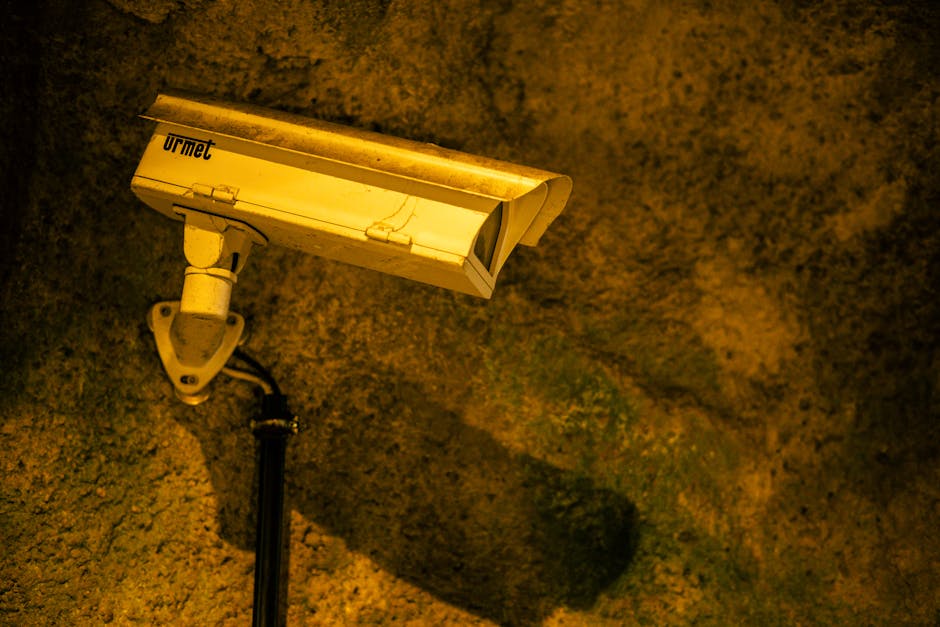
Camera Housing and Mountings: Examine the exterior of each camera housing for any signs of physical damage, such as cracks, dents, or corrosion. Ensure the camera is securely mounted and hasn’t shifted, which could alter its field of view. Loose mountings can lead to shaky footage, rendering it unusable for identification purposes. Check for any signs of tampering or unauthorized access.
-
Lens and Dome Cover: The lens is the eye of your CCTV system. Dust, dirt, cobwebs, and even insect activity can significantly obscure the image quality. Gently clean the lens with a soft, lint-free microfiber cloth. For stubborn grime, a mild, lens-specific cleaning solution can be used sparingly. Avoid abrasive materials or harsh chemicals that could scratch or damage the lens coating. Similarly, inspect the dome cover for scratches, cloudiness, or impact marks. Clean it with the same care as the lens.
-
Cabling and Connectors: Inspect all visible cables for signs of wear and tear, such as fraying, cuts, or kinks. Pay close attention to areas where cables enter or exit enclosures, as these are common points of stress. Ensure all connectors are firmly seated and free from corrosion or debris. Loose connections are a primary cause of intermittent signal loss or complete system failure.
-
Environmental Factors: Assess the camera’s environment. Are there any new obstructions that might block the camera’s view, such as overgrown vegetation, newly erected structures, or parked vehicles? Are there any new sources of glare or light pollution that could impact image quality, especially at night? Address these issues promptly to maintain optimal coverage.
II. Illuminating the Details: Cleaning for Clarity
Beyond the initial visual check, dedicated cleaning of critical components is paramount.
-
Lens Cleaning Protocols: For external cameras, a more thorough lens cleaning might be required periodically. Consider using compressed air to blow away loose dust before wiping. Always use a cleaning solution specifically designed for optical lenses to avoid damaging any anti-reflective or protective coatings. For internal dome cameras, the dome itself needs regular cleaning to prevent dust build-up from obscuring the lens.
-
IR (Infrared) Illuminator Check: If your cameras are equipped with IR illuminators for night vision, ensure they are free from dust and debris. Blocked IR emitters will result in poor or non-existent night-time footage. Gently clean the IR LED array using a soft brush or compressed air.
-
Ventilation and Airflow: Many CCTV cameras, especially those operating outdoors or in enclosed spaces, have ventilation ports to prevent overheating. Ensure these vents are clear of dust, debris, and insect nests. Blocked vents can lead to premature component failure due to excessive heat.
III. The Power Within: Electrical and Power System Checks
A robust power supply is the lifeblood of any CCTV system.
-
Power Adapters and Supplies: Inspect power adapters and power supply units for any signs of damage, overheating, or unusual odors. Ensure they are properly connected and providing the correct voltage. Faulty power supplies can lead to intermittent camera operation or complete system shutdown.
-
Battery Backup (UPS) Testing: If your system utilizes a Uninterruptible Power Supply (UPS) for backup power, regular testing is crucial. Most UPS units have a self-test function. Perform this test monthly to ensure the batteries are functioning correctly and can provide sufficient runtime during a power outage. Replace batteries as per the manufacturer’s recommendations, typically every 3-5 years.
-
Wiring Integrity: For wired systems, periodically check the integrity of the power wiring. Look for any signs of damage, loose connections, or corrosion at junctions and termination points. Ensure wiring is properly secured and protected from environmental elements.
IV. The Digital Domain: Software and Recording System Maintenance
The cameras themselves are only one part of the equation. The Network Video Recorder (NVR) or Digital Video Recorder (DVR) and associated software require diligent attention.
-
Firmware Updates: Manufacturers regularly release firmware updates for both cameras and NVR/DVR units. These updates often include security patches, performance enhancements, and bug fixes. Regularly check the manufacturer’s website for available updates and apply them promptly. Crucially, always back up your system configuration before applying any firmware updates.
-
Storage Management: The hard drives within your NVR/DVR are critical for storing footage. Monitor storage capacity regularly. If your system is approaching full capacity, you’ll need to either delete older footage (based on your retention policy) or upgrade to larger hard drives. Consider implementing a rotation system where older footage is automatically overwritten once new footage is recorded.
-
Recording Schedule Verification: Ensure your recording schedule is correctly configured and operating as intended. Verify that all cameras are set to record at the desired frame rates and resolutions. Check for any scheduled maintenance or downtime that might temporarily interrupt recording.
-
Network Connectivity: For IP-based CCTV systems, network connectivity is paramount. Periodically check that all cameras are communicating with the NVR/DVR and that network cables are securely connected. Test network speeds and ensure there are no network bottlenecks that could impact video streaming.
-
Antivirus and Security Software: If your NVR/DVR is connected to a network, ensure it has up-to-date antivirus and security software installed. This is crucial for protecting your system from malware and cyber threats.
V. Environmental Considerations: Adapting to the Elements
The environment in which your CCTV cameras operate significantly impacts their longevity and performance.
-
Weather Protection: For outdoor cameras, ensure they are housed in appropriate weatherproof enclosures (IP-rated). Regularly inspect these enclosures for any signs of water ingress, corrosion, or damage. Ensure seals and gaskets are intact.
-
Temperature Extremes: Cameras have operational temperature ranges. In extreme heat, consider fans or cooling systems for enclosures. In extreme cold, ensure cameras are rated for low-temperature operation or consider heated enclosures. Overheating and freezing can drastically shorten component lifespan.
-
Pest Control: Insects and rodents can cause significant damage to cables and internal components. Consider preventative measures such as sealing entry points, using deterrents, or implementing regular pest control around camera locations.
VI. Performance Monitoring: Proactive Problem Detection
Don’t wait for a failure to discover a problem. Implement proactive monitoring strategies.
-
Regular Footage Review: Beyond visual checks, make it a habit to review recorded footage from different cameras at various times of the day and night. This allows you to identify subtle issues like focus problems, color distortion, or intermittent signal loss that might not be apparent during a quick visual inspection.
-
Alerts and Notifications: Configure your NVR/DVR system to send alerts for critical events such as camera disconnection, hard drive failure, or motion detection anomalies. Promptly investigate and address these alerts to prevent minor issues from escalating.
-
Performance Benchmarking: If possible, establish baseline performance metrics for your cameras (e.g., image clarity, frame rate stability). Periodically compare current performance against these benchmarks to identify any gradual degradation.
VII. Documentation and Record Keeping: The Backbone of Effective Maintenance
Thorough documentation is essential for tracking maintenance activities and identifying recurring issues.
-
Maintenance Log: Maintain a detailed logbook or digital record for each camera and the NVR/DVR. Record the date of inspection, any issues found, the actions taken, and the technician who performed the work.
-
Inventory Management: Keep an accurate inventory of all CCTV equipment, including model numbers, serial numbers, and installation dates. This is invaluable for warranty claims and future upgrades.
-
Service History: Document all repairs and upgrades performed on the system. This historical data can help diagnose recurring problems and inform future maintenance strategies.
VIII. Professional Assistance: When to Call in the Experts
While routine maintenance can often be handled in-house, certain tasks require specialized knowledge and equipment.
-
Complex Repairs: For significant hardware failures, intricate wiring issues, or advanced software troubleshooting, it’s advisable to engage a qualified CCTV technician.
-
System Upgrades and Installations: When planning to expand your CCTV system or replace components, professional expertise ensures optimal configuration and integration.
-
Annual or Bi-Annual Professional Servicing: Consider scheduling a comprehensive professional service of your CCTV system at least once or twice a year. These experts can identify potential problems that might be overlooked during routine checks and ensure your system is operating at peak efficiency.
By diligently implementing these CCTV camera maintenance tips, you can significantly enhance the reliability, clarity, and longevity of your surveillance system. Proactive care transforms your CCTV from a passive observer into a dynamic, vigilant guardian, providing unwavering security and peace of mind.