
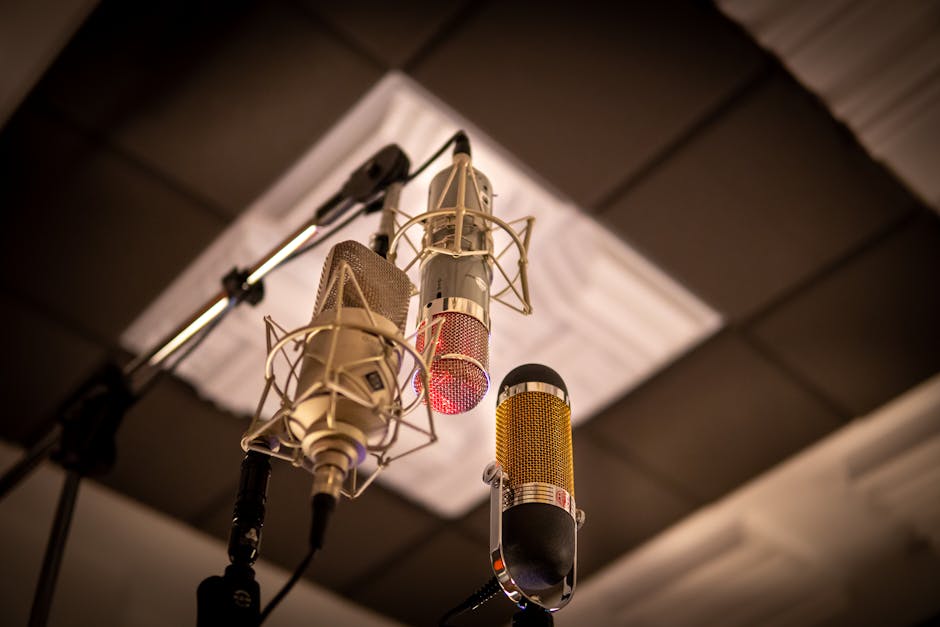
Unlock Professional Audio: Boost Your YouTube Presence with a Pro Condenser Mic
In the competitive landscape of YouTube content creation, visual appeal is paramount, but it’s the audio that truly captivates and retains an audience. While many creators focus on high-resolution cameras and elaborate lighting setups, the often-overlooked element of audio quality can be the deciding factor between a viewer clicking away and becoming a dedicated subscriber. This is where a professional condenser microphone transforms your YouTube presence from amateur to authoritative.
The Condenser Advantage: Why It Matters for YouTubers
Condenser microphones, unlike their dynamic counterparts, are far more sensitive and capture a wider range of frequencies with greater detail. This translates to a richer, more nuanced sound that accurately reflects your voice or instrument. For YouTubers, this means:
- Clarity and Detail: Every word you speak will be crisp and intelligible, eliminating mumbling or a muffled sound that can frustrate viewers. Condensers excel at capturing the subtle inflections and emotions in your voice, making your content more engaging and relatable.
- Wider Frequency Response: This allows for the full spectrum of your voice to be recorded. Lower frequencies contribute to warmth and richness, while higher frequencies add sparkle and presence. A condenser mic ensures both are captured, creating a more natural and pleasing listening experience.
- Transients and Nuance: Condenser mics are excellent at picking up fast, transient sounds, such as the plosives (P and B sounds) or the subtle breath noises that add realism to speech. This level of detail makes your audio sound more alive and less artificial.
- Versatility: While often associated with studio vocals, condenser mics are incredibly versatile. They can capture the intricate details of acoustic instruments, the ambiance of a room, or even the subtle sounds of ASMR content, opening up a wider range of creative possibilities for your channel.
Choosing the Right Condenser Mic for Your YouTube Needs
The world of condenser microphones can seem daunting, with various polar patterns, diaphragm sizes, and connectivity options. For most YouTubers, a large-diaphragm condenser microphone is the sweet spot, offering excellent sensitivity and a warm, flattering tone. Consider these factors:
- Polar Patterns:
- Cardioid: This is the most common and ideal pattern for solo YouTubers. It picks up sound primarily from the front, rejecting noise from the sides and rear. This is crucial for minimizing background distractions in your recording space.
- Omnidirectional: Captures sound equally from all directions. Useful for capturing room ambiance or group recordings, but generally not recommended for single-person voiceovers unless you have a perfectly treated room.
- Bidirectional (Figure-8): Picks up sound from the front and rear, rejecting the sides. Useful for interviews with two people facing each other, but less common for typical YouTube content.
- Diaphragm Size:
- Large Diaphragm (1 inch or larger): Generally preferred for vocals and instruments due to their sensitivity and ability to capture a fuller, warmer sound. They tend to have a lower self-noise, which is important for clean recordings.
- Small Diaphragm (½ inch or smaller): Often used for instruments where precise transient response is critical, like drum overheads or acoustic guitars. They can be less flattering for voiceovers.
- Connectivity:
- XLR: The professional standard. Requires an audio interface or mixer to connect to your computer. Offers superior audio quality and flexibility.
- USB: Plug-and-play simplicity. Connects directly to your computer without the need for an additional interface. A great option for beginners or those prioritizing ease of use.
Beyond the Mic: Essential Accessories for Optimal Audio
A great condenser mic is only part of the equation. To truly elevate your audio, consider these essential accessories:
- Pop Filter/Windscreen: Crucial for mitigating plosives (those harsh “P” and “B” sounds) and sibilance (sharp “S” sounds). A pop filter sits in front of the microphone, while a windscreen is a foam cover that fits over the mic capsule. Both are inexpensive but make a significant difference.
- Shock Mount: This suspension system isolates the microphone from vibrations transmitted through the mic stand. Desk bumps, footfalls, or even subtle room vibrations can be picked up by the mic without a shock mount, resulting in unwanted rumble.
- Microphone Stand: A sturdy microphone stand is essential for proper mic placement and stability. Whether it’s a desk stand or a floor stand, ensure it’s robust enough to hold your microphone securely.
- Audio Interface/Mixer (for XLR mics): This is the bridge between your XLR microphone and your computer. It provides phantom power (necessary for most condenser mics), preamplification, and digital conversion. A good audio interface will offer clean preamps and intuitive controls.
- Headphones: Closed-back studio headphones are vital for monitoring your audio during recording. They allow you to hear exactly what the microphone is capturing, helping you identify and correct issues in real-time.
Optimizing Your Recording Environment
Even the best condenser microphone will struggle in a poorly treated recording space. Here’s how to create an audio-friendly environment:
- Minimize Background Noise: Choose the quietest room possible. Turn off fans, air conditioners, and any other noisy appliances. Close windows and doors to block out external sounds.
- Reduce Echo and Reverb: Hard, flat surfaces reflect sound, creating unwanted echo and reverb. Soften your space with:
- Acoustic Treatment Panels: Strategically placed foam or fabric panels absorb sound reflections.
- Furnishings: Carpets, rugs, curtains, upholstered furniture, and bookshelves all help to diffuse sound.
- DIY Solutions: Even hanging blankets or duvets can make a noticeable difference.
- Mic Placement is Key: Experiment with the distance and angle of your microphone relative to your mouth. Generally, speaking directly into the front of a cardioid mic at a distance of 6-12 inches will yield the best results. Avoid placing the mic too close, which can lead to proximity effect (an unnatural bass boost) or too far, which can pick up more room noise.
Integrating Your Condenser Mic into Your Workflow
Once you have your condenser mic and accessories, it’s time to integrate them into your YouTube production pipeline:
- Software Setup:
- For USB Mics: Your computer should recognize the microphone automatically. Select it as your input device in your operating system and your recording software (DAW – Digital Audio Workstation, or video editing software).
- For XLR Mics: Connect your mic to your audio interface, and then connect the interface to your computer via USB. Configure your audio interface’s drivers and select it as your input device in your software.
- Gain Staging: This is the process of setting appropriate input levels. Speak at your normal speaking volume and adjust the gain on your microphone or audio interface so that your audio signal peaks around -12dB to -6dB. This leaves headroom for louder passages and prevents clipping (distortion).
- Recording Techniques:
- Speak Clearly and Consistently: Practice your delivery to ensure a smooth and confident performance.
- Maintain a Consistent Distance: Try to keep your mouth the same distance from the microphone throughout your recording.
- Monitor Your Audio: Wear your headphones during recording to catch any unwanted noises or issues.
- Post-Production (Editing): This is where you refine your audio.
- Noise Reduction: Most DAWs and video editors have tools to reduce background noise. Use these sparingly to avoid making your voice sound artificial.
- EQ (Equalization): Adjust the tonal balance of your voice. You might boost some higher frequencies for clarity or cut some lower frequencies to remove muddiness.
- Compression: This evens out the dynamic range of your audio, making quieter parts louder and louder parts quieter. This results in a more consistent and professional-sounding voiceover.
- Normalization: This brings the overall loudness of your audio to a desired level, typically around -1dB to -0.1dB for YouTube.
Popular Condenser Microphones for YouTubers
To get you started, here are a few highly-regarded condenser microphones suitable for YouTube creators, spanning different budgets and connectivity:
- Budget-Friendly USB:
- Blue Yeti: A perennial favorite for its versatility (multiple polar patterns), ease of use, and good sound quality for its price.
- Audio-Technica AT2020 USB+: Offers a clear and articulate sound, ideal for voiceovers.
- Mid-Range USB/XLR:
- Rode NT-USB+: Delivers exceptional clarity and detail, with a warm and flattering tone.
- Shure MV7: A hybrid USB/XLR microphone that offers both plug-and-play simplicity and professional XLR connectivity, with excellent vocal isolation.
- Professional XLR:
- Rode NT1-A: Renowned for its incredibly low self-noise, making it perfect for pristine recordings.
- Audio-Technica AT2035: A solid workhorse with a balanced sound profile, suitable for a wide range of applications.
- Neumann TLM 102: A more premium option,