
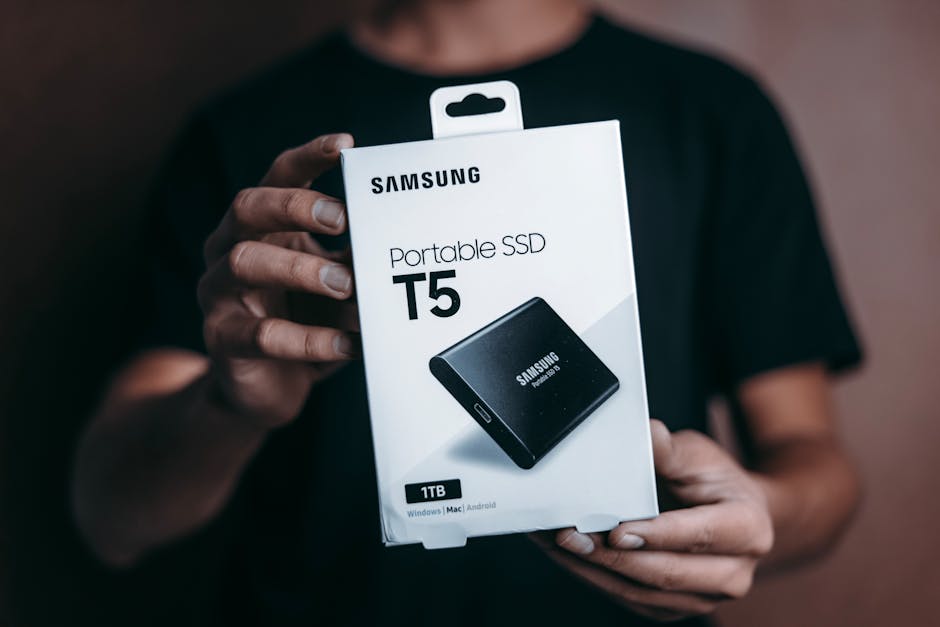
Unleash Unrivaled Performance: Turbocharge Your Laptop with a Samsung 1TB SSD
In today’s fast-paced digital world, a sluggish laptop can be a significant bottleneck, hindering productivity, enjoyment, and even basic functionality. The culprit often lies within the traditional Hard Disk Drive (HDD), a mechanical marvel that has served us for decades but struggles to keep pace with modern demands. The solution? A Solid State Drive (SSD), and more specifically, a Samsung 1TB SSD, a potent upgrade that promises a transformative leap in your laptop’s performance. This article delves deep into why a Samsung 1TB SSD is the ultimate speed booster, exploring its technical prowess, tangible benefits, and the seamless upgrade process.
The fundamental difference between an HDD and an SSD lies in their data storage mechanisms. HDDs rely on spinning platters and a read/write head, akin to a record player. This mechanical process, while robust, is inherently slow due to physical movement. SSDs, on the other hand, utilize flash memory chips, similar to those found in USB drives or smartphones. These chips store data electronically, eliminating any moving parts. This absence of mechanical action translates directly into dramatically faster data access, read, and write speeds.
Samsung, a titan in the semiconductor industry, has consistently pushed the boundaries of SSD technology. Their reputation for reliability, innovation, and exceptional performance makes a Samsung SSD a compelling choice for any upgrade. A 1TB capacity offers a sweet spot for most users, providing ample space for the operating system, applications, games, large media files, and documents, all without the need for constant storage management.
The impact of a Samsung 1TB SSD on your laptop’s speed is multifaceted and immediately noticeable. Boot times, the agonizing minutes spent waiting for your laptop to become usable, will plummet. Expect your operating system to load in mere seconds, transforming your workflow from a slow crawl to an instant start. Application launches will become lightning-fast. Complex software like video editors, graphic design suites, or even demanding games will load and respond with unprecedented agility. Multitasking will feel smoother than ever before, with the ability to switch between numerous open programs and browser tabs without the frustrating lag that often plagues older systems.
Beyond raw speed, SSDs offer other significant advantages. Their silent operation is a welcome relief from the whirring and clicking of HDDs, creating a more peaceful computing environment. Furthermore, SSDs are far more durable and resistant to physical shock. This is due to the lack of moving parts, making them ideal for laptops that are frequently transported. Power consumption is also significantly lower with SSDs, which can contribute to slightly extended battery life – a crucial factor for mobile users.
When considering a Samsung 1TB SSD, you’ll encounter various models, each with its own strengths. For standard laptop upgrades, SATA III interfaces (typically 2.5-inch form factor) are the most common and offer substantial performance gains over HDDs. However, for newer laptops equipped with NVMe M.2 slots, an NVMe SSD from Samsung will provide even more astonishing speeds, leveraging the PCIe interface for maximum data throughput. Researching your laptop’s compatibility is essential to ensure you select the right form factor and interface.
The upgrade process itself, while requiring a degree of technical comfort, is generally straightforward. Many laptops allow for easy access to the storage drive, often requiring the removal of a few screws. Before you begin, it’s crucial to back up all your important data. Then, you have two primary options for migrating your operating system and data to the new SSD: either a clean installation of your operating system and applications, or cloning your existing drive. Samsung provides excellent software utilities, such as Samsung Data Migration, which simplifies the cloning process, allowing you to transfer your entire system, including the OS, applications, and files, directly to the new SSD with minimal effort.
Once the physical installation is complete and your data is migrated, the transformation will be palpable. The responsiveness of your laptop will be dramatically enhanced. File transfers, both internal and external, will be significantly faster. Large file operations, such as copying entire folders or working with massive datasets, will no longer be a test of patience. For gamers, the benefits are immense, with reduced loading times in-game and smoother overall performance. Content creators will experience a significant boost in their workflow, with faster rendering times and quicker access to large project files.
The 1TB capacity of a Samsung SSD provides ample headroom for growth. You can confidently install a vast library of software, store your entire photo and video collection, and keep all your work documents readily accessible without worrying about filling up your drive. This frees you from the constant cycle of deleting files or relying on external storage solutions for everyday use.
Investing in a Samsung 1TB SSD is not merely an upgrade; it’s an investment in your productivity, your enjoyment, and the longevity of your laptop. It breathes new life into older machines and unlocks the full potential of newer ones. The combination of Samsung’s cutting-edge technology and the generous 1TB capacity creates a computing experience that is faster, smoother, and more efficient than you ever thought possible. The days of waiting for your laptop to catch up are over. Embrace the speed, embrace the reliability, and embrace the transformative power of a Samsung 1TB SSD.