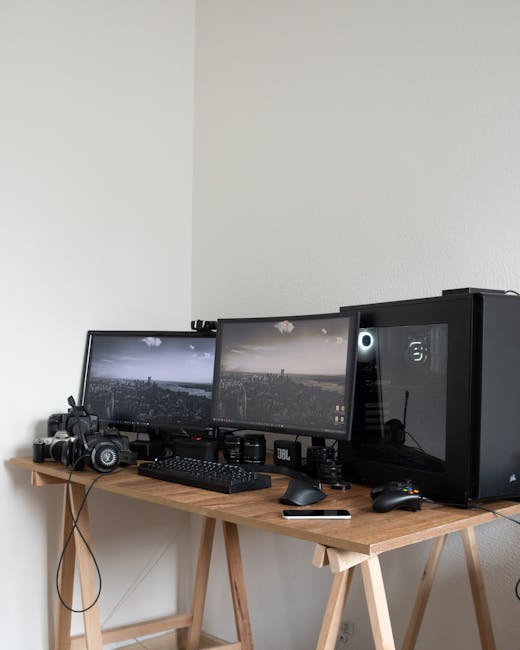
Elevating your desktop audio experience is more than just an upgrade; it’s an immersion. Whether you’re a gamer craving battlefield realism, a music aficionado seeking sonic fidelity, or a professional demanding crystal-clear communication, the right PC speakers can transform your daily digital interactions. This guide delves into the world of PC speakers, helping you navigate the options and discover the perfect set to enhance your workspace.
Understanding Your Audio Needs: A Crucial First Step
Before diving into specific models, it’s vital to define what you expect from your PC speakers. Consider the following:
- Primary Use Case: Are you primarily gaming, listening to music, watching movies, video conferencing, or a blend of these? Gamers often prioritize punchy bass and detailed sound imaging for positional audio. Music lovers will seek balanced frequencies and clarity. Movie watchers might enjoy a wider soundstage and more impactful low-end. Professionals will lean towards clear mid-range frequencies for voice clarity.
- Budget: PC speakers range from budget-friendly options under $50 to high-end audiophile systems exceeding $500. Setting a realistic budget will narrow down your choices significantly.
- Space Constraints: The physical size of your speakers is important. Desktop real estate is often limited, so consider compact 2.0 systems, or even soundbars if space is at a premium.
- Connectivity: Most PC speakers connect via a 3.5mm audio jack. However, some offer USB, Bluetooth, or even optical inputs, providing greater flexibility.
- Desired Features: Do you need a subwoofer for deep bass? Wireless connectivity for clutter-free setup? Dedicated controls for volume, bass, and treble? Built-in DACs for improved digital-to-analog conversion?
Types of PC Speaker Systems
PC speaker systems generally fall into a few main categories:
- 2.0 Systems (Stereo): This is the most common setup, consisting of two satellite speakers. They offer a good balance of sound quality and simplicity, suitable for general use, music, and casual gaming.
- 2.1 Systems (Stereo with Subwoofer): These systems add a dedicated subwoofer to the two satellite speakers. The subwoofer handles the low-frequency range, allowing the satellites to focus on mid and high frequencies. This results in a more impactful bass response, ideal for gaming and movies.
- 3.1 and 5.1 Systems (Surround Sound): These systems expand on the 2.1 setup with additional speakers (center channel, rear satellites) to create a more immersive surround sound experience. While less common for typical desktop setups due to complexity and space requirements, they offer unparalleled immersion for movies and select games.
- Soundbars: Designed to sit neatly beneath your monitor, soundbars offer a compact and space-saving solution. They can provide a surprisingly wide soundstage and are a popular choice for minimalist setups.
Key Factors to Consider When Buying
Beyond the system type, several technical specifications and features will influence your buying decision:
- Driver Size and Type: Drivers are the components that produce sound. Larger drivers generally produce more powerful sound, while different driver types (e.g., silk dome tweeters for clear highs, woven fiber woofers for balanced mids) contribute to the overall sonic signature.
- Frequency Response: This indicates the range of frequencies a speaker can reproduce, measured in Hertz (Hz). A wider frequency response generally means a more complete sound. For example, 50Hz to 20kHz is a good range for PC speakers.
- Power Output (RMS and Peak): RMS (Root Mean Square) power represents the continuous power a speaker can handle, while peak power is the maximum burst it can manage. Higher RMS values generally indicate louder and more capable speakers.
- Signal-to-Noise Ratio (SNR): A higher SNR indicates less background noise from the electronics, resulting in cleaner audio. Aim for an SNR of 70dB or higher.
- Connectivity Options: As mentioned earlier, consider 3.5mm, USB, Bluetooth, and optical inputs based on your existing hardware and desired convenience.
- Build Quality and Materials: Sturdy enclosures (e.g., wood or dense plastic) minimize vibrations and improve sound clarity. High-quality drivers and internal components also contribute to longevity and performance.
- On-Speaker Controls: Easy access to volume, bass, and treble controls directly on the speakers or a dedicated control pod enhances usability.
- Aesthetics: While sound is paramount, the visual appeal of speakers can also be a factor in your workspace.
Top PC Speaker Recommendations by Category
To help you make an informed decision, here are some highly regarded PC speaker options across different categories:
Best Budget-Friendly 2.0 Speakers: Creative Pebble V2
The Creative Pebble V2 offers exceptional value for its price. These compact, minimalist speakers deliver surprisingly clear and balanced audio for everyday tasks, music, and casual gaming. They feature a USB-C power connection for increased power and improved audio performance compared to their predecessor. Their small footprint makes them ideal for even the most crowded desks.
Best All-Around 2.0 Speakers: Audioengine A2+ Wireless
The Audioengine A2+ Wireless are a step up in both sound quality and features. These powered bookshelf speakers deliver rich, detailed audio with a warm, engaging sound signature. They boast a premium build quality, integrated DACs for superior digital audio processing, and versatile connectivity options including Bluetooth and RCA inputs. The wireless option adds significant convenience.
Best 2.1 System for Gaming and Media: Logitech Z623
The Logitech Z623 is a powerhouse for those who crave impactful bass. This THX Certified 2.1 system delivers a thunderous low-end thanks to its robust subwoofer, while the satellite speakers provide clear mids and highs. With multiple input options (3.5mm, RCA), it’s versatile enough for gaming, movies, and music. The robust build and powerful output make it a popular choice for immersive entertainment.
Best Premium 2.0 Speakers: Kanto YU6
For those seeking audiophile-grade sound in a compact form factor, the Kanto YU6 speakers are an excellent choice. These powered bookshelf speakers offer exceptional clarity, detail, and a wide soundstage. They feature a built-in phono preamp for turntable enthusiasts, Bluetooth connectivity, and a range of analog and digital inputs. The sleek design complements any modern workspace.
Best Compact Soundbar: Creative Stage Air V2
The Creative Stage Air V2 is a fantastic option for users with limited desk space. This compact soundbar delivers surprisingly full-bodied audio for its size, making it a significant upgrade over built-in monitor speakers. It offers both USB and Bluetooth connectivity and a built-in rechargeable battery for portable use, adding to its versatility.
Best High-End Bookshelf Speakers (for PC use): Klipsch RP-600M
While not strictly PC speakers, the Klipsch RP-600M bookshelf speakers, when paired with a suitable amplifier or powered by a high-quality DAC, can deliver an unparalleled audio experience for your PC. These speakers are renowned for their dynamic range, detailed highs, and powerful bass, offering a truly immersive soundstage for music, movies, and gaming. This is a significant investment for the discerning audiophile.
Setting Up Your PC Speakers for Optimal Performance
Once you’ve chosen your speakers, proper setup is crucial for maximizing their potential:
- Speaker Placement: Position your satellite speakers at ear level, forming an equilateral triangle with your listening position. This ensures optimal stereo imaging and a balanced soundstage. For 2.1 systems, place the subwoofer on the floor, ideally in a corner, for the most effective bass reinforcement.
- Room Acoustics: Hard surfaces like bare walls and glass can reflect sound and create echoes. Soft furnishings like carpets, curtains, and upholstered furniture can help absorb sound and improve clarity.
- Audio Settings: Ensure your PC’s audio output is configured correctly. Many sound cards and motherboards offer software for adjusting equalizer settings, surround sound virtualization, and output levels. Experiment with these settings to fine-tune the sound to your preferences.
- Cable Management: Tidy cable management not only improves the aesthetics of your workspace but can also prevent interference and signal degradation.
Troubleshooting Common PC Speaker Issues
- No Sound: Check that your speakers are powered on, volume is turned up, and the correct audio output device is selected in your operating system. Ensure all cables are securely connected.
- Distorted Sound: This can be caused by overdriving the speakers (volume too high), damaged drivers, or poor audio quality from the source. Try lowering the volume or using a higher-quality audio file.
- Humming or Buzzing: This often indicates interference from other electronic devices or a faulty cable. Try moving your speakers further away from other electronics or using shielded audio cables.
- Weak Bass: For 2.1 systems, ensure the subwoofer is properly connected and its volume is adjusted. For 2.0 systems, consider repositioning the speakers or exploring equalizer settings.
The Future of PC Audio
The PC speaker market continues to evolve, with advancements in digital signal processing (DSP), wireless audio technologies, and integration with smart home ecosystems. Expect to see even more sophisticated sound profiles, seamless connectivity, and personalized audio experiences in the future.
Choosing the best PC speakers is a personal journey. By understanding your needs, exploring the different types of.
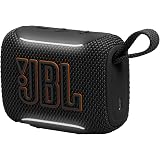
JBL Go 5 Portable Bluetooth Speaker with Pro Sound & Deep Bass, Ambient Edge Lighting, Upto 10 Hours Playtime, IP68 Waterproof, AirTouch Pairing, Auracast, USB-C Lossless Audio (Black)
₹4,699.00 (as of October 10, 2026 16:56 GMT +05:30 - More infoProduct prices and availability are accurate as of the date/time indicated and are subject to change. Any price and availability information displayed on [relevant Amazon Site(s), as applicable] at the time of purchase will apply to the purchase of this product.)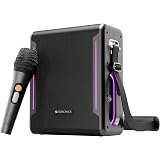
ZEBRONICS Axon 150 Portable Bluetooth Speaker, 100W RMS, Built-in Power Bank, Zeb AcoustiMax DSP, Dual Passive Radiators, Up to 7h Playback, RGB Lights, BT v5.3, USB, mSD, AUX, Wireless Mic (Black)
₹5,799.00 (as of October 10, 2026 16:56 GMT +05:30 - More infoProduct prices and availability are accurate as of the date/time indicated and are subject to change. Any price and availability information displayed on [relevant Amazon Site(s), as applicable] at the time of purchase will apply to the purchase of this product.)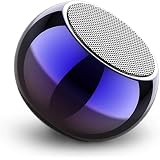
JBL Compatible Ultra Mini Wireless Bluetooth Speaker with Heavy Metal Electroplating | Round Mini Speaker, Power Button Controlled, Long Battery Backup & Quick Charge
₹269.00 (as of October 10, 2026 16:56 GMT +05:30 - More infoProduct prices and availability are accurate as of the date/time indicated and are subject to change. Any price and availability information displayed on [relevant Amazon Site(s), as applicable] at the time of purchase will apply to the purchase of this product.)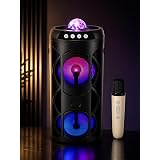
3RY PrismGlow 50W Party Speaker | Crystal RGB Dome Light | Dual Woofer | Wireless Mic | Bluetooth | TWS | USB | Type-C |
₹1,399.00 (as of October 10, 2026 16:56 GMT +05:30 - More infoProduct prices and availability are accurate as of the date/time indicated and are subject to change. Any price and availability information displayed on [relevant Amazon Site(s), as applicable] at the time of purchase will apply to the purchase of this product.)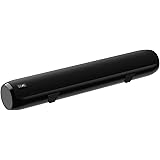
boAt Aavante Bar 610, 25W Signature Sound, 2.0 CH with Dual Passive Radiators, 7 HRS Battery, Sleek Design, Multi Connectivity, Bluetooth Sound Bar, Soundbar Speaker (Charcoal Black)
Now retrieving the price.
(as of October 10, 2026 16:56 GMT +05:30 - More infoProduct prices and availability are accurate as of the date/time indicated and are subject to change. Any price and availability information displayed on [relevant Amazon Site(s), as applicable] at the time of purchase will apply to the purchase of this product.)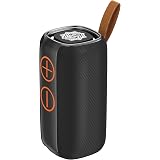
DIGIMORE StormBox 30W BT Speaker with AI Sound Boost | BT 5.4, TWS Pairing, Water Resistant, Type-C Fast Charging, 10Hrs Long Battery, RGB Lights, Premium Matte Finish for Home & Travel Use (D-1322)
₹1,498.00 (as of October 10, 2026 16:56 GMT +05:30 - More infoProduct prices and availability are accurate as of the date/time indicated and are subject to change. Any price and availability information displayed on [relevant Amazon Site(s), as applicable] at the time of purchase will apply to the purchase of this product.)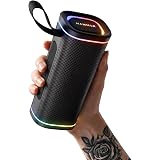
HAMMER Wave 2 Bluetooth Speaker | 20W RMS Portable Wireless Speaker with Deep Bass, RGB Lights, Bluetooth 6.0, Dual Speaker Pairing (Black)
₹1,099.00 (as of October 10, 2026 16:56 GMT +05:30 - More infoProduct prices and availability are accurate as of the date/time indicated and are subject to change. Any price and availability information displayed on [relevant Amazon Site(s), as applicable] at the time of purchase will apply to the purchase of this product.)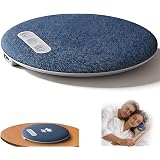
AGLAUROS Bluetooth Pillow Speaker for Sleeping with White Noise Machine & Timer - Ultra-Thin Wireless Under Pillow Sleep Speaker, Portable Mini Music Speaker with Soft Fabric Design
₹399.00 (as of October 10, 2026 16:56 GMT +05:30 - More infoProduct prices and availability are accurate as of the date/time indicated and are subject to change. Any price and availability information displayed on [relevant Amazon Site(s), as applicable] at the time of purchase will apply to the purchase of this product.)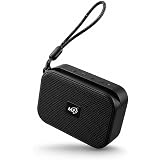
Portable Bluetooth Speaker with Mobile Holder | 5W Loud & Clear Sound | Wireless TWS Pairing | Compact Mini Speaker with Strap | Hands-Free Music Stand for Mobile | Travel Friendly Speaker (Black)
Now retrieving the price.
(as of October 10, 2026 16:56 GMT +05:30 - More infoProduct prices and availability are accurate as of the date/time indicated and are subject to change. Any price and availability information displayed on [relevant Amazon Site(s), as applicable] at the time of purchase will apply to the purchase of this product.)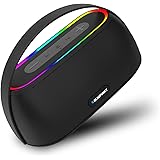
Blaupunkt 2025 Launch ATOMIK Grab 20W Party Speaker Boombox, Unbelievable Loud & Clear Music I Portable Carry Handle | A Perfect Carry Around Sound Partner for Outdoors I Light Weight Grab on the GO
₹944.00 (as of October 10, 2026 16:56 GMT +05:30 - More infoProduct prices and availability are accurate as of the date/time indicated and are subject to change. Any price and availability information displayed on [relevant Amazon Site(s), as applicable] at the time of purchase will apply to the purchase of this product.)
pTron Newly Launched Fusion Tunes 10W Mini Bluetooth Speaker with Wireless Karaoke Mic, 8Hrs Playtime, Vivid RGB Lights, Voice Effects, Multi-Play Modes BT5.1/TF Card & Type-C Charging Port (Black)
₹849.00 (as of October 10, 2026 16:56 GMT +05:30 - More infoProduct prices and availability are accurate as of the date/time indicated and are subject to change. Any price and availability information displayed on [relevant Amazon Site(s), as applicable] at the time of purchase will apply to the purchase of this product.)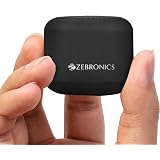
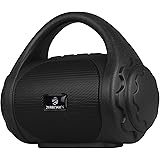
ZEBRONICS Pixie Portable Speaker, 5 Watts, Supports Bluetooth, TWS Function, mSD, Compact Design, Call Function, Carry Loop, Upto 7h Backup (Black)
₹399.00 (as of October 10, 2026 16:56 GMT +05:30 - More infoProduct prices and availability are accurate as of the date/time indicated and are subject to change. Any price and availability information displayed on [relevant Amazon Site(s), as applicable] at the time of purchase will apply to the purchase of this product.)
boAt Aavante Bar 490 10W Signature Sound, Dual Full-Range Drivers,7 HRS Battery, Built-in Mic,2.0 CH, Free Music Streaming on JioSaavn, Bluetooth Sound Bar, Soundbar Speaker (Classic Black)
₹799.00 (as of October 10, 2026 16:56 GMT +05:30 - More infoProduct prices and availability are accurate as of the date/time indicated and are subject to change. Any price and availability information displayed on [relevant Amazon Site(s), as applicable] at the time of purchase will apply to the purchase of this product.)
Sony SRS-XB100 Portable Bluetooth Speaker, Extra Bass, IP67 Waterproof & Dustproof, 16 Hr Battery, Hands-Free Calling, Strap – Black
₹2,489.00 (as of October 10, 2026 16:56 GMT +05:30 - More infoProduct prices and availability are accurate as of the date/time indicated and are subject to change. Any price and availability information displayed on [relevant Amazon Site(s), as applicable] at the time of purchase will apply to the purchase of this product.)
JBL Boombox 4, Wireless Portable Bluetooth Speaker, 34H Playtime Black
₹44,999.00 (as of October 10, 2026 16:56 GMT +05:30 - More infoProduct prices and availability are accurate as of the date/time indicated and are subject to change. Any price and availability information displayed on [relevant Amazon Site(s), as applicable] at the time of purchase will apply to the purchase of this product.)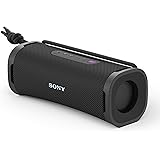
Sony ULT Field 1 Wireless 30W Bluetooth Speaker, 12hrs Playtime, Massive Bass, Hands Free Calling, IP67 Water, Dust & Rustproof, Sound Connect App-Black
₹7,989.00 (as of October 10, 2026 16:56 GMT +05:30 - More infoProduct prices and availability are accurate as of the date/time indicated and are subject to change. Any price and availability information displayed on [relevant Amazon Site(s), as applicable] at the time of purchase will apply to the purchase of this product.)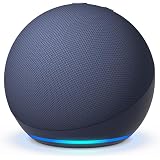
Amazon Echo Dot (5th Gen), smart speaker with Alexa+, vibrant sound, motion detection, temperature sensor, bluetooth, Blue
₹4,499.00 (as of October 10, 2026 16:56 GMT +05:30 - More infoProduct prices and availability are accurate as of the date/time indicated and are subject to change. Any price and availability information displayed on [relevant Amazon Site(s), as applicable] at the time of purchase will apply to the purchase of this product.)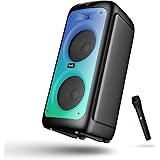
boAt Partypal 390/400 Speaker w/ 160 W Signature Sound, Karaoke with 2 Microphone Input Ports, Up to 6 hrs Playtime, EQ Modes, TWS Mode, Bluetooth v5.3, AUX & USB Type-C Port, Space Black
₹8,999.00 (as of October 10, 2026 16:56 GMT +05:30 - More infoProduct prices and availability are accurate as of the date/time indicated and are subject to change. Any price and availability information displayed on [relevant Amazon Site(s), as applicable] at the time of purchase will apply to the purchase of this product.)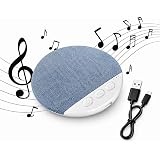
PANCA Bluetooth Pillow Speaker for Sleeping, Wireless Under Pillow Sleep Speaker with White Noise, Portable Mini Stereo Music Speaker for Side Sleepers, Bedside Travel Sleep Aid (Blue)
₹499.00 (as of October 10, 2026 16:56 GMT +05:30 - More infoProduct prices and availability are accurate as of the date/time indicated and are subject to change. Any price and availability information displayed on [relevant Amazon Site(s), as applicable] at the time of purchase will apply to the purchase of this product.)