

For students navigating the demands of modern education, a tablet can be an indispensable tool, offering portability, versatility, and a gateway to a world of digital learning resources. However, the price tag on high-end devices can be prohibitive for many. Fortunately, the market offers a wealth of excellent budget-friendly tablets that deliver impressive performance and features without breaking the bank. This guide delves into the best budget tablets for students, focusing on smart learning capabilities and smart pricing, equipping you with the knowledge to make an informed decision.
Understanding Student Needs: What Makes a Tablet “Smart” for Learning?
Before diving into specific recommendations, it’s crucial to define what constitutes a “smart” learning tablet for students. Beyond basic browsing and entertainment, these devices should excel in:
- Note-Taking and Annotation: Seamlessly capture lecture notes, highlight e-textbooks, and annotate PDFs with a stylus. Responsiveness, palm rejection, and pressure sensitivity are key here.
- Multitasking and Productivity: Effortlessly switch between research, writing assignments, and online learning platforms. Sufficient RAM and a capable processor are vital for smooth operation.
- E-Reading and Content Consumption: A crisp, clear display is essential for comfortable reading of textbooks, articles, and educational videos. Good battery life ensures uninterrupted study sessions.
- Access to Educational Apps and Platforms: Compatibility with a wide range of learning apps, cloud storage services (Google Drive, OneDrive), and video conferencing tools (Zoom, Google Meet) is paramount.
- Portability and Durability: Students are constantly on the move. A lightweight design and a robust build quality are important for daily commutes and potential accidental drops.
- Affordability: This is the cornerstone of our discussion. Budget tablets should offer the best possible value for money, delivering essential features at a student-friendly price point.
Key Specifications to Consider for Budget Student Tablets:
- Display Size and Resolution: Aim for at least a 10-inch display for comfortable viewing and note-taking. Full HD (1920 x 1080) resolution or higher is recommended for crisp text and images.
- Processor and RAM: For smooth multitasking, look for a quad-core processor or better, paired with at least 4GB of RAM. 6GB or 8GB will offer a noticeable improvement in performance.
- Storage: 64GB is a minimum for storing apps, documents, and offline content. 128GB or more is ideal if you plan to download many large files or media. MicroSD card expansion is a valuable bonus.
- Battery Life: Aim for at least 8-10 hours of continuous use to get through a full day of classes and study.
- Stylus Support: If note-taking is a priority, ensure the tablet explicitly supports a stylus. Check if the stylus is included or needs to be purchased separately.
- Operating System: Android and iPadOS are the dominant players. Android offers greater customization and a wider range of affordable hardware. iPadOS, while typically more expensive, offers a polished user experience and a vast app ecosystem.
Top Budget Tablets for Students in 2026:
The following tablets represent excellent choices for students seeking a balance of performance, features, and affordability. Prices can fluctuate, so always check for the latest deals.
1. Amazon Fire HD 10 (and 10 Plus): Smart, Affordable, and Surprisingly Capable
The Amazon Fire HD 10 consistently ranks as a top contender in the budget tablet space, and for good reason. It offers an exceptional amount of value for its price.
- Display: A vibrant 10.1-inch Full HD (1920 x 1200) display provides excellent clarity for reading, browsing, and watching educational videos.
- Performance: Powered by a MediaTek octa-core processor and 3GB of RAM (4GB on the Plus model), it handles everyday tasks like web browsing, email, and light multitasking with ease. While not a powerhouse for demanding games or heavy video editing, it’s more than sufficient for typical student workloads.
- Software: Running Amazon’s Fire OS, which is based on Android, it provides access to a curated app store. While it lacks the full Google Play Store out of the box, there are workarounds for installing it, significantly expanding its functionality. The seamless integration with Amazon’s ecosystem (Kindle, Prime Video, Audible) is a bonus for some.
- Productivity: With its decent display and ability to run productivity apps, the Fire HD 10 can be used for note-taking (though stylus support is not native, Bluetooth keyboards are a great addition). The Fire HD 10 Plus offers wireless charging and a slightly larger RAM, making it a marginally better option for multitasking.
- Battery Life: Expect around 10-12 hours of mixed usage, easily lasting a full day of classes.
- Price: Consistently one of the most affordable 10-inch tablets on the market, often available at significant discounts during sales events.
Pros: Incredible value for money, bright and clear display, good battery life, durable build.
Cons: Amazon Appstore limitations (can be overcome), less powerful processor for intensive tasks, no native stylus support.
2. Lenovo Tab M10 Plus (3rd Gen): A Solid All-Rounder with a Premium Feel
Lenovo has been steadily improving its tablet offerings, and the Tab M10 Plus (3rd Gen) stands out as a well-rounded budget option that punches above its weight class.
- Display: Features a 10.61-inch IPS display with a 2K resolution (2000 x 1200), offering sharper visuals than many competitors in this price range. This is excellent for detailed reading and immersive learning.
- Performance: Equipped with a MediaTek Helio G80 processor and options for 4GB or 6GB of RAM, it provides smooth performance for multitasking, productivity apps, and casual gaming. The higher RAM option significantly enhances the multitasking experience.
- Software: Runs a near-stock Android experience, providing access to the full Google Play Store and a familiar interface for most users.
- Productivity: Supports the Lenovo Precision Pen 2 (sold separately), making it a strong contender for students who want to take handwritten notes and annotate documents. The larger screen size further enhances its suitability for this purpose.
- Battery Life: Offers a respectable 7-8 hours of active use, which should be sufficient for most study days.
- Price: Positioned slightly higher than the Fire HD 10 but offers a more premium experience and better performance for the price.
Pros: Excellent 2K display, good performance for its price, near-stock Android, stylus support available, premium build quality.
Cons: Stylus is an additional purchase, battery life could be slightly better.
3. Samsung Galaxy Tab A8: The Trusted Name in Android Tablets
Samsung’s Galaxy Tab A series is renowned for its reliability and user-friendly experience, and the Tab A8 continues this legacy as a strong budget choice for students.
- Display: A 10.5-inch TFT LCD display with a resolution of 1920 x 1200 offers good clarity and color reproduction for educational content.
- Performance: Powered by a Unisoc T618 octa-core processor and available with 3GB or 4GB of RAM, it handles everyday tasks, web browsing, and moderate multitasking efficiently.
- Software: Runs Samsung’s One UI, a feature-rich and intuitive interface built on Android. It provides access to the Google Play Store and Samsung’s own suite of apps.
- Productivity: While it doesn’t officially support a dedicated stylus, it’s compatible with capacitive styluses for basic touch input and annotation. For more advanced note-taking, consider pairing it with a Bluetooth keyboard.
- Battery Life: Boasts a large 7,040mAh battery, which typically translates to around 8-10 hours of usage, ensuring it can keep up with a student’s schedule.
- Price: Samsung tablets often hold their value well, and the Tab A8 offers a solid entry point into the Samsung ecosystem at a competitive price.
Pros: Reliable performance, excellent battery life, user-friendly One UI, good build quality, familiar brand.
Cons: Display technology (TFT) is not as vibrant as IPS, no dedicated stylus support for advanced note-taking.
4. Vankyo MatrixPad S30: A Feature-Rich Option for the Ultra-Budget Conscious
For students on a truly tight budget, the Vankyo MatrixPad S30 offers a surprising amount of features for its incredibly low price point.
- Display: A 10.1-inch IPS display with Full HD (1920 x 1200) resolution is a standout feature at this price, offering good visual quality for its cost.
- Performance: Equipped with a MediaTek MT8183 octa-core processor and 4GB of RAM, it provides adequate performance for basic tasks like web browsing, email, and streaming. It’s not designed for heavy multitasking or demanding applications.
- Software: Runs a clean Android interface, giving you access to the Google Play Store and all

ZZB 10 Inch Kids Tablet, Android 15.0, 8GB (3+5 Extended) RAM 32GB ROM (Expandable to 1TB) Dual Camera 6000mAh Preloaded with Kids Apps Tablet with Case, Android Tablets
₹13,999.00 (as of October 10, 2026 09:13 GMT +05:30 - More infoProduct prices and availability are accurate as of the date/time indicated and are subject to change. Any price and availability information displayed on [relevant Amazon Site(s), as applicable] at the time of purchase will apply to the purchase of this product.)
Lenovo Idea Tab (Smartchoice) with Tab Pen | WiFi Only |11" 2.5K IPS Display |6GB RAM + 128GB ROM (Expandable Upto 2TB)| MediaTek Dimensity 6300|7040mAh|4 Speakers| Grey
₹20,998.00 (as of October 10, 2026 09:13 GMT +05:30 - More infoProduct prices and availability are accurate as of the date/time indicated and are subject to change. Any price and availability information displayed on [relevant Amazon Site(s), as applicable] at the time of purchase will apply to the purchase of this product.)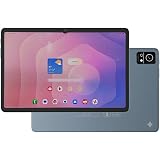
DOMO Slate SL40 OS10 1C 10 Inch Android Tablet 4G Dual SIM, 4GB RAM, 32GB Storage (Expandable to 1TB), Octa-Core Processor, WXGA Incell Display, 13MP Camera, GPS, WiFi, Bluetooth, Type-C Blue
Now retrieving the price.
(as of October 10, 2026 09:13 GMT +05:30 - More infoProduct prices and availability are accurate as of the date/time indicated and are subject to change. Any price and availability information displayed on [relevant Amazon Site(s), as applicable] at the time of purchase will apply to the purchase of this product.)
Samsung Galaxy Tab A11, 22.05 cm (8.7 inch) TFT LCD Display, 4 GB RAM, 64 GB Storage, Wi-Fi + LTE Tablet, Gray
₹18,700.00 (as of October 10, 2026 09:13 GMT +05:30 - More infoProduct prices and availability are accurate as of the date/time indicated and are subject to change. Any price and availability information displayed on [relevant Amazon Site(s), as applicable] at the time of purchase will apply to the purchase of this product.)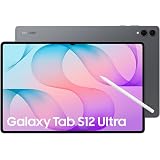
Samsung Galaxy Tab S12 Ultra, 14.6-inch Dynamic AMOLED 2X Display, 12GB RAM, 256GB Storage, Wi-Fi, Quad Speakers, Hexagonal S Pen Included, Gray, AI Enabled
₹1,49,999.00 (as of October 10, 2026 09:13 GMT +05:30 - More infoProduct prices and availability are accurate as of the date/time indicated and are subject to change. Any price and availability information displayed on [relevant Amazon Site(s), as applicable] at the time of purchase will apply to the purchase of this product.)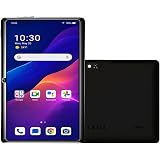
IKALL N7 - Android Wi-Fi Tablet, 2GB RAM, 16GB Storage, Wi-Fi Only, 3000mAh Battery, 7" Display Compact & Lightweight, Ideal for Learning & Entertainment – Black
₹4,149.00 (as of October 10, 2026 09:13 GMT +05:30 - More infoProduct prices and availability are accurate as of the date/time indicated and are subject to change. Any price and availability information displayed on [relevant Amazon Site(s), as applicable] at the time of purchase will apply to the purchase of this product.)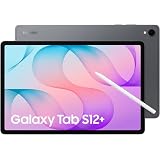
Samsung Galaxy Tab S12+, 12.6-inch Dynamic AMOLED 2X Display, 12GB RAM, 256GB Storage, Wi-Fi, Quad Speakers, Hexagonal S Pen Included, Gray, AI Enabled
₹1,29,999.00 (as of October 10, 2026 09:13 GMT +05:30 - More infoProduct prices and availability are accurate as of the date/time indicated and are subject to change. Any price and availability information displayed on [relevant Amazon Site(s), as applicable] at the time of purchase will apply to the purchase of this product.)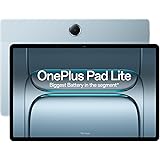
OnePlus,Pad Lite, 11-inch (27.94 CM), LCD, 8GB RAM, 128GB ROM, WiFi + LTE, Quad Speakers, 9340mAh Battery, Aero Blue, Not AI Enabled
₹23,999.00 (as of October 10, 2026 09:13 GMT +05:30 - More infoProduct prices and availability are accurate as of the date/time indicated and are subject to change. Any price and availability information displayed on [relevant Amazon Site(s), as applicable] at the time of purchase will apply to the purchase of this product.)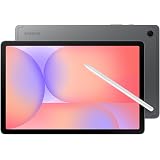
Samsung X400 Galaxy Tab S10 Lite 10.9" Wi-Fi, 128GB 6GB Ram, Grey
₹34,999.00 (as of October 10, 2026 09:13 GMT +05:30 - More infoProduct prices and availability are accurate as of the date/time indicated and are subject to change. Any price and availability information displayed on [relevant Amazon Site(s), as applicable] at the time of purchase will apply to the purchase of this product.)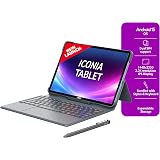
Acer Iconia Tab11 with Stylus & Keyboard | 11.45" | 2.2K IPS Display, 450 Nit | Quad Speakers | 8GB + 128GB (Expandable) | Wi-Fi + (Calling) | Fingerprint Reader| Slim Metal Body| Blue
₹25,490.00 (as of October 10, 2026 09:13 GMT +05:30 - More infoProduct prices and availability are accurate as of the date/time indicated and are subject to change. Any price and availability information displayed on [relevant Amazon Site(s), as applicable] at the time of purchase will apply to the purchase of this product.)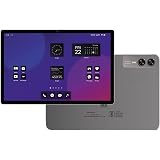
DOMO Slate SL40 2C Tablet for Students Foundation Exams, 10 Inch Android Tablet, IPS Display, 4G Dual SIM, 4GB RAM+32GB Storage (Expandable to 1TB), Octa-Core Processor, GPS, WiFi, Bluetooth (Grey)
Now retrieving the price.
(as of October 10, 2026 09:13 GMT +05:30 - More infoProduct prices and availability are accurate as of the date/time indicated and are subject to change. Any price and availability information displayed on [relevant Amazon Site(s), as applicable] at the time of purchase will apply to the purchase of this product.)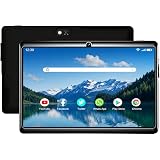
IKALL N7 Pro Wi-Fi Tablet | 7 Inch Android Display | 2GB RAM + 16GB ROM (Expandable) | 3000mAh Battery | Dual Camera | Compact Tablet for Students & Home Entertainment | Black
₹4,149.00 (as of October 10, 2026 09:13 GMT +05:30 - More infoProduct prices and availability are accurate as of the date/time indicated and are subject to change. Any price and availability information displayed on [relevant Amazon Site(s), as applicable] at the time of purchase will apply to the purchase of this product.)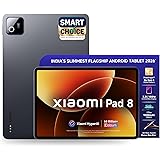
XIAOMI Pad 8, 11.2 -inch (28.44 CM), LCD 3.2K, 12GB RAM, 256GB ROM, Wi-Fi, Quad Speakers Dolby Atmos, Supports Focus Pen Pro, Graphite Grey, AI Enabled
₹41,990.00 (as of October 10, 2026 09:13 GMT +05:30 - More infoProduct prices and availability are accurate as of the date/time indicated and are subject to change. Any price and availability information displayed on [relevant Amazon Site(s), as applicable] at the time of purchase will apply to the purchase of this product.)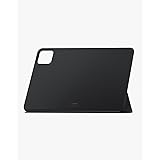
Xiaomi Pad 6 Cover - Black
₹600.00 (as of October 10, 2026 09:13 GMT +05:30 - More infoProduct prices and availability are accurate as of the date/time indicated and are subject to change. Any price and availability information displayed on [relevant Amazon Site(s), as applicable] at the time of purchase will apply to the purchase of this product.)
OnePlus, Pad Go 2 [Smartchoice], 12.1 inch (30.73 CM), LCD, 8GB RAM, 256GB ROM, Wi-Fi + 5G, Quad Speakers, Eye Care,Shadow Black, AI Enabled
₹35,999.00 (as of October 10, 2026 09:13 GMT +05:30 - More infoProduct prices and availability are accurate as of the date/time indicated and are subject to change. Any price and availability information displayed on [relevant Amazon Site(s), as applicable] at the time of purchase will apply to the purchase of this product.)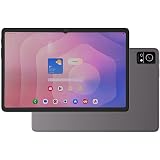
DOMO Slate SL40 OS10 1C 10 Inch Android Tablet 4G Dual SIM, 4GB RAM, 32GB Storage (Expandable to 1TB), Octa-Core Processor, WXGA Incell Display, 13MP Camera, GPS, WiFi, Bluetooth, Type-C [Grey]
Now retrieving the price.
(as of October 10, 2026 09:13 GMT +05:30 - More infoProduct prices and availability are accurate as of the date/time indicated and are subject to change. Any price and availability information displayed on [relevant Amazon Site(s), as applicable] at the time of purchase will apply to the purchase of this product.)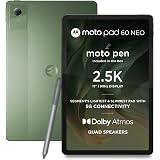
Moto Pad 60 Neo 5G (Pantone Bronze Green, 128, GB, 4, GB)
₹23,499.00 (as of October 10, 2026 09:13 GMT +05:30 - More infoProduct prices and availability are accurate as of the date/time indicated and are subject to change. Any price and availability information displayed on [relevant Amazon Site(s), as applicable] at the time of purchase will apply to the purchase of this product.)
Redmi Pad 2, 11-inch (27.94 CM CM), LCD Display - 2.5K Sharp & Clear, 4GB RAM, 128GB ROM, Wi-Fi, Quad Speakers, Dolby Atmos, Graphite Grey, AI Enabled
₹17,499.00 (as of October 10, 2026 09:13 GMT +05:30 - More infoProduct prices and availability are accurate as of the date/time indicated and are subject to change. Any price and availability information displayed on [relevant Amazon Site(s), as applicable] at the time of purchase will apply to the purchase of this product.)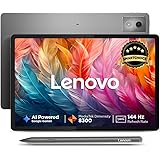
Lenovo {Smartchoice} Idea Tab Pro with Pen Plus|12.7" 3K Display|144 Hz Refresh|8 GB RAM, 128 GB ROM|AI-Enabled| MediaTek Dimensity 8300| Quad JBL Speakers| 10200 mAh Battery with 45 W Charger|WiFi 6e
₹29,999.00 (as of October 10, 2026 09:13 GMT +05:30 - More infoProduct prices and availability are accurate as of the date/time indicated and are subject to change. Any price and availability information displayed on [relevant Amazon Site(s), as applicable] at the time of purchase will apply to the purchase of this product.)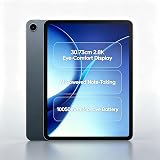
OPPO Pad 5 (Black, 8 GB +128 GB)
Now retrieving the price.
(as of October 10, 2026 09:13 GMT +05:30 - More infoProduct prices and availability are accurate as of the date/time indicated and are subject to change. Any price and availability information displayed on [relevant Amazon Site(s), as applicable] at the time of purchase will apply to the purchase of this product.)