The dream of immersive gaming experiences is no longer exclusive to those with deep pockets. The Indian market, in particular, has witnessed a surge in powerful yet affordable gaming laptops, making high-fidelity gameplay accessible to a wider audience. For budget-conscious gamers looking to snag a machine that can handle modern titles without breaking the bank, the ₹60,000 price point offers a surprisingly rich selection. This guide delves into the top contenders, dissecting their strengths and weaknesses to help you make an informed decision.
Understanding the ₹60,000 Gaming Laptop Landscape
At this price point, manufacturers are strategically balancing performance, build quality, and features. You can expect to find laptops equipped with capable mid-range dedicated graphics cards, such as NVIDIA GeForce RTX 3050 or its predecessors, paired with efficient processors from Intel’s Core i5 or AMD’s Ryzen 5 series. The RAM typically hovers around 8GB, often upgradeable, and storage is usually a speedy SSD, though the capacity might be on the smaller side. Display refresh rates are a key differentiator, with 120Hz panels becoming increasingly common, offering a smoother visual experience essential for competitive gaming.
Key Components to Look For:
- Processor (CPU): Aim for at least an Intel Core i5 (11th Gen or newer) or an AMD Ryzen 5 (5000 series or newer). These offer sufficient processing power for most modern games and multitasking.
- Graphics Card (GPU): The NVIDIA GeForce RTX 3050 is the sweet spot in this budget, offering solid 1080p gaming performance. Older RTX 20 series or GTX 16 series cards can also be found, but the RTX 3050 provides better ray tracing capabilities and DLSS support.
- RAM: 8GB DDR4 is standard. While playable, upgrading to 16GB is highly recommended for a smoother experience in demanding titles and for future-proofing. Check for upgradeability.
- Storage: An SSD is non-negotiable for fast game loading times. Aim for at least a 512GB NVMe SSD. If a smaller SSD is present, ensure there’s an empty M.2 slot or a 2.5-inch bay for future storage expansion.
- Display: A 15.6-inch Full HD (1920×1080) display is standard. Look for a refresh rate of 120Hz or higher for a significant improvement in visual fluidity. Good color accuracy and brightness are also desirable, though often compromised at this price.
- Cooling System: Gaming laptops generate heat. A robust cooling system is crucial for sustained performance. Look for reviews that mention thermal throttling.
Top Contenders Under ₹60,000 (Current Market Snapshot):
While specific models and pricing can fluctuate, here are some consistently strong performers and popular choices within the ₹60,000 bracket:
1. Acer Nitro 5:
The Acer Nitro 5 has been a perennial favorite for budget gamers, and for good reason. It consistently offers excellent value for money. Within the ₹60,000 range, you can often find configurations featuring an Intel Core i5 or AMD Ryzen 5 processor paired with an NVIDIA GeForce RTX 3050 GPU. The 15.6-inch Full HD display typically boasts a 144Hz refresh rate, providing a smooth gaming experience. The build quality is decent, with a focus on durability. Acer’s cooling system on the Nitro 5 is generally effective, though it can get a bit loud under heavy load. The keyboard offers good tactile feedback and is often backlit. Storage usually consists of a 512GB NVMe SSD, and RAM is often upgradeable from 8GB to 16GB. The design is unmistakably “gaming,” with aggressive lines and color accents.
- Pros: Excellent price-to-performance ratio, high refresh rate display, good cooling for the price, upgradeable RAM and storage.
- Cons: Can be a bit noisy under load, design might be polarizing for some.
2. Lenovo IdeaPad Gaming 3:
Lenovo’s IdeaPad Gaming 3 series strikes a balance between gaming prowess and a more understated design, making it suitable for users who might also use their laptop for work or study. Configurations within this budget often include Intel Core i5 or AMD Ryzen 5 processors and the ever-reliable NVIDIA GeForce RTX 3050. The display is typically a 15.6-inch Full HD panel with a 120Hz refresh rate, offering a noticeable improvement over standard 60Hz screens. The keyboard is comfortable for both typing and gaming, and the build quality is solid. Lenovo’s cooling solution is generally well-regarded, keeping thermals in check for sustained gameplay. Storage is usually a 512GB NVMe SSD, and 8GB RAM is standard with upgrade options. The aesthetic is more refined than some competitors, making it a versatile choice.
- Pros: Subtle design, good cooling performance, comfortable keyboard, solid build quality.
- Cons: Refresh rate might be slightly lower than some competitors (120Hz vs. 144Hz), speaker quality could be better.
3. HP Victus 15:
The HP Victus 15 is another strong contender that offers a compelling package at this price point. You can frequently find models equipped with a capable Intel Core i5 or AMD Ryzen 5 processor and an NVIDIA GeForce RTX 3050 GPU. The 15.6-inch Full HD display often features a 144Hz refresh rate, ensuring fluid visuals in fast-paced games. HP has focused on a cleaner, more modern aesthetic with the Victus line, making it appealing to a broader audience. The keyboard is responsive, and the overall build feels robust. The cooling system is generally effective, though sustained heavy gaming might push it to its limits. Storage typically includes a 512GB NVMe SSD, and 8GB RAM is the standard configuration, with upgradeability. The inclusion of a full-sized keyboard with a numpad is a welcome feature for many.
- Pros: Modern and clean design, good performance for the price, high refresh rate display, full-sized keyboard.
- Cons: Screen wobble can be a minor issue on some units, battery life might be average.
4. MSI GF63 Thin:
MSI is a brand synonymous with gaming, and the GF63 Thin aims to bring that experience to a more affordable segment. Within the ₹60,000 budget, you can often find configurations with Intel Core i5 processors and the NVIDIA GeForce RTX 3050. The display is usually a 15.6-inch Full HD panel, sometimes with a 144Hz refresh rate. The “Thin” moniker signifies a focus on portability, making it one of the lighter gaming laptops in its class. However, this can sometimes come at the expense of cooling efficiency and build robustness compared to thicker counterparts. The keyboard is decent, and the overall performance is competitive. Storage is typically a 512GB NVMe SSD, and 8GB RAM is standard, with upgrade options.
- Pros: Lightweight and portable, good performance for its size, often features a higher refresh rate display.
- Cons: Cooling can be a concern under sustained heavy loads, build quality might feel less premium than some competitors, speaker quality is often average.
5. ASUS TUF Gaming A15/F15 (Older Configurations):
While newer ASUS TUF models might exceed the ₹60,000 mark, you can often find excellent deals on slightly older configurations of the TUF Gaming A15 (AMD) or F15 (Intel) that fall within this budget. These laptops are known for their robust build quality and excellent cooling systems, earning them the “TUF” (The Ultimate Force) moniker. Look for models with AMD Ryzen 5 or Intel Core i5 processors and NVIDIA GeForce RTX 3050 or even RTX 3060 GPUs if you’re lucky with a sale. The displays are typically 15.6-inch Full HD with 144Hz refresh rates. The keyboards are comfortable, and the overall user experience is geared towards gamers. Storage is usually a 512GB NVMe SSD, and 8GB RAM is standard but highly upgradeable.
- Pros: Excellent durability and build quality, strong cooling performance, often available with powerful GPUs on discount.
- Cons: Design can be a bit bulky, older configurations might miss out on the very latest CPU or GPU architectures.
Beyond the Specs: What Else Matters?
- Build Quality and Durability: Gaming laptops endure more stress. Look for sturdy chassis, good hinge design, and a keyboard that feels solid.
- Keyboard and Trackpad: A comfortable and responsive keyboard is crucial for gaming. Backlighting is a standard feature and essential for low-light gaming. A decent trackpad is also a plus for general use.
- Connectivity: Ensure the laptop has sufficient USB ports (including Type-C), an HDMI output for external displays, an Ethernet port for stable online gaming, and Wi-Fi 6 for faster wireless connectivity.
- Audio: While gaming laptops rarely boast audiophile-grade sound, decent built-in speakers can enhance the experience. However, headphones
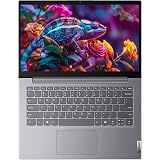
Lenovo 14 (2026), Intel Core i5 13th Gen 13420H - (8 GB DDR5/512 GB SSD/Intel UHD Graphics/Windows 11 Pro) Thin and Light Business Laptop/14.0" FHD Display/Luna Grey/Copilot Key/1.4 kg/MS Office 2024
₹58,990.00 (as of September 20, 2026 12:54 GMT +05:30 - More infoProduct prices and availability are accurate as of the date/time indicated and are subject to change. Any price and availability information displayed on [relevant Amazon Site(s), as applicable] at the time of purchase will apply to the purchase of this product.)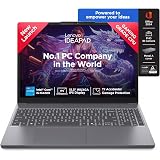
Lenovo IdeaPad Slim 3 13th Gen Intel Core i5-13420H 15.3 inch (38.8cm) WUXGA IPS Laptop (16GB RAM/512GB SSD/Windows 11/Office 2024/Top Metal Cover/Backlit KB/Luna Grey/1.6Kg), 83K101JDIN
₹74,490.00 (as of September 20, 2026 12:54 GMT +05:30 - More infoProduct prices and availability are accurate as of the date/time indicated and are subject to change. Any price and availability information displayed on [relevant Amazon Site(s), as applicable] at the time of purchase will apply to the purchase of this product.)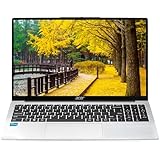
Acer Aspire 3 (2026), Intel Core i3 13th Gen 1305U - (16 GB/500 GB SSD/Intel UHD Graphics/Windows 11 Home) Thin and Light Laptop/15.6" FHD IPS Display/Silver/1.5 Kg/MS Office 2024/2 Years Warranty
₹53,740.00 (as of September 20, 2026 12:54 GMT +05:30 - More infoProduct prices and availability are accurate as of the date/time indicated and are subject to change. Any price and availability information displayed on [relevant Amazon Site(s), as applicable] at the time of purchase will apply to the purchase of this product.)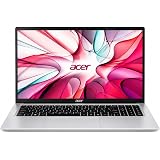
Acer One 15 Smart Laptop AO15-41M-G2 | AMD Ryzen 3 7320U | AMD Radeon 610M Graphics | 8GB LPDDR5 RAM | 256GB NVMe SSD | 15.6" FHD Display | Windows 11 Home | Silver
₹37,970.00 (as of September 20, 2026 12:54 GMT +05:30 - More infoProduct prices and availability are accurate as of the date/time indicated and are subject to change. Any price and availability information displayed on [relevant Amazon Site(s), as applicable] at the time of purchase will apply to the purchase of this product.)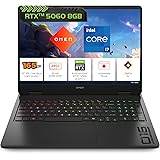
HP Omen Smartchoice, Intel Core i7-14650HX 14th Gen, 8GB RTX 5060, 24GB DDR5(Upgradeable) 1TB SSD, 165Hz, 2k WUXGA, 3ms, 400nits, 16''/40.6cm, Win11, Office24, Black, 2.4kg,am0239TX, RGB Gaming Laptop
₹1,59,990.00 (as of September 20, 2026 12:54 GMT +05:30 - More infoProduct prices and availability are accurate as of the date/time indicated and are subject to change. Any price and availability information displayed on [relevant Amazon Site(s), as applicable] at the time of purchase will apply to the purchase of this product.)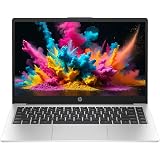
HP Professional 14 (2026), Intel (i7 14th Gen) Core 7 150U - (32 GB/512 GB SSD/Intel Iris Xe Graphic/Windows 11 Pro) Business Laptop/14.0" FHD/Backlit + Fingerprint/Silver/Copilot Key/1.4kg/MSO 2024
₹93,990.00 (as of September 20, 2026 12:54 GMT +05:30 - More infoProduct prices and availability are accurate as of the date/time indicated and are subject to change. Any price and availability information displayed on [relevant Amazon Site(s), as applicable] at the time of purchase will apply to the purchase of this product.)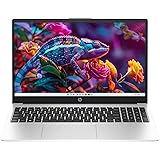
HP Professional 15 (2026), Intel (i3 14th Gen) Core 3 100U - (8 GB DDR5/512 GB SSD/Intel UHD Graphics) - Thin & Light Business Laptop/15.6" FHD/Fingerprint/Silver/1.5kg
₹48,620.00 (as of September 20, 2026 12:54 GMT +05:30 - More infoProduct prices and availability are accurate as of the date/time indicated and are subject to change. Any price and availability information displayed on [relevant Amazon Site(s), as applicable] at the time of purchase will apply to the purchase of this product.)
Lenovo ThinkBook 16, AMD Ryzen 5 7535HS, 16GB RAM, 512GB SSD, WUXGA IPS 16” (40.64cm), Windows 11 Home, Arctic Grey, 1.7Kg, 21MW00ETIN, Fingerprint, Backlit, 300 Nits, 1Y Warranty, Laptop
₹75,990.00 (as of September 20, 2026 12:54 GMT +05:30 - More infoProduct prices and availability are accurate as of the date/time indicated and are subject to change. Any price and availability information displayed on [relevant Amazon Site(s), as applicable] at the time of purchase will apply to the purchase of this product.)
Dell 15 SmartChoice (Previously Inspiron), Intel 13th Gen Core i5-1334U, 16GB, 1TB SSD, FHD,15.6"/39.62cm, Win 11, MSO'24, Silver, 1.62kg, [Dell 15], 12 Month McAfee, Backlit KB, Thin & Light Laptop
₹73,990.00 (as of September 20, 2026 12:54 GMT +05:30 - More infoProduct prices and availability are accurate as of the date/time indicated and are subject to change. Any price and availability information displayed on [relevant Amazon Site(s), as applicable] at the time of purchase will apply to the purchase of this product.)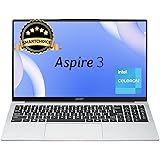
Acer Aspire 3, Intel Core Celeron N4500, 12GB LPDDR4X RAM, 512GB SSD, HD, 15.6"/39.62cm, Windows 11 Home, Pure Silver, 1.5KG, A325-45, Thin and Light Laptop
₹39,890.00 (as of September 20, 2026 12:54 GMT +05:30 - More infoProduct prices and availability are accurate as of the date/time indicated and are subject to change. Any price and availability information displayed on [relevant Amazon Site(s), as applicable] at the time of purchase will apply to the purchase of this product.)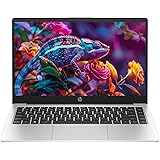
HP Professional 14 (2026), Intel (i7 14th Gen) Core 7 150U - (16 GB/512 GB SSD/Intel Iris Xe Graphic/Windows 11 Pro) Business Laptop/14.0" FHD/Backlit + Fingerprint/Silver/Copilot Key/1.4kg/MSO 2024
₹80,000.00 (as of September 20, 2026 12:54 GMT +05:30 - More infoProduct prices and availability are accurate as of the date/time indicated and are subject to change. Any price and availability information displayed on [relevant Amazon Site(s), as applicable] at the time of purchase will apply to the purchase of this product.)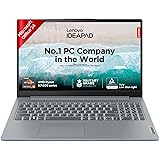
Lenovo IdeaPad Slim 3 Ryzen 5 7520U 15.6" (39.6cm) FHD Thin and Light Laptop (16GB RAM/512GB SSD/Backlit Keyboard/Windows 11/ Office 2024/Grey/1.6Kg), 82XQ01RYIN
₹64,950.00 (as of September 20, 2026 12:54 GMT +05:30 - More infoProduct prices and availability are accurate as of the date/time indicated and are subject to change. Any price and availability information displayed on [relevant Amazon Site(s), as applicable] at the time of purchase will apply to the purchase of this product.)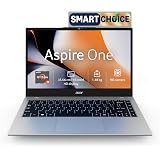
Acer Smartchoice Aspire One, AMD Ryzen 3-7320U, 8GB LPDDR5 RAM/ 256GB SSD, 14.0"/35.56cm TN HD Display, Win 11 Home, Pure Silver, 1.48KG, A114-43, Thin and Light Laptop
₹40,790.00 (as of September 20, 2026 12:54 GMT +05:30 - More infoProduct prices and availability are accurate as of the date/time indicated and are subject to change. Any price and availability information displayed on [relevant Amazon Site(s), as applicable] at the time of purchase will apply to the purchase of this product.)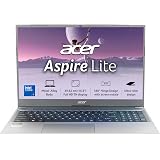
Acer Aspire Lite, Intel Core 3-100U Processor, 8GB DDR4 RAM/512GB SSD, 39.62cm/15.6" FHD IPS Display, Win 11 Home, Steel Gray, 1.59 Kg,AL15-53, Thin & Light Laptop
₹49,800.00 (as of September 20, 2026 12:54 GMT +05:30 - More infoProduct prices and availability are accurate as of the date/time indicated and are subject to change. Any price and availability information displayed on [relevant Amazon Site(s), as applicable] at the time of purchase will apply to the purchase of this product.)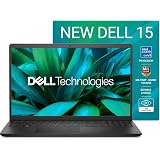
Dell 15 (Previously Inspiron) Laptop, 14th Gen Intel Core i3/Core 3 100U Processor, 16GB DDR4, 512 SSD, Intel UHD Graphics, 15.6" FHD 120Hz IPS AG 250 nit Display, Win 11 + Office 2024, Black, 1.63Kg
₹60,490.00 (as of September 20, 2026 12:54 GMT +05:30 - More infoProduct prices and availability are accurate as of the date/time indicated and are subject to change. Any price and availability information displayed on [relevant Amazon Site(s), as applicable] at the time of purchase will apply to the purchase of this product.)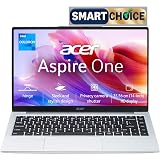
Acer Smartchoice Aspire One, Intel Core Celeron N4500, 8GB LPDDR4 RAM/ 256GB SSD, 14.0"/35.56cm WXGA Display, Intel UHD Graphics, Win 11 Home, Pure Silver, 1.3 Kg, A114-45, Thin and Light Laptop
₹35,990.00 (as of September 20, 2026 12:54 GMT +05:30 - More infoProduct prices and availability are accurate as of the date/time indicated and are subject to change. Any price and availability information displayed on [relevant Amazon Site(s), as applicable] at the time of purchase will apply to the purchase of this product.)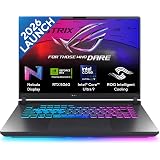
ASUS ROG Strix G16, Intel Core Ultra 9 275HX, Gaming Laptop(RTX 5060-8GB/115W TGP/16GB/1TB /2.5K QHD+/16"/240Hz/90WHrs/Windows 11/M365 Basic (1Year)*/Office Home 2024/Eclipse Gray/) G615LM-S5128WS
₹1,99,990.00 (as of September 20, 2026 12:54 GMT +05:30 - More infoProduct prices and availability are accurate as of the date/time indicated and are subject to change. Any price and availability information displayed on [relevant Amazon Site(s), as applicable] at the time of purchase will apply to the purchase of this product.)
Acer Aspire Lite, AMD Ryzen 3-5400U, 8GB RAM/256GB SSD, Full HD IPS, 15.6"/39.62 cm, Windows 11 Home, Steel Gray, 1.59 KG, AL15-41, Metal Body, Premium Thin and Light Laptop
₹39,490.00 (as of September 20, 2026 12:54 GMT +05:30 - More infoProduct prices and availability are accurate as of the date/time indicated and are subject to change. Any price and availability information displayed on [relevant Amazon Site(s), as applicable] at the time of purchase will apply to the purchase of this product.)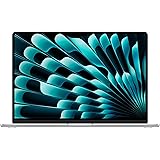
Apple 2026 MacBook Air 15″ Laptop with M5 chip: AI and Apple Intelligence, 38.91 cm (15.3″) Liquid Retina Display, 16GB Unified Memory, 512GB SSD Storage, 12MP Center Stage Camera, Touch ID; Silver
₹1,66,990.00 (as of September 20, 2026 12:54 GMT +05:30 - More infoProduct prices and availability are accurate as of the date/time indicated and are subject to change. Any price and availability information displayed on [relevant Amazon Site(s), as applicable] at the time of purchase will apply to the purchase of this product.)