
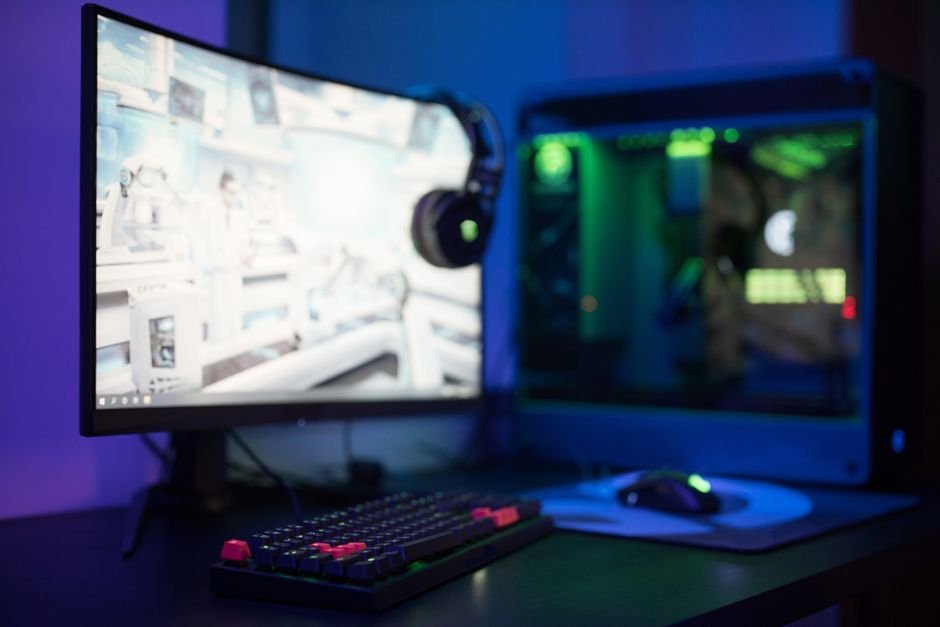
Unleash Peak Performance: Navigating 240Hz Gaming Monitors in 2024
The pursuit of visual fluidity and competitive edge in PC gaming has led a significant segment of the market towards ultra-high refresh rates. In 2024, 240Hz gaming monitors stand as a pinnacle for many enthusiasts, offering an unparalleled smooth experience that can genuinely impact gameplay. But with an ever-expanding array of options, discerning the truly exceptional from the merely adequate requires a keen understanding of key specifications and emerging technologies. This guide will equip you with the knowledge to make an informed decision and find the perfect 240Hz monitor to elevate your gaming sessions.
The Refresh Rate Revelation: Why 240Hz Matters
Refresh rate, measured in Hertz (Hz), dictates how many times per second a display updates its image. A standard 60Hz monitor refreshes 60 times a second, while a 144Hz monitor offers 2.4 times that, and a 240Hz monitor refreshes a staggering 240 times per second. This rapid update cycle translates directly into a smoother, more responsive visual experience. For fast-paced games like first-person shooters (FPS), battle royales, and racing simulators, this difference is not just noticeable; it’s transformative.
- Reduced Motion Blur: The higher the refresh rate, the less time each individual frame is displayed, significantly reducing the perceived blur of fast-moving objects. This allows for clearer target acquisition and tracking.
- Improved Input Lag: While not solely determined by refresh rate, a higher refresh rate generally correlates with lower input lag. This means your actions on the mouse and keyboard are reflected on screen almost instantaneously, crucial for competitive play.
- Enhanced Visual Clarity: The sheer fluidity of motion provided by 240Hz can make the game world feel more alive and immersive, reducing eye strain during extended gaming sessions.
Beyond the Hz: Essential Features to Scrutinize
While 240Hz is the headline feature, several other crucial specifications dictate a monitor’s overall performance and suitability for your needs.
1. Resolution: The Sweet Spot for 240Hz
For 240Hz gaming, the most common and arguably the best-balanced resolutions are:
- 1080p (Full HD): This remains a popular choice for 240Hz monitors, especially for competitive gamers who prioritize frame rates above all else. At 1080p, even mid-range to high-end GPUs can consistently push frame rates well into the 200s, fully capitalizing on the monitor’s refresh rate. The trade-off is a less detailed image compared to higher resolutions.
- 1440p (QHD): This resolution offers a significant step up in visual fidelity, providing sharper images and more detail. While pushing 240Hz at 1440p requires a more powerful GPU, it’s increasingly achievable with modern hardware. This is becoming the preferred choice for many gamers seeking a balance between sharpness and extreme smoothness.
- 4K (UHD): Achieving a consistent 240Hz at 4K is still a bleeding-edge endeavor, demanding the absolute top-tier of graphics cards. While some monitors might claim 4K 240Hz, often it’s achieved through display stream compression (DSC) or requires significant compromises in other areas. For most users in 2024, 1440p at 240Hz represents the most practical and impactful sweet spot.
2. Panel Type: The Heart of Image Quality
The type of panel used significantly impacts color reproduction, viewing angles, response times, and contrast. For 240Hz monitors, you’ll primarily encounter:
- Fast IPS (In-Plane Switching): This is the dominant and most recommended panel type for high refresh rate gaming. Modern Fast IPS panels offer excellent color accuracy, wide viewing angles, and crucially, remarkably fast response times that are competitive with TN panels. They strike a fantastic balance between image quality and speed.
- TN (Twisted Nematic): Historically the king of speed, TN panels boast the fastest response times. However, they suffer from poorer color reproduction and narrow viewing angles, leading to color shifting when viewed off-center. While still present, their dominance is waning in the high-refresh-rate space as IPS technology catches up.
- VA (Vertical Alignment): VA panels excel in contrast ratios, offering deeper blacks. However, they traditionally struggle with slower response times, particularly in darker transitions, which can lead to ghosting. While some VA panels are improving, they are generally not the first choice for 240Hz gaming where speed is paramount.
3. Response Time: Minimizing Ghosting
Response time, measured in milliseconds (ms), refers to how quickly a pixel can change from one color to another. For 240Hz monitors, you’ll want to look for:
- GtG (Gray-to-Gray): This is the most commonly advertised response time. For 240Hz, a GtG of 1ms is the ideal target. This ensures minimal ghosting and smearing of fast-moving objects.
- MPRT (Moving Picture Response Time): This metric is often used to advertise even lower response times, sometimes down to 0.5ms. MPRT is achieved through backlight strobing techniques, which can reduce motion blur but may also introduce flickering and reduce brightness. It’s important to understand how MPRT is achieved and whether it’s a feature you desire.
4. Adaptive Sync Technologies: Eliminating Screen Tearing
Adaptive Sync technologies are crucial for a smooth gaming experience by synchronizing the monitor’s refresh rate with your GPU’s frame rate, eliminating screen tearing and stuttering.
- NVIDIA G-SYNC: This proprietary technology from NVIDIA offers excellent performance and compatibility with NVIDIA GeForce GPUs. G-SYNC monitors undergo stringent certification processes, often guaranteeing superior performance and features like Variable Overdrive.
- AMD FreeSync: AMD’s open-standard adaptive sync technology is compatible with AMD Radeon GPUs. It comes in various tiers (FreeSync, FreeSync Premium, FreeSync Premium Pro), with higher tiers offering features like Low Framerate Compensation (LFC) for smoother performance at lower frame rates. Many FreeSync monitors are also “G-SYNC Compatible,” meaning they work with NVIDIA GPUs, though performance can vary.
5. HDR (High Dynamic Range): Enhancing Visual Depth
HDR technology expands the range of colors and contrast a display can produce, leading to more vibrant and realistic images. For 240Hz monitors:
- HDR Support: Look for monitors with HDR support, but be aware of the different certifications. DisplayHDR 400 is the entry-level, while DisplayHDR 600, 1000, and above offer significantly better contrast and brightness.
- Local Dimming: For true impactful HDR, local dimming (FALD – Full Array Local Dimming or Mini-LED) is highly desirable. This allows the monitor to independently control the brightness of different zones of the screen, resulting in deeper blacks and brighter highlights. However, implementing advanced local dimming in a 240Hz monitor can be costly and complex.
6. Connectivity: Ensuring Compatibility
Ensure the monitor has the necessary ports to support its high refresh rate and resolution.
- DisplayPort: This is the preferred connection for high refresh rate gaming, especially for 1440p and 4K resolutions. Ensure it supports DisplayPort 1.4 or later for optimal performance.
- HDMI: While HDMI 2.1 can support high refresh rates, its adoption in 240Hz monitors is less common than DisplayPort. Check the specifications carefully if you intend to use HDMI.
7. Ergonomics and Design:
Beyond raw performance, consider the practical aspects:
- Ergonomic Stand: A fully adjustable stand (height, tilt, swivel, pivot) is essential for finding the optimal viewing position and preventing neck strain.
- Build Quality: A sturdy build ensures longevity and a premium feel.
- Bezels: Thin bezels are aesthetically pleasing and ideal for multi-monitor setups.
Emerging Trends and Considerations for 2024:
- OLED 240Hz: While still a premium segment, OLED technology is making its way into high-refresh-rate monitors. OLEDs offer perfect blacks, infinite contrast, and incredibly fast pixel response times, making them a dream for gamers. However, they can be expensive and carry concerns about burn-in.
- Mini-LED Backlighting: This technology is becoming more prevalent in high-end LCDs, offering improved contrast and HDR performance by using many small LEDs for backlighting.
- Higher Pixel Densities: Expect to see more 1440p and even 4K 240Hz options as GPU power continues to increase.
Choosing Your 240Hz Champion:
The ideal 240Hz gaming monitor in 2024 is a nuanced decision. For competitive esports players prioritizing raw speed and frame rates, a 1080p Fast IPS monitor with G-SYNC or FreeSync Premium is an excellent choice. For those seeking a more immersive visual experience without sacrificing significant responsiveness, a 1440p Fast IPS monitor with excellent adaptive sync support and good HDR capabilities will be the sweet spot. Always research specific models, read