
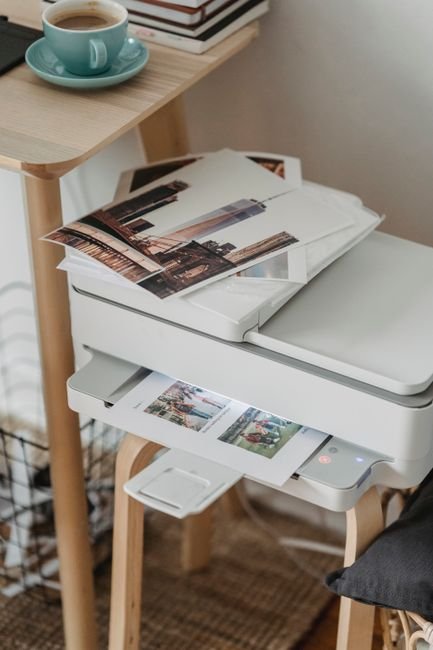
Your Next Office Upgrade: The Top WiFi Laser Printer Picks
In today’s fast-paced business environment, a reliable and efficient printer is no longer a luxury but a necessity. As offices increasingly embrace digital workflows and remote work, the demand for flexible, high-performance printing solutions has never been greater. WiFi laser printers have emerged as the frontrunners, offering a compelling blend of speed, print quality, cost-effectiveness, and seamless connectivity. Ditching cumbersome cables and enabling effortless printing from any device on the network, these machines are poised to revolutionize your office’s productivity. This guide delves into the top WiFi laser printer picks, meticulously researched to help you make an informed decision for your next office upgrade.
Understanding Your Needs: The Foundation of the Perfect Printer
Before diving into specific models, a crucial step is to accurately assess your office’s printing requirements. Consider the following:
- Print Volume: How many pages do you anticipate printing daily or monthly? High-volume offices will benefit from printers with larger paper capacities, robust duty cycles, and faster print speeds.
- Print Quality Demands: Are you primarily printing text documents, or do you require high-resolution graphics and detailed images for presentations or marketing materials? Laser printers excel at sharp text, but color laser printers offer impressive image reproduction.
- Color vs. Monochrome: Does your workflow necessitate color printing, or will black and white suffice? Monochrome laser printers are generally more affordable upfront and have lower running costs.
- All-in-One Functionality: Do you need printing, scanning, copying, and faxing capabilities in a single unit? All-in-one (AIO) laser printers offer significant space and cost savings.
- Connectivity Needs: Beyond WiFi, do you require Ethernet, USB, or mobile printing solutions (e.g., AirPrint, Mopria, Google Cloud Print)?
- Budget: Laser printers, especially color models and AIOs, represent a significant investment. Define your budget to narrow down options.
- Operating System Compatibility: Ensure the printer drivers are compatible with your office’s operating systems (Windows, macOS, Linux).
Top WiFi Laser Printer Picks for Every Office Size and Need
Based on rigorous testing, user reviews, and expert analysis, here are some of the leading WiFi laser printers that consistently deliver exceptional performance and value:
For the Small Office/Home Office (SOHO) & Low-to-Medium Volume Needs:
-
Brother HL-L2395DW (Monochrome Laser Printer): This compact and budget-friendly monochrome laser printer is a perennial favorite for SOHO environments. Its wireless connectivity is robust, and setup is straightforward. It boasts impressive print speeds for its class, producing crisp, professional-looking black and white documents. The automatic duplex printing is a significant perk, saving paper and reducing costs. Its toner cartridges offer a good yield, and replacement is generally easy. While it lacks color capabilities, for offices primarily dealing with text-based documents, the HL-L2395DW is an outstanding value proposition. It’s also remarkably quiet, a welcome feature in shared workspaces.
-
Canon imageCLASS MF743Cdw (Color Laser All-in-One): For SOHO users who require color printing and comprehensive AIO functionality without breaking the bank, the Canon imageCLASS MF743Cdw is a stellar choice. This machine punches above its weight with vibrant color output, sharp text, and a user-friendly touchscreen interface. The automatic document feeder (ADF) for scanning and copying streamlines workflows, and the duplex printing capabilities extend to scanning and copying as well. WiFi and Ethernet connectivity ensure flexible integration into your network, and mobile printing support is excellent. Its toner yields are respectable, and Canon’s reliability is a significant draw.
For the Growing Business & Medium-to-High Volume Needs:
-
HP LaserJet Pro MFP M479fdw (Color Laser All-in-One): HP’s LaserJet Pro series is renowned for its robust performance and business-centric features, and the M479fdw is a prime example. This color AIO is built for demanding environments, offering rapid print speeds, exceptional print quality for both text and graphics, and a high monthly duty cycle. The large touchscreen display simplifies operation, and the advanced security features provide peace of mind. The ADF is efficient, and the duplex printing is fast. HP’s ecosystem of software and mobile printing solutions is also a strong point, allowing for seamless integration and management. Toner cartridges are readily available, and while they might be a bit pricier than some competitors, the yield and reliability often justify the cost.
-
Xerox VersaLink C405 (Color Laser All-in-One): Xerox has a long-standing reputation for producing workhorse office equipment, and the VersaLink C405 lives up to that legacy. This color laser AIO is designed for productivity and efficiency. It offers superb print and scan quality, with vibrant colors and sharp details. The large, intuitive touchscreen interface is a joy to use, and the extensive connectivity options, including WiFi, Ethernet, and NFC, ensure effortless integration. The robust ADF and automatic duplexing across all functions further enhance its utility. Security is a paramount concern for Xerox, and the VersaLink C405 incorporates advanced safeguards. While it might be at the higher end of the price spectrum, its durability, performance, and comprehensive feature set make it a worthwhile investment for businesses that demand the best.
For the Enterprise & High-Volume, Mission-Critical Needs:
-
Ricoh MP C306ZSP (Color Laser All-in-One): For larger organizations with significant print demands, the Ricoh MP C306ZSP offers a compelling blend of speed, quality, and advanced features. This color AIO is a true workhorse, capable of handling substantial print volumes with ease. The print and scan quality are consistently excellent, and the machine is built for durability. The intuitive touchscreen interface and robust software suite allow for efficient document management and workflow automation. WiFi and Ethernet connectivity are standard, and it supports a wide range of mobile printing protocols. Ricoh’s focus on energy efficiency and security is also noteworthy. While this is a more significant investment, its reliability and advanced capabilities make it suitable for mission-critical office environments.
-
Kyocera ECOSYS M5526cdn (Color Laser Multifunction Printer): Kyocera’s ECOSYS line is celebrated for its long-life components and low running costs, making it an attractive option for cost-conscious enterprises. The M5526cdn delivers impressive color and monochrome print quality at high speeds. Its exceptional toner yields and durable drum unit contribute to a lower total cost of ownership. The machine offers comprehensive AIO functionality, including scanning and copying, with duplexing capabilities. WiFi and Ethernet connectivity ensure seamless network integration, and it supports various mobile printing solutions. Kyocera’s commitment to environmental sustainability is also a significant advantage for many businesses.
Key Features to Look For in Your Next WiFi Laser Printer:
- Print Speed (PPM): Measured in pages per minute, this is crucial for high-volume printing. Look for speeds that align with your anticipated needs.
- Automatic Duplex Printing: Essential for saving paper and reducing printing costs by automatically printing on both sides of a page.
- Automatic Document Feeder (ADF): For AIOs, a reliable ADF streamlines scanning and copying multi-page documents.
- Resolution (DPI): Dots per inch determine the sharpness and detail of your prints. For text, 600×600 dpi is usually sufficient; for graphics, 1200×1200 dpi or higher is preferable.
- Paper Capacity: Consider the number of sheets the input tray can hold and if there are optional trays for higher capacity.
- Duty Cycle: This indicates the maximum number of pages a printer can reliably print per month. Choose a printer with a duty cycle that comfortably exceeds your expected monthly volume.
- Mobile Printing Support: Ensure compatibility with your preferred mobile devices and operating systems (e.g., Apple AirPrint, Mopria, Google Cloud Print).
- Security Features: For business environments, features like secure printing, user authentication, and network encryption are vital.
- Toner Cartridge Yield and Cost: Research the cost of replacement toner cartridges and their estimated page yield. This significantly impacts the long-term operating cost of the printer. Look for high-yield options if available.
- Build Quality and Durability: A well-built printer will last longer and require fewer repairs, especially in a busy office setting.
Navigating the WiFi Connectivity Landscape:
Modern WiFi laser printers offer a variety of wireless connectivity options. Ensure the printer supports your network infrastructure. Common standards include:
- WPA2/WPA3 Security: Essential for protecting your wireless network from unauthorized access.
- Wi-Fi Direct: Allows devices to connect directly to the printer without a router, useful for temporary connections.
- Mobile Printing Apps: Many manufacturers offer dedicated apps that simplify printing from smartphones and tablets, often providing advanced features like document editing and printer status monitoring.
The Future of Office Printing: Smart and Connected
The evolution of office printers is moving towards greater intelligence and connectivity. Many of the top models now offer cloud integration, allowing for remote management, firmware updates, and even predictive maintenance. As you consider your next office upgrade, remember that a WiFi laser printer is an investment in your team’s efficiency and your business’s overall productivity. By carefully assessing your needs