
Navigating the Smart TV Landscape: Your Comprehensive Guide to the Perfect Purchase (Don’t Forget the Voice Control Remote!)
The television has evolved from a passive entertainment box into an interactive portal, and at the heart of this transformation lies the Smart TV. Gone are the days of simply channel surfing; today’s smart TVs offer a universe of streaming services, gaming, web browsing, and even home automation capabilities. But with a dazzling array of brands, screen sizes, resolutions, and features, the process of choosing the right smart TV can feel overwhelming. This in-depth guide will equip you with the knowledge to make an informed decision, with a special emphasis on the indispensable voice control remote that has become a cornerstone of the modern smart TV experience.
Decoding Display Technology: OLED vs. QLED vs. LED
The foundation of any great TV is its display. Understanding the core technologies will significantly narrow your choices:
-
OLED (Organic Light Emitting Diode): Considered the pinnacle of picture quality, OLED panels produce their own light, meaning each pixel can be individually controlled. This results in perfect blacks, infinite contrast ratios, and incredibly vibrant colors. OLED TVs excel in dark room viewing, offering unparalleled cinematic experiences. However, they can be more expensive and are generally not as bright as their QLED counterparts, making them less ideal for very brightly lit rooms. Burn-in, while significantly reduced in modern OLEDs, remains a theoretical concern for static images displayed for extended periods.
-
QLED (Quantum-dot Light Emitting Diode): Developed by Samsung, QLED TVs utilize quantum dots – tiny semiconductor crystals – to enhance color and brightness. They are essentially advanced LED TVs that use a backlight. QLEDs offer exceptional brightness, making them perfect for well-lit environments. They boast a wider color gamut than traditional LEDs and superior color volume, meaning colors remain vivid even at high brightness levels. While they don’t achieve the perfect blacks of OLED, their contrast is still impressive, especially in higher-end models.
-
LED (Light Emitting Diode): This is the most common and budget-friendly display technology. LED TVs use a backlight (either edge-lit or full-array) to illuminate the pixels. Full-array local dimming (FALD) enhances contrast by dimming specific zones of the backlight. While LED TVs offer good brightness and color reproduction for their price point, they generally fall short of OLED and QLED in terms of black levels, contrast, and color accuracy. However, for casual viewing and in budget-conscious scenarios, LED TVs remain a viable option.
Resolution: 4K is the Standard, 8K is Emerging
When it comes to resolution, 4K (Ultra High Definition or UHD) is now the de facto standard for smart TVs. With a resolution of 3840 x 2160 pixels, 4K offers four times the detail of Full HD (1080p). This translates to sharper images, more intricate textures, and a more immersive viewing experience, especially on larger screen sizes. Most streaming services and a growing library of physical media now offer 4K content.
8K resolution (7680 x 4320 pixels) offers an even greater level of detail, sixteen times that of Full HD. While 8K TVs are becoming more available, content is still scarce, and the visual difference from 4K can be subtle unless you’re sitting very close to an extremely large screen. For most consumers, 4K remains the sweet spot for value and content availability.
High Dynamic Range (HDR): Bringing Realism to Your Screen
High Dynamic Range (HDR) is a crucial feature that dramatically enhances picture quality by expanding the range between the brightest whites and the darkest blacks. This results in more lifelike images with greater detail in both highlights and shadows, improved contrast, and a wider spectrum of colors. Key HDR formats to look for include:
-
HDR10: The open-source, baseline HDR standard. It’s widely supported but lacks dynamic metadata, meaning the picture settings are fixed for the entire movie or show.
-
Dolby Vision: A premium HDR format that utilizes dynamic metadata. This allows the TV to adjust picture settings scene-by-scene, or even frame-by-frame, for optimal contrast and color. Dolby Vision is generally considered superior to HDR10.
-
HDR10+: Samsung’s competitor to Dolby Vision, also employing dynamic metadata. It’s gaining traction, particularly on Samsung TVs.
Smart TV Platforms: The Brains of the Operation
The operating system (OS) of your smart TV dictates the user interface, app availability, and overall smart functionality. Each platform has its strengths and weaknesses:
-
Google TV (formerly Android TV): Offers a vast library of apps through the Google Play Store, excellent voice search capabilities powered by Google Assistant, and seamless integration with other Google services. It’s known for its intuitive interface and personalized recommendations.
-
webOS (LG): LG’s proprietary OS is celebrated for its user-friendly interface, with a unique “launcher bar” for easy app access. It offers a good selection of popular streaming apps and integrates well with LG’s smart home ecosystem.
-
Tizen (Samsung): Samsung’s OS is known for its speed and sleek design. It provides a wide range of apps and services, with a focus on seamless connectivity within the Samsung ecosystem.
-
Roku TV: Known for its simplicity and ease of use, Roku TV offers a straightforward interface and access to a massive library of streaming channels. It’s a great option for those who prioritize a no-fuss smart experience.
-
Fire TV (Amazon): Integrated into select TVs, Fire TV offers access to Amazon’s vast content library and a user-friendly interface. It’s a natural choice for Amazon Prime subscribers.
Don’t Forget the Voice Control Remote: The Ultimate Convenience
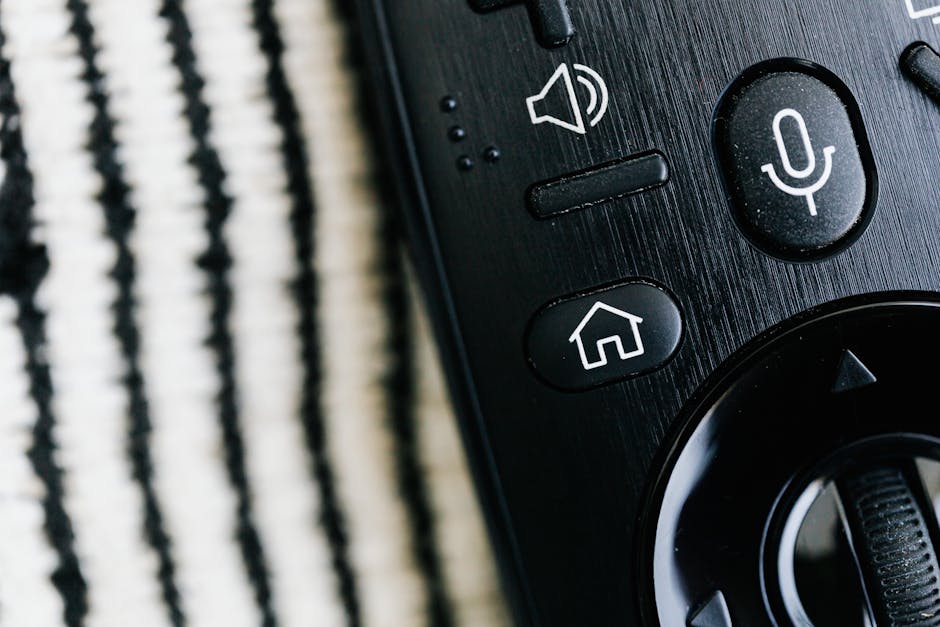
In the age of smart TVs, the voice control remote has transitioned from a novelty to an essential component. It’s the gateway to effortless navigation and a more intuitive interaction with your television. When evaluating smart TVs, pay close attention to the remote and its voice control capabilities:
-
Ease of Use: Is the microphone button easily accessible? Does the remote feel comfortable in your hand? Some remotes feature dedicated voice assistant buttons for quick access.
-
Voice Assistant Integration: Most smart TVs integrate with popular voice assistants like Google Assistant, Amazon Alexa, or the TV manufacturer’s own AI. Consider which ecosystem you’re already invested in.
-
Functionality: What can you do with voice control? Beyond searching for shows and movies, can you control playback, adjust volume, change channels, open apps, or even get weather updates and control smart home devices?
-
Accuracy and Responsiveness: Test the voice recognition. Does it accurately understand your commands, even in a noisy environment? How quickly does it respond?
-
Connectivity: Many voice remotes connect via Bluetooth, offering a more reliable connection than infrared.
-
Smart Remote Features: Beyond voice, look for features like motion sensing for pointer control, programmable buttons, or even a built-in microphone for hands-free voice commands directly from the TV itself.
Other Key Features to Consider:
-
Refresh Rate: Measured in Hertz (Hz), this indicates how many times the image on the screen is updated per second. A higher refresh rate (120Hz is ideal for gaming and fast-paced action) results in smoother motion and reduced blur.
-
Gaming Features: For gamers, look for features like Variable Refresh Rate (VRR) and Auto Low Latency Mode (ALLM) which synchronize the TV’s refresh rate with the game console’s frame rate, minimizing input lag and screen tearing.
-
Sound Quality: While dedicated soundbars are recommended for an optimal audio experience, built-in TV speakers have improved. Consider TVs with enhanced audio technologies like Dolby Atmos support.
-
Connectivity Options: Ensure the TV has enough HDMI ports (look for HDMI 2.1 for future-proofing, especially for gaming) and USB ports for your devices. Wi-Fi and Bluetooth are standard.
-
Screen Size and Viewing Distance: Choose a screen size that complements your room size and viewing distance. A general rule of thumb for 4K TVs is to sit at a distance that is 1 to 1.5 times the diagonal screen size.
-
Brand Reputation and Reviews: Research brands known for their reliability and customer satisfaction. Read professional reviews and user feedback to gauge real-world performance and potential issues.
By understanding these key aspects and prioritizing the convenience of a robust voice control remote, you can confidently navigate the smart TV market and bring home an entertainment centerpiece that perfectly suits your needs and budget.