
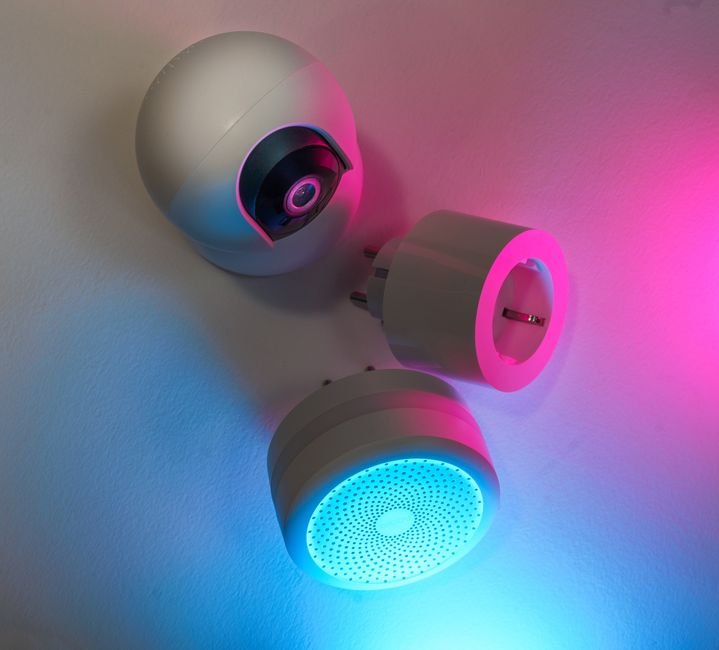
Smart Plug 101: Your Gateway to a Smarter, Connected Home
The dream of a seamlessly integrated, intelligent living space is no longer science fiction. At the heart of this revolution lies a surprisingly simple yet incredibly powerful device: the smart plug. These unassuming adapters are your entry point into the world of home automation, transforming everyday appliances into connected, controllable entities. This comprehensive guide will demystify smart plugs, explore their myriad benefits, and equip you with the knowledge to build a truly connected home.
What Exactly is a Smart Plug?
At its core, a smart plug is an adapter that plugs into a standard wall outlet, allowing you to connect a traditional appliance. What sets it apart from its dumb counterpart is its built-in Wi-Fi or Bluetooth connectivity. This allows the smart plug to communicate with your home network and, consequently, with your smartphone, tablet, or voice assistant. Through a dedicated app, you gain remote control over the connected appliance, enabling you to turn it on, off, schedule its operation, and even monitor its energy consumption. Think of it as a digital switch for anything you plug into it.
The Transformative Power of Smart Plugs: Unlocking a World of Convenience
The appeal of smart plugs lies in their ability to inject intelligence and convenience into even the most basic household tasks.
-
Remote Control: The Ultimate Convenience. Ever left home and wondered if you turned off the iron or the hair straightener? With a smart plug, that nagging worry becomes a thing of the past. Simply open the app on your smartphone, and with a tap, you can confirm and deactivate the appliance, no matter where you are. This extends to turning on lights before you arrive home, creating a welcoming atmosphere, or starting a coffee maker from your bed.
-
Scheduling and Automation: Effortless Living. Imagine waking up to a perfectly brewed pot of coffee or having your living room lamp gently illuminate at sunset. Smart plugs excel at scheduling. You can set specific times for appliances to turn on and off, automating daily routines and saving you time and effort. This is particularly useful for holiday lights, fans during hot weather, or even defogging your bathroom mirror before you shower.
-
Energy Monitoring and Savings: A Greener, Smarter Footprint. Many smart plugs offer built-in energy monitoring capabilities. This feature allows you to track the electricity consumption of connected devices in real-time and over time. Identifying “energy vampires” – appliances that draw power even when not in use – can lead to significant savings on your electricity bills and a reduced environmental impact. You can then use this data to optimize your energy usage and make more informed decisions about appliance usage.
-
Voice Control Integration: The Future at Your Command. Seamlessly integrating with popular voice assistants like Amazon Alexa, Google Assistant, and Apple’s Siri, smart plugs allow for hands-free operation. Simply say, “Alexa, turn on the living room fan,” or “Hey Google, switch off the desk lamp,” and your command is executed instantly. This hands-free control adds another layer of convenience, especially when your hands are full or you’re relaxing on the couch.
-
Creating “Scenes” and Routines: Tailored Automation. Smart home ecosystems allow you to create personalized “scenes” or routines that trigger multiple actions with a single command. For instance, a “Goodnight” scene could turn off all lights, lock smart doors, and set your smart thermostat to a lower temperature. Similarly, a “Movie Night” scene could dim the lights, turn on your entertainment system, and activate ambient lighting. Smart plugs are integral to these complex automations, allowing you to control individual appliances within these broader routines.
-
Enhanced Security and Peace of Mind: Beyond convenience, smart plugs can contribute to home security. You can schedule lights to turn on and off randomly while you’re away on vacation, creating the illusion that someone is home and deterring potential intruders. Some advanced smart plugs even offer features like away-from-home simulations that mimic your typical usage patterns.
Choosing the Right Smart Plug: Key Features to Consider
With a growing market, selecting the ideal smart plug can feel overwhelming. Here are the critical factors to evaluate:
-
Connectivity Type:
- Wi-Fi: The most common type, connecting directly to your home’s Wi-Fi network. This offers broad compatibility and ease of setup. Ensure your Wi-Fi signal is strong in the intended location.
- Bluetooth: Typically requires a Bluetooth hub or bridge to connect to your network. While often more affordable, it offers a shorter range and may require additional hardware.
- Zigbee/Z-Wave: These are dedicated smart home protocols that require a compatible hub. They offer greater reliability, lower power consumption, and a more robust mesh network, ideal for larger smart home setups.
-
App Compatibility and Ecosystem Integration: Ensure the smart plug is compatible with your preferred smart home ecosystem (Amazon Alexa, Google Home, Apple HomeKit) and that its dedicated app is user-friendly and offers the features you need. Look for apps that provide intuitive scheduling, energy monitoring, and scene creation.
-
Energy Monitoring Capabilities: If energy savings are a priority, opt for smart plugs that explicitly advertise energy monitoring features. Check the granularity of the data provided (wattage, kWh) and how it’s presented in the app.
-
Load Capacity and Safety: Pay close attention to the maximum wattage the smart plug can handle. Ensure it’s sufficient for the appliance you intend to connect. Overloading a smart plug can be a fire hazard. Look for certifications like UL or ETL for safety assurance.
-
Physical Design and Size: Consider the physical dimensions of the smart plug. Some can be bulky and may obstruct adjacent outlets. Look for slim or compact designs, especially if you have limited outlet space.
-
Additional Features: Some smart plugs offer advanced functionalities like surge protection, USB charging ports, or the ability to control multiple outlets from a single unit.
Setting Up Your Smart Plug: A Simple Process
The beauty of smart plugs lies in their straightforward setup. While specific instructions may vary slightly between brands, the general process is as follows:
- Download the App: Install the manufacturer’s dedicated app on your smartphone or tablet from your device’s app store.
- Plug In the Smart Plug: Connect the smart plug to a standard wall outlet.
- Power On and Enter Pairing Mode: Most smart plugs will have an indicator light that flashes, signifying they are ready to be paired. Follow the app’s instructions to put the plug into pairing mode (often by pressing a button on the plug itself).
- Connect to Wi-Fi: The app will guide you through connecting the smart plug to your home Wi-Fi network. You’ll typically need to select your network name (SSID) and enter your Wi-Fi password.
- Name Your Device: Assign a descriptive name to your smart plug (e.g., “Living Room Lamp,” “Coffee Maker”). This is crucial for voice control and organization.
- Connect to Voice Assistant (Optional): If you use a voice assistant, follow the app’s instructions to link your smart plug account to your voice assistant account.
Putting Your Smart Plugs to Work: Practical Applications
The possibilities are virtually endless, but here are some popular and effective ways to utilize smart plugs:
- Lighting Control: Turn lamps, string lights, or even hard-to-reach fixtures on and off remotely, schedule them to simulate occupancy, or integrate them into “wake-up” and “wind-down” routines.
- Appliance Management: Control fans, humidifiers, dehumidifiers, coffee makers, slow cookers, and even small space heaters. Schedule them to operate at optimal times for comfort and energy efficiency.
- Entertainment Systems: Turn on your TV, soundbar, or gaming console with a voice command or schedule them to power down automatically to conserve energy.
- Holiday Decorations: Effortlessly manage your festive lights and decorations with schedules and remote control, eliminating the need to crawl behind furniture or reach high outlets.
- Pet Care: Schedule automatic feeders or pet water fountains to ensure your furry friends are always cared for, even when you’re away.
- Security Enhancements: Automate lights to deter potential intruders, or use them to remotely turn on a radio or fan to create the impression of activity.
- Home Office Productivity: Schedule your desk lamp to turn on at the start of your workday or ensure your computer and peripherals are powered off at the end of the day.
Troubleshooting Common Smart Plug Issues
While generally reliable, you might encounter occasional hiccups. Here are common problems and their solutions:
-
Device Not Connecting:
- Check Wi-Fi Signal: Ensure the smart plug is within range of your Wi-Fi router.
- Correct Password: Double-check your Wi-Fi password.
- 2.4GHz Network: Most smart plugs only support 2.4GHz Wi-Fi networks. Ensure your router is broadcasting this band.
- Restart Router and Plug: A simple power cycle can often resolve connectivity issues.
- App Permissions: Ensure the app has necessary permissions on your smartphone.
-
Device Unresponsive:
- Check Power: Ensure the wall outlet is providing power and the smart plug is securely plugged in.
- App Status: Verify the device status within the app.
- Firmware Updates: Check for available firmware updates for the smart plug within the