
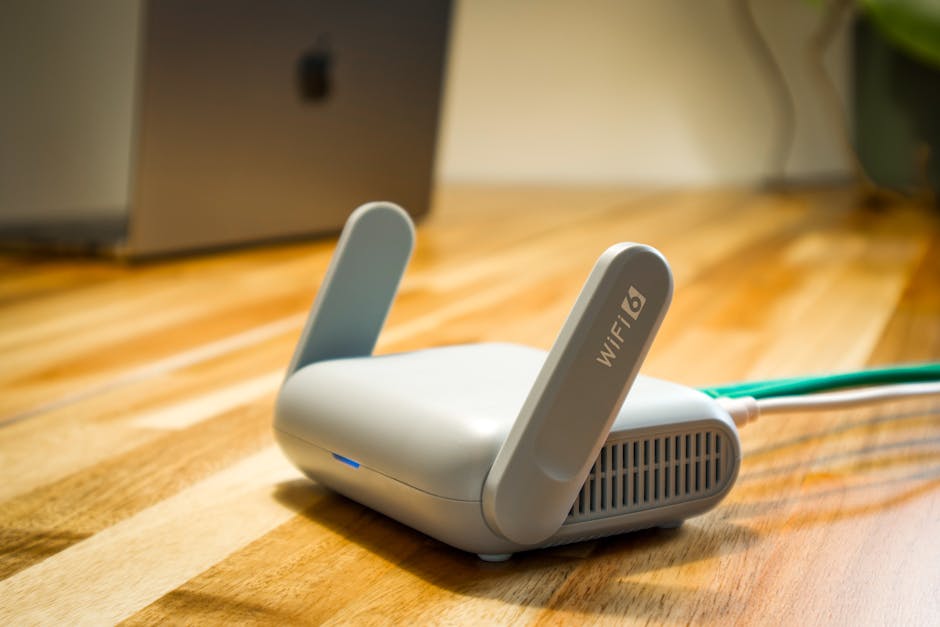
Master Your Home Network: The Ultimate Router Buying Guide
In today’s hyper-connected world, a robust and reliable home network is no longer a luxury; it’s a necessity. From streaming 4K video and online gaming to managing smart home devices and facilitating remote work, your router is the central nervous system of your digital life. Choosing the right router can feel daunting, with a dizzying array of technical specifications and marketing jargon. This comprehensive guide cuts through the confusion, empowering you to select the ultimate router that will master your home network.
Understanding the Core: Router Fundamentals
Before diving into specific features, let’s demystify some essential router terminology.
- Wi-Fi Standards: The most common standard you’ll encounter is Wi-Fi 6 (802.11ax). It offers significant improvements over Wi-Fi 5 (802.11ac) in terms of speed, capacity, and efficiency, especially in environments with many connected devices. Wi-Fi 6E builds upon Wi-Fi 6 by adding the 6 GHz band, providing even more capacity and less interference. Wi-Fi 7 (802.11be) is on the horizon, promising even greater speeds and lower latency.
- Bands: Routers operate on different frequency bands.
- 2.4 GHz: Offers a wider range and better penetration through walls but is slower and more prone to interference from other devices (microwaves, Bluetooth).
- 5 GHz: Provides faster speeds and less interference but has a shorter range and struggles with obstructions.
- 6 GHz (Wi-Fi 6E/7): Offers the highest speeds and least interference due to its dedicated, uncluttered spectrum.
- Speed Ratings (e.g., AX1800, AC3200): These numbers represent the theoretical maximum combined speeds across all bands. A higher number generally indicates a more powerful router. For example, AX1800 signifies a Wi-Fi 6 router with a combined speed of 1800 Mbps.
- MU-MIMO (Multi-User, Multiple-Input, Multiple-Output): This technology allows a router to communicate with multiple devices simultaneously, improving efficiency and reducing lag when many devices are active.
- Beamforming: This feature directs the Wi-Fi signal towards connected devices, strengthening the connection and improving range.
- Ethernet Ports: These physical ports allow you to connect devices via an Ethernet cable for a more stable and faster connection. Look for Gigabit Ethernet ports (1000 Mbps) for optimal performance.
- WAN Port: This port connects your router to your modem, which in turn connects to your Internet Service Provider (ISP). It should also be Gigabit Ethernet.
Assessing Your Needs: The Foundation of Your Choice
The “best” router is subjective and depends entirely on your individual circumstances. Consider the following:
- Internet Speed Plan: Your router’s capabilities should at least match your ISP’s advertised download and upload speeds. If you have a 500 Mbps plan, a router with AC1200 speed will be a bottleneck. Aim for a router that can handle speeds significantly higher than your current plan to accommodate future upgrades.
- Home Size and Layout: For smaller apartments, a single, powerful router might suffice. For larger homes or those with thick walls, you might need a mesh Wi-Fi system or a router with superior range and penetration capabilities.
- Number of Connected Devices: The more devices you have (smartphones, tablets, laptops, smart TVs, gaming consoles, smart home gadgets), the more capacity your router needs. Wi-Fi 6 and above excel in managing a high density of devices.
- Usage Habits:
- Streaming (4K/8K): Requires high bandwidth and consistent speeds.
- Online Gaming: Demands low latency (ping) and stable connections. Features like Quality of Service (QoS) are beneficial.
- Remote Work/Video Conferencing: Needs reliable and consistent upload and download speeds.
- Smart Home Devices: While many don’t require high bandwidth, a large number can still strain older routers.
- Budget: Routers range from under $100 to over $500. Determine how much you’re willing to invest.
Routers vs. Mesh Systems: Which Path to Take?
This is a critical decision.
- Traditional Routers: A single unit that broadcasts Wi-Fi from a central location. Best for smaller homes or apartments where a single point of coverage is sufficient.
- Mesh Wi-Fi Systems: Consist of a main router and one or more satellite nodes that work together to create a single, seamless Wi-Fi network throughout your home. Ideal for larger homes, multi-story houses, or areas with Wi-Fi dead zones. They offer consistent coverage and a single network name (SSID).
Key Features to Look For in a High-Quality Router:
-
Wi-Fi Standard: Prioritize Wi-Fi 6 (AX) or Wi-Fi 6E for future-proofing and superior performance in busy environments. If budget is a major constraint and your needs are basic, a high-end Wi-Fi 5 (AC) router might still be acceptable.
-
Speed and Bandwidth: Ensure the router’s speed rating (e.g., AX3000, AX6000) comfortably exceeds your internet plan’s speed. For households with multiple high-bandwidth users, opt for higher-end AX ratings. Consider tri-band routers (one 2.4 GHz, two 5 GHz bands) for even greater capacity and flexibility.
-
Processor and RAM: A powerful dual-core or quad-core processor and ample RAM (256MB or more) are crucial for handling multiple devices and demanding tasks without lag or dropped connections. This is often overlooked but significantly impacts performance.
-
MU-MIMO and Beamforming: Essential for modern networks with many connected devices. Ensure the router supports both for optimal efficiency and signal strength.
-
Quality of Service (QoS): Allows you to prioritize certain devices or applications (e.g., gaming, video conferencing) over others, ensuring critical traffic receives sufficient bandwidth. This is a game-changer for gamers and remote workers.
-
Security Features:
- WPA3 Encryption: The latest and most secure Wi-Fi encryption standard. Look for routers that support WPA3.
- Firewall: Built-in firewall protection is standard.
- Guest Network: Allows you to create a separate network for visitors, keeping your main network secure.
- Parental Controls: Useful for managing internet access for children.
- VPN Support: For advanced users who want to route their internet traffic through a VPN server.
-
Ethernet Ports: At least 4 Gigabit Ethernet ports are standard. Consider routers with more ports if you have many wired devices. A 2.5 Gbps or 10 Gbps WAN port can be beneficial if your ISP offers speeds exceeding 1 Gbps.
-
USB Ports: Useful for connecting external storage devices to create a simple network-attached storage (NAS) or for sharing printers. USB 3.0 is preferred for faster transfer speeds.
-
App Control and User Interface: A well-designed mobile app or web interface makes setup, management, and troubleshooting much easier. Look for intuitive interfaces with features like network monitoring, device management, and firmware updates.
-
Antennas: While the number of antennas isn’t the sole indicator of performance, external, adjustable antennas can often provide better signal directionality and customization. For mesh systems, the design and placement of nodes are more critical.
Top Router Technologies and Considerations:
- Wi-Fi 6E: If you have many devices and significant interference, the 6 GHz band of Wi-Fi 6E offers a clean slate for ultra-fast, low-latency connections. However, devices must also support Wi-Fi 6E to take advantage.
- Tri-Band Routers: Offer an additional 5 GHz band, ideal for offloading high-bandwidth devices like streaming 4K TVs and gaming consoles, freeing up the other bands for less demanding traffic.
- Gaming Routers: Often feature enhanced QoS, battle-tested firmware, and specialized ports for gaming devices. They are typically more expensive but can offer a tangible benefit for serious gamers.
- Mesh Wi-Fi Systems: As mentioned, these are the go-to for eliminating dead zones. Look for systems with dedicated backhaul (a separate wireless connection between nodes) for optimal performance.
Making the Purchase: Final Checks and Recommendations
- Read Reviews: Consult reputable tech review sites (e.g., Wirecutter, CNET, PCMag) for in-depth testing and comparisons. User reviews on retail sites can also offer valuable insights into real-world performance and reliability.
- Check Firmware Update Policy: Ensure the manufacturer has a good track record of providing regular firmware updates to patch security vulnerabilities and improve performance.
- Consider Your ISP: Some ISPs offer their own modems/routers. While convenient, they often lack the advanced features and performance of dedicated third-party routers. You can usually use your own router with your ISP’s modem.