
Dominate the Digital Arena: Your Next RTX Laptop Under ₹80,000
The dream of high-fidelity gaming, once exclusively the domain of deep pockets, is now more accessible than ever. With strategic choices and a keen eye for value, securing a potent RTX-powered gaming laptop for under ₹80,000 is not just possible, it’s a tangible reality. This guide will equip you with the knowledge to navigate the market, identify key features, and ultimately, land a machine that delivers exceptional gaming performance without breaking the bank.
Understanding the RTX Advantage on a Budget:
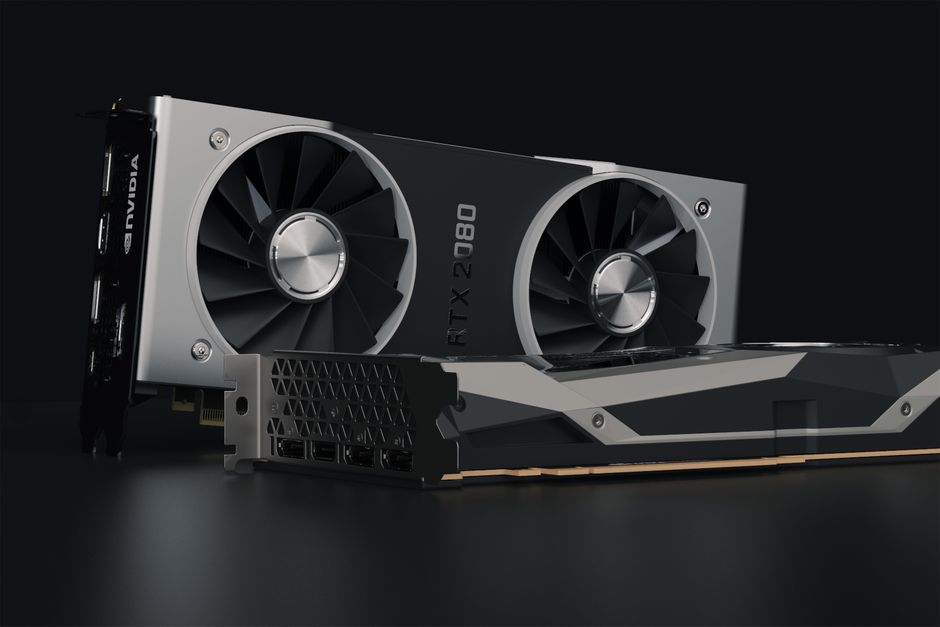
NVIDIA’s RTX graphics cards are synonymous with cutting-edge gaming technologies like real-time ray tracing and AI-powered DLSS (Deep Learning Super Sampling). While higher-end RTX cards command premium prices, the entry-level and mid-range RTX 30-series and even some RTX 40-series GPUs have become remarkably affordable, especially when bundled into gaming laptops. For under ₹80,000, you’ll primarily be looking at RTX 3050, RTX 3050 Ti, and potentially even an RTX 4050. These GPUs, while not top-tier, offer a significant leap in graphical fidelity and performance over their GTX predecessors, enabling you to enjoy modern AAA titles at respectable frame rates and settings.
Decoding the GPU Hierarchy (Under ₹80,000):
- NVIDIA GeForce RTX 3050: This is the most common and accessible RTX GPU in this price bracket. It’s a capable card for 1080p gaming, handling most esports titles with ease and modern AAA games at medium to high settings. It supports DLSS, which can significantly boost frame rates in compatible games.
- NVIDIA GeForce RTX 3050 Ti: A slight step up from the RTX 3050, the Ti variant offers a modest performance improvement, often manifesting in higher clock speeds and more CUDA cores. This can translate to smoother gameplay and the ability to push settings a bit higher in demanding titles.
- NVIDIA GeForce RTX 4050: While rarer under ₹80,000, keep an eye out for deals. The RTX 4050 brings NVIDIA’s Ada Lovelace architecture to the entry-level. It generally offers better power efficiency and superior ray tracing performance compared to the RTX 30-series, alongside enhanced DLSS 3 Frame Generation capabilities in compatible games.
Beyond the GPU: Essential Components for a Balanced Gaming Experience:
While the GPU is the heart of a gaming laptop, other components play a crucial role in overall performance and user experience.
- Processor (CPU): For a balanced gaming experience, aim for at least an Intel Core i5 (11th Gen or newer) or an AMD Ryzen 5 (5000 series or newer). These processors offer sufficient power to avoid bottlenecking your RTX GPU in most gaming scenarios. Higher-end options like Intel Core i7 or AMD Ryzen 7 will offer better multitasking and future-proofing, but may push the price beyond your budget.
- RAM: 8GB of RAM is the absolute minimum, but it will struggle with modern games and multitasking. 16GB of DDR4 or DDR5 RAM is highly recommended. This will ensure smooth gameplay, faster loading times, and the ability to run background applications without performance degradation. Ensure the RAM is upgradeable, as this is a common and cost-effective upgrade path.
- Storage: A Solid State Drive (SSD) is non-negotiable for a gaming laptop. It drastically reduces loading times for games and the operating system. Aim for at least a 512GB NVMe SSD. If your budget allows, a 1TB SSD is ideal for storing a larger library of games. Some laptops offer a smaller SSD paired with a larger HDD for mass storage, which can be a compromise, but prioritize the SSD for your operating system and frequently played games.
- Display: The display is your window to the virtual world. For gaming, look for:
- Resolution: 1920×1080 (Full HD) is standard and ideal for RTX 3050/3050 Ti.
- Refresh Rate: A 120Hz or 144Hz refresh rate is crucial for smooth motion and competitive gaming. Anything lower will feel noticeably less fluid.
- Response Time: Lower response times (e.g., 3ms) minimize motion blur.
- Panel Type: IPS panels offer better color accuracy and wider viewing angles compared to TN panels.
- Cooling System: Gaming generates heat. An effective cooling system with multiple heat pipes and fans is vital to prevent thermal throttling, which can significantly reduce performance. Read reviews and look for laptops known for their robust cooling solutions.
Navigating the Market: Brands and Models to Consider:
Several reputable brands consistently offer excellent value gaming laptops within the ₹80,000 price range. Keep an eye out for models from:
- HP Victus/Pavilion Gaming: HP often strikes a good balance between performance and affordability with its Victus and Pavilion Gaming lines. They frequently feature RTX 3050/3050 Ti configurations.
- Dell G-Series (G15): Dell’s G-Series laptops are built for gaming and often provide competitive specifications at attractive price points. The G15 is a popular choice.
- Lenovo IdeaPad Gaming/LOQ: Lenovo’s IdeaPad Gaming series and the newer LOQ lineup are strong contenders, often packing capable RTX GPUs and good displays.
- Acer Nitro 5: The Acer Nitro 5 has long been a budget gaming staple, offering a wide range of configurations that frequently fall within this price bracket.
- ASUS TUF Gaming: ASUS’s TUF Gaming series is known for its durability and performance, with many models featuring RTX 3050/3050 Ti configurations that offer excellent value.
Strategic Shopping Tips for Maximum Value:
- Timing is Key: Sales and Festivals: The Indian market is rife with sales events. Look out for major sales like Diwali, Republic Day, Amazon Great Indian Festival, and Flipkart Big Billion Days. These periods often see significant price drops on gaming laptops.
- Compare Prices Across Retailers: Don’t settle for the first price you see. Check major online retailers like Amazon, Flipkart, and dedicated tech stores. Prices can fluctuate, and you might find a better deal elsewhere.
- Consider Refurbished or Open-Box: For even greater savings, explore reputable refurbished or open-box options from trusted sellers. These units are often thoroughly tested and come with a warranty, offering a significant discount.
- Focus on Core Specifications: Prioritize the GPU, CPU, RAM, and SSD. While aesthetics and RGB lighting are nice, they shouldn’t come at the expense of core performance.
- Read Professional Reviews and User Feedback: Before making a purchase, delve into detailed professional reviews from reputable tech websites. Pay close attention to performance benchmarks, thermal management, build quality, and display quality. User reviews can also offer valuable insights into real-world experiences.
- Upgradeability: Check if the RAM and storage are upgradeable. This allows you to start with a solid base configuration and enhance your laptop’s performance down the line as your needs or budget evolve.
The Future is Now: Games You Can Play and Expectations:
With an RTX 3050/3050 Ti or RTX 4050 under ₹80,000, you can confidently dive into a vast library of modern games. Expect to play titles like:
- Esports Titles: Valorant, CS: GO/CS2, Apex Legends, Fortnite, Dota 2, League of Legends will run at high frame rates with high settings.
- AAA Blockbusters: Games like Cyberpunk 2077, Elden Ring, Call of Duty: Modern Warfare II/III, Assassin’s Creed Valhalla/Mirage, Red Dead Redemption 2 will be playable at 1080p with medium to high settings, often benefiting greatly from DLSS for smoother frame rates.
- Future Releases: While the very latest, most graphically demanding titles might require some settings adjustments, your RTX-equipped laptop will provide a competent gateway to upcoming games.
Key Takeaways for Your Budget RTX Laptop Hunt:
- Prioritize the GPU: Aim for an RTX 3050, 3050 Ti, or ideally an RTX 4050.
- 16GB RAM is Essential: Do not compromise on this.
- NVMe SSD is a Must: For fast loading times.
- 1080p 120Hz/144Hz Display: For a smooth visual experience.
- Research and Compare: Leverage sales and compare prices.
- Read Reviews: Make informed decisions.
By diligently following this guide, you’re well on your way to acquiring a powerful RTX gaming laptop that punches above its weight class, delivering an immersive and thrilling gaming experience without draining your wallet. The digital battlegrounds await!