
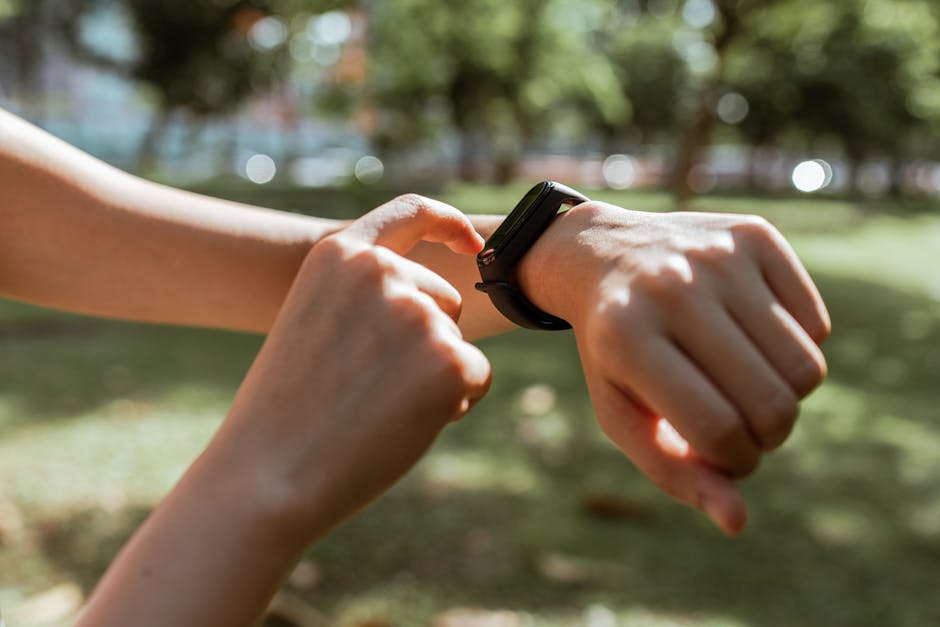
Fitness Tracker 101: Your Ultimate Beginner’s Guide
Navigating the world of fitness trackers can feel like deciphering a new language. From step counts to heart rate zones, these wrist-worn devices offer a wealth of data, but what does it all mean for your health and fitness journey? This comprehensive guide is designed to demystify fitness trackers, empowering you to choose the right one and leverage its capabilities to achieve your goals.
Understanding the Core Functionality: What Can a Fitness Tracker Actually Do?
At their heart, fitness trackers are designed to monitor and record your physical activity. The most fundamental metric is step counting. Utilizing accelerometers and gyroscopes, they detect the motion of your arm and body to estimate the number of steps you take throughout the day. This seemingly simple metric is a powerful motivator, encouraging you to be more active and reach daily targets.
Beyond steps, most trackers monitor distance traveled. This is often calculated based on your step count and an estimated stride length, which can be calibrated for greater accuracy. Many also track calories burned. This estimation is a complex algorithm that considers your activity level, duration, intensity, and personal data like age, weight, and gender. While not a precise calorie counter, it provides a valuable relative measure of your energy expenditure.
A crucial feature for many is heart rate monitoring. Modern trackers employ optical sensors that detect blood flow in your wrist. This data provides insights into your cardiovascular health, workout intensity, and recovery. Understanding your heart rate zones – fat burn, cardio, and peak – allows you to tailor your workouts for specific outcomes. For instance, staying in the fat-burn zone for extended periods can be effective for weight management, while higher intensity zones build cardiovascular endurance.
Sleep Tracking: Unlocking the Secrets of Your Rest
Fitness trackers are increasingly sophisticated in their sleep monitoring capabilities. They differentiate between light sleep, deep sleep, and REM (Rapid Eye Movement) sleep, offering a breakdown of your sleep stages. By analyzing your movement and heart rate during sleep, they can estimate your sleep duration, identify periods of wakefulness, and even detect potential sleep disturbances. Understanding your sleep patterns is vital, as quality rest is fundamental to physical recovery, mental clarity, and overall well-being. Many trackers provide a sleep score, a consolidated metric that helps you quickly assess the quality of your night’s rest.
Beyond the Basics: Advanced Features to Consider
As you delve deeper into fitness tracking, you’ll encounter a range of advanced features. GPS tracking is a game-changer for runners, cyclists, and hikers. Built-in GPS accurately maps your routes, measures distance and pace without relying on your phone, and provides valuable data for performance analysis.
Blood oxygen saturation (SpO2) monitoring is another emerging feature. This measures the oxygen level in your blood, which can offer insights into your respiratory health and altitude acclimatization. Some trackers also offer ECG (Electrocardiogram) capabilities, allowing you to take on-demand readings of your heart’s electrical activity, potentially detecting signs of atrial fibrillation.
Stress tracking is becoming increasingly common. These features often utilize heart rate variability (HRV), the slight variations in time between heartbeats, to assess your body’s response to stress. They can provide guided breathing exercises or mindfulness prompts to help you manage stress levels.
Workout Modes and Smart Features:
Most fitness trackers come equipped with pre-set workout modes for various activities like running, swimming, cycling, yoga, and strength training. Selecting the appropriate mode ensures the tracker collects the most relevant data for that specific exercise. Many also offer automatic activity detection, recognizing when you start and stop certain activities without manual input.
Beyond fitness, many trackers boast smart features. These can include smart notifications from your phone (calls, texts, app alerts), music control, contactless payments, and even the ability to respond to messages. These features transform your tracker from a mere fitness device into a convenient extension of your smartphone.
Choosing the Right Fitness Tracker for You: Factors to Consider
The sheer variety of fitness trackers available can be overwhelming. To make an informed decision, consider these key factors:
- Your Fitness Goals: Are you a casual walker aiming for more steps, a dedicated runner seeking detailed performance metrics, or someone focused on overall wellness and sleep improvement? Your goals will dictate the essential features you need.
- Budget: Fitness trackers range from budget-friendly options to premium devices with advanced features. Determine your budget beforehand to narrow down your choices.
- Accuracy: While most trackers are reasonably accurate for general activity, dedicated athletes might prioritize devices known for their precise GPS and heart rate monitoring. Read reviews and comparisons for specific models.
- Design and Comfort: You’ll be wearing this device all day, every day. Consider its size, weight, materials, and strap comfort. Many offer interchangeable straps to personalize your look.
- Battery Life: This is a crucial consideration. Some trackers can last for weeks on a single charge, while others may require daily or every-other-day charging. Factor in how often you’re willing to charge.
- App Ecosystem and Compatibility: Most trackers sync with a companion smartphone app. Explore the app’s interface, features, and compatibility with your existing smartphone (iOS or Android). Some apps offer advanced analytics, social features, and integration with other health platforms.
- Durability and Water Resistance: If you’re an avid swimmer or prone to accidents, look for a tracker with a high water-resistance rating (e.g., 5 ATM or higher).
Getting Started: Setting Up and Using Your Tracker Effectively
Once you’ve chosen your fitness tracker, the setup process is usually straightforward:
- Charge Your Device: Ensure your tracker is fully charged before you begin.
- Download the Companion App: Search for the manufacturer’s app in your smartphone’s app store.
- Create an Account and Enter Personal Information: You’ll typically need to create an account and provide details like your age, gender, height, and weight. This information is crucial for accurate calorie and activity estimations.
- Pair Your Tracker: Follow the app’s instructions to pair your tracker with your smartphone via Bluetooth.
- Calibrate Your Stride (Optional but Recommended): For more accurate distance tracking, many apps allow you to calibrate your stride length by walking or running a known distance.
- Explore the App and Customize Settings: Familiarize yourself with the app’s dashboard, settings, and features. You can often set daily goals for steps, active minutes, and sleep.
- Wear It Consistently: The more consistently you wear your tracker, the more comprehensive your data will be. Wear it during workouts, throughout the day, and even while you sleep.
Interpreting Your Data: Making Sense of the Numbers
The real power of a fitness tracker lies in its ability to provide actionable insights. Don’t get bogged down by every single number; focus on trends and how they relate to your goals.
- Step Count: Aim for a consistent daily target, gradually increasing it if necessary. Seeing your steps accumulate is a simple yet effective motivator.
- Active Minutes: This metric often reflects periods of moderate to vigorous activity. Aim for the recommended daily or weekly targets for cardiovascular health.
- Heart Rate: Monitor your resting heart rate over time. A decreasing resting heart rate can indicate improved cardiovascular fitness. During workouts, use heart rate zones to ensure you’re training at the right intensity.
- Sleep Data: Look for patterns in your sleep duration and stages. If you consistently get less than 7-8 hours of sleep, or your deep sleep is consistently low, it might be time to re-evaluate your sleep hygiene.
- Calories Burned: Use this as a relative measure. If you’re trying to lose weight, aim to create a consistent calorie deficit by combining diet and exercise.
Troubleshooting Common Issues
Even the best technology can encounter hiccups. Here are some common issues and their solutions:
- Inaccurate Step Count: Ensure your tracker is worn snugly on your wrist. Check if your stride length is calibrated correctly in the app. Avoid activities that involve a lot of arm movement but little leg movement (e.g., driving).
- Poor Heart Rate Readings: Make sure the sensor on the back of the tracker is clean and making good contact with your skin. Avoid wearing it too loosely or too tightly. Certain activities like weightlifting can sometimes cause temporary inaccuracies.
- Syncing Problems: Ensure Bluetooth is enabled on your phone and that the tracker is within range. Try restarting both your tracker and your phone. If issues persist, unpair and re-pair the devices.
- Short Battery Life: Check for any background app activity that might be draining the battery. Reduce screen brightness or disable features you don’t use regularly.
By understanding the fundamental functions, exploring advanced features, making an informed purchasing decision, and effectively utilizing the data, your fitness tracker can become an invaluable companion on your journey to a healthier, more active lifestyle.