
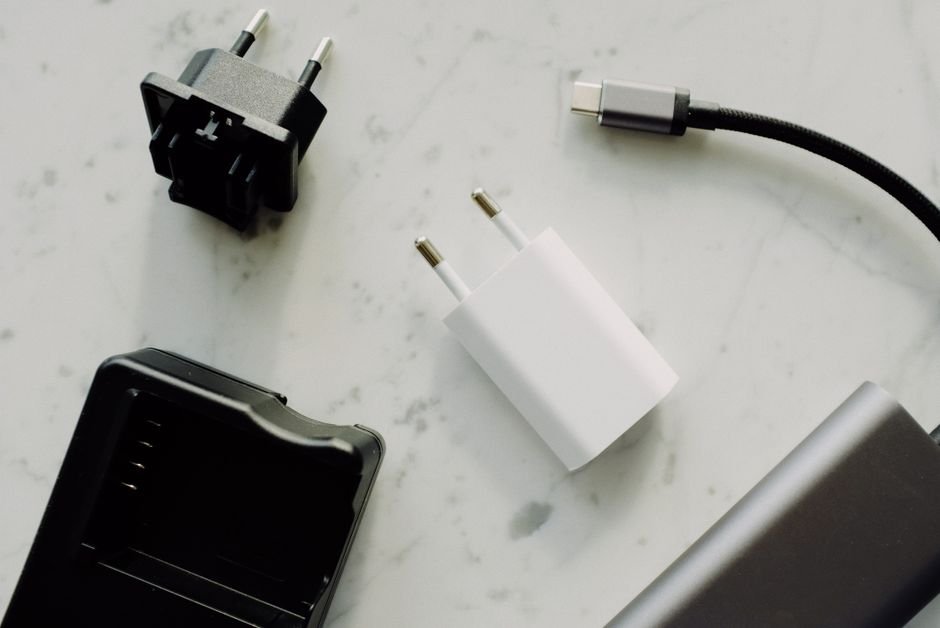
Fast Charging Made Easy: Choosing Your Type-C Universal Charger
The ubiquitous USB Type-C port has revolutionized our digital lives, bringing a single, reversible connector to everything from smartphones and laptops to tablets and gaming consoles. Its versatility extends beyond simple data transfer; it’s the gateway to rapid power delivery. Gone are the days of juggling multiple proprietary chargers. Now, a single, intelligent Type-C charger can juice up a vast array of devices at impressive speeds. However, navigating the landscape of Type-C chargers can feel daunting. This guide demystifies the process, empowering you to choose the perfect universal Type-C charger for your needs.
Understanding the Core Technology: USB Power Delivery (USB PD)
The magic behind fast Type-C charging lies primarily in USB Power Delivery (USB PD). Unlike older USB standards that offered fixed, lower power outputs, USB PD is a dynamic protocol that allows devices and chargers to communicate and negotiate the optimal power output. This intelligent negotiation ensures safe and efficient charging for a wide range of devices.
- Voltage and Current Negotiation: USB PD allows for variable voltage and current levels. Instead of a single 5V output, it can support higher voltages like 9V, 12V, 15V, and even 20V, combined with different current amperages (e.g., 1A, 2A, 3A, 5A). This flexibility is key to delivering the power required by demanding devices like laptops while still safely charging smaller gadgets.
- Power Profiles: USB PD defines various power profiles, specifying the maximum wattage a charger can deliver. Common profiles include:
- 5W: (5V @ 1A) – Basic charging for smaller accessories.
- 15W: (5V @ 3A or 9V @ 1.67A) – Faster charging for smartphones.
- 27W: (9V @ 3A or 15V @ 1.8A) – Common for many mid-range smartphones and tablets.
- 45W: (15V @ 3A or 20V @ 2.25A) – Suitable for faster smartphone charging and some smaller laptops.
- 60W: (20V @ 3A) – Standard for many ultrabooks and larger tablets.
- 100W: (20V @ 5A) – High-power output for demanding laptops and multiple device charging.
- 240W (USB PD 3.1 Extended Power Range – EPR): This newer standard allows for even higher wattages, opening doors for charging even more power-hungry devices like high-performance laptops and monitors. Look for chargers explicitly stating support for EPR.
- Device Compatibility: A crucial aspect of USB PD is its backward compatibility. A USB PD-certified charger can safely charge non-PD devices at their maximum supported speed (typically 5W or 7.5W). Conversely, a PD-certified device will only draw the power it can safely handle from a PD charger.
Beyond USB PD: Other Fast Charging Technologies
While USB PD is the dominant universal standard, some manufacturers have developed proprietary fast-charging technologies that often leverage the Type-C port. These technologies may offer even faster charging speeds for their specific devices but might not be universally compatible with other brands.
- Qualcomm Quick Charge (QC): Popular on many Android devices, Quick Charge offers various iterations (QC 3.0, QC 4+, QC 5). QC 4+ is designed to be compatible with USB PD, meaning a QC 4+ certified charger can often function as a USB PD charger. However, older QC versions might require specific cables or chargers for optimal speeds.
- Samsung Adaptive Fast Charging (AFC) & Super Fast Charging: Samsung’s proprietary technologies offer rapid charging for their devices. Newer Samsung phones often support USB PD as well, so checking your device’s specifications is key.
- OnePlus Warp Charge / SuperVOOC: OnePlus devices utilize their own high-wattage charging solutions. While the physical connector is Type-C, the charging protocols are proprietary.
Choosing Your Universal Type-C Charger: Key Factors to Consider
Now that we understand the underlying technologies, let’s break down the essential factors for selecting the right universal Type-C charger:
-
Wattage Output (Power Delivery): The Most Critical Factor
- Identify Your Devices’ Needs: This is paramount. Check the original charger that came with your devices or their specifications online. Look for the wattage (W) it provides.
- Smartphones: Typically range from 15W to 65W. If your phone supports 25W or 45W charging, you’ll want a charger that can deliver at least that.
- Tablets: Often fall between 20W and 60W.
- Laptops: Can vary significantly, from 30W for ultrabooks to 100W or more for gaming laptops.
- Err on the Side of Higher Wattage: A higher wattage charger will not damage a lower wattage device. It will simply deliver the maximum power that device can safely accept. For example, a 100W charger can safely charge a smartphone that only requires 25W. This future-proofs your charger for newer, more power-hungry devices.
- Consider Multi-Device Charging: If you need to charge multiple devices simultaneously, look for chargers with higher total wattage and multiple ports. The charger will intelligently distribute power among connected devices.
- Identify Your Devices’ Needs: This is paramount. Check the original charger that came with your devices or their specifications online. Look for the wattage (W) it provides.
-
Number and Type of Ports:
- Single Port: Ideal for dedicated charging of one device at a time.
- Multiple Ports: Essential for charging several devices simultaneously. Common configurations include USB-C and USB-A ports.
- USB-C Ports: Prioritize USB-C ports that support USB PD for the fastest charging.
- USB-A Ports: Still useful for older devices or accessories that don’t utilize Type-C. Ensure these ports also offer decent charging speeds (e.g., Quick Charge support).
- Intelligent Power Distribution: Look for chargers that advertise intelligent power distribution or Smart IC technology, ensuring each port receives the optimal power output based on the connected device.
-
USB PD Version and EPR Support:
- USB PD 3.0: The most common standard, offering excellent compatibility and performance.
- USB PD 3.1 (Extended Power Range – EPR): If you have very power-hungry devices like high-performance laptops or gaming equipment that require more than 100W, look for chargers explicitly stating support for USB PD 3.1 EPR. This will be crucial for future-proofing.
-
GaN (Gallium Nitride) Technology: Smaller, Smarter, Cooler
- What is GaN? Gallium Nitride is a semiconductor material that allows for more efficient power conversion compared to traditional silicon.
- Benefits of GaN Chargers:
- Smaller Form Factor: GaN chargers are significantly more compact and lightweight, making them ideal for travel.
- Higher Efficiency: They generate less heat, leading to improved performance and longevity.
- Higher Power Density: They can deliver more wattage from a smaller unit.
- If portability and a sleek design are important, opt for a GaN charger.
-
Brand Reputation and Certifications:
- Reputable Brands: Stick with well-known and trusted brands in the charging accessory market (e.g., Anker, RAVPower, UGREEN, Belkin, Aukey, Satechi). These brands often prioritize quality control and safety.
- Certifications: Look for certifications like USB-IF (USB Implementers Forum), which guarantees compliance with USB standards, and UL (Underwriters Laboratories) or ETL (Electrical Testing Laboratories) for safety. These certifications provide peace of mind.
-
Cable Quality: The Unsung Hero
- Don’t Neglect the Cable: A high-quality charging cable is just as important as the charger itself, especially for fast charging.
- E-Marker Chip: For charging above 60W, especially with USB PD 3.1 EPR, you’ll need a cable with an E-Marker chip. This chip communicates the cable’s capabilities to the charger and device, ensuring safe and optimal power delivery.
- Material and Construction: Look for durable cables made from braided nylon or reinforced materials. Ensure the connectors are robust and well-seated.
- USB PD Compatibility: Ensure the cable is rated for the wattage you intend to use. A cable rated for 60W will not support 100W charging.
-
Safety Features:
- Over-Voltage Protection: Prevents damage to your devices from excessive voltage.
- Over-Current Protection: Stops the flow of current if it exceeds a safe limit.
- Over-Temperature Protection: Shuts down the charger if it overheats.
- Short-Circuit Protection: Protects against damage from short circuits.
- Reputable brands will build these safety features into their chargers.
**Practical Scenarios