
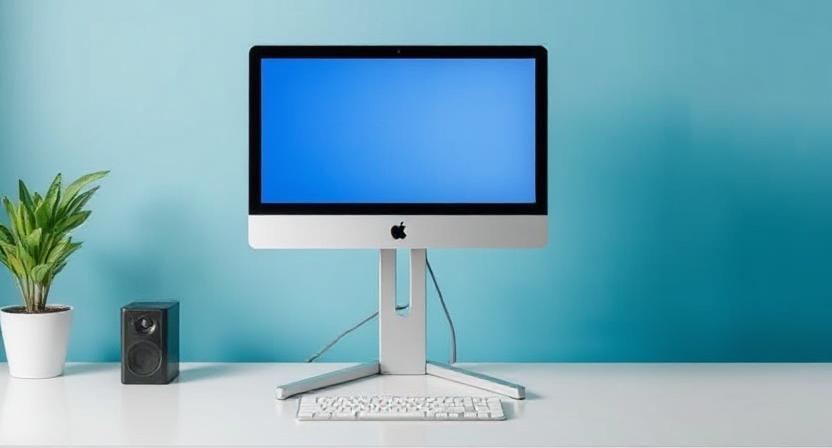
Description: Find the perfect monitor stand for better posture, zero neck pain, and a cleaner desk. Expert guide with types, ergonomics, and buying tips for Indian users.
The modern workplace, whether a sprawling corporate office or a cozy home setup in a bustling Indian city, hinges on one primary tool: the computer monitor. Yet, for countless hours each day, many of us subject our bodies to an unnatural, downward-gaze posture, a relentless strain that silently accumulates into chronic discomfort. We invest in high-performance CPUs, stunning 4K displays, and ergonomic chairs, but often overlook the single most crucial component for our physical well-being: the simple, yet profound, computer monitor stand.
This comprehensive guide is designed for the discerning Indian reader—the professional, the student, the gamer—who recognises that productivity and health are two sides of the same coin. We will move beyond the notion of a monitor stand as mere shelf space and explore its role as an essential ergonomic tool, an aesthetic centerpiece, and a silent guardian of your long-term health. Forget the stack of old books or unused printer paper under your screen; it’s time for a professional, health-conscious upgrade.
Why a Computer Monitor Stand is an Essential Desk Upgrade, Not a Luxury
In the fast-paced Indian work environment, where screen time often stretches well beyond eight hours, the subtle misalignment of a monitor can have debilitating consequences. A proper monitor stand is not an extravagant purchase; it is a foundational piece of desk infrastructure that pays for itself through reduced pain and increased focus.
The Hidden Cost of a Low Monitor: Battling Neck and Eye Strain
When your monitor is too low, you naturally compensate by slouching forward or tilting your head down. This seemingly minor adjustment places immense, sustained pressure on your cervical spine. Over time, this poor posture can lead to a host of common, yet often ignored, physical ailments.
- Chronic Neck and Shoulder Pain: The average human head weighs about 5 kg (10-12 lbs). For every inch your head tilts forward, the effective weight on your neck muscles increases dramatically. A monitor stand ensures your monitor’s top edge is at or slightly below eye level, keeping your spine naturally aligned. This is crucial for preventing the tightness and pain that plague many desk workers.
- Tech Neck and Headache: This modern ailment is directly caused by constantly looking down at screens, leading to stiffness, nerve irritation, and frequently, tension headaches. Elevating your screen with a stand is the simplest corrective measure.
- Eye Strain and Fatigue: A correctly positioned monitor reduces glare and maintains an optimal viewing distance (typically an arm’s length away), minimizing the effort your eyes need to focus and track text. This is a powerful, yet simple, way to boost your visual comfort and energy levels throughout a long workday.
Actionable Insight: The core goal is to achieve a neutral posture. A neutral posture means your ears, shoulders, and hips are aligned vertically. A quality computer monitor stand is the quickest and most effective way to ensure this fundamental alignment at your workstation.
Reclaiming Your Workspace: Organisation and Aesthetics
The need for more space is a constant refrain in many Indian homes and offices, where desk real estate is often limited. A monitor stand—especially a riser stand or an articulating arm—offers a powerful, two-fold solution to decluttering and enhancing your setup:
- Valuable Vertical Real Estate: A basic monitor riser elevates your screen, creating a new, dedicated storage cubby underneath for your laptop, external hard drives, notebooks, or keyboard. This transformation instantly frees up the primary desk surface for active work, like writing or sketching. This simple uplift can fundamentally change how you interact with your desk.
- Superior Cable Management: Modern monitor stands and arms are often designed with integrated channels, clips, or hollow columns that neatly tuck away unsightly power and display cables. This not only makes your setup look sleek, professional, and Vastu-friendly (by reducing clutter) but also simplifies cleaning and reduces the risk of tangled wires—a small detail that makes a huge difference in perceived desk tranquility and a true hallmark of a high-end setup.
Decoding the Types of Monitor Stands: Finding Your Perfect Match
Choosing the right type of computer monitor stand can feel overwhelming, given the sheer variety available in the Indian market today. Your ideal choice depends entirely on your needs: Do you require maximum flexibility for dynamic work, or simply a stable, fixed-height boost with storage?
The Simple Solution: Fixed Riser Stands and Their Versatility
Fixed riser stands are the simplest and most common type of monitor stand. They are essentially a stable, non-adjustable platform designed to raise the monitor to a comfortable, static height.
- Key Features: They are static, highly stable, and often include built-in storage features like drawers, shelves, or charging ports. They represent the most budget-friendly option for a fast, ergonomic fix.
- Best For: Users with a single monitor who require a fixed, ergonomic height and desire crucial extra storage space beneath the screen. They are excellent for heavy or older monitors where arm mounting is not feasible due to weight or desk type.
- Common Materials: Durable plastic, sturdy metal (for a minimalist industrial look), or aesthetic wood/bamboo (increasingly popular in India for a premium, sustainable feel).
The Dynamic Duo: Monitor Arms (Gas Spring vs. Mechanical)
Monitor arms are the premium, dynamic solution, offering unparalleled flexibility and adjustability. They typically clamp onto the back or side of your desk, holding the monitor with an articulating arm that seems to float above the surface.
| Feature | Gas Spring Monitor Arm | Mechanical (Spring-Based) Arm |
| Adjustment | Effortless (A light touch is enough) | Requires turning a knob/screw to adjust tension |
| Fluidity | Highly smooth, easy repositioning with a light hand | Requires more physical effort to move and set |
| Movement Range | Generally higher height, reach, and deeper tilt | Good, stable movement, but often more limited than gas spring |
| Price Point | Higher (Premium investment) | Mid-range (Excellent balance of features and cost) |
| Best For | Collaborative workspaces, designers, or anyone who frequently adjusts monitor position (e.g., switching between sitting and standing, or sharing a screen). | A stable, robust solution for a fixed sitting position with occasional need for adjustment. |
A monitor arm allows you to easily tilt, swivel, and rotate your screen from landscape to portrait mode—an invaluable feature for coders, graphic designers, writers, and financial analysts who deal with long documents or complex layouts.
Auto Amazon Links: No products found.