
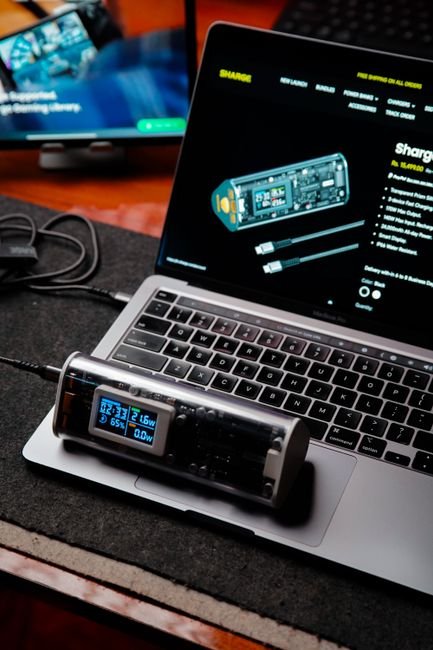
Unleash the Power: Mastering Dual Device Charging with Your 65W Charger
In today’s hyper-connected world, the demand for portable power is insatiable. From smartphones and tablets to laptops and wearables, our devices are our lifelines. The advent of higher wattage chargers, particularly the ubiquitous 65W standard, has revolutionized how quickly we can replenish our batteries. But what if you have two devices that desperately need a power boost simultaneously? This is where the art and science of dual device charging with a 65W charger come into play. This comprehensive guide will equip you with the knowledge to unlock the full potential of your 65W charger, ensuring both your devices receive optimal and efficient power delivery, every time.
Understanding the 65W Charger: More Than Just Raw Power
A 65W charger signifies its maximum power output. This doesn’t mean it constantly pushes 65 watts to every connected device. Instead, it employs sophisticated charging protocols like USB Power Delivery (USB PD) and Qualcomm Quick Charge (QC) to intelligently negotiate the optimal charging speed with each connected device. USB PD, in particular, is crucial for dual device charging as it allows for dynamic power allocation. When two devices are plugged in, the 65W charger doesn’t simply split its wattage equally (e.g., 32.5W each). Instead, it assesses the power requirements of each device and distributes the available 65W accordingly, prioritizing the device that can accept more power or is closer to needing a full charge.
The Anatomy of Dual Device Charging: What You Need
To effectively charge two devices simultaneously with your 65W charger, you’ll need a few key components:
- A High-Quality 65W Charger: This is your foundation. Ensure it’s from a reputable brand and supports the latest USB PD standards. Look for chargers with multiple ports, ideally USB-C, as this is the modern standard for high-power charging. Some chargers may offer a combination of USB-C and USB-A ports.
- The Right Cables: This is arguably the most critical element for optimal dual charging.
- USB-C to USB-C Cables: For devices that support USB PD charging (most modern laptops, tablets, and many smartphones), you’ll want high-quality USB-C to USB-C cables. Crucially, these cables must be rated for the wattage you intend to deliver. A 65W charger can output up to 65W, but if your cable is only rated for 30W, it will become a bottleneck, limiting the charging speed for both devices. Look for cables explicitly stating support for 60W, 100W, or even higher for future-proofing. E-Marker chips within these cables communicate the cable’s capabilities to the charger, ensuring safe and efficient power delivery.
- USB-C to USB-A Cables: If one of your devices still uses a USB-A port for charging (common for older smartphones, power banks, or accessories), you’ll need a USB-C to USB-A cable. The charging speed for the USB-A device will be limited by the capabilities of the USB-A port and the charging protocol it supports (e.g., QC 3.0, QC 4.0).
- Devices Supporting Appropriate Charging Protocols: While your 65W charger is powerful, the devices themselves must be capable of accepting that power. A high-end smartphone might support 45W fast charging, while a laptop could draw up to 65W. A device that only supports 10W charging will only receive 10W, regardless of the charger’s capability.
Strategies for Optimal Dual Device Charging
Maximizing the efficiency and speed of charging two devices simultaneously involves understanding how the 65W charger intelligently manages power.
-
Prioritize USB-C Ports for Higher Power Devices: If your 65W charger has multiple USB-C ports and potentially a USB-A port, always connect your higher-power-draw devices (laptops, larger tablets) to the USB-C ports. These ports are designed to handle the higher wattages and support the advanced USB PD negotiation.
-
Understand Power Distribution Scenarios: The 65W charger will dynamically allocate power. Here are some common scenarios:
- Laptop + Smartphone: A typical scenario might see the laptop drawing a significant portion of the 65W (e.g., 45W-60W), leaving the remaining wattage for the smartphone to charge at its maximum supported speed (e.g., 15W-25W).
- Two Smartphones: If you’re charging two smartphones, the charger will likely distribute the 65W between them based on their individual charging needs. If both support fast charging (e.g., 25W each), they might both charge at near their maximum potential, with the total not exceeding 65W. If one supports 25W and the other 15W, the charger will allocate accordingly.
- Tablet + Wearable: A tablet might draw 30W, leaving 35W for a compatible wearable or another smaller device.
-
Utilize “Smart” Charging Features: Many modern 65W chargers incorporate intelligent charging chips that go beyond basic USB PD. These can include:
- Device Recognition: Automatically identifying the optimal charging profile for each connected device.
- Temperature Management: Ensuring devices don’t overheat during charging, which can degrade battery health.
- Power Prioritization: In some cases, you might be able to manually set priorities through companion apps, though this is less common with standard 65W chargers and more prevalent in high-end multi-port chargers.
-
The Importance of Cable Quality (Revisited): This cannot be stressed enough. Using a cheap, low-wattage-rated cable with a powerful 65W charger is like putting a sports car engine in a bicycle frame. It will severely limit performance and can even be a safety hazard. Invest in reputable brands and always check the cable’s specifications for wattage support. For dual charging, ensure both cables are appropriately rated.
-
Consider the Charger’s Port Configuration:
- Single USB-C: If your 65W charger has only one USB-C port, you’ll need a USB-C to USB-C cable and a USB-C to USB-A adapter (or a Y-splitter cable, though these are less recommended for high-power charging due to potential power loss and heat issues). This setup is less ideal for simultaneous high-speed charging of two demanding devices.
- Dual USB-C: This is the most versatile configuration for dual device charging. It allows you to connect two USB-C devices directly with appropriate cables.
- USB-C and USB-A: This configuration is common. You can charge a USB-C device and a USB-A device simultaneously. The USB-A port will typically offer lower charging speeds compared to the USB-C port.
Troubleshooting Common Dual Charging Issues
Even with the best equipment, you might encounter occasional hiccups.
-
Slow Charging on One or Both Devices:
- Cable Bottleneck: The most frequent culprit. Ensure both cables are rated for the wattage your devices are capable of receiving.
- Device Limitation: The device itself might have a lower maximum charging rate or be experiencing thermal throttling due to heat.
- Charger Overload: While rare with a 65W charger for two typical devices, if you’re trying to charge two power-hungry laptops simultaneously and they both demand close to 65W, the charger might not be able to sustain that for both.
- Dirty Ports: Check for dust or debris in the charging ports of your devices and cables.
-
One Device Not Charging At All:
- Faulty Cable or Port: Try swapping cables and ports to isolate the issue.
- Device Compatibility: Ensure the device is compatible with USB PD or the charging protocol the port is using.
- Charger Malfunction: Though less common, the charger itself could be faulty.
-
Charger Overheating:
- High Ambient Temperature: Charging generates heat. Avoid charging in direct sunlight or enclosed spaces.
- Faulty Charger or Cable: If the charger or cable feels excessively hot to the touch, discontinue use and consider replacing them.
Maximizing Battery Health While Dual Charging
While speed is often the primary concern, preserving battery health is equally important for the longevity of your devices.
- Avoid Extreme Temperatures: As mentioned, heat is the enemy of batteries. Ensure adequate ventilation for both your devices and the charger.
- Don’t Always Charge to 100%: For devices that support it, optimizing charging to around 80% can reduce stress on the battery. Many modern devices have built-in software to manage this.
- Use Reputable Chargers and Cables: Cheap, uncertified accessories are more likely to deliver inconsistent power or generate excessive heat, both detrimental to battery health.
Future-Proofing Your Charging Setup
As technology evolves, so do charging standards. While 65W is powerful today, future devices might demand even more. Investing in high-quality cables rated for 100W or even higher will