
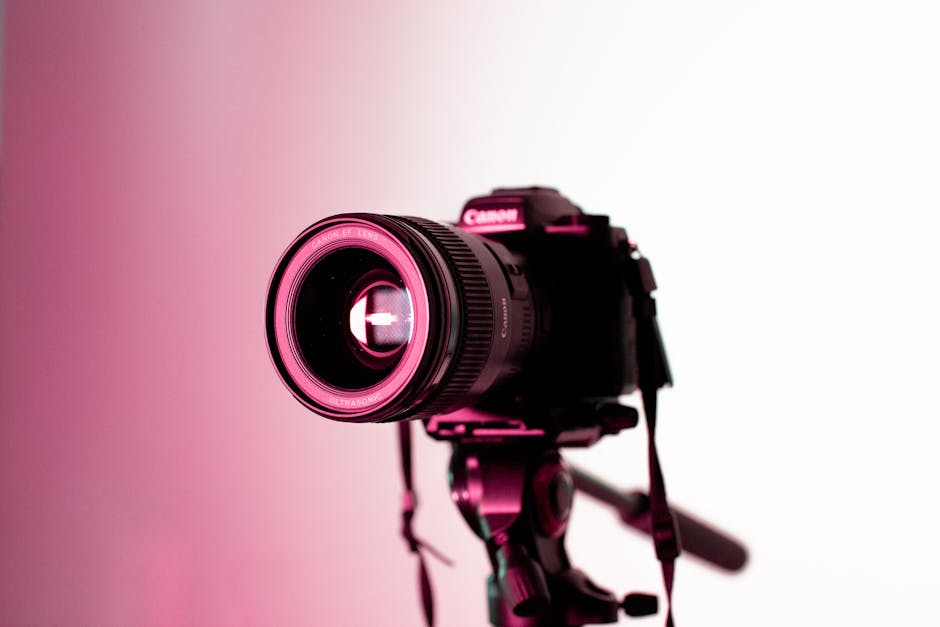
Mastering Your DSLR: A Comprehensive Guide to Essential Camera Settings
Understanding your DSLR camera’s settings is the gateway to unlocking its full creative potential. Moving beyond the automatic modes allows you to dictate the final look of your photographs, transforming them from snapshots into intentional works of art. This guide delves into the core settings that every DSLR user should master, providing detailed explanations and practical advice for achieving stunning results.
The Exposure Triangle: The Foundation of Photography
At the heart of DSLR photography lies the exposure triangle, a fundamental concept that governs how much light reaches your camera’s sensor. Mastering these three interconnected settings – Aperture, Shutter Speed, and ISO – is crucial for controlling the brightness and overall look of your images.
1. Aperture (f-stop): Controlling Depth of Field and Light
Aperture, measured in f-stops (e.g., f/1.8, f/5.6, f/16), dictates the size of the lens opening. It has a dual role: controlling the amount of light entering the camera and influencing the depth of field – the area of your image that is in sharp focus.
-
Wide Aperture (Small f-number, e.g., f/1.8, f/2.8):
- Effect on Light: Allows more light to enter the lens, ideal for low-light situations and achieving faster shutter speeds.
- Effect on Depth of Field: Creates a shallow depth of field, resulting in a blurred background (bokeh). This is excellent for isolating your subject, making portraits pop, and creating a dreamy, artistic feel.
- When to Use: Portrait photography, low-light shooting, capturing subjects against busy backgrounds.
- Considerations: Requires precise focusing as only a narrow plane will be sharp.
-
Narrow Aperture (Large f-number, e.g., f/11, f/16):
- Effect on Light: Restricts the amount of light entering the lens, requiring longer shutter speeds or higher ISO in dim conditions.
- Effect on Depth of Field: Produces a large depth of field, keeping both foreground and background in sharp focus. This is ideal for landscapes, architectural photography, and group shots where you want everything to be crisp.
- When to Use: Landscape photography, architectural details, group portraits, situations where extensive sharpness is desired.
- Considerations: Can lead to diffraction at very small apertures (f/22 and beyond), slightly softening the image.
2. Shutter Speed: Freezing or Blurring Motion
Shutter speed, measured in seconds or fractions of a second (e.g., 1/1000s, 1/60s, 2s), controls how long the camera’s sensor is exposed to light. It’s your primary tool for managing motion in your photographs.
-
Fast Shutter Speed (e.g., 1/500s, 1/1000s, 1/4000s):
- Effect on Motion: Freezes action, effectively stopping movement in its tracks. This is essential for capturing fast-moving subjects like athletes, birds in flight, or splashing water.
- Effect on Light: Allows less light to enter the camera, necessitating a wider aperture or higher ISO in darker conditions.
- When to Use: Sports photography, wildlife photography, capturing sharp images in bright light, preventing camera shake.
-
Slow Shutter Speed (e.g., 1/30s, 1s, 10s):
- Effect on Motion: Creates motion blur, transforming moving elements into streaks of light or soft, ethereal washes. This can be used creatively to convey movement, create silky smooth water, or capture light trails.
- Effect on Light: Allows more light to enter the camera, beneficial in low-light conditions.
- When to Use: Capturing smooth waterfalls, light painting, star trails, intentional motion blur for artistic effect.
- Considerations: Requires a tripod or stable surface to prevent camera shake. A remote shutter release can also be beneficial for very long exposures.
3. ISO: Sensitivity to Light
ISO refers to your camera sensor’s sensitivity to light. A lower ISO means less sensitivity, while a higher ISO means greater sensitivity.
-
Low ISO (e.g., 100, 200):
- Effect on Image Quality: Produces the cleanest images with the least amount of digital noise (grain). This is the ideal setting when ample light is available.
- When to Use: Bright daylight, studio settings with artificial lighting, when image quality is paramount.
-
High ISO (e.g., 800, 1600, 3200+):
- Effect on Image Quality: Increases the sensor’s sensitivity, allowing you to shoot in darker conditions without resorting to very slow shutter speeds or wide apertures. However, it introduces digital noise, which can degrade image quality, leading to a grainy appearance and loss of detail.
- When to Use: Low-light situations where you need to maintain a usable shutter speed or aperture, indoor events, nighttime photography.
- Considerations: Modern DSLRs have excellent high ISO performance, but it’s always a trade-off. Aim to use the lowest ISO possible for the desired exposure.
Beyond the Triangle: Essential Metering and Focus Modes
While the exposure triangle is fundamental, other settings play a crucial role in achieving well-exposed and sharp images.
4. Metering Modes: How Your Camera Reads Light
Metering modes tell your camera how to interpret the light in a scene to determine the correct exposure.
- Evaluative/Matrix Metering (Most Common): The camera divides the scene into multiple zones and analyzes the light in each zone, taking into account factors like brightness, color, and distance. This is generally the best all-around mode for most situations.
- Center-Weighted Metering: The camera prioritizes the light in the center of the frame, giving it more importance than the periphery. Useful for portraits where the subject is the primary focus.
- Spot Metering: The camera measures the light from a very small area of the frame (often the same area as your active focus point). This is ideal for precise exposure control in challenging lighting, such as backlighting a subject or metering a specific highlight or shadow.
5. Autofocus (AF) Modes: Achieving Sharpness
Autofocus modes determine how your camera locks onto and tracks subjects.
- Single-Servo AF (AF-S / One-Shot AF): The camera focuses once when you half-press the shutter button and locks the focus. This is perfect for stationary subjects.
- Continuous-Servo AF (AF-C / AI Servo AF): The camera continuously adjusts focus as long as you half-press the shutter button, tracking moving subjects. Essential for sports, wildlife, and any situation with dynamic subjects.
- Auto-Servo AF (AF-A / AI Focus AF): The camera automatically switches between Single-Servo and Continuous-Servo AF based on whether it detects subject movement. While convenient, it can sometimes be unpredictable.
6. Autofocus Area Modes: Where Your Camera Focuses
These modes dictate which AF points your camera uses to acquire focus.
- Single-Point AF: You manually select a single AF point to focus on your desired subject. Offers the most precise control.
- Dynamic-Area AF / Zone AF: The camera uses a cluster of AF points. If your selected point loses focus, adjacent points will attempt to reacquire it. Good for tracking subjects that move erratically within a general area.
- Auto-Area AF: The camera automatically selects all AF points and decides where to focus. Useful for very fast-moving subjects where you can’t predict their exact position, but offers less precise control.
Beyond Manual: Understanding Semi-Automatic Modes
While full manual control (M) offers the ultimate creative freedom, semi-automatic modes provide a balance between automation and control, making them excellent learning tools.
7. Aperture Priority (Av or A): You Control Depth of Field
In Aperture Priority mode, you set the aperture, and the camera automatically selects the appropriate shutter speed to achieve correct exposure. This is ideal for controlling depth of field while letting the camera handle the exposure.
8. Shutter Priority (Tv or S): You Control Motion
In Shutter Priority mode, you set the shutter speed, and the camera automatically chooses the aperture to achieve correct exposure. This is perfect for freezing or blurring motion while letting the camera manage the aperture.
White Balance: Achieving Accurate Colors
White balance (WB) tells your camera what “white” looks like under different lighting conditions. Incorrect white balance can lead to unnatural color casts (e.g., everything looks too blue or too yellow).
- Auto White Balance (AWB): The camera attempts to automatically determine the correct white balance. It works well in many situations but can be fooled by dominant colors in a scene.
- Preset White Balance: Your camera has presets for common lighting conditions like Daylight, Cloudy, Tungsten, Fluorescent, and Flash. Select the preset that best matches your current lighting.
- Custom White Balance: For the most accurate