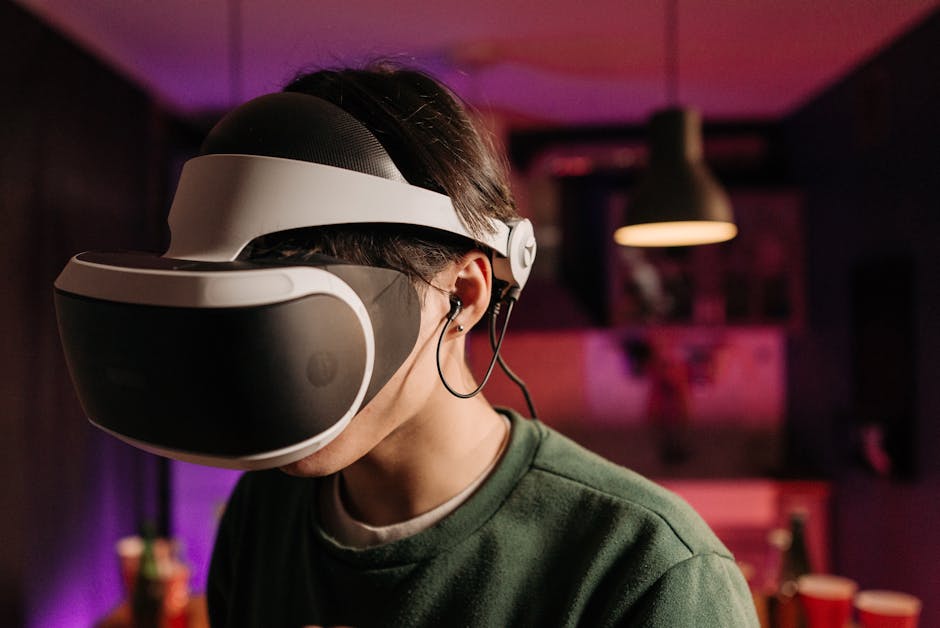
The virtual reality landscape has exploded, offering gamers unprecedented levels of immersion and interaction. However, with a growing array of headsets boasting diverse features and price points, selecting the perfect VR companion for your gaming journey can feel like navigating a digital labyrinth. This guide delves deep into the critical factors you need to consider, empowering you to make an informed decision that aligns with your specific gaming needs and budget.
Understanding the Core VR Headset Architectures
At the heart of every VR headset lies its fundamental architecture, which dictates its capabilities and limitations. Broadly, these fall into three main categories:
-
Standalone VR Headsets: These are all-in-one devices, requiring no external PC or console. They house their own processing power, display, and battery. This offers unparalleled freedom of movement and ease of setup. Popular examples include the Meta Quest 3 and Pico 4.
- Pros: Wireless freedom, portable, relatively affordable, easy to set up and use.
- Cons: Limited processing power compared to PC VR, game library can be more curated, graphics may not be as cutting-edge.
- Ideal for: Casual gamers, those new to VR, players prioritizing convenience and portability, and those with limited space.
-
PC VR Headsets: These headsets connect to a powerful gaming PC, leveraging its processing muscle for higher fidelity graphics, more complex simulations, and a wider game library. Examples include the Valve Index, HTC Vive Pro 2, and HP Reverb G2.
- Pros: Superior graphical fidelity, access to the largest and most diverse VR game library, highly customizable and expandable.
- Cons: Requires a significant investment in a VR-ready PC, tethered by cables (though wireless adapters exist), more complex setup.
- Ideal for: Enthusiast gamers seeking the absolute best visual experience, players who already own a high-end gaming PC, and those interested in demanding VR simulations or competitive VR titles.
-
Console VR Headsets: These headsets are designed to work exclusively with a specific gaming console. The most prominent example is the PlayStation VR2 (PSVR2) for the PlayStation 5.
- Pros: Seamless integration with a console ecosystem, often more affordable than PC VR setups, curated and optimized game experiences.
- Cons: Limited to the console’s hardware capabilities, game library is exclusive to the console’s VR offerings, less flexibility than PC VR.
- Ideal for: PlayStation 5 owners looking to dive into VR without investing in a separate gaming PC, those who enjoy console gaming and want an accessible VR entry point.
Key Factors to Evaluate for Your Gaming Needs
Once you’ve grasped the architectural differences, delve into these crucial specifications:
1. Display Resolution and Refresh Rate:
- Resolution: This dictates the sharpness and clarity of the image. Higher resolution means fewer visible pixels (screen-door effect) and a more immersive visual experience. Look for at least 1832×1920 pixels per eye (Quest 3) or higher for a truly crisp image. PC VR headsets often boast even higher resolutions.
- Refresh Rate: This refers to how many times the display updates per second. Higher refresh rates (90Hz, 120Hz, or even 144Hz) result in smoother motion, reducing motion sickness and providing a more fluid gaming experience, especially in fast-paced titles.
2. Field of View (FOV):
- FOV determines how much of the virtual world you can see at once, akin to your peripheral vision. A wider FOV (e.g., 110 degrees or more) enhances immersion by making the virtual world feel more expansive and less like you’re looking through binoculars.
3. Tracking Technology:
- Inside-Out Tracking: Most modern headsets use cameras on the headset itself to track your position and controllers in the real world. This is convenient and requires no external sensors.
- Outside-In Tracking: Older systems or some high-end PC VR setups utilize external base stations to track the headset and controllers. This can offer more precise tracking but requires dedicated setup.
- Controller Tracking: Ensure the controllers are comfortable to hold and offer accurate, responsive tracking for precise in-game actions. Consider haptic feedback for a more tactile experience.
4. Comfort and Ergonomics:
- Weight Distribution: A well-balanced headset will feel lighter and more comfortable for extended gaming sessions.
- Headstrap Design: Adjustable and padded headstraps are essential for a secure and comfortable fit, accommodating different head sizes.
- IPD Adjustment (Interpupillary Distance): This allows you to adjust the distance between the lenses to match the distance between your eyes, ensuring a clear and comfortable image. Poor IPD adjustment can lead to eye strain and blurry visuals.
- Facial Interface: The material and fit of the facial interface affect comfort and light leakage. Some headsets offer interchangeable interfaces for better hygiene and fit.
5. Audio:
- Integrated Audio: Many headsets come with built-in speakers or headphones that provide spatial audio, enhancing immersion.
- Audio Jack: The option to connect your own high-quality headphones can significantly elevate the audio experience, especially for audiophiles.
6. Processing Power and Connectivity (for PC VR and Standalone):
- PC VR: Ensure your gaming PC meets or exceeds the recommended specifications for the headset you’re considering. This includes a powerful CPU, GPU, and sufficient RAM.
- Standalone: While standalone headsets have their own processors, the power of these will influence the complexity and graphical fidelity of the games they can run.
7. Game Library and Ecosystem:
- Platform Exclusives: Some of the most compelling VR games are exclusive to specific platforms (e.g., Half-Life: Alyx on PC VR, Horizon Call of the Mountain on PSVR2). Research the games you’re most excited to play and ensure they are available on your chosen headset.
- Storefronts: Consider the ease of access and variety of games available on each platform’s digital storefront (e.g., SteamVR, Meta Quest Store, PlayStation Store).
8. Price and Value:
- VR headsets range from a few hundred to well over a thousand dollars. Determine your budget and prioritize features that are most important to your gaming style. Remember to factor in the cost of a capable PC if you’re considering PC VR.
Matching Headsets to Specific Gaming Genres
- Action/Shooter/Rhythm Games: High refresh rates (120Hz+), excellent tracking, and wide FOV are paramount for responsive gameplay and to minimize motion sickness. PC VR headsets often excel here, but higher-end standalone options like the Quest 3 are increasingly competitive.
- Simulation (Flight Simulators, Racing Sims): High resolution and FOV are crucial for detail and immersion. PC VR headsets with excellent visual clarity (like the HP Reverb G2) are often favored.
- Adventure/RPG/Exploration Games: Comfort for extended play sessions is key. Good resolution and immersive audio contribute to a deeper sense of presence. Standalone headsets offer freedom for exploration without wires.
- Social VR/Creative Applications: Ease of use, good tracking for expressive avatars, and a broad range of accessible experiences are important. Standalone headsets shine here due to their portability and simplicity.
Navigating the Current Market Landscape (Examples)
- Meta Quest 3: The current king of standalone VR, offering a fantastic balance of performance, features, and price. Its mixed-reality capabilities are also a significant draw.
- PlayStation VR2: A compelling option for PS5 owners, delivering stunning visuals and unique haptic feedback for a curated console VR experience.
- Valve Index: Still a top-tier PC VR headset for enthusiasts, renowned for its exceptional controllers, audio, and high refresh rate.
- HTC Vive Pro 2: Offers incredibly high resolution for PC VR, appealing to those who prioritize visual fidelity above all else.
- Pico 4: A strong competitor to the Quest line, offering a good all-around experience at a competitive price point, particularly in certain regions.
Ultimately, the “right” VR headset is a deeply personal choice. By carefully considering your gaming preferences, budget, and the technical specifications outlined above, you can confidently embark on your virtual adventures with a device that truly enhances your gaming experience.
Mini 3D Virtual Reality Headset for Smartphones, Adjustable VR Glasses for Android & iOS, Lightweight Mobile VR Headset with Adjustable Head Strap
₹499.00 (as of October 24, 2026 22:10 GMT +05:30 - More infoProduct prices and availability are accurate as of the date/time indicated and are subject to change. Any price and availability information displayed on [relevant Amazon Site(s), as applicable] at the time of purchase will apply to the purchase of this product.)
PEXORVA 3x3D VR Glasses Virtual Reality Wide Angle Adjustable for Movies Gaming Gifts 052 Remote Control
₹9,476.00 (as of October 24, 2026 22:10 GMT +05:30 - More infoProduct prices and availability are accurate as of the date/time indicated and are subject to change. Any price and availability information displayed on [relevant Amazon Site(s), as applicable] at the time of purchase will apply to the purchase of this product.)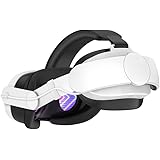
Battery Head Strap Compatible with Meta Quest 3, 6000mAh Elite Strap Replacement for Enhanced Comfort and Play Time, Adjustable Headstrap with Battery VR Accessories for Meta/Oculus Quest 3
₹2,723.00 (as of October 24, 2026 22:10 GMT +05:30 - More infoProduct prices and availability are accurate as of the date/time indicated and are subject to change. Any price and availability information displayed on [relevant Amazon Site(s), as applicable] at the time of purchase will apply to the purchase of this product.)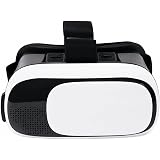
HD Virtual Reality Headset for iPhone and Android, 3D for Movies and Video Games, White VR Headset Glasses, White and Black, 3D Virtual Reality Goggles for Movies and Gaming, Adjustable Head Strap
Now retrieving the price.
(as of October 24, 2026 22:10 GMT +05:30 - More infoProduct prices and availability are accurate as of the date/time indicated and are subject to change. Any price and availability information displayed on [relevant Amazon Site(s), as applicable] at the time of purchase will apply to the purchase of this product.)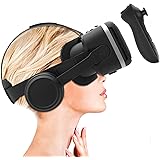
Irusu Play VR Plus - HD 3D Virtual Reality Headset with Adjustable HD Lens, Stereo Headphones, Touch Button, Controller - Mobile VR Gaming & Learning Compatible
₹2,864.00 (as of October 24, 2026 22:10 GMT +05:30 - More infoProduct prices and availability are accurate as of the date/time indicated and are subject to change. Any price and availability information displayed on [relevant Amazon Site(s), as applicable] at the time of purchase will apply to the purchase of this product.)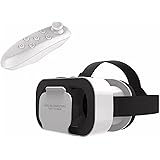
TMY HD Virtual Reality Headset w/Controller/Gamepad,VR Headsets for iPhone/Android,3D VR Glasses for TV, Movies & Video Games-VR Goggles Compatible with iOS, Android Phones (1305) (TMY11)
Now retrieving the price.
(as of October 24, 2026 22:10 GMT +05:30 - More infoProduct prices and availability are accurate as of the date/time indicated and are subject to change. Any price and availability information displayed on [relevant Amazon Site(s), as applicable] at the time of purchase will apply to the purchase of this product.)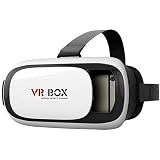
BIGASUO Virtual Reality Headset Glasses Anti-Radiation Adjustable Screen Headband 2022 for All Android (iOS) for All Smartphones,Phones with 2 Year Replacement Warranty (White + Black)
₹799.00 (as of October 24, 2026 22:10 GMT +05:30 - More infoProduct prices and availability are accurate as of the date/time indicated and are subject to change. Any price and availability information displayed on [relevant Amazon Site(s), as applicable] at the time of purchase will apply to the purchase of this product.)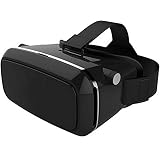
BIGASUO Virtual Reality Headset Glasses Anti-Radiation Adjustable Screen Headband for All Android (iOS) for All Smartphones, Phones, PIONO Black
Now retrieving the price.
(as of October 24, 2026 22:10 GMT +05:30 - More infoProduct prices and availability are accurate as of the date/time indicated and are subject to change. Any price and availability information displayed on [relevant Amazon Site(s), as applicable] at the time of purchase will apply to the purchase of this product.)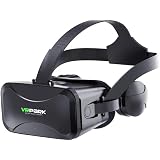
ORLOV Gaming Virtual Reality Headsets with Built in Headphones | Adjustable Lenses | Compatible with Android, iOS, Windows | Suitable for 4.0-6.5 inch Mobiles
₹2,074.00 (as of October 24, 2026 22:10 GMT +05:30 - More infoProduct prices and availability are accurate as of the date/time indicated and are subject to change. Any price and availability information displayed on [relevant Amazon Site(s), as applicable] at the time of purchase will apply to the purchase of this product.)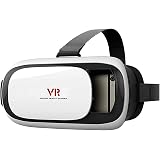
BEEBIRD® VR Headset Compatible with iPhone & Android | Virtual Reality Goggles for 4.7”-6.5” Cell Phone - Best Set Glasses | Gift for Kids and Adults for 3D Gaming and VR Videos
₹769.00 (as of October 24, 2026 22:10 GMT +05:30 - More infoProduct prices and availability are accurate as of the date/time indicated and are subject to change. Any price and availability information displayed on [relevant Amazon Site(s), as applicable] at the time of purchase will apply to the purchase of this product.)
TECHDASH Gaming Virtual Reality Headsets with Built in Headphones | Adjustable Lenses | Compatible with Android, iOS, Windows | Suitable for 4.0-6.5 inch Mobiles
₹2,073.00 (as of October 24, 2026 22:10 GMT +05:30 - More infoProduct prices and availability are accurate as of the date/time indicated and are subject to change. Any price and availability information displayed on [relevant Amazon Site(s), as applicable] at the time of purchase will apply to the purchase of this product.)
Virtual Reality Glasses, 3D Immersive Viewing, Adjustable Head Strap, White and Black
Now retrieving the price.
(as of October 24, 2026 22:10 GMT +05:30 - More infoProduct prices and availability are accurate as of the date/time indicated and are subject to change. Any price and availability information displayed on [relevant Amazon Site(s), as applicable] at the time of purchase will apply to the purchase of this product.)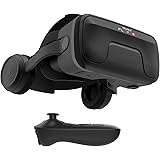
Irusu Play VR Ultra 3D VR Headset for Mobile - Virtual Reality Headset with 40MM HD Anti blueray Coated Lens,Controller,Stereo Headphones,Type C Connector,Inbuilt Touch Button for Mobile VR Gaming.
₹2,846.00 (as of October 24, 2026 22:10 GMT +05:30 - More infoProduct prices and availability are accurate as of the date/time indicated and are subject to change. Any price and availability information displayed on [relevant Amazon Site(s), as applicable] at the time of purchase will apply to the purchase of this product.)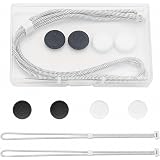
1-Set VR Controller Straps Compatible with Meta Quest 3 and Quest 3S | Woven Hand Straps, 4 Silicone Thumbstick Caps, and Clear Storage Box
₹649.00 (as of October 24, 2026 22:10 GMT +05:30 - More infoProduct prices and availability are accurate as of the date/time indicated and are subject to change. Any price and availability information displayed on [relevant Amazon Site(s), as applicable] at the time of purchase will apply to the purchase of this product.)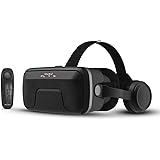
Irusu Play VR Ultra 2026 | VR Headset for All Mobiles with 40mm HD Anti-BluRay Lens | Adjustable IPD & Focal VR Headset | Built-in Type-C Headphones + Bluetooth Remote | Mobile VR Gaming Set
₹2,879.00 (as of October 24, 2026 22:10 GMT +05:30 - More infoProduct prices and availability are accurate as of the date/time indicated and are subject to change. Any price and availability information displayed on [relevant Amazon Site(s), as applicable] at the time of purchase will apply to the purchase of this product.)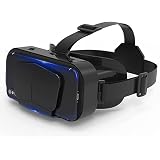
Drumstone 𝗦𝗽𝗲𝗰𝗶𝗮𝗹 𝟭𝟬 𝗬𝗲𝗮𝗿𝘀 𝗪𝗮𝗿𝗿𝗮𝗻𝘁𝘆, Mobile VR Headset 3D Virtual Reality Glasses with Adjustable Lens and Headband, Compatible with 4.7 to 7 Inch Smartphones for VR Videos Games
Now retrieving the price.
(as of October 24, 2026 22:10 GMT +05:30 - More infoProduct prices and availability are accurate as of the date/time indicated and are subject to change. Any price and availability information displayed on [relevant Amazon Site(s), as applicable] at the time of purchase will apply to the purchase of this product.)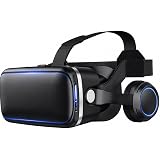
Cyphon VR Pro Plus Virtual Reality Headset with Integrated Headphones, Adjustable Focus & IPD, Black
₹2,999.00 (as of October 24, 2026 22:10 GMT +05:30 - More infoProduct prices and availability are accurate as of the date/time indicated and are subject to change. Any price and availability information displayed on [relevant Amazon Site(s), as applicable] at the time of purchase will apply to the purchase of this product.)
VR Pro Virtual Reality Headset - Adjustable Mobile VR Glasses for 3D Movies & Gaming
₹819.00 (as of October 24, 2026 22:10 GMT +05:30 - More infoProduct prices and availability are accurate as of the date/time indicated and are subject to change. Any price and availability information displayed on [relevant Amazon Site(s), as applicable] at the time of purchase will apply to the purchase of this product.)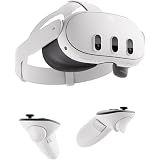
Meta Quest 3 512GB - Mixed Reality All-in-One VR Headset with Immersive VR Gaming, Entertainment & Apps – Next-Gen Performance
₹77,490.00 (as of October 24, 2026 22:10 GMT +05:30 - More infoProduct prices and availability are accurate as of the date/time indicated and are subject to change. Any price and availability information displayed on [relevant Amazon Site(s), as applicable] at the time of purchase will apply to the purchase of this product.)