
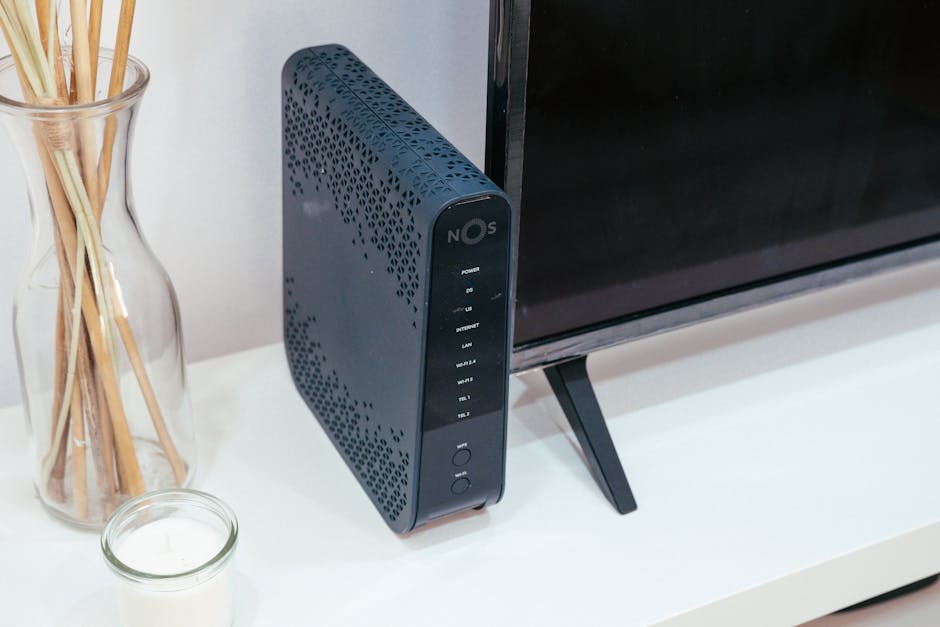
Boost Your Wi-Fi: The Best Routers for Faster Speeds
In today’s hyper-connected world, a sluggish Wi-Fi connection can feel like a digital bottleneck, hindering everything from streaming high-definition content to seamless video conferencing and lag-free online gaming. The culprit is often an outdated or underperforming router. Investing in a new, high-quality router is the most effective way to unlock faster speeds, improve reliability, and extend your Wi-Fi coverage throughout your home. This guide delves into the best routers available, dissecting their features and identifying the ideal choice for your specific needs.
Understanding Wi-Fi Standards: The Foundation of Speed
Before diving into specific router recommendations, it’s crucial to grasp the evolution of Wi-Fi standards. Each iteration brings significant speed and efficiency improvements.
- Wi-Fi 5 (802.11ac): This is the current baseline for most modern routers. It introduced dual-band (2.4GHz and 5GHz) operation, offering faster speeds on the less congested 5GHz band. While still capable, it’s being rapidly surpassed.
- Wi-Fi 6 (802.11ax): This is the current gold standard. Wi-Fi 6 offers substantial speed increases, improved efficiency in crowded environments (thanks to technologies like OFDMA and MU-MIMO), and better battery life for connected devices. It’s backward compatible with older devices.
- Wi-Fi 6E: This is an extension of Wi-Fi 6, adding the 6GHz band. This offers an entirely new, uncongested spectrum for devices that support it, leading to even faster speeds and lower latency, particularly in dense areas.
- Wi-Fi 7 (802.11be): The next frontier, promising multi-gigabit speeds, lower latency, and enhanced reliability. While routers are starting to emerge, widespread device support is still some way off.
Key Features to Look For in a High-Performance Router:
Beyond the Wi-Fi standard, several other factors contribute to a router’s performance:
- Processor and RAM: A powerful processor and ample RAM are essential for handling multiple devices and demanding tasks simultaneously without performance degradation.
- Antennas: More antennas generally mean better signal strength and wider coverage. Routers with external, adjustable antennas often offer superior performance and customization.
- Ports: Ensure the router has enough Gigabit Ethernet ports for wired connections to devices like gaming consoles, smart TVs, and desktop computers. A faster WAN port (e.g., 2.5Gbps or 10Gbps) is beneficial if your internet service provider offers speeds exceeding 1Gbps.
- Beamforming: This technology directs Wi-Fi signals towards connected devices, strengthening the connection and improving speed and range.
- MU-MIMO (Multi-User, Multiple-Input, Multiple-Output): Allows the router to communicate with multiple devices simultaneously, reducing congestion and improving efficiency, especially in households with many connected gadgets.
- Quality of Service (QoS): This feature allows you to prioritize certain devices or applications (e.g., gaming or video streaming) to ensure they receive sufficient bandwidth.
- Security Features: Robust security protocols (WPA3 is the latest and most secure) and a built-in firewall are paramount to protect your network from unauthorized access.
- Mesh Capabilities: For larger homes or areas with Wi-Fi dead zones, a mesh Wi-Fi system (which uses multiple nodes to create a single, seamless network) is an excellent solution. Many high-end routers can act as the main unit in a mesh system.
- App Control and User Interface: An intuitive mobile app or web interface makes setup, management, and troubleshooting much easier.
The Top Routers for Faster Wi-Fi in 2024:
Here’s a curated selection of the best routers, categorized by their strengths, to help you make an informed decision:
1. For the Ultimate Speed and Future-Proofing: TP-Link Archer AX20000 (Wi-Fi 7)
This router represents the cutting edge of Wi-Fi technology. While Wi-Fi 7 devices are still nascent, investing in a Wi-Fi 7 router ensures you’re prepared for the future. The Archer AX20000 boasts multi-band operation with significantly higher theoretical speeds than Wi-Fi 6/6E. Its robust processor, extensive antenna array, and advanced features like 320MHz channels and Multi-Link Operation (MLO) deliver unparalleled performance for demanding applications like 8K streaming and high-bandwidth VR. It also includes multiple 10Gbps ports for ultra-fast wired connections. While an investment, it’s the ultimate choice for those who want the absolute fastest and most future-ready network.
2. For Power Users and Gamers: ASUS ROG Rapture GT-AX11000 Pro (Wi-Fi 6)
Gamers and power users demand low latency and consistent high speeds, and the GT-AX11000 Pro delivers. This beastly router is a Wi-Fi 6 powerhouse, equipped with a quad-core processor and 2.5Gbps WAN port, ensuring it can handle the most demanding internet connections and gaming traffic. Its Game Boost feature allows for easy prioritization of gaming packets, minimizing lag. The ROG branding extends to its robust software suite, offering advanced QoS, VPN Fusion for simultaneous VPN and regular connections, and AiProtection Pro for comprehensive network security. The aggressive design with ample antennas hints at its superior coverage and signal strength.
3. For Excellent All-Around Performance and Value: Netgear Nighthawk RAX50 (Wi-Fi 6)
The Nighthawk RAX50 offers a compelling blend of speed, performance, and affordability. It’s a dual-band Wi-Fi 6 router that provides speeds capable of supporting multiple 4K streams and demanding online activities. Its tri-core processor ensures smooth operation, and features like MU-MIMO and beamforming enhance connectivity for all your devices. The Nighthawk app provides a user-friendly interface for setup and management, and Netgear’s Armor security suite offers robust protection. It’s an excellent choice for most households looking for a significant Wi-Fi upgrade without breaking the bank.
4. For Large Homes and Eliminating Dead Zones: TP-Link Deco XE75 (Wi-Fi 6E Mesh System)
For homes larger than 2,000 square feet, or those with thick walls and multiple floors, a mesh Wi-Fi system is often the most effective solution. The Deco XE75 is a Wi-Fi 6E mesh system that provides seamless coverage throughout your entire home. Each unit in the system acts as a router, creating a single, unified network. The addition of the 6GHz band in the XE75 provides an uncongested backhaul for the mesh nodes, leading to incredibly fast speeds even in the furthest corners of your home. Setup is remarkably simple via the Deco app, and the system is designed to expand easily by adding more nodes.
5. For Smart Home Enthusiasts: Eero Pro 6E (Wi-Fi 6E Mesh System)
Amazon’s Eero Pro 6E offers a sophisticated yet user-friendly approach to whole-home Wi-Fi. This tri-band Wi-Fi 6E mesh system delivers impressive speeds and excellent coverage. Its strength lies in its seamless integration with the Amazon ecosystem and its intelligent network management, which automatically optimizes performance. The Eero app is exceptionally intuitive, making setup and ongoing management a breeze. Eero’s commitment to security and automatic updates ensures your network remains protected and performs optimally. It’s a top pick for those who value simplicity, performance, and a robust smart home experience.
6. For Budget-Conscious Upgrades: Linksys MR7350 (Wi-Fi 6)
If your budget is a primary concern but you still need a significant Wi-Fi improvement, the Linksys MR7350 is a strong contender. This dual-band Wi-Fi 6 router offers speeds suitable for everyday use, including streaming and browsing. It features a user-friendly interface and the ability to integrate with Linksys’s Velop mesh system if you decide to expand your coverage later. While it may not have the raw power of higher-end models, it provides a solid and reliable Wi-Fi 6 experience at an accessible price point.
Optimizing Your Router Placement and Settings:
Even the best router can be hampered by poor placement or suboptimal settings.
- Central Location: Place your router in a central, open location, away from walls, corners, and large metal objects.
- Elevate: Position the router on a shelf or table, rather than on the floor, to improve signal dispersion.
- Avoid Interference: Keep your router away from other electronic devices that can cause interference, such as microwaves, cordless phones, and Bluetooth devices.
- Update Firmware: Regularly check for and install firmware updates. These often include performance enhancements, security patches, and bug fixes.
- Utilize the 5GHz Band: For devices that support it and are relatively close to the router, prioritize the 5GHz band for faster speeds.
- Consider a Wired Connection: For stationary devices that require the absolute fastest and most stable connection (e.g., gaming consoles, desktop PCs), use an Ethernet cable.
- Reboot Regularly: A simple router reboot can often resolve minor