Description: Unlock the full potential of your home theater. Learn essential AI smart TV tips for better picture, sound, and privacy in this expert-led guide.
🌟 Introduction: The Dawn of the Intelligent Screen
The year 2026 has ushered in a radical transformation in home entertainment. We have moved far beyond the era of simple streaming apps. Today, your television is no longer just a “screen”—it is a sophisticated, AI-driven computer capable of real-time cognitive processing. With breakthroughs like Samsung’s Vision AI Companion and LG’s Alpha 11 AI processors, modern televisions are designed to understand what you are watching and where you are sitting.
However, most owners in Tier 1 countries—from the tech-savvy hubs of San Francisco to the modern apartments of London—only use a fraction of their device’s capabilities. Out-of-the-box settings are often designed for showroom floors, not cozy living rooms. This comprehensive guide provides the ultimate AI smart TV tips to help you reclaim control, enhance your visual fidelity, and safeguard your digital privacy.
🧠 Section 1: Deciphering the “AI” Inside Your Television
Before diving into optimization, it is essential to understand what “AI” actually does in a 2026-era television. Unlike older “smart” features that followed rigid rules, modern AI uses neural networks and machine learning to analyze millions of image frames every second.
AI Upscaling vs. Standard Scaling
In the past, when you watched a 1080p (HD) video on a 4K or 8K screen, the TV simply “stretched” the pixels, often resulting in a blurry, hazy mess.
- Standard Scaling: Repeats pixels to fill space.
- AI Upscaling: Uses a trained database of images to “guess” and reconstruct missing textures, edges, and fine details like individual hair strands or blades of grass.
🎬 Section 2: Top AI Smart TV Tips for Visual Excellence
Visual fidelity is the cornerstone of the premium viewing experience. Use these AI smart TV tips to move beyond factory presets.
Enable AI Picture Pro and Adaptive Brightness
Most flagship TVs from Samsung, LG, and Sony now feature ambient light sensors.
- Navigate to Settings > General > AI Mode.
- Enable Adaptive Picture: This allows the AI to adjust brightness and contrast based on the light levels in your room. If you are watching a dark thriller at noon in a sunny room, the AI will intelligently boost shadow detail without washing out the colors.
- Filmmaker Mode: While not strictly “AI,” most AI processors now detect the “metadata” of a film and offer to switch to Filmmaker Mode automatically. Always say yes. It disables the “soap opera effect” (motion smoothing) and displays the film exactly as the director intended.
Fine-Tuning HDR with AI Tone Mapping
High Dynamic Range (HDR) can sometimes make scenes look too dark. AI Tone Mapping analyzes the brightest and darkest parts of every single frame (rather than the whole movie) to ensure you never lose detail in the shadows or highlights. This is a breakthrough for watching high-budget series on platforms like Netflix or Disney+.
🔊 Section 3: Audio Mastery: Sound-Focused AI Smart TV Tips
Sound is 50% of the cinematic experience, yet many users neglect their TV’s internal audio intelligence.
AI Sound Pro and Room Calibration
Modern TVs use their built-in microphones to perform Acoustic Room Calibration.
- The Tip: Go to your audio settings and run the “Space Fit” or “AI Room Tuning” utility. The TV will emit a series of tones, listen to how they bounce off your walls and furniture, and then create a custom EQ profile for your specific room.
- Active Voice Amplifier (AVA): If you live in a noisy environment (near a busy street or with a loud HVAC system), enable AVA. The AI detects background noise and automatically boosts the volume of dialogue while keeping background music at the same level.
🛡️ Section 4: Privacy and Security: Taking Back Your Living Room
In 2026, data is the new currency. Tier 1 users are increasingly concerned about Automatic Content Recognition (ACR)—the technology TVs use to “watch” what you watch and sell that data to advertisers.
Essential Privacy Settings to Change
To protect your household, follow these AI smart TV tips immediately:
- Disable ACR: Look for settings labeled “Viewing Information Services,” “Live Plus,” or “Smart TV Experience.” Turning this off stops the TV from tracking your viewing habits across apps, HDMI inputs, and gaming consoles.
- Reset Advertising ID: Much like your smartphone, your TV has a unique ID for trackers. Resetting this once a month breaks the link between your data and your identity.
- Mic Kill-Switch: Many remotes and TV chassis now have physical sliders to disable the microphone. If you don’t use voice assistants like Alexa or Bixby, slide it to the “Off” position to prevent “always-listening” behavior.
| Feature | What it Tracks | Recommended Action |
| ACR (Viewing Data) | Shows, movies, games, ads | Disable in Privacy Settings |
| Voice Information | Snippets of conversation | Disable or use a physical switch |
| Interest-Based Ads | App usage and clicks | Opt-out and reset Ad ID |
🎮 Section 5: Level Up: AI Smart TV Tips for Gamers
Gaming on a TV has evolved thanks to AI-driven performance modes. If you own a PS5, Xbox Series X, or a high-end PC, your TV can act as a professional monitor.
AI Auto Game Mode
Don’t just rely on standard “Game Mode.” Look for AI Auto Game Mode (found in LG and Samsung 2025/2026 models).
- Content Recognition: The AI detects the genre of the game. It will automatically reduce input lag for shooters (FPS) while enhancing color vibrance and depth for role-playing games (RPGs).
- VRR and ALLM: Ensure Variable Refresh Rate and Auto Low Latency Mode are set to “Auto.” This prevents screen tearing and ensures the smoothest possible motion during high-action sequences.
🏠 Section 6: Integration: The AI Smart TV as a Smart Home Hub
The most significant trend in 2026 is the adoption of the Matter protocol. Your TV is no longer just a display; it is the “brain” of your smart home.
Managing Your Ecosystem
- Vision AI Companion: New AI layers can now analyze your viewing habits to offer contextual help. For example, if you’re watching a cooking show, the TV can automatically display your smart fridge’s inventory on a side panel.
- Dashboard Mastery: Use the built-in smart home dashboard to monitor your Ring doorbell or Nest thermostat without leaving your movie.
- The Productivity Tip: Many modern TVs support Multiview. You can have your workstation (via screen mirroring) on one side of the screen and a news feed or video call on the other—perfect for the hybrid work era.
🛠️ Section 7: Maintenance and Longevity
AI features are software-heavy, which means they can occasionally glitch.
- Firmware Updates: Always keep your TV connected to the internet for automatic updates. In 2026, manufacturers frequently push “AI Model Updates” that improve upscaling algorithms months after you buy the TV.
- Clear the Cache: If your AI features feel sluggish, go to Support > Device Care > Clean Memory. This clears out background processes and keeps the UI snappy.
📈 Data-Backed Insights: Why These Tips Matter
According to a 2025 industry report, users who manually optimize their AI settings report a 40% higher satisfaction rate with picture quality compared to those using factory defaults. Furthermore, in countries like the US and UK, nearly 55% of users are unaware that their TVs are tracking their viewing data via ACR—highlighting the critical importance of the privacy tips mentioned above.
🏁 Conclusion: The Future is on Your Screen
Mastering your AI Smart TV is about finding the perfect balance between breathtaking performance and personal privacy. By implementing these AI smart TV tips, you transform a standard piece of technology into a curated, high-performance portal to another world.
Whether it’s the magical clarity of AI upscaling, the immersive power of adaptive sound, or the security of locked-down privacy settings, the power is literally in your hands. Don’t let your TV’s intelligence go to waste—take ten minutes today to dive into the menus and unlock the ultimate viewing experience.
✍️ Compelling Call to Action
Is your TV reaching its full potential? Don’t settle for “good enough.” Take the first step toward cinematic mastery by reviewing your AI Privacy Settings tonight. For more deep dives into the latest home theater tech, sign up for our newsletter and never miss a breakthrough!

Xiaomi 80 cm (32 inches) A Pro QLED Series Smart TV L32MB-APIN
₹15,499.00 (as of September 19, 2026 17:52 GMT +05:30 - More infoProduct prices and availability are accurate as of the date/time indicated and are subject to change. Any price and availability information displayed on [relevant Amazon Site(s), as applicable] at the time of purchase will apply to the purchase of this product.)
VW 80 cm (32 inches) Frameless Series HD Ready QLED TV VW32MAX
₹7,999.00 (as of September 19, 2026 17:52 GMT +05:30 - More infoProduct prices and availability are accurate as of the date/time indicated and are subject to change. Any price and availability information displayed on [relevant Amazon Site(s), as applicable] at the time of purchase will apply to the purchase of this product.)
Xiaomi (108 cm) 43 inch X Pro 4K QLED | Dolby Vision & HDR10+| Filmmaker Mode|Gemini AI| Google TV | L43MB-APIN
₹31,999.00 (as of September 19, 2026 17:52 GMT +05:30 - More infoProduct prices and availability are accurate as of the date/time indicated and are subject to change. Any price and availability information displayed on [relevant Amazon Site(s), as applicable] at the time of purchase will apply to the purchase of this product.)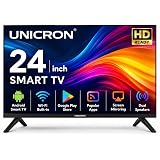
UNICRON 24”INCH Frameless HD Ready Android Smart LED TV | WiFi Enabled | Built-in Apps Compatible (YouTube, Netflix, Prime Video) | Screencast | HDMI, USB Connectivity | Black Design Screen
Now retrieving the price.
(as of September 19, 2026 17:52 GMT +05:30 - More infoProduct prices and availability are accurate as of the date/time indicated and are subject to change. Any price and availability information displayed on [relevant Amazon Site(s), as applicable] at the time of purchase will apply to the purchase of this product.)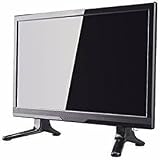
led Portable tv 16.9 inch (39.6 cm) (16.9) Full HD LED TV 1080p Full HD Resolution
₹4,800.00 (as of September 19, 2026 17:52 GMT +05:30 - More infoProduct prices and availability are accurate as of the date/time indicated and are subject to change. Any price and availability information displayed on [relevant Amazon Site(s), as applicable] at the time of purchase will apply to the purchase of this product.)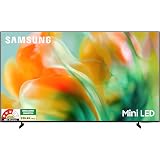
Samsung 65 inches Mini LED 4K Samsung Vision AI Smart TV UA65M80HAULXL
₹94,990.00 (as of September 19, 2026 17:52 GMT +05:30 - More infoProduct prices and availability are accurate as of the date/time indicated and are subject to change. Any price and availability information displayed on [relevant Amazon Site(s), as applicable] at the time of purchase will apply to the purchase of this product.)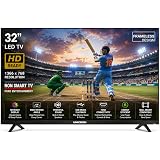
UNICRON 32 Inch LED TV Frameless | Non SMART TV | HD Ready Display | HDMI, USB Connectivity | Non-Smart Television for Home | Premium Black
₹8,899.00 (as of September 19, 2026 17:52 GMT +05:30 - More infoProduct prices and availability are accurate as of the date/time indicated and are subject to change. Any price and availability information displayed on [relevant Amazon Site(s), as applicable] at the time of purchase will apply to the purchase of this product.)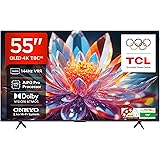
TCL 139 cm (55 inches) 4K Ultra HD Smart QLED Google TV | 120Hz Refresh Rate | 3GB RAM | Dolby Vision & Atmos | 55T8C
₹45,990.00 (as of September 19, 2026 17:52 GMT +05:30 - More infoProduct prices and availability are accurate as of the date/time indicated and are subject to change. Any price and availability information displayed on [relevant Amazon Site(s), as applicable] at the time of purchase will apply to the purchase of this product.)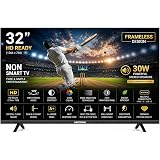
UNICRON 32 Inch LED TV Frameless | Non SMART TV | HD Ready Display | HDMI, USB Connectivity | Non-Smart Television for Home, Office, Security Monitor | Premium Black
₹8,899.00 (as of September 19, 2026 17:52 GMT +05:30 - More infoProduct prices and availability are accurate as of the date/time indicated and are subject to change. Any price and availability information displayed on [relevant Amazon Site(s), as applicable] at the time of purchase will apply to the purchase of this product.)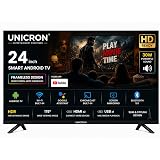
24 inch smart tv Android Frameless HD LED TV | WiFi Enabled | Built-in Apps Compatible (YouTube, Netflix, Prime Video) | HDMI, USB Connectivity | Screenmirror | Slim & Stylish | Black Premium Design
₹7,399.00 (as of September 19, 2026 17:52 GMT +05:30 - More infoProduct prices and availability are accurate as of the date/time indicated and are subject to change. Any price and availability information displayed on [relevant Amazon Site(s), as applicable] at the time of purchase will apply to the purchase of this product.)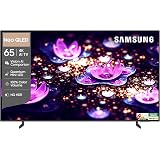
Samsung 65 inch (163cm) Neo QLED 4K Vision AI 2026 Smart TV | NQ4 AI Processor | 4K Upscaling | Quantum Mini LED | NQ HDR | 150+ Channels | QA65QN2EHAULXL
₹1,04,990.00 (as of September 19, 2026 17:52 GMT +05:30 - More infoProduct prices and availability are accurate as of the date/time indicated and are subject to change. Any price and availability information displayed on [relevant Amazon Site(s), as applicable] at the time of purchase will apply to the purchase of this product.)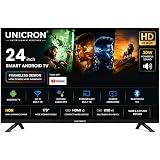
UNICRON 24 inch smart tv Android Frameless HD LED TV | WiFi Enabled | Built-in Apps Compatible (YouTube, Netflix, Prime Video) | HDMI, USB Connectivity | Screenmirror | Slim & Stylish |
₹7,399.00 (as of September 19, 2026 17:52 GMT +05:30 - More infoProduct prices and availability are accurate as of the date/time indicated and are subject to change. Any price and availability information displayed on [relevant Amazon Site(s), as applicable] at the time of purchase will apply to the purchase of this product.)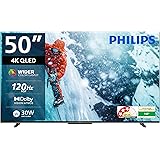
PHILIPS 127 cm (50 inches) 8100 Series 4K Ultra HD Smart QLED Google TV 50PQT8100/94
₹34,999.00 (as of September 19, 2026 17:52 GMT +05:30 - More infoProduct prices and availability are accurate as of the date/time indicated and are subject to change. Any price and availability information displayed on [relevant Amazon Site(s), as applicable] at the time of purchase will apply to the purchase of this product.)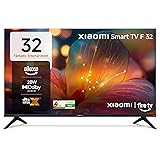
Xiaomi 80 cm (32 inch) F Series HD Ready Smart LED Fire TV L32MB-FIN
₹13,999.00 (as of September 19, 2026 17:52 GMT +05:30 - More infoProduct prices and availability are accurate as of the date/time indicated and are subject to change. Any price and availability information displayed on [relevant Amazon Site(s), as applicable] at the time of purchase will apply to the purchase of this product.)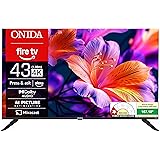
Onida 108 cm (43 inch) Ultra HD 4K Smart LED Fire TV 43UFD
₹24,199.00 (as of September 19, 2026 17:52 GMT +05:30 - More infoProduct prices and availability are accurate as of the date/time indicated and are subject to change. Any price and availability information displayed on [relevant Amazon Site(s), as applicable] at the time of purchase will apply to the purchase of this product.)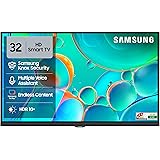
Samsung 80 cm (32 inches) HD Smart LED TV UA32H4550FUXXL
₹17,400.00 (as of September 19, 2026 17:52 GMT +05:30 - More infoProduct prices and availability are accurate as of the date/time indicated and are subject to change. Any price and availability information displayed on [relevant Amazon Site(s), as applicable] at the time of purchase will apply to the purchase of this product.)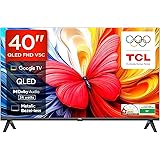
TCL 101 cms (40 inches) Full HD Smart QLED Google TV | Dolby Audio 24 watts | Ai Clarity | Metallic Bezel-Less | Multiple Viewing Mode | 40V5C
₹24,990.00 (as of September 19, 2026 17:52 GMT +05:30 - More infoProduct prices and availability are accurate as of the date/time indicated and are subject to change. Any price and availability information displayed on [relevant Amazon Site(s), as applicable] at the time of purchase will apply to the purchase of this product.)
TCL 164 cm (65 Inches) 4K UHD Smart QD-Mini LED Google TV | 144Hz Refresh Rate | 3GB RAM | 46W Onkyo 2.1 | Upto 512+ Zones | IMAX Enhanced | 65Q6C
₹79,990.00 (as of September 19, 2026 17:52 GMT +05:30 - More infoProduct prices and availability are accurate as of the date/time indicated and are subject to change. Any price and availability information displayed on [relevant Amazon Site(s), as applicable] at the time of purchase will apply to the purchase of this product.)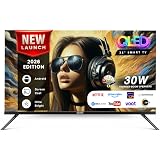
IONSTAR 80 CM (32 inches) HD Smart QLED Android TV 2026 | 1000+ Apps Support | USB Ports | Smart Voice Control | 30W Thunder Speakers | Cloud Voice Connect | Frameless | 32S-MXMCL-EK
₹9,699.00 (as of September 19, 2026 17:52 GMT +05:30 - More infoProduct prices and availability are accurate as of the date/time indicated and are subject to change. Any price and availability information displayed on [relevant Amazon Site(s), as applicable] at the time of purchase will apply to the purchase of this product.)