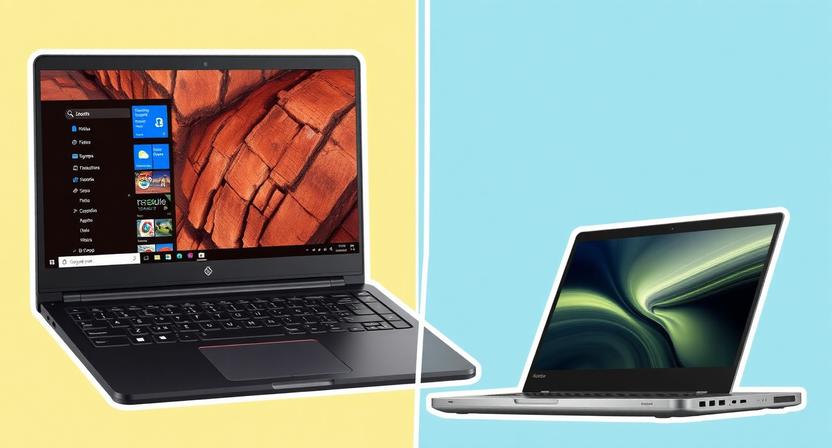
Navigating the laptop market when your budget caps out at $500 can feel like a treasure hunt. Yet, the reality is that a wealth of capable and reliable machines exist within this price point, catering to a surprisingly diverse range of user needs. Whether you’re a student, a casual home user, or a professional needing a secondary device, finding a laptop that balances performance, features, and affordability is entirely achievable. This guide delves into the smart choices available under $500, dissecting key considerations and highlighting exemplary models to help you make an informed decision.
Understanding Your Needs: The Foundation of a Smart Purchase
Before diving into specific models, it’s crucial to define what you’ll be using your laptop for. This will dramatically narrow down your options and prevent you from overspending on features you won’t utilize.
- Basic Computing & Web Browsing: If your primary tasks involve checking emails, browsing the internet, watching videos, and light document editing, a laptop with a modest processor (like an Intel Celeron or Pentium, or an AMD Athlon), 4GB of RAM, and a solid-state drive (SSD) will suffice. Storage needs will also be minimal.
- Student Use: For students, a balance between portability, battery life, and performance for word processing, research, presentations, and occasional multimedia consumption is key. Look for at least 8GB of RAM for smoother multitasking and a comfortable keyboard for extended typing sessions.
- Light Productivity & Office Work: If you’re using applications like Microsoft Office Suite (Word, Excel, PowerPoint) or Google Workspace regularly, aim for a processor that can handle these programs without lag. 8GB of RAM is highly recommended for efficient multitasking between applications.
- Content Consumption: For streaming movies, music, and general entertainment, screen quality and decent speakers become more important. Processor speed is less critical, but a good display resolution will enhance the viewing experience.
- Light Photo Editing/Casual Gaming: While demanding tasks are out of reach, some laptops under $500 can handle very light photo editing or casual, less graphically intensive games. This will require a slightly more capable processor and potentially integrated graphics that perform a bit better.
Key Specifications to Prioritize
Within the $500 budget, understanding which specifications offer the most bang for your buck is paramount.
- Processor (CPU): This is the brain of your laptop. For general use, Intel Celeron, Pentium, or AMD Athlon processors are common and adequate. For better performance, look for Intel Core i3 or AMD Ryzen 3 processors. Avoid older Intel Atom processors if possible, as they can feel sluggish.
- RAM (Memory): This determines how many applications you can run simultaneously. 4GB of RAM is the absolute minimum, but 8GB is strongly recommended for a smooth experience, especially for multitasking. If you find a laptop with 4GB, check if it’s upgradeable to 8GB later.
- Storage (SSD vs. HDD): This is where you’ll see the biggest performance difference. A Solid State Drive (SSD) is a game-changer. It makes boot times significantly faster, applications load quicker, and the overall system feels much more responsive. Even a smaller SSD (128GB or 256GB) is preferable to a larger Hard Disk Drive (HDD) for the operating system and frequently used programs. If you need more storage for media, consider a laptop with a smaller SSD and a larger HDD, or plan to use cloud storage or external drives.
- Display: Screen resolution matters. Aim for at least a 1920 x 1080 (Full HD or 1080p) resolution for sharper text and more vibrant images. Smaller screen sizes (14-inch or 15.6-inch) are common in this price range.
- Build Quality & Portability: While premium materials are rare, look for a sturdy chassis that doesn’t flex excessively. Consider weight and dimensions if you’ll be carrying it around frequently.
- Battery Life: This can vary wildly. Check reviews for real-world battery performance, as advertised figures are often optimistic. Aim for at least 6-8 hours of typical usage.
- Operating System: Most laptops in this category will come with Windows 11 Home. Some may offer ChromeOS (Chromebooks), which are excellent for web-based tasks but have limitations with traditional desktop applications.
Top Contenders: Navigating the Market in 2026
The landscape of affordable laptops is constantly evolving, with new models and sales appearing regularly. However, certain brands and series consistently offer strong value in the sub-$500 segment.
1. Acer Aspire Series (e.g., Aspire 3, Aspire 5):
Acer’s Aspire line is a perennial favorite for budget-conscious consumers. The Aspire 3 and Aspire 5 models often strike an excellent balance between price and performance. You can frequently find configurations with Intel Core i3 processors, 8GB of RAM, and 256GB SSDs within the $400-$500 range, especially during sales events. They typically feature 15.6-inch Full HD displays and offer decent port selection. While the build quality is predominantly plastic, it’s generally robust for the price. Battery life is usually adequate for a full day of moderate use.
2. Lenovo IdeaPad Series (e.g., IdeaPad 1, IdeaPad 3):
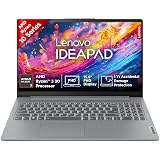
Lenovo’s IdeaPad series is another strong contender, known for its comfortable keyboards and often surprisingly good build quality for its price point. The IdeaPad 1 and IdeaPad 3 are where you’ll find the most compelling sub-$500 options. Look for models equipped with AMD Ryzen 3 processors or Intel Core i3, paired with 8GB of RAM and a 256GB SSD. Lenovo often provides good value in terms of display quality, with many models sporting Full HD panels. Battery life is generally competitive.
3. HP Laptop Series (e.g., HP 14, HP 15):
HP offers a wide range of laptops, and their budget-friendly series, often simply named “HP Laptop 14” or “HP Laptop 15,” can be excellent choices. These models frequently feature Intel Celeron or Pentium processors, but you can sometimes find configurations with Core i3 or Ryzen 3 CPUs on sale. Prioritize models with 8GB of RAM and an SSD for the best experience. The build quality is typically functional, and they offer a straightforward computing experience. Screen quality can vary, so check specifications for Full HD resolution.
4. ASUS VivoBook Series (e.g., VivoBook 14, VivoBook 15):
ASUS’s VivoBook series aims to offer a slightly more stylish and feature-rich experience even in the budget segment. While some VivoBook models can creep above $500, you can often find excellent deals on configurations with Intel Core i3 or AMD Ryzen 3 processors, 8GB of RAM, and 256GB SSDs. ASUS often pays attention to display quality and keyboard comfort. Build materials might feel a bit more premium than some competitors, and battery life is usually respectable.
5. Chromebooks (Various Brands):
For users whose workflow is primarily web-based, Chromebooks offer exceptional value and performance for their price. Brands like Acer, Lenovo, HP, and ASUS all offer Chromebooks well under $500. They run on Google’s ChromeOS, which is lightweight and fast, making even modest hardware feel snappy for browsing, email, document editing (via Google Docs), and streaming. They boast excellent battery life and are very secure. However, they cannot run traditional Windows applications. If your needs are solely within the Google ecosystem or web apps, a Chromebook is a fantastic, often overlooked, option.
Where to Find the Best Deals:
- Major Retailers: Amazon, Best Buy, Walmart, and Target are excellent places to start. Keep an eye on their daily deals and weekly flyers.
- Manufacturer Websites: Directly from Acer, Lenovo, HP, or ASUS can sometimes yield exclusive offers or refurbished options.
- Online Deal Aggregators: Websites like Slickdeals, TechBargains, and RetailMeNot can help you track price drops and coupon codes.
- Refurbished Market: Consider certified refurbished laptops from reputable sources like Amazon Renewed or manufacturer outlet stores. These can offer significant savings and often come with a warranty.
Maximizing Your Purchase: Tips for Getting the Most Out of Your Budget Laptop
- Upgrade RAM: If you find a great deal on a laptop with 4GB of RAM but it has an accessible RAM slot, consider upgrading it to 8GB yourself. This is often a simple and inexpensive upgrade that can dramatically improve performance.
- Utilize Cloud Storage: With smaller SSDs common in this price range, services like Google Drive, OneDrive, or Dropbox become invaluable for storing large files and media.
- Keep it Clean: Regularly uninstall unused programs and run disk cleanup utilities to maintain optimal performance.
- Be Mindful of Power Settings: Adjusting power plans can help conserve battery life when needed.
- Consider External Peripherals: If you need more storage, a comfortable mouse, or a better webcam, these can be added later without breaking the bank.
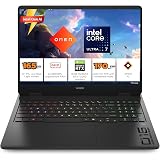
HP Omen 16, Intel Core Ultra 7 255H, 8GB RTX 5050, 24GB DDR5(Upgradeable) 1TB SSD, 2K IPS 165Hz 400 nits, 3ms RT, 16''/40.6cm, Win11, Office24, Black, 2.4kg, am0240tx, Xbox Gamepas* RGB Gaming Laptop
₹1,59,990.00 (as of September 17, 2026 18:12 GMT +05:30 - More infoProduct prices and availability are accurate as of the date/time indicated and are subject to change. Any price and availability information displayed on [relevant Amazon Site(s), as applicable] at the time of purchase will apply to the purchase of this product.)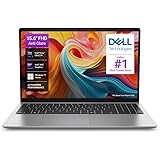
Dell 15 AI Powered Laptop, Intel Core Ultra 5 225H, 16GB DDR5 RAM, 512GB SSD, 15.6" FHD Anti-Glare Display, Intel Arc Graphics, Dedicated Copilot Key, Backlit Keyboard, Silver, Win11 Home + MSO H&S'24
₹84,990.00 (as of September 17, 2026 18:12 GMT +05:30 - More infoProduct prices and availability are accurate as of the date/time indicated and are subject to change. Any price and availability information displayed on [relevant Amazon Site(s), as applicable] at the time of purchase will apply to the purchase of this product.)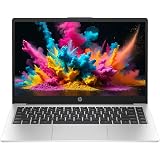
HP Professional 14 (2026), Intel (i7 14th Gen) Core 7 150U - (32 GB/512 GB SSD/Intel Iris Xe Graphic/Windows 11 Pro) Business Laptop/14.0" FHD/Backlit + Fingerprint/Silver/Copilot Key/1.4kg/MSO 2024
₹94,090.00 (as of September 17, 2026 18:12 GMT +05:30 - More infoProduct prices and availability are accurate as of the date/time indicated and are subject to change. Any price and availability information displayed on [relevant Amazon Site(s), as applicable] at the time of purchase will apply to the purchase of this product.)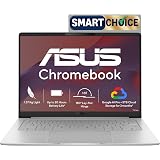
ASUS Chromebook CM1405 (2026), Smartchoice, MediaTek Kompanio 540 Processor, 4GB RAM, 64GB SSD, FHD, 14"(35.5 cm), 60Hz, Chrome OS, Pure Grey, 1.37 Kg, CM1405CM4A-S60034, Thin & Light Laptop
₹20,990.00 (as of September 17, 2026 18:12 GMT +05:30 - More infoProduct prices and availability are accurate as of the date/time indicated and are subject to change. Any price and availability information displayed on [relevant Amazon Site(s), as applicable] at the time of purchase will apply to the purchase of this product.)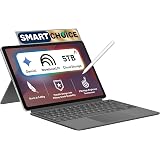
ASUS Chromebook CM32 Detachable (2026),Smartchoice,MediaTek Kompanio 540 Processor,4GB RAM,64GB SSD,Touchscreen,12.1"(30.7 cm),Chrome OS,Cloud Titanium,0.64 Kg,CM3206DM4A-TR0118,Thin & Light Laptop
₹28,990.00 (as of September 17, 2026 18:12 GMT +05:30 - More infoProduct prices and availability are accurate as of the date/time indicated and are subject to change. Any price and availability information displayed on [relevant Amazon Site(s), as applicable] at the time of purchase will apply to the purchase of this product.)
ASUS Vivobook 14 Flip (2026),Intel Core Ultra 5 226V,Intel Arc iGPU,16GB RAM,512GB SSD,OLED,14"(35.5 cm),Windows 11,M365 Basic(1Y),Office 2024,Matte Gray,1.57 Kg,TP3407SA-SG183WS,AI Laptop
₹96,990.00 (as of September 17, 2026 18:12 GMT +05:30 - More infoProduct prices and availability are accurate as of the date/time indicated and are subject to change. Any price and availability information displayed on [relevant Amazon Site(s), as applicable] at the time of purchase will apply to the purchase of this product.)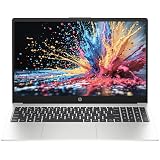
HP Professional 15 (2026), Intel (i3 14th Gen) Core 3 100U - (8 GB/512 GB SSD/DOS (MS Office/Windows not Installed) Thin & Light Business Laptop/15.6"/Silver/1.5kg
₹48,940.00 (as of September 17, 2026 18:12 GMT +05:30 - More infoProduct prices and availability are accurate as of the date/time indicated and are subject to change. Any price and availability information displayed on [relevant Amazon Site(s), as applicable] at the time of purchase will apply to the purchase of this product.)
HP Victus, Intel Core 5 210H, 4GB RTX 3050 A (24GB DDR5, 512GB SSD) FHD, 144Hz, 300 nits, IPS, 15.6''/39.6 cm, Win11, M365* Office24, Mica Silver, 2.29kg, fa2500TX, Backlit, Gaming Laptop
₹92,990.00 (as of September 17, 2026 18:12 GMT +05:30 - More infoProduct prices and availability are accurate as of the date/time indicated and are subject to change. Any price and availability information displayed on [relevant Amazon Site(s), as applicable] at the time of purchase will apply to the purchase of this product.)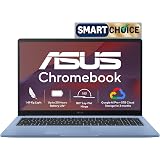
ASUS Chromebook CM1505 (2026), Smartchoice, MediaTek Kompanio 540 Processor, 4GB RAM, 64GB SSD, FHD, 15.6"(39.6 cm), 60Hz, Chrome OS, Fabric Blue, 1.49 Kg, CM1505CM4A-S70080, Thin & Light Laptop
₹22,990.00 (as of September 17, 2026 18:12 GMT +05:30 - More infoProduct prices and availability are accurate as of the date/time indicated and are subject to change. Any price and availability information displayed on [relevant Amazon Site(s), as applicable] at the time of purchase will apply to the purchase of this product.)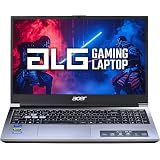
Acer ALG, Intel Core5-210H Processor, NVIDIA GeForceRTX 3050-4GB DDR6,16GB RAM/ 512GB SSD, FHD 15.6", 144Hz, Win 11 Home, Titanium Gray, 1.99 KG, AL15G-53, Gaming Laptop
₹85,990.00 (as of September 17, 2026 18:12 GMT +05:30 - More infoProduct prices and availability are accurate as of the date/time indicated and are subject to change. Any price and availability information displayed on [relevant Amazon Site(s), as applicable] at the time of purchase will apply to the purchase of this product.)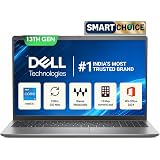
Dell 15 SmartChoice (Previously Inspiron), Intel 13th Gen Core i5-1334U, 16GB, 1TB SSD, FHD,15.6"/39.62cm, Win 11, MSO'24, Silver, 1.62kg, [Dell 15], 12 Month McAfee, Backlit KB, Thin & Light Laptop
₹73,990.00 (as of September 17, 2026 18:12 GMT +05:30 - More infoProduct prices and availability are accurate as of the date/time indicated and are subject to change. Any price and availability information displayed on [relevant Amazon Site(s), as applicable] at the time of purchase will apply to the purchase of this product.)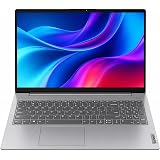
Lenovo V15 G4 AMD Ryzen 5 7520U 15.6 inch FHD Laptop | 15.6" FHD Laptop 16GB DDR5 5500MHz RAM | 512GB NVMe SSD | Windows 11
₹58,090.00 (as of September 17, 2026 18:12 GMT +05:30 - More infoProduct prices and availability are accurate as of the date/time indicated and are subject to change. Any price and availability information displayed on [relevant Amazon Site(s), as applicable] at the time of purchase will apply to the purchase of this product.)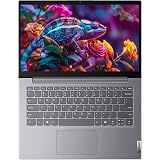
Lenovo 14 (2026), Intel Core i5 13th Gen 13420H - (8 GB DDR5/512 GB SSD/Intel UHD Graphics/Windows 11 Pro) Thin and Light Business Laptop/14.0" FHD Display/Luna Grey/Copilot Key/1.4 kg/MS Office 2024
₹58,990.00 (as of September 17, 2026 18:12 GMT +05:30 - More infoProduct prices and availability are accurate as of the date/time indicated and are subject to change. Any price and availability information displayed on [relevant Amazon Site(s), as applicable] at the time of purchase will apply to the purchase of this product.)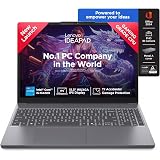
Lenovo IdeaPad Slim 3 13th Gen Intel Core i5-13420H 15.3 inch (38.8cm) WUXGA IPS Laptop (16GB RAM/512GB SSD/Windows 11/Office 2024/Top Metal Cover/Backlit KB/Luna Grey/1.6Kg), 83K101JDIN
₹74,400.00 (as of September 17, 2026 18:12 GMT +05:30 - More infoProduct prices and availability are accurate as of the date/time indicated and are subject to change. Any price and availability information displayed on [relevant Amazon Site(s), as applicable] at the time of purchase will apply to the purchase of this product.)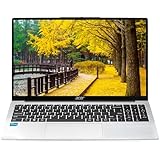
Acer Aspire 3 (2026), Intel Core i3 13th Gen 1305U - (16 GB/500 GB SSD/Intel UHD Graphics/Windows 11 Home) Thin and Light Laptop/15.6" FHD IPS Display/Silver/1.5 Kg/MS Office 2024/2 Years Warranty
₹53,810.00 (as of September 17, 2026 18:12 GMT +05:30 - More infoProduct prices and availability are accurate as of the date/time indicated and are subject to change. Any price and availability information displayed on [relevant Amazon Site(s), as applicable] at the time of purchase will apply to the purchase of this product.)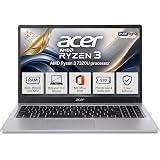
Acer 15 Smartchoice, AMD Ryzen 3-7320U | 8GB DDR5 RAM 5500 Mhz, 256GB SSD New Gen, Windows 11Home, Ms office 21, Antivrus, 1.59KG, Professional Thin and Light Laptop
₹42,990.00 (as of September 17, 2026 18:12 GMT +05:30 - More infoProduct prices and availability are accurate as of the date/time indicated and are subject to change. Any price and availability information displayed on [relevant Amazon Site(s), as applicable] at the time of purchase will apply to the purchase of this product.)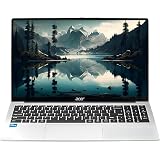
Acer Aspire 3 (2026), Intel Core i5 13th Gen 1334U - (16 GB/512 GB SSD/Intel UHD Graphics/Windows 11 Home) Thin and Light Laptop/15.6" FHD IPS Display/Silver/1.5 Kg/MS Office 2024/3 Years Warranty
₹62,630.00 (as of September 17, 2026 18:12 GMT +05:30 - More infoProduct prices and availability are accurate as of the date/time indicated and are subject to change. Any price and availability information displayed on [relevant Amazon Site(s), as applicable] at the time of purchase will apply to the purchase of this product.)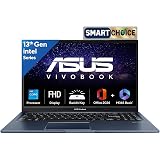
ASUS Vivobook 15,13th Gen,Intel Core i5-13420H(Intel UHD iGPU/16GB RAM/1TB SSD/FHD/15.6"/60Hz/Backlit Keyboard/Windows 11/M365 Basic (1Year)*/Office Home 2024/Quiet Blue/1.70 kg) X1502VA-BQ1297WS
₹68,990.00 (as of September 17, 2026 18:12 GMT +05:30 - More infoProduct prices and availability are accurate as of the date/time indicated and are subject to change. Any price and availability information displayed on [relevant Amazon Site(s), as applicable] at the time of purchase will apply to the purchase of this product.)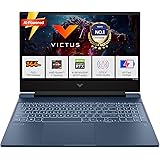
HP Smartchoice Victus, AMD Ryzen 7 7445HS, 6GB RTX 4050, 16GB DDR5(Upgradeable) 512GB SSD, 144Hz, IPS, 300 nits, 15.6''/39.6cm, Win11, Office24, Blue, 2.29kg, fb3130AX/3118AX, Gaming Laptop
₹1,07,990.00 (as of September 17, 2026 18:12 GMT +05:30 - More infoProduct prices and availability are accurate as of the date/time indicated and are subject to change. Any price and availability information displayed on [relevant Amazon Site(s), as applicable] at the time of purchase will apply to the purchase of this product.)