
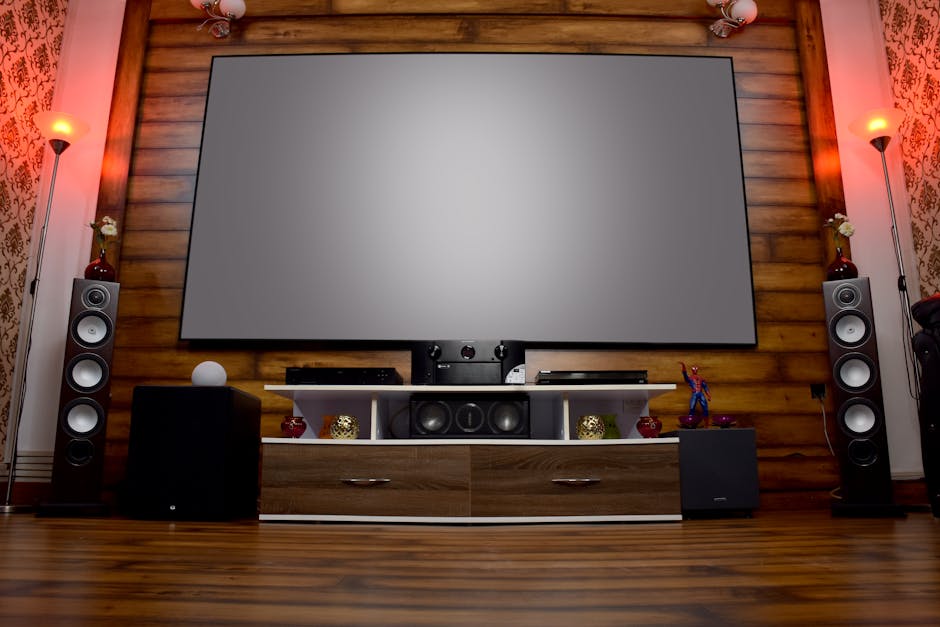
Illuminating Your Entertainment: Choosing the Right Home Theater Projector
Transforming a living room or dedicated media space into a cinematic sanctuary is a dream for many. At the heart of this immersive experience lies the home theater projector. Unlike televisions, projectors offer unparalleled screen real estate, creating a truly captivating visual spectacle. However, navigating the vast landscape of projector technology can be daunting. This comprehensive guide will illuminate the key factors to consider when selecting the perfect home theater projector, ensuring your investment delivers breathtaking visuals for years to come.
1. Understanding Projector Technologies: DLP vs. LCD
The foundational technology of a projector dictates its image quality, color reproduction, and contrast. The two dominant players are Digital Light Processing (DLP) and Liquid Crystal Display (LCD).
-
DLP (Digital Light Processing): DLP projectors utilize a single-chip Digital Micromirror Device (DMD) that contains millions of microscopic mirrors. These mirrors tilt rapidly to reflect light through a color wheel, creating the image. DLP projectors are renowned for their sharp, detailed images, excellent contrast ratios, and smooth motion handling, making them ideal for fast-paced action movies and gaming. However, some viewers may experience the “rainbow effect,” a brief flicker of color artifacts, particularly in older or lower-end DLP models. Modern DLP projectors have significantly minimized this issue.
-
LCD (Liquid Crystal Display): LCD projectors use three separate LCD panels – one each for red, green, and blue light – which are then combined to form the final image. LCD projectors typically offer vibrant colors and excellent brightness. They are also less prone to the rainbow effect than DLP. However, LCD projectors can sometimes exhibit a slight “screen door effect,” where the individual pixels are more noticeable, and their black levels may not be as deep as those found in high-end DLP projectors.
SEO Keyword Integration: Home theater projector, DLP projector, LCD projector, projector technology, home cinema.
2. Resolution: The Foundation of Detail
Resolution refers to the number of pixels that make up the image. Higher resolution translates to sharper, more detailed visuals. For a true cinematic experience, consider the following:
-
1080p (Full HD): This is the minimum resolution recommended for a satisfying home theater experience. It offers a significant upgrade over standard definition and is suitable for screens up to around 100 inches, especially in well-lit environments.
-
4K UHD (Ultra High Definition): The current benchmark for premium home theater projection. 4K offers four times the pixels of 1080p, resulting in incredibly sharp, lifelike images with exceptional detail. If your budget allows and you desire the ultimate visual fidelity, 4K UHD is the way to go. Look for projectors with native 4K resolution for the best results, as some “4K-enabled” projectors use pixel-shifting technology to simulate 4K.
SEO Keyword Integration: Projector resolution, 1080p projector, 4K projector, UHD projector, home theater image quality.
3. Brightness (Lumens): Battling Ambient Light
Brightness, measured in lumens, is a critical factor, especially if you cannot achieve complete darkness in your viewing room. Ambient light washes out the projected image, reducing contrast and color saturation.
-
Dark Room (Dedicated Home Theater): For a room that can be completely blacked out, 1500-2000 lumens are generally sufficient.
-
Light-Controlled Room (Living Room with Curtains): If some ambient light is present, aim for 2000-3000 lumens.
-
Bright Room (Significant Ambient Light): For rooms with substantial natural or artificial light, you’ll need 3000+ lumens. However, be aware that excessively high lumen counts can sometimes lead to a less pleasing image in a dark room.
SEO Keyword Integration: Projector lumens, projector brightness, ambient light projector, home theater lighting.
4. Contrast Ratio: The Depth of Your Image
Contrast ratio defines the difference between the brightest white and the darkest black a projector can produce. A higher contrast ratio results in deeper blacks, more pronounced details in shadows, and a more dynamic image.
-
Static Contrast Ratio: This is the native contrast ratio of the projector without dynamic enhancements. Aim for at least 10,000:1 for a good experience.
-
Dynamic Contrast Ratio: This feature adjusts the light output to enhance contrast in darker scenes. While impressive, it’s important to also consider the static contrast ratio. For a truly cinematic feel, look for projectors with dynamic contrast ratios exceeding 100,000:1.
SEO Keyword Integration: Projector contrast ratio, black levels projector, image depth projector, home cinema contrast.
5. Color Accuracy and Gamut: Bringing Images to Life
Color accuracy refers to how faithfully a projector reproduces colors as intended by the filmmaker. Color gamut describes the range of colors a projector can display.
-
Rec.709: This is the standard color space for HDTV content. Most projectors will support this.
-
DCI-P3: This wider color space is used in digital cinema and HDR content. For the most vibrant and lifelike colors, especially with HDR material, look for projectors that can cover a significant portion of the DCI-P3 gamut.
Many projectors offer various color modes (e.g., Cinema, Vivid, Game) to suit different content and lighting conditions. Experimenting with these modes is crucial for finding your preferred look.
SEO Keyword Integration: Projector color accuracy, color gamut projector, Rec.709, DCI-P3, HDR projector.
6. HDR (High Dynamic Range) Support: Unlocking Stunning Visuals
HDR technology significantly expands the range of brightness and color a display can produce, resulting in more realistic and impactful images.
-
HDR10: The most common HDR format, offering improved contrast and wider color.
-
Dolby Vision: A more advanced HDR format that uses dynamic metadata to optimize the image scene by scene.
-
HLG (Hybrid Log-Gamma): Primarily used for broadcast television, offering HDR capabilities without the need for metadata.
Ensure your chosen projector supports the HDR formats you intend to use (e.g., from streaming services or Blu-ray discs) for the most breathtaking visual experience.
SEO Keyword Integration: HDR projector, Dolby Vision projector, HDR10 projector, HLG projector, home theater HDR.
7. Lamp Type: Longevity and Maintenance
The light source of a projector affects its lifespan, brightness degradation, and maintenance requirements.
-
Lamp-based Projectors: These traditional projectors use high-intensity lamps (e.g., UHP) that require replacement every few thousand hours. While often more affordable upfront, the cost of replacement lamps can add up.
-
LED Projectors: Utilize Light Emitting Diodes, offering exceptionally long lifespans (20,000+ hours), instant on/off, and consistent brightness. They are also more energy-efficient. However, LED projectors can sometimes be less bright than lamp-based counterparts.
-
Laser Projectors: The premium option, offering the longest lifespans (20,000+ hours), exceptional brightness, and superior color reproduction. They provide consistent performance over their entire lifespan and are virtually maintenance-free. Laser projectors are typically the most expensive.
SEO Keyword Integration: Projector lamp life, LED projector, laser projector, projector maintenance, projector lifespan.
8. Throw Ratio and Lens Shift: Placement Flexibility
-
Throw Ratio: This determines how far the projector needs to be from the screen to achieve a specific image size. A short-throw projector can create a large image from a short distance, ideal for smaller rooms. A long-throw projector requires more distance.
-
Lens Shift: This feature allows you to move the projector’s lens up, down, left, or right without physically moving the projector itself. This provides significant flexibility in placement, especially if you cannot position the projector perfectly centered with the screen. Vertical lens shift is more common and useful than horizontal.
SEO Keyword Integration: Projector throw ratio, short throw projector, long throw projector, lens shift projector, projector placement.
9. Connectivity: Future-Proofing Your Setup
Ensure the projector has the necessary ports to connect your various devices.
-
HDMI Ports: Essential for connecting Blu-ray players, streaming devices, game consoles, and laptops. Look for projectors with multiple HDMI inputs, and ideally, support for HDMI 2.0 or 2.1 for 4K and HDR content.
-
USB Ports: Useful for firmware updates, playing media files directly from USB drives, or powering streaming sticks.
-
Audio Outputs: For connecting external sound systems.
SEO Keyword Integration: Projector connectivity, HDMI projector, projector ports, home theater setup.
10. Audio Capabilities: Enhancing the Immersive Experience
While most home theater enthusiasts opt for external sound systems, some projectors include built-in speakers. These are typically adequate for casual viewing but will not deliver the immersive audio experience of a dedicated soundbar or surround sound system.
SEO Keyword Integration: Projector speakers, home theater audio, immersive sound.
11. Budget: Finding the Sweet Spot
Home theater projectors span a wide price range. Determine your budget upfront and prioritize the features that are most important to you.
- Entry-Level (Under $500): Suitable for casual viewing or as