
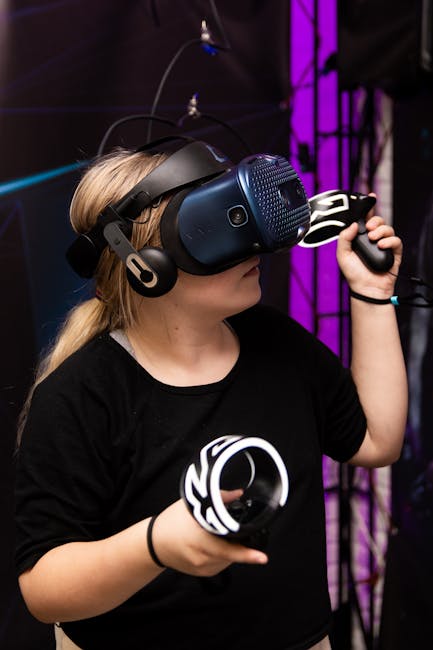
VR Headset Reviews: Finding the Perfect Gaming Match
The immersive world of virtual reality gaming is no longer a futuristic fantasy; it’s a vibrant and rapidly evolving reality. For gamers seeking unparalleled immersion, VR headsets offer a gateway to experiences that transcend traditional screen-based play. However, navigating the ever-expanding market can feel overwhelming. This in-depth guide delves into the crucial factors to consider when selecting your perfect VR gaming match, dissecting the strengths and weaknesses of leading contenders and helping you make an informed decision.
Understanding the Core Components: What Makes a Great VR Gaming Headset?
Before diving into specific models, it’s essential to grasp the fundamental technologies that define a VR headset’s performance.
- Resolution and Display: This is paramount for visual fidelity. Higher resolution means sharper images, reduced “screen door effect” (where you can see the pixels), and a more believable virtual world. Look for resolutions of at least 1832×1920 per eye (as found in the Meta Quest 2 and 3) or even higher. Refresh rates (measured in Hz) are equally important; 90Hz is generally considered the minimum for smooth motion, while 120Hz or higher offers a significantly more fluid and comfortable experience, reducing motion sickness.
- Field of View (FOV): This dictates how much of the virtual world you can see. A wider FOV creates a more natural and encompassing experience, drawing you deeper into the game. While some headsets boast impressive FOVs, it’s often a trade-off with other factors like weight and cost.
- Tracking: Accurate and responsive tracking is the bedrock of VR gaming. Inside-out tracking (cameras on the headset) is prevalent in standalone and PC VR headsets, offering convenience and freedom of movement. Outside-in tracking (external sensors) can offer superior precision but requires more setup. Look for six degrees of freedom (6DoF) tracking, which allows you to move forward/backward, up/down, left/right, and rotate your head in any direction.
- Ergonomics and Comfort: You’ll be wearing this device for extended periods. A comfortable headset with adjustable straps, balanced weight distribution, and breathable padding is crucial. Consider the headset’s weight, how it distributes pressure, and whether it accommodates glasses.
- Audio: While many headsets offer integrated audio, the quality can vary. Some headsets rely on passthrough audio, while others have built-in speakers or headphone jacks for a more immersive soundscape.
- Processing Power: This is the key differentiator between standalone and PC VR headsets. Standalone headsets (like the Meta Quest line) have their own processors, offering wireless freedom but potentially limiting graphical complexity. PC VR headsets require a powerful gaming PC to render demanding titles, offering the highest visual fidelity.
- Controllers: The input devices are your hands in the virtual world. Ergonomic controllers with precise tracking, haptic feedback (vibrations that simulate touch), and intuitive button layouts are essential for engaging gameplay.
Standalone VR: Freedom and Accessibility
Standalone VR headsets have revolutionized the market by offering a completely wireless and self-contained gaming experience. This means no external PC, no tangled wires, and the freedom to play anywhere with sufficient space.
- Meta Quest 3: The current king of standalone VR, the Quest 3 builds upon the success of its predecessors with significant upgrades. Its higher resolution displays (2064×2208 per eye), faster processor (Snapdragon XR2 Gen 2), and improved passthrough capabilities (for mixed reality experiences) make it a compelling choice. The Quest 3 offers access to a vast and growing library of games on the Meta Quest Store, and its PC VR streaming capabilities (via Quest Link or Air Link) bridge the gap to more demanding titles. Its pancake lenses provide a clearer image with a larger sweet spot. The improved controllers are also more ergonomic and feature enhanced haptics.
- Meta Quest 2: Still a very capable and budget-friendly option, the Quest 2 remains a popular entry point into VR. While its resolution (1832×1920 per eye) and processor are less powerful than the Quest 3, it still delivers excellent gaming experiences and boasts a massive game library. Its affordability makes it an attractive option for those new to VR or on a tighter budget. The availability of aftermarket accessories can further enhance its comfort and performance.
- Pico 4: The Pico 4 offers a competitive alternative to the Quest 2, boasting a lighter design and a wider FOV (105 degrees). Its resolution (2160×2160 per eye) is also impressive. While its software library is not as extensive as Meta’s, it’s expanding, and its PC VR streaming is robust. The Pico 4’s pancake lenses offer a sharp image.
PC VR: Uncompromising Fidelity and Performance
For those who own a powerful gaming PC, PC VR headsets unlock the pinnacle of graphical fidelity and performance. These headsets connect to your PC, leveraging its processing power to deliver breathtaking visuals and complex game worlds.
- Valve Index: Even with newer contenders, the Valve Index remains a benchmark for PC VR. Its high refresh rate (up to 144Hz), excellent audio solution (off-ear speakers), and innovative “Knuckles” controllers with finger tracking provide an unparalleled level of immersion. The Index’s wider FOV (130 degrees) and superior tracking (via base stations) contribute to its premium experience. However, it requires external base stations for tracking and is a significant investment.
- HTC Vive Pro 2: This headset boasts an incredibly high resolution (2448×2448 per eye), offering incredibly sharp and detailed visuals. Its wide FOV (120 degrees) and 120Hz refresh rate contribute to a smooth and immersive experience. Like the Valve Index, it utilizes external base stations for tracking. The Vive Pro 2 is a premium option for those prioritizing visual clarity above all else.
- HP Reverb G2: The Reverb G2 offers an exceptional resolution (2160×2160 per eye) at a more accessible price point than the Index or Vive Pro 2. It features excellent audio quality and a comfortable design. Its inside-out tracking is generally good, though some users have reported occasional tracking hiccups compared to external sensor systems. It’s a strong contender for those seeking high visual fidelity without the highest price tag.
Key Considerations for Your Gaming Needs
Beyond the hardware, your personal gaming habits and preferences should heavily influence your decision.
- Game Library: This is arguably the most crucial factor. Meta’s Quest platform boasts the largest and most diverse library of standalone VR games. PC VR offers access to an even wider selection, including graphically demanding titles and older VR gems. Consider what genres you enjoy and if specific VR titles are exclusive to certain platforms.
- Budget: VR headsets range from a few hundred dollars to over a thousand. Standalone headsets offer a more affordable entry point, while high-end PC VR requires a significant investment in both the headset and a powerful gaming PC.
- Space Requirements: Most VR games require a minimum play space to allow for movement. Standalone headsets offer more flexibility in this regard, but PC VR often benefits from larger, dedicated play areas.
- Wireless vs. Wired: The freedom of wireless VR is a major draw for many. However, PC VR offers a wired connection that guarantees a stable signal and often higher performance. If wireless is a must-have, consider the capabilities of standalone headsets or wireless adapters for PC VR.
- Mixed Reality: The Meta Quest 3’s enhanced passthrough capabilities open up exciting possibilities for mixed reality gaming, where virtual elements are overlaid onto your real-world environment. If this is an area of interest, the Quest 3 is a leading choice.
- Social VR: Platforms like VRChat and Rec Room are incredibly popular in VR. Consider which headsets offer the best integration and performance for these social experiences.
Testing the Waters: Where to Learn More
- Online Reviews and Videos: Websites like UploadVR, Road to VR, and numerous YouTube channels offer in-depth reviews, comparisons, and gameplay footage.
- Reddit Communities: Subreddits like r/virtualreality, r/oculus, and r/pcgaming are invaluable resources for user feedback, troubleshooting, and community discussions.
- Try Before You Buy (if possible): Some electronics stores or VR arcades may offer demo units, allowing you to experience a headset firsthand before committing to a purchase.
Ultimately, the “perfect” VR gaming match is subjective and depends on your individual needs and priorities. By carefully considering the hardware specifications, your gaming habits, and the available software, you can confidently step into the immersive world of virtual reality gaming and find the headset that will transport you to new dimensions of entertainment.