Description: Explore the power, reliability, and cost-efficiency of USB printers. Our in-depth guide covers inkjet vs. laser, connection protocols, and top models for the Indian consumer.
🌟 Introduction: The Enduring Relevance of the USB Printer
In an era dominated by Wi-Fi, Bluetooth, and cloud printing, it might seem that the simple Universal Serial Bus (USB) printer has faded into the background. However, for millions of homes, small businesses, and government offices across India, the USB printer remains the undisputed champion of reliability, security, and simplicity. It is the workhorse that ensures your critical documents—your child’s school project, your GST invoice, or your Aadhaar photocopy—are printed instantly, without network glitches or complex setup procedures.
The ubiquity of USB technology, pioneered by Intel’s Ajay Bhatt and his team in the mid-90s, has made it the default connection for peripherals globally, and printers were one of the first devices to truly benefit. Today, while many modern printers offer multi-connectivity (Wi-Fi, Ethernet, USB), the fundamental Plug-and-Play simplicity of the USB connection provides an essential, fail-safe mode that is particularly valued in India’s diverse and sometimes infrastructure-challenged environment.
This comprehensive guide delves deep into the world of USB Printers, offering authoritative, data-backed insights tailored specifically for the Indian consumer, helping you select a printer that offers the best blend of performance, cost-efficiency, and straightforward operation.
💡 Section 1: The Core Advantage – Why USB Connectivity Still Reigns Supreme
Despite the rise of wireless technology, the direct, hardwired USB connection offers several distinct and powerful advantages that make it an irreplaceable component of any stable printing solution.
Unrivaled Reliability and Speed
- Rock-Solid Connection: A USB connection is a point-to-point physical link. It is immune to network dropouts, Wi-Fi signal interference, or complex router configurations—a common frustration in Indian homes and small offices. When you press ‘Print,’ the job starts immediately, guaranteed.
- Optimal Transfer Speed: USB standards have evolved rapidly. While older USB 2.0 (High-Speed) is ample for document and casual photo printing, many modern printers now incorporate USB 3.x (SuperSpeed/SuperSpeed+).
- USB 2.0: Offers a theoretical maximum transfer rate of 480 Mbit/s.
- USB 3.x: Offers speeds up to 5 Gbit/s and even 10 Gbit/s, ensuring that even large, high-resolution graphic files are transferred to the printer’s memory instantly, eliminating bottlenecks. This is especially vital for graphic designers or photographers printing large batches of work.
Enhanced Security and Simplicity
- Zero Network Vulnerability: In a pure USB setup (i.e., a printer with only a USB port), the printer is not exposed to the local network or the internet. For printing sensitive documents (e.g., business contracts, financial records, confidential personal data), this direct connection offers an unparalleled layer of security that Wi-Fi can never truly match.
- Universal Plug-and-Play: USB is truly universal. Virtually every modern PC, Mac, and even many tablets/smartphones (via USB-C adapters or On-The-Go-OTG) supports it. Driver installation is often automated through the operating system, making the setup process almost instantaneous, eliminating the need for technical support.
USB-Only vs. Multi-Function USB Printers
In the Indian market, particularly in the budget segment (under ₹6,000), you will often find two types of printers:
- USB-Only Single Function Printers (SFPs): These are simple, robust machines (usually monochrome laser or basic inkjet) that only print and only connect via USB. They are the most budget-friendly and reliable option for basic text printing.
- Multi-Function Printers (MFPs) with USB: The majority of modern MFPs (Print, Scan, Copy, sometimes Fax) include USB as a core backup connectivity option, even if Wi-Fi or Ethernet is primary. This gives the user the best of both worlds: wireless convenience for casual use and dependable USB backup for mission-critical tasks or when the Wi-Fi acts up.
📝 Section 2: Printer Technology Deep Dive – Inkjet vs. Laser USB Printers
The choice between Inkjet and Laser technology is paramount, as it directly impacts your ongoing costs, print speed, and quality. For an Indian buyer, this choice is often dictated by volume and cost per page (CPP).
Inkjet USB Printers – The Versatile and Affordable Entry Point
Inkjet printers work by spraying microscopic droplets of liquid ink onto the paper.
- Pros:
- Lower Initial Cost: The upfront price is usually significantly lower (starting from as low as ₹3,000 for basic models).
- Superior Colour Quality: Excel at printing high-quality photos, marketing materials, and vibrant graphics, making them ideal for home use, students, and small creative businesses.
- Ink Tank Revolution (High-Volume Inkjets): Brands like Epson (EcoTank), HP (Smart Tank), and Canon (MegaTank) have revolutionized this space. They use large, refillable ink tanks instead of expensive cartridges.
- Case Study (CPP): The Cost Per Page (CPP) for black text on a cartridge-based inkjet can be ₹3.00 to ₹5.00. For a refillable ink tank model, the CPP drops drastically to an astounding ₹0.09 to ₹0.15 per black page, making them the most economical choice for high-volume users.
- Cons: Slower than laser printers, and the liquid ink can be prone to smudging on cheap paper. Cartridge ink can dry out if the printer is used infrequently.
Laser USB Printers – Speed, Durability, and Low Monochrome Cost
Laser printers use a dry powder called toner, which is fused onto the paper using heat.
- Pros:
- Blazing Speed: Significantly faster than inkjets, often achieving print speeds of 20-40+ Pages Per Minute (PPM). Essential for busy offices, CAs, and legal firms.
- Lowest Cost per Page (Monochrome): Toner is highly efficient. For high-volume black-and-white text documents, laser printers offer the lowest overall running cost.
- Durable, Crisp Text: Produces razor-sharp text that is highly resistant to smudging, ideal for official documents, invoices, and contracts where clarity is non-negotiable.
- Toner Never Dries Out: Unlike liquid ink, toner powder has a virtually indefinite shelf life, making monochrome laser models excellent for users who print infrequently but need speed when they do.
- Cons: Higher initial purchase price, and colour laser printers are substantially more expensive to buy and run than their monochrome counterparts. They also perform poorly when printing high-resolution photographs compared to inkjets.
| Feature | Inkjet (Cartridge) | Ink Tank (Refillable Inkjet) | Laser (Monochrome) |
| Initial Cost | Very Low (₹3k-₹6k) | Moderate (₹9k-₹20k) | Moderate to High (₹8k+) |
| Cost Per Page (Black) | High (₹3.00-₹5.00) | Ultra-Low (₹0.09-₹0.15) | Low (₹0.50-₹1.50) |
| Print Speed | Slow-to-Moderate | Moderate | Fast |
| Best For | Casual home/photo printing | High-volume home/school/SME | High-volume text/office use |
| USB Relevance | Essential connection | Core backup/direct printing | Primary/Backup for speed |
🛒 Section 3: Actionable Buyer’s Guide and Top USB Printer Features for India
Choosing the right USB printer means looking beyond the sticker price and focusing on the total cost of ownership and specific features that deliver value in the Indian context.
Key Features to Prioritize in Your USB Printer
- Duplex Printing (Automatic Two-Sided Printing): This is an environmental and cost imperative. Duplex printing automatically flips the paper to print on both sides. Look for this feature to cut your paper costs by up to 50%. HP, Canon, and Brother offer excellent duplex-capable MFPs.
- All-in-One (AIO/MFP): For home and small office users, a printer that can also Scan and Copy is non-negotiable. From scanning your KYC documents to copying invoices, the multifunctionality saves money and space.
- ADF (Automatic Document Feeder): If you frequently need to scan or copy multi-page documents (e.g., 20-page report, pile of invoices), the ADF lets you load the entire stack, and the machine handles the rest. This feature is a massive time-saver for small businesses and is worth the extra investment.
- DPI (Dots Per Inch): Higher DPI translates to sharper resolution. While high DPI (e.g., 4800 x 1200 DPI) is important for photo printing on inkjets, a standard resolution (e.g., 600 x 600 DPI) is perfectly fine for text-heavy laser printing.
Top USB Printer Recommendations for the Indian User
These models are chosen based on the balance of initial price, running costs (CPP), and reliable USB connectivity, reflecting current market trends (circa 2025).
| Segment | Ideal Printer Type | Example Models | Why It’s Handpicked for India |
| Student/Basic Home (₹3k – ₹6k) | Cartridge Inkjet SFP/MFP | Canon PIXMA MG2570s, HP DeskJet 2820 | Lowest upfront cost, basic print/scan/copy, reliable USB plug-in for simple tasks. |
| SOHO/High Volume Home (₹9k – ₹15k) | Ink Tank MFP (USB/Wi-Fi) | Epson EcoTank L3250/L3252, Canon PIXMA G2730 | Ultra-low CPP is the main draw. USB is the stable backup. Ideal for high school/college students and home offices. |
| Small Business/Office (₹10k – ₹25k) | Monochrome Laser MFP (USB/Ethernet) | HP LaserJet Pro M126nw Plus, Brother DCP-T720DW | Speed and low cost per page for monochrome text. Duplex/ADF often included. Highly reliable for daily, professional document output. |
Expert Insight: In the Indian market, the shift towards Ink Tank Printers for high-volume colour printing is monumental. While they are slightly more expensive initially, the savings on ink refills in the first year alone often offset the difference, making them the most financially astute long-term decision.
🛡️ Section 4: Installation and Troubleshooting – Mastering Your USB Connection
While USB printers are known for their simplicity, knowing how to set them up properly and troubleshoot common issues is key to a seamless experience.
Quick and Effortless USB Installation
The process is generally straightforward, thanks to the USB standard.
- Physical Connection: Use the correct cable (usually a USB Type-A to Type-B). Connect the flat, rectangular (Type-A) end to your computer’s USB port and the square-shaped (Type-B) end to the printer.
- Power On: Switch on the printer and the computer.
- Automatic Detection (The Best-Case Scenario): Most modern operating systems (Windows 10/11, macOS) will automatically detect the new hardware, download the necessary basic driver software, and install the printer. You will receive a notification that the printer is ready.
- Manual Driver Installation (The Recommended Step): Even with automatic detection, it is highly recommended to visit the printer manufacturer’s official Indian website (HP India, Canon India, etc.) and download the latest full driver and utility package. This often includes essential features like ink/toner level monitoring and advanced scanning software.
Common USB Printer Troubleshooting
| Problem | Cause | Simple Indian Solution |
| “Printer Offline” Error | USB cable loose/damaged; Host PC is asleep; Print Spooler service stuck. | 1. Unplug and replug both ends of the USB cable. 2. Restart the Print Spooler service in Windows (search for ‘Services’, find ‘Print Spooler’, and click Restart). |
| Slow or Paused Prints | Too many print jobs queued; Printer memory overwhelmed. | 1. Clear the Print Queue (right-click the printer icon, select ‘See what’s printing’, and cancel all jobs). 2. Reduce the print resolution in the printer properties before printing complex documents. |
| Driver Not Found | Outdated OS or unknown model. | 1. Visit the manufacturer’s website and manually search for the driver using the exact model number. 2. Use the installation CD that came with the printer as a last resort. |
| Print Jobs Disappear | Improperly installed basic driver. | Reinstall the full driver package downloaded from the manufacturer’s website, not the basic Windows version. |
🌐 Section 5: The Future of USB Printers and Final Verdict
While wireless connectivity gains ground, the USB printer is not going away; it is evolving.
Key Trends in USB Printer Technology
- USB-C Adoption: Modern printers are increasingly featuring the USB-C port, which offers reversible connection, faster data transfer (USB 3.1/3.2), and greater power delivery capabilities (USB Power Delivery), simplifying connections with newer laptops and mobile devices.
- Eco-Conscious Design: Driven by global trends, manufacturers are focusing on energy-efficient USB printers that consume less power in standby mode and use environmentally friendly components, aligning with India’s growing focus on sustainability.
- Enhanced Security via USB-Only Models: For businesses, the absolute security of an offline, USB-only model is a premium feature, ensuring that sensitive documents never touch an unsecured network.
The USB connection remains the gold standard for stability and control. In a world where digital infrastructure can sometimes be unpredictable, the reliability of a hardwired connection is an asset of immeasurable value for both home users and businesses running on tight deadlines.
🚀 Conclusion: The Smart Investment in Reliability
The choice of a printer is a long-term investment. For the Indian buyer, the smart decision is not always the most feature-loaded machine, but the one that offers the best Cost Per Page (CPP) combined with unwavering reliability. The USB printer, in all its modern forms—be it a low-CPP ink tank MFP or a fast, reliable monochrome laser—provides this crucial foundation.
By prioritizing an Ink Tank MFP with a USB port for high-volume colour or a Monochrome Laser with USB for office efficiency, you secure a reliable, secure, and future-proof printing solution that will serve your needs consistently for years to come.
Don’t compromise your critical workflow with unstable connections. Invest in the robust reliability of a modern USB printer today!
✍️ Compelling Call to Action
Ready to get started with rock-solid, low-cost printing? Use our definitive guide to assess your CPP needs, then click here to find the latest deals on high-volume Ink Tank and reliable Monochrome Laser USB printers from top brands available in India!

Canon PIXMA MegaTank G3000 All in One WiFi Ink Tank Colour Printer with Scanner for Home, Upto 6000 Black and 7000 Colour Prints with 2 Additional Black Ink Bottles
₹14,399.00 (as of September 26, 2026 15:39 GMT +05:30 - More infoProduct prices and availability are accurate as of the date/time indicated and are subject to change. Any price and availability information displayed on [relevant Amazon Site(s), as applicable] at the time of purchase will apply to the purchase of this product.)
PINGAX ENTERPRISE Mini Bluetooth Thermal Printer Portable Wireless Label Printer Inkfree Pocket Printer for Home Office School Study Notes Stickers Labels Lists Photos
Now retrieving the price.
(as of September 26, 2026 15:39 GMT +05:30 - More infoProduct prices and availability are accurate as of the date/time indicated and are subject to change. Any price and availability information displayed on [relevant Amazon Site(s), as applicable] at the time of purchase will apply to the purchase of this product.)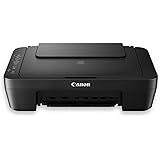
Canon PIXMA E470 All in One WiFi Inkjet Colour Printer with Scanner for Home, Upto 400 Black and 180 Colour Prints
₹5,199.00 (as of September 26, 2026 15:39 GMT +05:30 - More infoProduct prices and availability are accurate as of the date/time indicated and are subject to change. Any price and availability information displayed on [relevant Amazon Site(s), as applicable] at the time of purchase will apply to the purchase of this product.)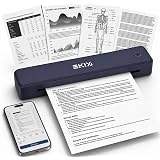
EKIY 2026 Mini Wireless A4 Inkless Thermal Printer | Portable, Rechargeable 2600mAh Type-C | Android, iOS & Laptop (Bluetooth/USB) | 1 Year Warranty (Blue)
₹6,999.00 (as of September 26, 2026 15:39 GMT +05:30 - More infoProduct prices and availability are accurate as of the date/time indicated and are subject to change. Any price and availability information displayed on [relevant Amazon Site(s), as applicable] at the time of purchase will apply to the purchase of this product.)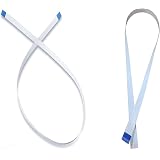
CCD Scanner and Motor Cable for Ep L3110 L3150 L3210 L3250 | L3200, Fits L3100 L3155 L3255, Flat Ribbon Cable, Pack of 2 Cables
₹499.00 (as of September 26, 2026 15:39 GMT +05:30 - More infoProduct prices and availability are accurate as of the date/time indicated and are subject to change. Any price and availability information displayed on [relevant Amazon Site(s), as applicable] at the time of purchase will apply to the purchase of this product.)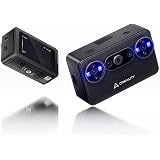
Creality Pika 3D Scanner, Portable 3D Scanner, Compact Design, High-Precision 3D Scanning for 3D Printing, Modeling & Reverse Engineering
Now retrieving the price.
(as of September 26, 2026 15:39 GMT +05:30 - More infoProduct prices and availability are accurate as of the date/time indicated and are subject to change. Any price and availability information displayed on [relevant Amazon Site(s), as applicable] at the time of purchase will apply to the purchase of this product.)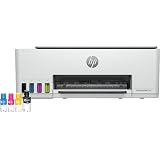
HP Smart Tank 580 All-in-One WiFi Colour Printer | 1 Extra Black Ink Bottle | 1+1 Year Extended Warranty on Registration| Up to 8000 Black & 6000 Colour Prints I Print,Scan & Copy for Office/Home
₹14,999.00 (as of September 26, 2026 15:39 GMT +05:30 - More infoProduct prices and availability are accurate as of the date/time indicated and are subject to change. Any price and availability information displayed on [relevant Amazon Site(s), as applicable] at the time of purchase will apply to the purchase of this product.)
instax Mini Link 3 Smartphone Colour Photo Printer, Sage Green
₹9,365.00 (as of September 26, 2026 15:39 GMT +05:30 - More infoProduct prices and availability are accurate as of the date/time indicated and are subject to change. Any price and availability information displayed on [relevant Amazon Site(s), as applicable] at the time of purchase will apply to the purchase of this product.)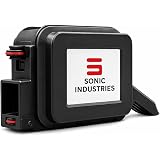
SONIC INDUSTRIES Mini Pop Batch Coding Printer, Portable Handheld | TIJ Inkjet Printer, For MRP, Batch No., MFG & EXP Date, Barcode, QR Code, Logo & Text Printing
₹6,999.00 (as of September 26, 2026 15:39 GMT +05:30 - More infoProduct prices and availability are accurate as of the date/time indicated and are subject to change. Any price and availability information displayed on [relevant Amazon Site(s), as applicable] at the time of purchase will apply to the purchase of this product.)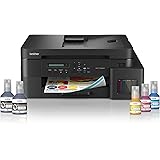
Brother Ink Tank DCP-T830DW (New Launch) WIFI Auto Duplex Color Printer (Print Scan Copy),ADF,LAN, PrintUpto 15K Pages Black & 5K Color Each for(CMY),Extra Black Ink,80 Sheet MP Tray,Free Installation
₹21,639.00 (as of September 26, 2026 15:39 GMT +05:30 - More infoProduct prices and availability are accurate as of the date/time indicated and are subject to change. Any price and availability information displayed on [relevant Amazon Site(s), as applicable] at the time of purchase will apply to the purchase of this product.)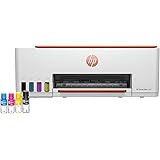
HP Smart Tank 589 All-in-One WiFi Colour Printer |Up to 4000 Black & 6000 Colour Prints I Print,Scan & Copy for Home/Office
₹13,999.00 (as of September 26, 2026 15:39 GMT +05:30 - More infoProduct prices and availability are accurate as of the date/time indicated and are subject to change. Any price and availability information displayed on [relevant Amazon Site(s), as applicable] at the time of purchase will apply to the purchase of this product.)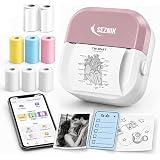
SEZNIK Mini Printer, Inkless, Thermal, Portable Printer (Stealth Velvet) | Bluetooth Connectivity compatible with Android, iOS Mobile, Gifting, 1 Year Warranty (EON-StealthVelvet-Gift)
₹1,746.96 (as of September 26, 2026 15:39 GMT +05:30 - More infoProduct prices and availability are accurate as of the date/time indicated and are subject to change. Any price and availability information displayed on [relevant Amazon Site(s), as applicable] at the time of purchase will apply to the purchase of this product.)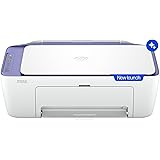
HP AI Capable Ink Advantage 2986 Dual Band WiFi (up to 10X Faster) Colour Printer - Print/Scan/Copy Ideal for Home
₹6,999.00 (as of September 26, 2026 15:39 GMT +05:30 - More infoProduct prices and availability are accurate as of the date/time indicated and are subject to change. Any price and availability information displayed on [relevant Amazon Site(s), as applicable] at the time of purchase will apply to the purchase of this product.)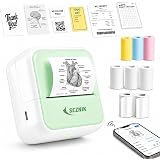
SEZNIK Mini Printer, Inkless, Thermal, Bluetooth, Portable Printer, Compatible Android, iOS Mobile. 1 Year Warranty (MiniX-Green)
₹2,088.98 (as of September 26, 2026 15:39 GMT +05:30 - More infoProduct prices and availability are accurate as of the date/time indicated and are subject to change. Any price and availability information displayed on [relevant Amazon Site(s), as applicable] at the time of purchase will apply to the purchase of this product.)
ATH Motor Pulley Gear Compatible with HP Laser Jet M108a,136,138,1008 Series (5 Pack Set)
₹299.00 (as of September 26, 2026 15:39 GMT +05:30 - More infoProduct prices and availability are accurate as of the date/time indicated and are subject to change. Any price and availability information displayed on [relevant Amazon Site(s), as applicable] at the time of purchase will apply to the purchase of this product.)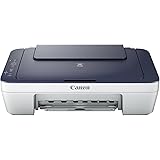
Canon PIXMA MG2577s All in One Non Wifi Inkjet Colour Printer with Scanner for Home, upto 100 Black and 100 Colour prints
₹3,399.00 (as of September 26, 2026 15:39 GMT +05:30 - More infoProduct prices and availability are accurate as of the date/time indicated and are subject to change. Any price and availability information displayed on [relevant Amazon Site(s), as applicable] at the time of purchase will apply to the purchase of this product.)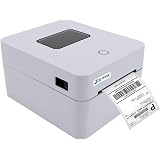
Jetsync JSC-9280 Bluetooth Thermal Label Printer 4x6 Inch, USB Shipping Barcode & QR Code Printer for Amazon, Meesho, Delhivery, India Post, White
₹6,199.00 (as of September 26, 2026 15:39 GMT +05:30 - More infoProduct prices and availability are accurate as of the date/time indicated and are subject to change. Any price and availability information displayed on [relevant Amazon Site(s), as applicable] at the time of purchase will apply to the purchase of this product.)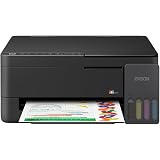
Epson EcoTank L3350 (New Launch) WiFi All-in-One InkTank Colour Printer, Scanner, Copier for Home & Office, 5760x1440dpi Print Resolution, 7.5K Prints Composite Ink Bottles Yield
₹15,699.00 (as of September 26, 2026 15:39 GMT +05:30 - More infoProduct prices and availability are accurate as of the date/time indicated and are subject to change. Any price and availability information displayed on [relevant Amazon Site(s), as applicable] at the time of purchase will apply to the purchase of this product.)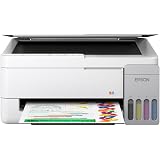
Epson EcoTank L3356 (New Launch) WiFi InkTank A4 Colour Printer, Scanner, Copier for Home & Office, 5760x1440dpi Resolution, Low Printing Cost at just 9 Pais/Black Print & 33 Paise/Colour Print
₹15,699.00 (as of September 26, 2026 15:39 GMT +05:30 - More infoProduct prices and availability are accurate as of the date/time indicated and are subject to change. Any price and availability information displayed on [relevant Amazon Site(s), as applicable] at the time of purchase will apply to the purchase of this product.)