The gateway to your digital life, your router, often operates in the background, a silent workhorse ensuring your devices connect to the internet. However, a sluggish or outdated router can be the bottleneck hindering your online experience, from buffering video streams to frustratingly slow downloads. Upgrading your router isn’t just about faster speeds; it’s about a more stable, secure, and seamless connection across all your devices. This comprehensive guide will demystify the world of routers and empower you to make an informed purchase, ensuring you unlock the full potential of your internet service.
Understanding Your Internet Speed and Needs:
Before diving into router specifications, it’s crucial to understand your current internet plan. Most Internet Service Providers (ISPs) offer various speed tiers, measured in megabits per second (Mbps). Check your bill or log into your ISP account to determine your download and upload speeds. This is your benchmark. A router capable of handling speeds significantly higher than your current plan is a good investment for future-proofing, but don’t overspend on a router that far exceeds your ISP’s maximum offering.
Consider the size of your home and the number of devices that will be connected. A small apartment with a few smartphones might not require the same powerhouse as a multi-story house with numerous laptops, smart TVs, gaming consoles, and an array of smart home devices. The more devices and the larger the area, the more robust your router needs to be.
Key Router Specifications Explained:
-
Wi-Fi Standards (802.11): This is the most critical factor influencing speed and performance. Routers utilize different Wi-Fi standards, each offering incremental improvements.
- 802.11ac (Wi-Fi 5): This is the current mainstream standard, offering significant speed improvements over its predecessor. It operates on both 2.4GHz and 5GHz bands, with 5GHz providing faster speeds but a shorter range.
- 802.11ax (Wi-Fi 6): The latest standard, Wi-Fi 6, offers substantial speed boosts, improved efficiency, and better performance in crowded environments with multiple devices. Key technologies like OFDMA (Orthogonal Frequency Division Multiple Access) and MU-MIMO (Multi-User, Multiple Input, Multiple Output) allow the router to communicate with more devices simultaneously and efficiently.
- 802.11be (Wi-Fi 7): While still emerging, Wi-Fi 7 promises even greater speeds, lower latency, and enhanced reliability, utilizing wider channels and more advanced modulation techniques. For most users today, Wi-Fi 6 is the sweet spot.
-
Frequency Bands: Routers typically operate on one or two frequency bands:
- 2.4GHz: Offers a wider range and better penetration through walls but is more susceptible to interference from other devices (microwaves, Bluetooth) and generally slower.
- 5GHz: Provides significantly faster speeds and less interference but has a shorter range.
- Dual-Band vs. Tri-Band: Dual-band routers offer both 2.4GHz and 5GHz. Tri-band routers add a second 5GHz band or a dedicated 6GHz band (for Wi-Fi 6E), which can further alleviate congestion and improve performance, especially in homes with many devices.
-
Speed Ratings: You’ll see ratings like “AC1200,” “AX3000,” etc. These numbers represent the combined theoretical maximum speeds across all bands. For example, AC1200 means the router can theoretically achieve up to 1200 Mbps in total (e.g., 300 Mbps on 2.4GHz + 900 Mbps on 5GHz). While these are theoretical maximums and rarely achieved in real-world scenarios, they provide a comparative measure of a router’s capability. Aim for a rating that comfortably exceeds your ISP’s speed.
-
MU-MIMO (Multi-User, Multiple Input, Multiple Output): This technology allows a router to communicate with multiple devices simultaneously, rather than sequentially. This is particularly beneficial in households with many connected devices, as it prevents one device from hogging bandwidth and slowing down others. Wi-Fi 6 and later standards significantly enhance MU-MIMO capabilities.
-
Beamforming: This feature directs Wi-Fi signals towards connected devices, optimizing signal strength and range. Instead of broadcasting a signal in all directions, beamforming “focuses” the signal where it’s needed most, improving connection stability and speed.
-
Ethernet Ports: Routers come with several Ethernet ports (usually Gigabit Ethernet, supporting up to 1000 Mbps). These are essential for wired connections, which are generally more stable and faster than Wi-Fi. Ensure the router has enough ports for your wired devices (gaming consoles, desktop computers, smart TVs).
-
Processor and RAM: While not always prominently advertised, the router’s internal processor and RAM play a crucial role in its ability to handle multiple connections, manage traffic, and run advanced features. A more powerful processor and more RAM will lead to a smoother and more responsive network, especially under heavy load.
Types of Routers:
-
Traditional Routers: These are standalone devices that connect to your modem (or act as a modem/router combo) and broadcast a Wi-Fi signal. They are the most common type.
-
Mesh Wi-Fi Systems: For larger homes or areas with Wi-Fi dead zones, mesh systems are an excellent solution. They consist of a main router and one or more satellite nodes placed strategically throughout your home. These nodes work together to create a single, seamless Wi-Fi network, eliminating dead spots and providing consistent coverage.
-
Gaming Routers: These are specifically designed for gamers, often featuring advanced Quality of Service (QoS) settings to prioritize gaming traffic, lower latency, and higher processing power for handling intense gaming sessions.
-
Modem/Router Combos: These devices integrate both a modem and a router into a single unit. While convenient, they often offer less flexibility and advanced features compared to separate units. Your ISP may also provide a combo unit, which you can sometimes replace with your own more powerful router.
Factors to Consider for Optimal Performance:
-
Router Placement: The physical location of your router significantly impacts Wi-Fi performance. Place it in a central, open area, away from obstructions like walls, metal objects, and other electronic devices that can cause interference. Avoid placing it in corners or on the floor.
-
Firmware Updates: Manufacturers regularly release firmware updates that improve performance, security, and add new features. Ensure your router’s firmware is always up to date. Most modern routers offer automatic updates.
-
Security Features: Look for routers that support robust security protocols like WPA3 encryption, which is the latest and most secure standard. Features like a built-in firewall and guest network capabilities are also valuable.
-
Quality of Service (QoS): QoS allows you to prioritize certain types of traffic over others. For example, you can set your router to prioritize video streaming or online gaming, ensuring a smoother experience for these activities even when other devices are using the network.
-
Ease of Setup and Management: Most modern routers come with user-friendly mobile apps or web interfaces that simplify the setup process and allow you to manage your network settings remotely.
Making the Right Choice:
-
For Basic Users (Small Homes, Light Usage): A dual-band Wi-Fi 5 (802.11ac) router with a speed rating of AC1200 or higher should suffice.
-
For Average Users (Medium Homes, Multiple Devices, Streaming): A dual-band or tri-band Wi-Fi 6 (802.11ax) router with a speed rating of AX1800 or higher is recommended.
-
For Power Users (Large Homes, Many Devices, Gaming, Smart Homes): A tri-band Wi-Fi 6 (AX3000+) router or a mesh Wi-Fi system with Wi-Fi 6 capabilities will provide the best coverage and performance. Consider a gaming router if online gaming is a priority.
-
For Future-Proofing: Investing in a Wi-Fi 6E or even an early Wi-Fi 7 router will ensure your network is ready for the next generation of wireless technology, though the benefits may not be fully realized until compatible devices become more widespread.
By understanding these specifications and considering your specific needs, you can confidently navigate the router market and select a device that will unlock a faster, more reliable, and enjoyable internet experience.

Artis AR-MINIDC-2 Mini UPS for WiFi Router/Modem/Set top Box Devices. 8800mAh Battery Supports 9V/12V-1A/1.5A/2A Routers. USB Port for Phone Charging, Battery Level Indicators. BIS Certified
₹1,299.00 (as of October 16, 2026 01:52 GMT +05:30 - More infoProduct prices and availability are accurate as of the date/time indicated and are subject to change. Any price and availability information displayed on [relevant Amazon Site(s), as applicable] at the time of purchase will apply to the purchase of this product.)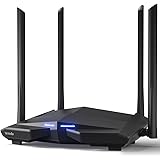
Tenda AC10 AC1200 Wireless Smart Dual-Band Gigabit WiFi Router, MU-MIMO, 4 Gigabit Ports, 867Mbps/5 GHz+ 300Mbps /2.4GHz, Support VPN Server, WiFi Schedule, (Black, Not a Modem)
₹2,719.00 (as of October 16, 2026 01:52 GMT +05:30 - More infoProduct prices and availability are accurate as of the date/time indicated and are subject to change. Any price and availability information displayed on [relevant Amazon Site(s), as applicable] at the time of purchase will apply to the purchase of this product.)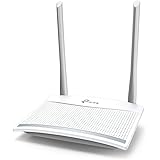
TP-Link TL-WR820N 300 Mbps Speed Wireless WiFi Router, Easy Setup, IPv6 Compatible, Supports Parent Control, Guest Network, Multi-Mode Wi-Fi Router
₹1,029.00 (as of October 16, 2026 01:52 GMT +05:30 - More infoProduct prices and availability are accurate as of the date/time indicated and are subject to change. Any price and availability information displayed on [relevant Amazon Site(s), as applicable] at the time of purchase will apply to the purchase of this product.)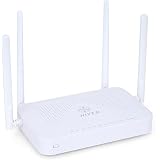
HIVEN Dual Band WiFi Router for Home & Office | Wireless ONT with 4 High-Gain Antennas | 2.4GHz & 5GHz, Multiple LAN Ports, Optical Fiber Internet Router Works with Fiber Connection only
₹2,495.00 (as of October 16, 2026 01:52 GMT +05:30 - More infoProduct prices and availability are accurate as of the date/time indicated and are subject to change. Any price and availability information displayed on [relevant Amazon Site(s), as applicable] at the time of purchase will apply to the purchase of this product.)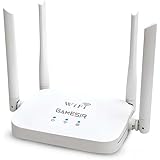
GameSir WT-14 WiFi Router |300M High Speed Wireless Router for Home & Office | Four high gain Antennas | IPv6 Compatible | Stable Internet Connection | Wide Coverage WiFi Router | Easy Setup
₹1,399.00 (as of October 16, 2026 01:52 GMT +05:30 - More infoProduct prices and availability are accurate as of the date/time indicated and are subject to change. Any price and availability information displayed on [relevant Amazon Site(s), as applicable] at the time of purchase will apply to the purchase of this product.)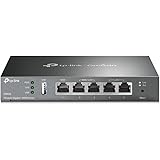
ER605 Gigabit VPN Router, Multi-WAN Wired Gateway, up to 3 Gigabit WAN Ports, Load Balancing, SPI Firewall, SDN, Desktop/Wall Mountable Compatible with TP-Link
₹7,499.00 (as of October 16, 2026 01:52 GMT +05:30 - More infoProduct prices and availability are accurate as of the date/time indicated and are subject to change. Any price and availability information displayed on [relevant Amazon Site(s), as applicable] at the time of purchase will apply to the purchase of this product.)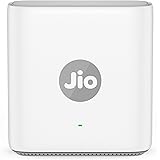
Jio Universal AX3000 Wi-Fi 6 Mesh Router (JIDU6700) | Up to 3000 Mbps | PPPoE | Works with Any ISP | Coverage Up to 1500 sq.ft. | Up to 100+ Devices | True Mesh with new Jio Extender
₹2,999.00 (as of October 16, 2026 01:52 GMT +05:30 - More infoProduct prices and availability are accurate as of the date/time indicated and are subject to change. Any price and availability information displayed on [relevant Amazon Site(s), as applicable] at the time of purchase will apply to the purchase of this product.)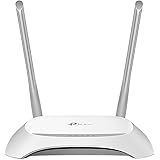
TP-Link TL-WR850N N300 Wi-Fi Router | 300 Mbps Wireless Speed | 2.4GHz Single Band | Easy Setup | IPv6 Support | Parental Controls | Guest Network | Ideal for Home & Small Office
₹1,159.00 (as of October 16, 2026 01:52 GMT +05:30 - More infoProduct prices and availability are accurate as of the date/time indicated and are subject to change. Any price and availability information displayed on [relevant Amazon Site(s), as applicable] at the time of purchase will apply to the purchase of this product.)
D-Link DIR-615 Wi-fi Ethernet-N300 Single_band 300Mbps Router, Mobile App Support, Router | AP | Repeater | Client Modes(Black)
₹879.00 (as of October 16, 2026 01:52 GMT +05:30 - More infoProduct prices and availability are accurate as of the date/time indicated and are subject to change. Any price and availability information displayed on [relevant Amazon Site(s), as applicable] at the time of purchase will apply to the purchase of this product.)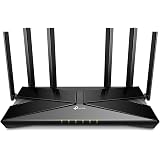
TP-Link Archer AX56 New AX3000 Gigabit Wi-Fi 6 Router, Dual-Band 2402 Mbps + 574 Mbps, OFDMA, Beamforming, HomeShield Security, EasyMesh Compatible, Ideal for Gaming, Streaming & Smart Homes.
₹6,199.00 (as of October 16, 2026 01:52 GMT +05:30 - More infoProduct prices and availability are accurate as of the date/time indicated and are subject to change. Any price and availability information displayed on [relevant Amazon Site(s), as applicable] at the time of purchase will apply to the purchase of this product.)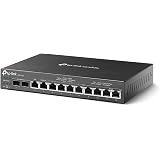
ER7212PC 3-in-1 Gigabit VPN Router with PoE+ Switch Compatible with TP-Link
₹34,899.00 (as of October 16, 2026 01:52 GMT +05:30 - More infoProduct prices and availability are accurate as of the date/time indicated and are subject to change. Any price and availability information displayed on [relevant Amazon Site(s), as applicable] at the time of purchase will apply to the purchase of this product.)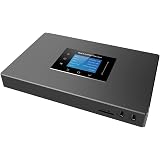
UCM6301 IP PBX, 1 FXO and 1 FXS Port, up to 500 Extensions, 75 Concurrent Calls, 3 Gigabit Ports, Integrated NAT Router Compatible with Grandstream
₹38,799.00 (as of October 16, 2026 01:52 GMT +05:30 - More infoProduct prices and availability are accurate as of the date/time indicated and are subject to change. Any price and availability information displayed on [relevant Amazon Site(s), as applicable] at the time of purchase will apply to the purchase of this product.)
Resonate RouterUPS® Gen2 | Original Router UPS for 12V WiFi Router & Modem (Supports up to 2A) (7800mAh - 95% Longer Power Backup) | Compact Mini UPS with Intelligent Charging (Upto 6 Hrs Internet)
₹1,599.00 (as of October 16, 2026 01:52 GMT +05:30 - More infoProduct prices and availability are accurate as of the date/time indicated and are subject to change. Any price and availability information displayed on [relevant Amazon Site(s), as applicable] at the time of purchase will apply to the purchase of this product.)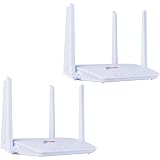
Trueview 4G LTE WiFi 6 Wireless Router with SIM Slot (Pack of 2) Cat4 150Mbps, High Gain External Antenna, RJ45 LAN Port, Plug and Play SIM Router for Home, Office, CCTV, Farm, Construction Site
₹3,898.00 (as of October 16, 2026 01:52 GMT +05:30 - More infoProduct prices and availability are accurate as of the date/time indicated and are subject to change. Any price and availability information displayed on [relevant Amazon Site(s), as applicable] at the time of purchase will apply to the purchase of this product.)
TL-WR1502X AX1500 Portable Travel Router with VPN Compatible with Tp-Link | Multiple Modes, Captive Portal, USB File Sharing, VPN Client & Server
₹8,999.00 (as of October 16, 2026 01:52 GMT +05:30 - More infoProduct prices and availability are accurate as of the date/time indicated and are subject to change. Any price and availability information displayed on [relevant Amazon Site(s), as applicable] at the time of purchase will apply to the purchase of this product.)
TP-Link Archer C54 AC1200 Dual Band Wi-Fi Router | 1200 Mbps Wireless WiFi Speed | Multi-Mode | 4 Antennas | Parental Controls | Guest Network 2.4 GHz
₹1,999.00 (as of October 16, 2026 01:52 GMT +05:30 - More infoProduct prices and availability are accurate as of the date/time indicated and are subject to change. Any price and availability information displayed on [relevant Amazon Site(s), as applicable] at the time of purchase will apply to the purchase of this product.)
DIR-825 AC1200 Dual-Band Wi-Fi Router, 1200Mbps, 5 Gigabit Ethernet Ports, 4 High-Gain External Antennas, Easy App Setup Compatible with D-Link
₹3,299.00 (as of October 16, 2026 01:52 GMT +05:30 - More infoProduct prices and availability are accurate as of the date/time indicated and are subject to change. Any price and availability information displayed on [relevant Amazon Site(s), as applicable] at the time of purchase will apply to the purchase of this product.)
Cuzor Mini UPS PRO 12V Router UPS up to 3A | Up to 8 Hours | 3×2900 mAh | WiFi UPS Power Backup | Backup for broadband Modem
₹1,999.00 (as of October 16, 2026 01:52 GMT +05:30 - More infoProduct prices and availability are accurate as of the date/time indicated and are subject to change. Any price and availability information displayed on [relevant Amazon Site(s), as applicable] at the time of purchase will apply to the purchase of this product.)
TP-Link WiFi 6 AX1500 Mbps Archer AX10,Smart WiFi,Gigabit, Dual-Band OFDMA, MU-MIMO, Compatible with Alexa, Wireless Router,Black
₹3,499.00 (as of October 16, 2026 01:52 GMT +05:30 - More infoProduct prices and availability are accurate as of the date/time indicated and are subject to change. Any price and availability information displayed on [relevant Amazon Site(s), as applicable] at the time of purchase will apply to the purchase of this product.)