The digital age has fundamentally reshaped the learning landscape. For students, a versatile and portable device that bridges the gap between note-taking, research, and content creation is no longer a luxury, but a necessity. Tablets, with their touch-interface convenience and increasingly powerful capabilities, have emerged as prime contenders. However, for many students on a budget, the prospect of acquiring a feature-rich tablet plus a functional keyboard can seem daunting. Fortunately, the Indian market offers a compelling array of options under ₹30,000 that deliver excellent value, transforming them into potent productivity hubs. This guide delves into the best tablets in this segment, focusing on those that come bundled or are compatible with effective keyboard attachments, empowering students to learn, create, and excel without breaking the bank.
When considering a tablet for academic purposes, several key factors come into play. Performance is paramount; a device that lags or struggles with multitasking will hinder productivity. This translates to choosing processors that can handle everyday applications, web browsing, and even light content editing. Display quality is crucial for comfortable reading, note-taking, and watching educational videos. Look for decent resolution and color accuracy. Storage is another significant consideration, as students often need to download textbooks, research papers, and various applications. Ample internal storage or the option for expandable storage via microSD card is highly desirable. Battery life is non-negotiable; a tablet that dies mid-lecture or study session is a paperweight. Finally, the keyboard attachment experience is central to this discussion. Not all keyboards are created equal; we’re seeking responsive keys, decent key travel, and a stable connection that facilitates extended typing sessions. The operating system also plays a role, with Android offering a vast app ecosystem and iPadOS (though less common in this price bracket with keyboard bundles) known for its user-friendly interface and robust productivity apps.
Let’s explore some of the leading contenders that fit the bill, offering a harmonious blend of tablet functionality and keyboard-driven productivity for students under ₹30,000.
1. Lenovo Tab P11 (and its Pro variants if on sale): The Mid-Range Powerhouse
The Lenovo Tab P11 series, particularly the standard P11, frequently emerges as a strong contender in this price bracket. Often available with a dedicated keyboard folio accessory, it presents a compelling package. The P11 typically boasts a vibrant 11-inch IPS display with a resolution that makes text crisp and images clear, ideal for long study sessions. Under the hood, it’s usually powered by a capable MediaTek processor, sufficient for running educational apps, browsing, and multitasking. The real draw for students is the optional keyboard attachment. Lenovo’s official Folio Keyboard for the P11 offers a surprisingly tactile typing experience for its price, with adequate key travel and a well-spaced layout. This transforms the tablet into a mini-laptop, perfect for typing essays, taking notes in class, and even drafting emails. Storage is generally adequate, and expandable storage is usually supported. Battery life is commendable, often lasting a full day of moderate use. While the P11 Pro might occasionally dip into this price range during sales, its enhanced display and performance make it an even more attractive, albeit less consistently available, option. The Android OS provides access to a plethora of educational apps on the Google Play Store.
2. Samsung Galaxy Tab A Series (e.g., Tab A8, Tab A9+): The Reliable All-Rounder
Samsung’s Galaxy Tab A series consistently offers excellent value for money, and several models, when paired with a compatible keyboard, become formidable student devices. The Galaxy Tab A8, for instance, often features a spacious 10.5-inch display with good color reproduction, making it comfortable for reading and media consumption. Performance is usually handled by a competent chipset, suitable for everyday academic tasks. While Samsung doesn’t always bundle keyboards directly with these models, numerous third-party keyboard cases are readily available and often quite affordable, many designed specifically for these Tab A devices. These third-party options can offer a surprising level of quality, with decent key feel and a stable connection via Bluetooth. The Tab A series typically excels in battery life, ensuring students can get through their day without constant charging. Storage options are usually generous, and microSD card support is a standard feature. The Android ecosystem on Samsung devices is mature and user-friendly, with a vast selection of productivity and educational applications. The slightly newer Tab A9+, when it falls within budget, offers a more powerful processor and potentially a larger display, further enhancing its productivity potential.
3. Acer One 10 / Acer Aspire 3 (if available with detachable keyboard): The Budget Laptop Hybrid
While not strictly a tablet in the traditional sense, some Acer convertible laptops or detachable devices often blur the lines and can be found within the ₹30,000 budget, offering a true laptop-like experience with tablet functionality. These devices typically feature a detachable keyboard that magnetically or mechanically connects to the tablet portion. The advantage here is a more robust, full-sized keyboard and often a more powerful processor than dedicated tablets in the same price range. The display sizes can vary, but 10-inch or 11-inch screens are common. The operating system is usually Windows, which opens up a world of desktop-grade productivity software that might not be available or as fully featured on Android. For students who require specific Windows-based applications for their coursework, these hybrids can be an exceptional choice. Storage is usually adequate, and battery life can be competitive. The key is to look for models explicitly offering a detachable keyboard as part of the package to stay within the budget. These devices often provide a more complete PC experience in a portable form factor.
4. Realme Pad Series (with Keyboard Accessory): The Stylish and Affordable Option
Realme has made a significant impact in the affordable tech segment, and their Pad series is no exception. The Realme Pad often comes with a large, immersive display, perfect for consuming content and reading. Performance is usually powered by a capable MediaTek processor, more than sufficient for everyday student tasks. While the keyboard isn’t always bundled, Realme offers a dedicated keyboard accessory that can be purchased separately, and often the combined price remains well within the ₹30,000 limit. This keyboard accessory is generally well-designed, offering a comfortable typing experience with decent key travel. The build quality of the Realme Pad itself is typically solid, and battery life is a strong suit, ensuring students can work for extended periods. The Android OS provides access to a vast library of apps. For students looking for a stylish and budget-friendly tablet that can be easily transformed into a productivity tool, the Realme Pad with its keyboard attachment is a compelling choice.
5. Amazon Fire HD Tablets (with Keyboard Accessory): The Ecosystem-Focused Choice
While Amazon’s Fire HD tablets are primarily designed for content consumption, they can be surprisingly capable productivity devices when paired with their official keyboard accessory, especially for students who are already invested in the Amazon ecosystem. Models like the Fire HD 10 often feature a vibrant display and decent performance for everyday tasks. The official Amazon keyboard case is specifically designed for these tablets, offering a good typing experience and a stable connection. The main advantage of Fire HD tablets is their affordability, often making them one of the most budget-friendly options when a keyboard is considered. However, it’s important to note that Fire OS is a fork of Android and has a more limited app store compared to Google Play. Students who rely heavily on specific Google apps or a wider range of third-party productivity tools might find this restrictive. Battery life is generally good, and storage is usually sufficient, with microSD card expansion available. For students who primarily use their device for reading, note-taking, and web browsing, and are comfortable within Amazon’s ecosystem, these can be a cost-effective solution.
Beyond the Hardware: Maximizing Productivity
Choosing the right tablet and keyboard is only the first step. To truly maximize productivity, students should consider:
- Cloud Storage: Services like Google Drive, OneDrive, and Dropbox are essential for syncing notes, documents, and assignments across devices.
- Note-Taking Apps: Explore apps like Google Keep, Evernote, Notion, or OneNote for organized note-taking and idea management.
- Productivity Suites: Utilize free or affordable office suites like Google Workspace (Docs, Sheets, Slides) or Microsoft Office alternatives for document creation and editing.
- Task Management Apps: Apps like Todoist, TickTick, or Microsoft To Do can help students stay organized and on track with their academic responsibilities.
- Focus Apps: For students easily distracted, apps that block distracting websites or limit social media access can be invaluable.
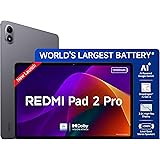
Redmi Pad 2 Pro, 12.1-inch (30.73 CM), LCD Display - 2.5K Sharp & Clear, 8GB RAM, 128GB ROM, Wi-Fi, Quad Speakers, Dolby Atmos, Graphite Grey, AI Enabled
₹26,999.00 (as of October 10, 2026 09:13 GMT +05:30 - More infoProduct prices and availability are accurate as of the date/time indicated and are subject to change. Any price and availability information displayed on [relevant Amazon Site(s), as applicable] at the time of purchase will apply to the purchase of this product.)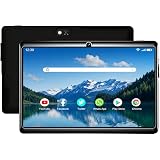
IKALL N7 Pro Wi-Fi Tablet | 7 Inch Android Display | 2GB RAM + 16GB ROM (Expandable) | 3000mAh Battery | Dual Camera | Compact Tablet for Students & Home Entertainment | Black
₹4,149.00 (as of October 10, 2026 09:13 GMT +05:30 - More infoProduct prices and availability are accurate as of the date/time indicated and are subject to change. Any price and availability information displayed on [relevant Amazon Site(s), as applicable] at the time of purchase will apply to the purchase of this product.)
OnePlus, Pad 2, 12.1 inch (30.73 CM), LCD, 12GB RAM, 256GB ROM, Wi-Fi + Cellular Data Sharing, 6 Speakers, Snapdragon 8 Gen 3, Nimbus Gray, AI Enabled
Now retrieving the price.
(as of October 10, 2026 09:13 GMT +05:30 - More infoProduct prices and availability are accurate as of the date/time indicated and are subject to change. Any price and availability information displayed on [relevant Amazon Site(s), as applicable] at the time of purchase will apply to the purchase of this product.)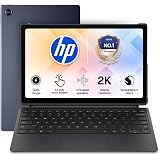
HP Omnipad 12 with Detachable Keyboard, Touchscreen, 12''/30.38cm, 2K, 400 nits, 90Hz, 8GB LPDDR5, 128GB UFS, WiFi 6E, DTS Quad Speakers, Upto 18 Hours Battery, Blue, Lightweight Tablet
₹46,490.00 (as of October 10, 2026 09:13 GMT +05:30 - More infoProduct prices and availability are accurate as of the date/time indicated and are subject to change. Any price and availability information displayed on [relevant Amazon Site(s), as applicable] at the time of purchase will apply to the purchase of this product.)
Lenovo Idea Tab Plus with Pen | Wifi |12.1" 2.5K Display, 800nits Peak Brightness |12GB RAM + 256GB ROM (Expandable upto 2TB)| MediaTek Dimensity 6400| 10200mAh|4 Speakers with Dolby Atmos| Cloud Grey
₹29,999.00 (as of October 10, 2026 09:13 GMT +05:30 - More infoProduct prices and availability are accurate as of the date/time indicated and are subject to change. Any price and availability information displayed on [relevant Amazon Site(s), as applicable] at the time of purchase will apply to the purchase of this product.)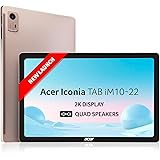
Acer Iconia Tab10 | 10.36" | 2K IPS Display, 480 Nit | Quad Speakers | 6GB + 128GB (Expandable) | Wi-Fi + (Calling)
₹17,990.00 (as of October 10, 2026 09:13 GMT +05:30 - More infoProduct prices and availability are accurate as of the date/time indicated and are subject to change. Any price and availability information displayed on [relevant Amazon Site(s), as applicable] at the time of purchase will apply to the purchase of this product.)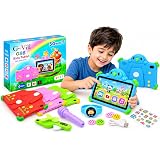
Ompexinaon 7 Inch Kids Tablet for Boys Girls Android 4, 4GB RAM, 32GB ROM, WiFi & Bluetooth, Eye Safety IPS Screen, Multi Color
Now retrieving the price.
(as of October 10, 2026 09:13 GMT +05:30 - More infoProduct prices and availability are accurate as of the date/time indicated and are subject to change. Any price and availability information displayed on [relevant Amazon Site(s), as applicable] at the time of purchase will apply to the purchase of this product.)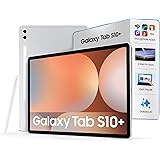
Samsung Galaxy Tab S10+ [Smartchoice], 12.4-inch (31.5 CM), Dynamic AMOLED 2X Display, 12GB RAM, 256GB ROM, Wi-Fi, Quad Speakers, S Pen, Platinum Silver, AI Enabled
₹88,999.00 (as of October 10, 2026 09:13 GMT +05:30 - More infoProduct prices and availability are accurate as of the date/time indicated and are subject to change. Any price and availability information displayed on [relevant Amazon Site(s), as applicable] at the time of purchase will apply to the purchase of this product.)
IKALL N7 - Android Wi-Fi Tablet, 2GB RAM, 16GB Storage, Wi-Fi Only, 3000mAh Battery, 7" Display Compact & Lightweight, Ideal for Learning & Entertainment – Black
₹4,149.00 (as of October 10, 2026 09:13 GMT +05:30 - More infoProduct prices and availability are accurate as of the date/time indicated and are subject to change. Any price and availability information displayed on [relevant Amazon Site(s), as applicable] at the time of purchase will apply to the purchase of this product.)
IKALL N7 Android Tablet 7 Inch Display, Wi-Fi Only, 2GB RAM, 16GB Internal Storage, 3000mAh Battery, Dual Camera, Lightweight Tablet for Learning, Streaming & Everyday Use - Black
₹4,149.00 (as of October 10, 2026 09:13 GMT +05:30 - More infoProduct prices and availability are accurate as of the date/time indicated and are subject to change. Any price and availability information displayed on [relevant Amazon Site(s), as applicable] at the time of purchase will apply to the purchase of this product.)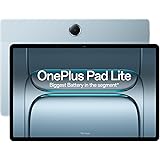
OnePlus,Pad Lite, 11-inch (27.94 CM), LCD, 8GB RAM, 128GB ROM, WiFi + LTE, Quad Speakers, 9340mAh Battery, Aero Blue, Not AI Enabled
₹23,999.00 (as of October 10, 2026 09:13 GMT +05:30 - More infoProduct prices and availability are accurate as of the date/time indicated and are subject to change. Any price and availability information displayed on [relevant Amazon Site(s), as applicable] at the time of purchase will apply to the purchase of this product.)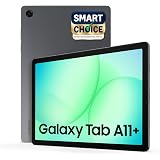
Samsung Galaxy Tab A11+ [Smartchoice], 11-inch (27.82 CM), LCD Display, 6GB RAM, 128GB ROM, Wi-Fi, Quad Speakers, Dolby Atmos, Gray, AI Enabled
₹21,499.00 (as of October 10, 2026 09:13 GMT +05:30 - More infoProduct prices and availability are accurate as of the date/time indicated and are subject to change. Any price and availability information displayed on [relevant Amazon Site(s), as applicable] at the time of purchase will apply to the purchase of this product.)
Redmi Pad 2, 11-inch (27.94 CM CM), LCD Display - 2.5K Sharp & Clear, 4GB RAM, 128GB ROM, Wi-Fi, Quad Speakers, Dolby Atmos, Graphite Grey, AI Enabled
₹17,499.00 (as of October 10, 2026 09:13 GMT +05:30 - More infoProduct prices and availability are accurate as of the date/time indicated and are subject to change. Any price and availability information displayed on [relevant Amazon Site(s), as applicable] at the time of purchase will apply to the purchase of this product.)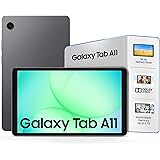
Samsung Galaxy Tab A11, 22.05 cm (8.7 inch) TFT LCD Display, 4 GB RAM, 64 GB Storage, Wi-Fi + LTE Tablet, Gray
₹18,700.00 (as of October 10, 2026 09:13 GMT +05:30 - More infoProduct prices and availability are accurate as of the date/time indicated and are subject to change. Any price and availability information displayed on [relevant Amazon Site(s), as applicable] at the time of purchase will apply to the purchase of this product.)
DOMO Slate SL40 2C Tablet for Students Foundation Exams, 10 Inch Android Tablet, IPS Display, 4G Dual SIM, 4GB RAM, 32GB Storage (Expandable to 1TB), Octa-Core Processor, GPS, WiFi, Bluetooth (Grey)
Now retrieving the price.
(as of October 10, 2026 09:13 GMT +05:30 - More infoProduct prices and availability are accurate as of the date/time indicated and are subject to change. Any price and availability information displayed on [relevant Amazon Site(s), as applicable] at the time of purchase will apply to the purchase of this product.)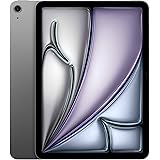
Apple iPad Air 27.59 cm (11″) (M4): Liquid Retina Display, 128 GB, 12MP Front/Back Camera, Wi-Fi 7 with Apple N1, Touch ID, All-Day Battery Life — Space Gray
₹74,999.00 (as of October 10, 2026 09:13 GMT +05:30 - More infoProduct prices and availability are accurate as of the date/time indicated and are subject to change. Any price and availability information displayed on [relevant Amazon Site(s), as applicable] at the time of purchase will apply to the purchase of this product.)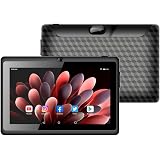
IKALL N12 - Android Wi-Fi Tablet, 3GB RAM, 16GB Storage, 7" Display, 3000mAh Battery, Dual Camera, Compact & Lightweight Tablet for Entertainment & Learning (Black)
₹4,299.00 (as of October 10, 2026 09:13 GMT +05:30 - More infoProduct prices and availability are accurate as of the date/time indicated and are subject to change. Any price and availability information displayed on [relevant Amazon Site(s), as applicable] at the time of purchase will apply to the purchase of this product.)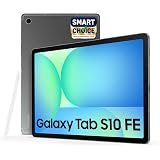
Samsung Galaxy Tab S10 FE [Smartchoice], S Pen in-Box, 27.7 cm (10.9 inch) Display, AI Writing, Desktop Mode, Pre Loaded Pro Apps, 8 GB RAM, 128 GB Storage, Wi-Fi Tablet, Gray
₹43,999.00 (as of October 10, 2026 09:13 GMT +05:30 - More infoProduct prices and availability are accurate as of the date/time indicated and are subject to change. Any price and availability information displayed on [relevant Amazon Site(s), as applicable] at the time of purchase will apply to the purchase of this product.)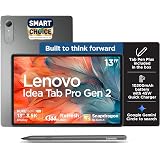
Lenovo Idea Tab Pro Gen 2 with Pen Plus {Smartchoice} 13" Display, 3.5K Resolution, 144Hz Refresh | 8GB, 256GB | Snapdragon 8s Gen 4 | 10200mAh, 4 JBL Speakers, USB 3.0 with DP-Out, Wi-Fi 7, Luna Grey
₹41,999.00 (as of October 10, 2026 09:13 GMT +05:30 - More infoProduct prices and availability are accurate as of the date/time indicated and are subject to change. Any price and availability information displayed on [relevant Amazon Site(s), as applicable] at the time of purchase will apply to the purchase of this product.)