Description: Upgrade your PC/laptop with SSD storage! Discover types, benefits, buying guides, and expert tips for the best Solid State Drive in the Indian market.
Why SSD Storage is a Game-Changer
Remember the agonizing wait as your computer boot-up screen glowed, slowly, agonizingly, for what felt like an eternity? Or the sheer frustration when opening a large application felt like dragging a heavy stone? For years, this was the common reality for millions of Indian computer users relying on traditional Hard Disk Drives (HDDs).
The Digital Leap: From Plates to Chips
The world of computing has undergone a quiet but revolutionary transformation, and the hero of this story is SSD Storage—the Solid State Drive. It’s not just an improvement; it’s a complete shift in how data is accessed, stored, and utilized. For a country that is rapidly digitizing, where every fraction of a second in the digital realm counts, the speed and reliability offered by SSDs are no longer a luxury—they are an absolute necessity.
Why This Guide is Essential for You
Whether you are a student attending online classes, a professional working with massive Excel sheets, a graphic designer creating high-resolution art, or a gamer demanding zero-lag performance, this comprehensive guide is your definitive resource. We will dissect the technology, demystify the jargon, provide data-backed insights specific to the Indian market, and give you the actionable knowledge needed to make the smartest upgrade decision. Prepare to unlock the true potential of your computing experience.
Understanding the Core Technology: What Exactly is SSD Storage?
To truly appreciate the value of an SSD, we must understand its fundamental difference from its predecessor. The key to the Solid State Drive is in its name: Solid State.
The Fundamental Difference: Mechanical vs. Electronic
| Feature | Solid State Drive (SSD) | Hard Disk Drive (HDD) |
| Data Storage | NAND Flash Memory Chips (like a large, persistent pen drive) | Spinning Magnetic Platters (like a record player) |
| Access Method | Electronic signals; direct access | Mechanical arm moves across platters |
| Speed (General) | Extremely Fast (5x to 50x faster) | Slow to Moderate |
| Durability | High; no moving parts to fail | Low; susceptible to shock/vibration |
| Noise | Silent | Audible humming or clicking |
| Power Consumption | Low | High |
The absence of moving parts is the single most important factor. In an HDD, the mechanical arm must physically move to locate data on the spinning platter. This mechanical action is the bottleneck, the source of delays, heat, and potential failure.
An SSD, by contrast, accesses data directly from NAND flash memory chips via electrical signals. This near-instantaneous process translates into the blazing-fast speeds that SSDs are famous for.
The Architecture of Speed: NAND Flash
The flash memory inside an SSD is not all the same. The technology powering it is called NAND flash, and its structure determines the drive’s capacity, durability, and cost. Understanding these types is crucial when making a purchase:
- Single-Level Cell (SLC): Stores 1 bit of data per cell. Fastest and most durable, but most expensive and low capacity. Primarily used in enterprise-level servers.
- Multi-Level Cell (MLC): Stores 2 bits per cell. Good balance of speed, cost, and durability. A great option for heavy-duty consumer use.
- Triple-Level Cell (TLC): Stores 3 bits per cell. The current sweet spot for the consumer market in India. Offers good capacity at an affordable price point. Durability is lower than MLC/SLC but more than adequate for most users.
- Quad-Level Cell (QLC): Stores 4 bits per cell. Focuses heavily on maximum capacity at the lowest cost. Slower and less durable than TLC, but excellent for bulk storage where speed isn’t the primary concern (e.g., storing a massive movie collection).
Expert Insight: For most Indian users replacing an older laptop’s primary drive, an affordable TLC SSD provides the best blend of performance boost and value for money.
The Core Advantages: Why Indian Users are Switching to SSD Storage
The adoption of SSDs in India isn’t just a trend; it’s a structural necessity driven by real-world performance improvements that directly impact productivity and experience. Let’s explore the primary benefits.
1. Unmatched Speed and Responsiveness
This is the flagship advantage. The performance metrics of an SSD simply shatter those of an HDD.
- Lightning-Fast Boot Times: What took minutes on an HDD now takes seconds (often under 15 seconds) on an SSD. This means your workday starts almost instantly.
- Rapid Application Loading: Software like Adobe Photoshop, Chrome with multiple tabs, or heavy games (like Cyberpunk 2077 or BGMI) load dramatically faster, often cutting waiting times by over 70%.
- Superior File Transfer: Moving large files—like 4K video footage or large corporate databases—is no longer a coffee break activity; it’s a quick task. Sequential read/write speeds can easily exceed 550 MB/s for SATA SSDs and 3500 MB/s for high-end NVMe drives.
Real-World Example (Mumbai IT Professional): An IT consultant reported that migrating his primary operating system drive to an SSD reduced his daily compilation time for a major software project by approximately 45 minutes, leading to significantly increased daily output.
2. Enhanced Reliability and Durability
The Indian environment—with its varying temperatures, occasional power fluctuations, and the frequent need to move laptops—puts stress on hardware. An SSD handles these challenges with unmatched grace.
- Shock Resistance: Since there are no delicate spinning platters or moving arms, an accidental bump, a drop, or even heavy vibration while traveling (say, on a train or bus) will not instantly damage the drive and corrupt data, unlike an HDD. This robustness is a huge peace of mind factor.
- Heat Management: SSDs generate less heat than HDDs, which can be critical in the hot and humid climate common across India. Less heat means better overall component longevity and reduced throttling (slowing down) of the CPU.
3. Greater Power Efficiency
For laptop users, especially students and those who work remotely, battery life is paramount.
- Lower Power Draw: SSDs consume noticeably less power than their mechanical counterparts. This directly translates into longer battery life for your laptop, allowing you to work longer between charges—a vital feature during load shedding or while working from a café.
4. Silence is Golden
The faint, whirring sound of an HDD is completely eliminated with an SSD. The silent operation contributes to a much better, more focused work environment, whether you are in a quiet office space or a serene home study.
The Different Types of SSD Storage: Making the Right Choice
The term ‘SSD’ is broad. When shopping in the Indian market, you will encounter several physical and technical formats. Choosing the right one depends on your device and your performance goals.
Form Factor 1: The Standard SATA SSD (2.5-inch)
This is the most common and versatile type of SSD, designed to directly replace the traditional 2.5-inch laptop HDD.
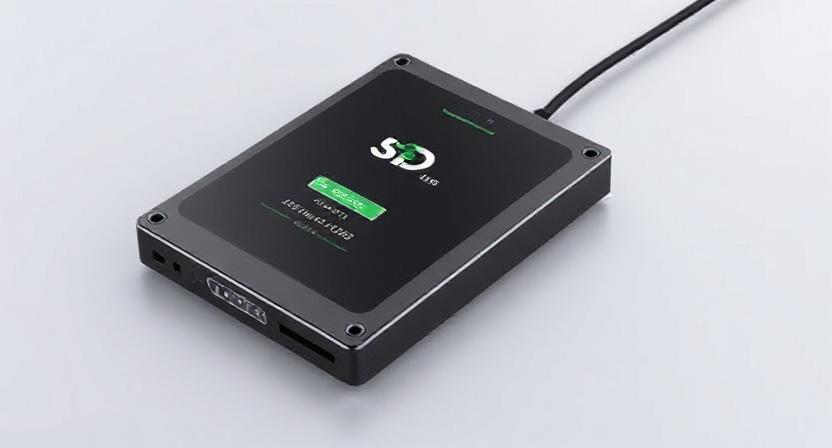
- What it is: A rectangular drive, visually similar to a standard laptop hard drive. It connects using the familiar SATA (Serial ATA) interface.
- Performance: Typically offers read/write speeds up to about 550 MB/s. While fast, this speed is limited by the SATA III interface itself.
- Best For:
- Upgrading older laptops or desktop PCs that only support the 2.5-inch SATA form factor.
- Users seeking a major speed boost on a tight budget.
- External SSD Enclosures for fast, portable storage.
Form Factor 2: M.2 SATA and M.2 NVMe SSDs
M.2 drives are the next generation in compact storage, looking like a small stick of RAM rather than a bulky box.
M.2 SATA
- What it is: Uses the compact M.2 slot but operates using the same SATA protocol as the 2.5-inch drives.
- Performance: Speed is limited to the SATA III standard (~550 MB/s).
- Best For: Newer, ultra-thin laptops that have an M.2 slot but do not support the faster NVMe protocol.
M.2 NVMe (Non-Volatile Memory Express)
This is where true, bleeding-edge speed is found.
- What it is: Uses the compact M.2 slot but communicates via the PCI Express (PCIe) bus—the same high-speed lane used by graphic cards. The NVMe protocol is optimized for flash storage.
- Performance: Speeds are exponentially higher. Entry-level NVMe drives start at read speeds around 1,500 MB/s, with high-end Gen4 drives now exceeding 7,000 MB/s.
- Best For:
- Gamers demanding minimal load screen times.
- Video editors and 3D artists working with massive project files.
- High-performance desktop builds and modern laptops.
Crucial Buying Tip: Just because a drive is M.2 does not mean it is NVMe. Always verify the protocol (SATA or NVMe) supported by both the drive and your computer’s motherboard.
Key SSD Jargon Demystified: Understanding the Metrics
When comparing drives online in India, you will encounter several technical terms. Knowing what they mean is power when negotiating the best deal.
1. IOPS (Input/Output Operations Per Second)
While sequential read/write speeds tell you how fast a large, continuous file moves, IOPS measures how quickly the drive can handle a massive number of tiny, fragmented data requests.
- Why it Matters: The Operating System (Windows or macOS) constantly performs millions of tiny, random reads and writes. A high Random 4K Read/Write IOPS figure is the best indicator of a drive’s real-world responsiveness—the snappiness you feel when multitasking or opening numerous files.
2. TBW (Total Terabytes Written)
This metric is the industry standard for measuring the endurance or lifespan of an SSD.
- What it is: The total amount of data (in terabytes) that is guaranteed to be written to the drive before it is likely to fail.
- Example: A 1TB SSD with a TBW of 600 means the manufacturer guarantees it can handle 600 terabytes of writes.
- Context for the User: For the average Indian user, writing 50GB of data daily, this drive would last over 32 years (600,000 GB/50 GB/day = 12,000 days, or ~32 years). Durability is almost never a concern for consumer-grade SSDs.
3. DRAM Cache (or lack thereof)
- With DRAM: These SSDs include a small, fast SDRAM chip that acts as a map (or look-up table) of where all the data is stored. This speeds up data retrieval significantly, especially when the drive is nearly full.
- DRAM-less (or HMB): These drives use a portion of the computer’s main RAM (Host Memory Buffer or HMB) instead of a dedicated chip. They are cheaper but can be slightly slower, particularly under heavy, sustained use.
Recommendation: For the best performance and peace of mind, especially for professionals and gamers, choose an SSD with a dedicated DRAM cache.
The Indian Market: A Smart Buyer’s Guide to SSD Storage
The SSD market in India is competitive, offering both international brands and domestic value options. Here is a guide focused on practical, cost-effective decisions.
Step 1: Determine the Right Capacity
Before looking at prices, assess your genuine storage needs. Capacity directly impacts price.
- 250 GB – 500 GB: Ideal for primary boot drives in older laptops where the budget is tight. Enough space for the operating system, core applications (Office, Chrome), and essential files.
- 1 TB (1000 GB): The sweet spot for most modern users. Enough space for the OS, a moderate game library, all professional software, and years of documents/photos. Highly recommended.
- 2 TB and Above: Necessary for serious content creators, videographers, CAD engineers, and hardcore gamers who install dozens of large titles.
Step 2: Choose the Correct Interface (SATA vs. NVMe)
Your computer’s motherboard is the limiting factor.
- Check Your PC: Use your motherboard manual or a tool like HWInfo to determine if your desktop or laptop has an M.2 slot and, crucially, if that slot supports NVMe (PCIe) or only SATA.
- If you have an NVMe slot: Invest in an NVMe drive. The speed difference is dramatic and worthwhile.
- If you only have a 2.5-inch slot: A standard 2.5-inch SATA SSD is your only option, and it will still provide a massive speed boost over an HDD.
Step 3: Consider the Value Proposition (TBW & Warranty)
While the TBW is high for all drives, a longer warranty is a sign of manufacturer confidence.
- Standard Warranty: Most reputable brands offer a 3-year limited warranty on their budget-to-mid-range SSDs.
- Premium Warranty: High-end NVMe drives often come with a 5-year warranty. This extra assurance is valuable, especially given the cost.
- Indian Market Leaders: Look for drives from trusted brands with good service networks in India, such as Samsung, Western Digital (WD), Crucial, and Kingston. Their after-sales support can be crucial.
Data Insight: As of late 2024, the price per gigabyte for 1TB SATA SSDs in India has fallen below ~₹6 per GB, making them incredibly accessible for the average consumer upgrade.
SSD Maintenance and Optimization: Maximizing Performance
Unlike HDDs, SSDs should not be defragmented. They operate fundamentally differently. Proper maintenance is straightforward and ensures peak performance for years.
1. Do Not Defragment
Defragmenting writes and re-writes data incessantly, which serves no purpose on an SSD and only consumes valuable TBW (endurance). Modern Windows (since Windows 7) is smart enough not to defragment an SSD. Do not use third-party tools to defragment your SSD.
2. Enable TRIM Command
The TRIM command allows the Operating System to tell the SSD which data blocks are no longer in use (i.e., deleted files). This lets the SSD clean those blocks in advance, ensuring that when new data needs to be written, the process is instant.
- Actionable Insight: The TRIM command is enabled by default in Windows 10/11 and modern macOS/Linux distributions. Verify it’s active in Windows by running the command:
fsutil behavior query DisableDeleteNotify. A result of0means TRIM is enabled.
3. Leave Some Free Space (Over-Provisioning)
It’s best practice to keep 10-15% of your SSD capacity free. This is called Over-Provisioning.
- Why? The SSD uses this reserved space for background tasks like wear leveling (distributing writes evenly) and garbage collection (TRIM). When an SSD is too full, these processes slow down, and the drive’s performance can degrade significantly.
4. Firmware Updates
Occasionally, manufacturers release new firmware to fix bugs, improve performance, or enhance power management. Always check the manufacturer’s website for a dedicated SSD management tool (like Samsung Magician or WD Dashboard) and apply any recommended firmware updates.
Case Studies: The Impact of SSD Storage in India
To highlight the dramatic real-world benefit, consider these scenarios that are common across Indian households and businesses:
Case Study A: The Remote-Working Parent (A 7-Year-Old Laptop)
- User: Mrs. Sharma, a marketing professional in Pune, relying on a 7-year-old i5 laptop for daily Zoom calls, heavy Excel, and presentations.
- Problem: Boot time: 5 minutes. Application opening (e.g., PowerPoint): 45 seconds. Constant freezing during multitasking.
- Solution: Replaced the 500GB HDD with a 500GB SATA SSD (~₹3000 – ₹4000 investment).
- Result: Boot time reduced to 12 seconds. Multitasking is seamless. The laptop’s effective lifespan was extended by several years, delaying the ₹60,000 cost of a new machine.
Case Study B: The Tier-2 City Cyber Café (Performance on a Budget)
- User: Mr. Ravi, owner of a gaming cyber café in Bhopal. Needs reliable, fast systems to attract serious gamers.
- Problem: Gamers complained about slow game loading and high latency during map loading, leading to lost business.
- Solution: Installed 1TB NVMe SSDs in the 10 core gaming rigs.
- Result: Game load times improved by over 50%. Customer satisfaction soared, leading to higher utilization and a faster return on investment in the hardware.
Advanced SSD Concepts for the Enthusiast
This section would delve into advanced topics for the discerning reader:
1. RAID Configurations with SSDs
(Discussing the pros and cons of RAID 0 for speed and RAID 1 for redundancy with SSDs.)
2. PCIe Gen4 vs. Gen5 NVMe
(A technical discussion on the emerging Gen5 standard, its relevance to future CPUs (like upcoming Intel and AMD chips), and the current high cost/heat concerns in the Indian context.)
The Future of SSD Storage: QLC and Beyond
This section would explore where the technology is heading:
1. The Dominance of QLC (Quad-Level Cell)
(Detailed analysis of QLC’s role in creating massive, cost-effective storage (8TB, 16TB SSDs) and whether its lower endurance matters.)
2. The Role of Z-NAND and 3D XPoint
(Briefly touching upon extremely high-performance, low-latency enterprise technologies and how they might trickle down to the consumer market.)
Conclusion: The Essential Investment for a Digital India
SSD storage is arguably the most impactful and cost-effective upgrade you can make to any computer today. In a digitally-driven economy like India’s, time is a crucial commodity, and the minutes saved by an SSD quickly translate into enhanced productivity and reduced frustration.
You have the knowledge—the difference between SATA and NVMe, the meaning of IOPS, and the need for TRIM. Don’t wait for your hard drive to click its last breath. Empower your device with the speed it deserves.
Your Call to Action
Stop waiting and start computing!
- Assess Your Need: Determine your required capacity and whether your machine supports SATA or NVMe.
- Compare Prices: Use the knowledge of TBW and DRAM cache to select the best-value 1TB drive from a reputable brand.
- Upgrade Today: Purchase your SSD and experience the instantaneous performance that will redefine your digital life. The investment is minimal; the returns are massive.
Western Digital WD Blue SN5100 NVMe 500GB, Upto 6600MB/s R, 5Y Warranty, PCIe Gen 4 NVMe M.2 (2280), Internal Solid State Drive (SSD) (WDS500G5B0E-00CPE0)
₹12,900.00 (as of September 19, 2026 22:34 GMT +05:30 - More infoProduct prices and availability are accurate as of the date/time indicated and are subject to change. Any price and availability information displayed on [relevant Amazon Site(s), as applicable] at the time of purchase will apply to the purchase of this product.)
COMPEERE CN100 – 128GB NVMe, Upto 2200MB/s R,1600MB/s, 3Years Warranty, PCIe Gen 3×4 NVMe, Storage, Internal Solid State Drive (SSD), 3 Years Warranty
₹2,999.00 (as of September 19, 2026 22:34 GMT +05:30 - More infoProduct prices and availability are accurate as of the date/time indicated and are subject to change. Any price and availability information displayed on [relevant Amazon Site(s), as applicable] at the time of purchase will apply to the purchase of this product.)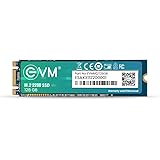
EVM 128GB M.2 SATA SSD 2280 | Internal Solid State Drive | Up to 520MB/s Read 370MB/s Write | Laptop Desktop Upgrade | 5 Year Warranty (EVMM2/128GB)
₹2,799.00 (as of September 19, 2026 22:34 GMT +05:30 - More infoProduct prices and availability are accurate as of the date/time indicated and are subject to change. Any price and availability information displayed on [relevant Amazon Site(s), as applicable] at the time of purchase will apply to the purchase of this product.)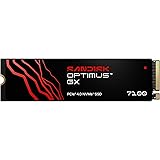
SanDisk Optimus™ GX 7100 NVMe™ 1 TB Internal SSD, Upto 7250 MB/s R, PCIe® Gen 4.0 M.2 (2280)
₹27,169.00 (as of September 19, 2026 22:34 GMT +05:30 - More infoProduct prices and availability are accurate as of the date/time indicated and are subject to change. Any price and availability information displayed on [relevant Amazon Site(s), as applicable] at the time of purchase will apply to the purchase of this product.)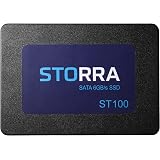
STORRA SSD 512GB 2.5 Inch SATA Internal SSD - Read: 550MB/s & Write: 500MB/s - Solid-State Drive 3 Year Warranty|ST100512G
₹5,999.00 (as of September 19, 2026 22:34 GMT +05:30 - More infoProduct prices and availability are accurate as of the date/time indicated and are subject to change. Any price and availability information displayed on [relevant Amazon Site(s), as applicable] at the time of purchase will apply to the purchase of this product.)
PreSolve| 500GB 2.5 Inch SATA III Internal SSD | Ultra-Fast Solid State Drive for Laptop & Desktop | 1-Year Warranty
Now retrieving the price.
(as of September 19, 2026 22:34 GMT +05:30 - More infoProduct prices and availability are accurate as of the date/time indicated and are subject to change. Any price and availability information displayed on [relevant Amazon Site(s), as applicable] at the time of purchase will apply to the purchase of this product.)
Patriot Memory P300 1TB M.2 SSD 2280 NVMe PCIe Gen 3x4 Internal SSD P300P1TBM28
₹14,099.00 (as of September 19, 2026 22:34 GMT +05:30 - More infoProduct prices and availability are accurate as of the date/time indicated and are subject to change. Any price and availability information displayed on [relevant Amazon Site(s), as applicable] at the time of purchase will apply to the purchase of this product.)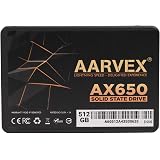
AARVEX AX650 512GB SATA III 2.5 Inch Internal SSD | 6Gb/s Solid State Drive, High-Speed Storage Upgrade, For Laptop, Desktop PC & All-in-One, Fast Boot & Data Transfer
₹6,000.00 (as of September 19, 2026 22:34 GMT +05:30 - More infoProduct prices and availability are accurate as of the date/time indicated and are subject to change. Any price and availability information displayed on [relevant Amazon Site(s), as applicable] at the time of purchase will apply to the purchase of this product.)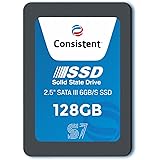
Consistent SSD 128GB 2.5 Inch SATA Internal SSD - Read: 550MB/s & Write: 500MB/s - Solid-State Drive 5 Year Warranty (128, GB)
₹2,222.00 (as of September 19, 2026 22:34 GMT +05:30 - More infoProduct prices and availability are accurate as of the date/time indicated and are subject to change. Any price and availability information displayed on [relevant Amazon Site(s), as applicable] at the time of purchase will apply to the purchase of this product.)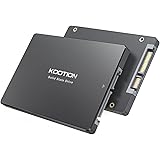
KOOTION 256GB Internal SSD SATA III 6Gb/s 2.5" Solid State Drive 3D NAND Flash Advanced SSD Hard Drive Up to 550MB/s SATA 3 SSD Upgrade Performance for PC Laptop
Now retrieving the price.
(as of September 19, 2026 22:34 GMT +05:30 - More infoProduct prices and availability are accurate as of the date/time indicated and are subject to change. Any price and availability information displayed on [relevant Amazon Site(s), as applicable] at the time of purchase will apply to the purchase of this product.)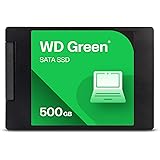
Western Digital WD Green SATA 500GB, Up to 545MB/s, 2.5 Inch/7 mm, 3Y Warranty, Internal Solid State Drive (SSD) (WDS500G5G0A-00CPT0)
₹9,499.00 (as of September 19, 2026 22:34 GMT +05:30 - More infoProduct prices and availability are accurate as of the date/time indicated and are subject to change. Any price and availability information displayed on [relevant Amazon Site(s), as applicable] at the time of purchase will apply to the purchase of this product.)
PreSolve | 128GB SATA 3 Internal SSD (2.5") | Fast Boot, Ultra-Stable Performance | 5-Year Warranty
₹2,349.00 (as of September 19, 2026 22:34 GMT +05:30 - More infoProduct prices and availability are accurate as of the date/time indicated and are subject to change. Any price and availability information displayed on [relevant Amazon Site(s), as applicable] at the time of purchase will apply to the purchase of this product.)
STORRA SSD 256GB 2.5 Inch SATA Internal SSD - Read: 550MB/s & Write: 500MB/s - Solid-State Drive 3 Year Warranty|ST100256G
₹2,900.00 (as of September 19, 2026 22:34 GMT +05:30 - More infoProduct prices and availability are accurate as of the date/time indicated and are subject to change. Any price and availability information displayed on [relevant Amazon Site(s), as applicable] at the time of purchase will apply to the purchase of this product.)
ZEBRONICS SD26 256GB SSD, Ultra Low Power Consumption, S.M.A.R.T. Thermal Management and Silent Operation
₹3,849.00 (as of September 19, 2026 22:34 GMT +05:30 - More infoProduct prices and availability are accurate as of the date/time indicated and are subject to change. Any price and availability information displayed on [relevant Amazon Site(s), as applicable] at the time of purchase will apply to the purchase of this product.)
Crucial P3 Plus 1TB PCIe 4.0 3D NAND NVMe M.2 SSD, up to 5000MB/s - CT1000P3PSSD8
₹18,999.00 (as of September 19, 2026 22:34 GMT +05:30 - More infoProduct prices and availability are accurate as of the date/time indicated and are subject to change. Any price and availability information displayed on [relevant Amazon Site(s), as applicable] at the time of purchase will apply to the purchase of this product.)
128GB SSD Solid State Drive 2.5" SATA | Made in India, 2.5" Form Factor
Now retrieving the price.
(as of September 19, 2026 22:34 GMT +05:30 - More infoProduct prices and availability are accurate as of the date/time indicated and are subject to change. Any price and availability information displayed on [relevant Amazon Site(s), as applicable] at the time of purchase will apply to the purchase of this product.)
Elprico M.2 Hard Drive, Stable Small Easy Installation M.2 to MSATA Adapter Card SSD Desktop Computer Accessories(16GB)
₹4,222.00 (as of September 19, 2026 22:34 GMT +05:30 - More infoProduct prices and availability are accurate as of the date/time indicated and are subject to change. Any price and availability information displayed on [relevant Amazon Site(s), as applicable] at the time of purchase will apply to the purchase of this product.)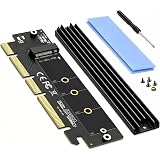
ZORBES® M.2 NVMe SSD Adapter PCIe 4.0 X16 X8 X4 Heatsink 2280/2260/2242/223 | Drive Expansion, Passive Cooling for Stable Operation, Supports NVMe and AHCI SSDs, Desktop PC Installation, Adapter Design
Now retrieving the price.
(as of September 19, 2026 22:34 GMT +05:30 - More infoProduct prices and availability are accurate as of the date/time indicated and are subject to change. Any price and availability information displayed on [relevant Amazon Site(s), as applicable] at the time of purchase will apply to the purchase of this product.)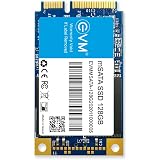
EVM 128GB mSATA Internal SSD | 3D NAND Storage | Up to 520MB/s Read 320MB/s Write | Laptop Ultrabook Upgrade | 5 Year Warranty (EVMMS/128GB)
Now retrieving the price.
(as of September 19, 2026 22:34 GMT +05:30 - More infoProduct prices and availability are accurate as of the date/time indicated and are subject to change. Any price and availability information displayed on [relevant Amazon Site(s), as applicable] at the time of purchase will apply to the purchase of this product.)