
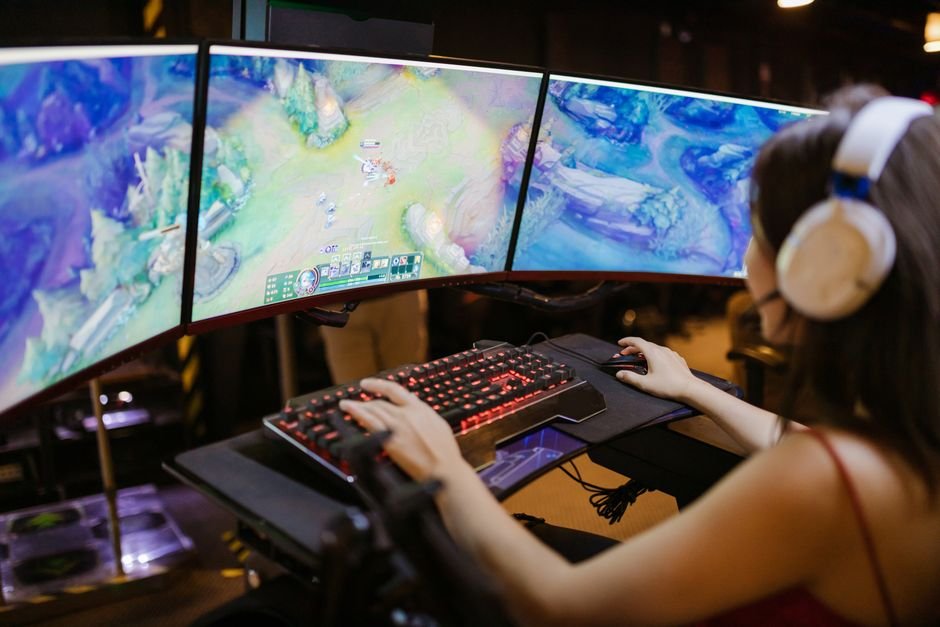
Unlocking Peak Performance: Navigating the World of 240Hz Monitors for Your Ultimate Setup
The pursuit of a truly immersive and responsive gaming or professional visual experience often leads enthusiasts to the cutting edge of display technology. Among the most sought-after advancements is the 240Hz refresh rate, a specification that promises unparalleled fluidity and a significant competitive edge. But with a burgeoning market and a plethora of options, choosing the right 240Hz monitor can feel like navigating a minefield. This comprehensive guide will equip you with the knowledge to make an informed decision, ensuring your new display perfectly complements your existing setup and elevates your visual journey.
Understanding the 240Hz Advantage: Beyond the Hype
At its core, a 240Hz refresh rate means your monitor can update the image on screen 240 times per second. This is a dramatic leap from the standard 60Hz or even 144Hz found on many displays. The benefits are immediately apparent, particularly in fast-paced scenarios:
- Smoother Motion: The most significant impact of 240Hz is the drastically reduced motion blur. Fast-moving objects appear sharper and more defined, allowing for quicker reactions and a more engaging visual experience. Imagine tracking a bullet in a shooter or observing intricate details in a racing game; 240Hz makes these moments significantly clearer.
- Reduced Input Lag: While refresh rate and input lag are distinct metrics, a higher refresh rate generally correlates with lower perceived input lag. With more frames being displayed per second, the delay between your input and the on-screen response feels minimized, crucial for competitive gaming where milliseconds matter.
- Enhanced Visual Clarity: In scrolling through web pages, editing timelines, or simply navigating your desktop, the increased refresh rate leads to a noticeably smoother and more pleasant experience. Text appears sharper, and the overall desktop feels more responsive.
- Competitive Edge: For esports professionals and serious gamers, the advantage of 240Hz is undeniable. The ability to see enemy movements fractions of a second sooner, react with greater precision, and maintain visual clarity during intense firefights can be the difference between victory and defeat.
Key Factors to Consider When Choosing Your 240Hz Monitor
While the 240Hz refresh rate is the headline feature, a truly optimal choice involves a holistic assessment of several critical components:
1. Panel Type: The Foundation of Your Visuals
The panel technology dictates the fundamental characteristics of your display, influencing color accuracy, viewing angles, response times, and contrast. For 240Hz monitors, you’ll primarily encounter:
- TN (Twisted Nematic): Historically the king of high refresh rates due to their incredibly fast response times. TN panels excel at minimizing motion blur and are often the most affordable option. However, they typically suffer from weaker color reproduction and narrower viewing angles, meaning colors can shift or degrade when viewed from off-center. For pure speed in competitive gaming, TN remains a strong contender, but the visual fidelity might be a compromise.
- IPS (In-Plane Switching): IPS panels have made significant strides in recent years, achieving 240Hz refresh rates without sacrificing their renowned color accuracy and wide viewing angles. This makes them a fantastic all-around choice for gamers and professionals who value both speed and visual richness. While historically slightly slower than TN, modern IPS panels boast response times that are more than sufficient for 240Hz gaming, often with superior color vibrancy and consistency.
- VA (Vertical Alignment): VA panels are known for their excellent contrast ratios, delivering deeper blacks and more vibrant colors than TN and often IPS. However, they have historically struggled with achieving very high refresh rates like 240Hz while maintaining good response times. While some VA panels are now pushing into this territory, they can sometimes exhibit slower pixel response times, leading to ghosting or smearing in fast-moving scenes. If deep blacks and contrast are paramount, and you’re willing to accept a potential minor compromise in absolute motion clarity, a high-end VA might be worth considering, but proceed with caution and research specific models.
Recommendation: For most users seeking a balance of speed, color, and viewing angles, IPS panels are generally the sweet spot for 240Hz monitors. If budget is a primary concern and competitive edge is the absolute priority, a high-quality TN might suffice.
2. Resolution: Balancing Detail and Performance
The resolution of your monitor determines the sharpness and detail of the image. For 240Hz displays, the most common resolutions are:
- 1920×1080 (Full HD / 1080p): This is the most prevalent resolution for 240Hz monitors, offering the best chance of achieving and maintaining high frame rates with current hardware. It’s ideal for competitive gamers whose primary focus is maximizing FPS. While it offers less pixel density than higher resolutions, the sheer fluidity of 240Hz can often compensate for the reduced detail.
- 2560×1440 (QHD / 1440p): This resolution offers a significant step up in visual clarity and detail. However, driving a 1440p resolution at 240Hz is a demanding task, requiring a very powerful GPU. If your system can consistently push high frame rates at this resolution, it offers a fantastic blend of detail and speed. Be prepared for a more substantial investment in your PC hardware to fully leverage this combination.
- 3840×2160 (4K / UHD): While 4K monitors are becoming more common, achieving a stable 240Hz at this resolution is currently beyond the reach of most consumer-grade hardware. You might find displays advertised with 4K resolution and high refresh rates, but they often achieve this through Display Stream Compression (DSC) or achieve 240Hz only at lower resolutions. If 4K is a must, you’ll likely need to compromise on the refresh rate or accept significantly lower frame rates.
Recommendation: For the vast majority of users aiming for a 240Hz experience, 1080p is the most practical and achievable resolution, especially if your GPU isn’t top-tier. If you have a powerhouse PC and crave more detail, 1440p is an excellent upgrade, but be prepared for the performance demands.
3. Adaptive Sync Technology: Eliminating Screen Tearing
Adaptive Sync technologies like NVIDIA G-Sync and AMD FreeSync are crucial for a smooth, tear-free experience, especially at high refresh rates. They synchronize the monitor’s refresh rate with your GPU’s frame rate, eliminating the jarring visual artifacts that occur when the two are out of sync.
- NVIDIA G-Sync: This proprietary technology from NVIDIA is renowned for its excellent performance and wide compatibility with NVIDIA GPUs. G-Sync Compatible monitors are also available, offering a more budget-friendly option that works with NVIDIA cards.
- AMD FreeSync: AMD’s open-source adaptive sync technology is widely supported by AMD GPUs and is also compatible with many NVIDIA GPUs through NVIDIA’s G-Sync Compatible program. FreeSync comes in various tiers (FreeSync, FreeSync Premium, FreeSync Premium Pro), with higher tiers offering better performance and features like Low Framerate Compensation (LFC).
Recommendation: Ensure your chosen monitor supports the adaptive sync technology compatible with your GPU. If you have an NVIDIA GPU, look for G-Sync or G-Sync Compatible. If you have an AMD GPU, FreeSync is the way to go. Many modern monitors offer support for both, which is the most versatile option.
4. Response Time: The Key to Motion Clarity
Response time refers to how quickly a pixel can change from one color to another. For 240Hz monitors, a low response time is paramount to prevent ghosting (trails behind moving objects) and smearing. Response times are typically measured in milliseconds (ms) and are often advertised as “GtG” (Gray-to-Gray) or “BtW” (Black-to-White).
- 1ms or less: This is the ideal for 240Hz gaming. Displays with advertised response times of 1ms or less are designed to minimize motion blur and provide the crispest visuals during fast action.
- Overdrive Settings: Most monitors offer overdrive settings that can further reduce response times. However, aggressive overdrive can sometimes introduce inverse ghosting (overshooting the target color), so finding the right balance is key.
Recommendation: Aim for a monitor with a native response time of 1ms GtG. Always check professional reviews for real-world response time tests, as advertised figures can sometimes be misleading.
5. Connectivity: Ensuring Compatibility with Your Hardware
The ports on your monitor determine how it connects to your PC and other devices. For 240Hz, you’ll need:
- DisplayPort 1.4 or higher: This is essential for achieving 240Hz at 1080p and 1440p resolutions. Ensure your GPU also has a compatible DisplayPort output.
- HDMI 2.0 or higher: While HDMI 2.0 can support 240Hz at 1080p, DisplayPort is generally preferred for its higher bandwidth and wider compatibility with high refresh rates.
Recommendation: Prioritize monitors with multiple DisplayPort 1.4 inputs for future-proofing and maximum compatibility.
6. Ergonomics and Features: Enhancing Your Overall Experience
Beyond