
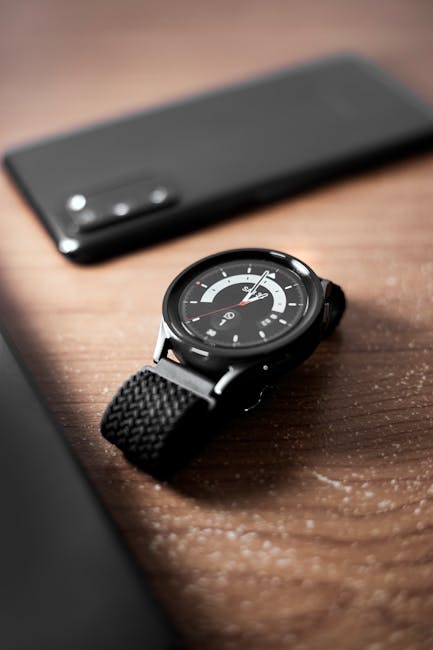
Bluetooth Calling Watch: Your Ultimate Guide to Seamless Connectivity and Smart Living
The modern smartwatch has transcended its humble beginnings as a mere timekeeping device. Today, it’s a sophisticated extension of our smartphones, a personal assistant on our wrists, and a gateway to a more connected and efficient life. At the forefront of this evolution lies the Bluetooth calling watch, a feature that has revolutionized how we interact with our devices and the world around us. This guide delves deep into the world of Bluetooth calling watches, exploring their functionality, benefits, selection criteria, and how they empower you to stay connected without constantly reaching for your phone.
Understanding the Core Technology: How Bluetooth Calling Works
At its heart, a Bluetooth calling watch leverages the ubiquitous Bluetooth wireless technology to establish a connection with your smartphone. This connection serves as a digital bridge, allowing the watch to access your phone’s calling capabilities. When a call comes in, your smartphone receives it, but instead of ringing on the phone itself, the signal is transmitted wirelessly to your watch. You can then answer, reject, or even initiate calls directly from your wrist.
This process involves several key components:
- Bluetooth Module: Both your smartphone and the watch are equipped with Bluetooth transmitters and receivers.
- Pairing: The initial setup involves pairing your watch with your smartphone. This creates a secure and unique connection.
- Audio Transmission: Once paired, the watch utilizes its built-in microphone and speaker (or connects to Bluetooth earbuds) to transmit and receive audio during a call.
- Call Management: The watch’s interface allows for seamless control of incoming and outgoing calls, including displaying caller ID, accessing contact lists, and redialing last numbers.
The Unparalleled Benefits of a Bluetooth Calling Watch
The convenience and functionality offered by a Bluetooth calling watch are undeniable. Here are some of the most significant advantages:
- Ultimate Convenience: This is the primary draw. Imagine being in a meeting, exercising, or simply having your hands full, and being able to answer a call without fumbling for your phone. The ability to manage calls directly from your wrist liberates you from constant phone-checking.
- Hands-Free Communication: For busy professionals, parents, or anyone on the go, hands-free calling is a game-changer. You can continue driving, cooking, or working while staying connected.
- Discreet Communication: In situations where pulling out your phone might be disruptive or inappropriate, a quick glance at your watch and a discreet whisper into the microphone can be invaluable.
- Enhanced Safety: For runners, cyclists, or hikers, having the ability to answer an urgent call without stopping or searching for their phone significantly enhances safety.
- Improved Productivity: By reducing the need to constantly pull out your phone, you can minimize distractions and maintain focus on the task at hand, leading to increased productivity.
- Fitness Integration: Many Bluetooth calling watches are also packed with advanced fitness tracking features. This means you can monitor your workouts, receive call notifications, and even make calls without interrupting your exercise routine.
- Standalone Functionality (Limited): While most Bluetooth calling watches rely on a connected smartphone, some advanced models offer cellular capabilities (eSIM), allowing them to make and receive calls independently, further reducing reliance on your phone.
Key Features to Look for in a Bluetooth Calling Watch
With the market flooded with options, choosing the right Bluetooth calling watch can be daunting. Consider these crucial features:
- Call Quality: This is paramount. Look for watches with clear microphones and speakers. Reviews often highlight the audio quality, so do your research. Some watches also support connecting to external Bluetooth earbuds for a more private and potentially superior audio experience.
- Bluetooth Version: Newer Bluetooth versions (e.g., Bluetooth 5.0 and above) offer improved range, stability, and power efficiency.
- Battery Life: Making and receiving calls consumes battery power. Assess the watch’s battery life, especially when using the calling feature. Many manufacturers provide estimates for talk time and standby time.
- Microphone and Speaker Quality: Integrated microphones and speakers vary greatly. Look for reviews that specifically mention the clarity and loudness of both.
- Water Resistance: If you plan to use your watch during workouts or in wet conditions, water resistance is a crucial factor. Look for ratings like IP67 or IP68, or ATM ratings for swimming.
- Display Type and Brightness: A clear, bright display is essential for viewing caller ID, contacts, and managing calls, especially in direct sunlight. AMOLED and vibrant LCD displays are generally preferred.
- Operating System and App Ecosystem: The watch’s operating system (e.g., Wear OS, watchOS, or proprietary OS) dictates its compatibility with your smartphone and the availability of third-party apps. A robust app ecosystem can enhance the watch’s functionality.
- Compatibility: Ensure the watch is compatible with your smartphone’s operating system (iOS or Android).
- Design and Comfort: A smartwatch is an accessory you’ll wear daily. Choose a design that suits your style and a comfortable strap.
- Additional Smartwatch Features: Beyond calling, consider other features important to you, such as fitness tracking, heart rate monitoring, GPS, NFC for contactless payments, music control, and notification management.
- Storage Capacity: For some advanced features like on-watch music storage or offline maps, storage capacity becomes relevant.
Making and Receiving Calls: A Step-by-Step Guide
The process of making and receiving calls on a Bluetooth calling watch is generally intuitive and user-friendly:
Receiving Calls:
- Incoming Call Notification: When a call comes in, your watch will vibrate and display the caller ID (if available in your contacts).
- Answer/Reject: You’ll typically see options to “Answer” or “Reject” the call directly on the watch screen.
- Initiate Call: Tap “Answer” to accept the call. The watch will activate its microphone and speaker, and you can begin speaking.
- End Call: To end the call, tap the “End Call” icon on the watch screen.
Making Calls:
- Access Contacts: Navigate to your contacts app on the watch.
- Select Contact: Scroll through your contacts and select the person you wish to call.
- Initiate Call: Tap the call icon next to the contact’s name.
- Dialpad (Optional): Many watches also feature a dialpad allowing you to manually enter phone numbers.
- Voice Commands: Some advanced watches support voice commands for initiating calls. You might say, “Hey [Assistant Name], call [Contact Name].”
Troubleshooting Common Bluetooth Calling Issues
While generally reliable, you might encounter occasional hiccups. Here are some common issues and their solutions:
- No Sound:
- Check Volume: Ensure the watch’s volume is turned up.
- Check Bluetooth Connection: Verify that the watch is still connected to your phone. Disconnect and reconnect Bluetooth on both devices.
- Restart Devices: A simple restart of both your watch and smartphone can resolve many temporary glitches.
- Check Microphone/Speaker: Ensure the microphone and speaker aren’t obstructed by dirt or debris.
- Poor Call Quality (Choppy Audio, Static):
- Distance: Bluetooth has a limited range. Ensure your watch and phone are within close proximity.
- Interference: Other wireless devices or physical obstructions can interfere with the signal. Try moving to a different location.
- Low Battery: Low battery on either device can sometimes affect Bluetooth performance.
- Update Software: Ensure both your watch and smartphone have the latest software updates installed.
- Unable to Connect:
- Forget and Re-pair: On your smartphone, go to Bluetooth settings, find your watch in the list of paired devices, and “Forget” or “Unpair” it. Then, re-initiate the pairing process.
- Bluetooth Enabled: Make sure Bluetooth is enabled on both your watch and smartphone.
- Reset Network Settings: On your smartphone, you might consider resetting network settings (this will also reset Wi-Fi passwords and cellular settings).
- Calls Not Coming Through to Watch:
- Notification Settings: Check your watch’s and smartphone’s notification settings to ensure call notifications are enabled.
- Do Not Disturb Mode: Ensure that neither your watch nor your phone is in “Do Not Disturb” mode, which might be silencing incoming calls.
The Future of Bluetooth Calling Watches: Innovation on the Horizon
The evolution of Bluetooth calling watches is far from over. We can anticipate several advancements in the coming years:
- Enhanced Audio Technology: Expect improved noise cancellation, clearer voice transmission, and potentially spatial audio capabilities.
- Increased Standalone Functionality: As eSIM technology becomes more prevalent and affordable, more watches will offer true cellular independence, allowing for calls, data, and app usage without a paired smartphone.
- AI Integration: Smarter AI assistants integrated into watches will offer more intuitive call management, contextual call handling, and proactive assistance.
- Improved Battery Efficiency: Ongoing advancements in battery technology and power management will lead to longer battery life, even with continuous calling.
- Advanced Health Monitoring During Calls: Future watches might integrate health sensors that can provide real-time data (e.g., heart rate, stress levels) during calls, offering