
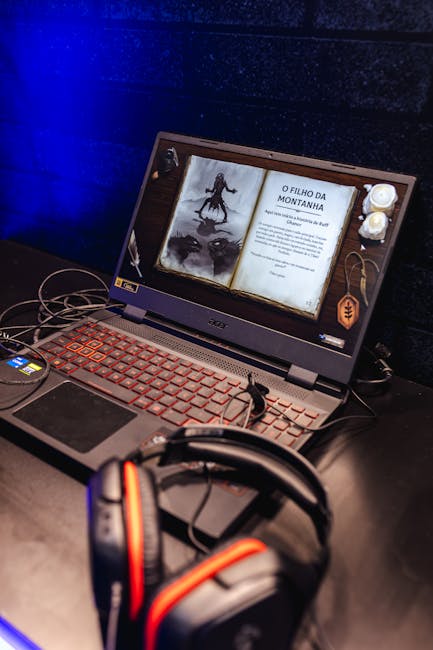
Level Up Your Learning: Finding the Perfect Gaming Laptop for School
The stereotype of the student gamer often conjures images of late nights fueled by energy drinks, neglecting textbooks for virtual worlds. However, the reality is far more nuanced. For many students, a gaming laptop isn’t just a portal to epic quests; it’s a powerful, versatile tool that can significantly enhance their academic journey. The challenge lies in navigating the crowded market to find a machine that balances demanding gaming performance with the practical needs of student life. This guide will equip you with the knowledge to make an informed decision, ensuring your chosen laptop becomes an indispensable asset, both in the classroom and beyond.
The Dual-Purpose Dilemma: Gaming Prowess Meets Academic Demands
The core of finding the perfect student gaming laptop lies in understanding its dual role. You need a machine that can smoothly run the latest AAA titles at respectable frame rates, offering an immersive and enjoyable gaming experience. Simultaneously, it must be capable of handling demanding academic tasks such as running complex simulation software, video editing for projects, coding environments, or even simply multitasking with numerous browser tabs and productivity applications open. This necessitates a careful consideration of key hardware components.
Processor Power: The Brains Behind the Operation
At the heart of any high-performance laptop is its processor (CPU). For gaming and demanding academic workloads, you’ll want to prioritize Intel Core i7 or i9 processors (12th generation or newer for optimal performance and efficiency) or AMD Ryzen 7 or 9 processors (5000 series or newer). These chips offer a significant number of cores and threads, allowing for excellent multitasking capabilities and rapid processing of complex calculations. Look for processors with high clock speeds, measured in GHz, as this directly impacts how quickly tasks are executed. For students focusing heavily on CPU-intensive tasks like video editing or 3D rendering, a higher core count will be more beneficial than raw clock speed alone. Gaming, on the other hand, often benefits from a balance of both.
Graphics Card: The Visual Powerhouse
The graphics processing unit (GPU) is arguably the most critical component for gaming. NVIDIA GeForce RTX series (3060, 3070, 3080, or the newer 40-series equivalents) and AMD Radeon RX series (6700M, 6800M, or newer) are your go-to choices. The higher the model number, the greater the graphical fidelity and frame rates you can expect. For students who dabble in gaming and require decent graphics for occasional entertainment, an RTX 3050 Ti or RTX 4050 might suffice. However, for serious gamers and those in creative fields like digital art or animation, an RTX 3070/4070 or higher is highly recommended. VRAM (Video RAM) is also crucial; aim for at least 6GB for comfortable 1080p gaming, and 8GB or more for higher resolutions and more demanding titles.
RAM: The Multitasking Maestro
Random Access Memory (RAM) is your laptop’s short-term memory, essential for running multiple applications simultaneously. For a smooth student gaming experience, 16GB of DDR4 or DDR5 RAM is the minimum recommended. This will comfortably handle most modern games and allow you to switch between your browser, word processor, and gaming without significant lag. However, if your academic pursuits involve heavy multitasking, large datasets, or memory-intensive software like virtual machines or professional video editing suites, consider upgrading to 32GB. Faster RAM speeds (measured in MHz) also contribute to overall system responsiveness.
Storage: Speed and Capacity
The type and capacity of storage significantly impact boot times, application loading speeds, and file transfer rates. Solid State Drives (SSDs) are non-negotiable for a modern laptop. They offer dramatically faster performance compared to traditional Hard Disk Drives (HDDs). Aim for an NVMe SSD for the fastest possible speeds. For capacity, a 512GB SSD is a good starting point for most students, but if you plan on installing numerous large games and storing a lot of media, consider a 1TB SSD or a dual-drive setup with a smaller SSD for the operating system and frequently used applications, and a larger HDD for bulk storage.
Display: Your Window to the Virtual and Academic Worlds
The display is your primary interface. For gaming, refresh rates are paramount. A 120Hz or 144Hz refresh rate provides a smoother visual experience, crucial for fast-paced games. Higher refresh rates, like 240Hz, offer an even greater advantage in competitive gaming. Resolution also plays a role; 1080p (Full HD) is standard and offers a good balance of performance and clarity. QHD (1440p) offers sharper visuals but requires a more powerful GPU. Color accuracy and brightness are also important for both gaming and academic work, especially for tasks involving visual design or photo editing. Look for IPS panels for wider viewing angles and better color reproduction.
Cooling System: Sustaining Peak Performance
Gaming laptops generate significant heat. An effective cooling system is vital to prevent thermal throttling, where the CPU and GPU reduce their performance to avoid overheating. Look for laptops with robust cooling solutions, including multiple fans, heat pipes, and well-designed ventilation. Brands known for their effective cooling systems often include dedicated gaming lines. Adequate airflow is also essential; avoid blocking vents when using your laptop.
Portability and Battery Life: The Student Compromises
This is where the “student” aspect of a gaming laptop often requires compromise. Gaming laptops are typically heavier and have shorter battery life than ultrabooks due to their powerful components and cooling systems. Consider the weight and dimensions if you’ll be carrying it around campus daily. While gaming on battery power is generally not recommended due to performance limitations and rapid drain, a decent battery life for light tasks like note-taking or web browsing is still a valuable consideration. Look for laptops with efficient processors or power-saving modes to maximize battery longevity.
Keyboard and Trackpad: Input for Success
A comfortable and responsive keyboard is essential for both extended gaming sessions and lengthy study periods. Many gaming laptops feature mechanical or semi-mechanical keyboards with satisfying tactile feedback. Backlighting is also a common and useful feature for late-night study or gaming. The trackpad is less critical for gaming (as most gamers use external mice), but a precise and responsive trackpad is important for general navigation and academic tasks.
Connectivity: Staying Connected
Ensure the laptop has a good selection of ports, including USB-A and USB-C (preferably Thunderbolt for faster data transfer and display output), HDMI or DisplayPort for external monitors, and an Ethernet port for stable internet connections. Wi-Fi 6 or Wi-Fi 6E is also a significant advantage for faster wireless connectivity.
Build Quality and Durability: Investing in Longevity
A student laptop will endure a lot of wear and tear. Look for laptops with sturdy construction, often utilizing aluminum or high-quality plastics. This is an investment, and a well-built machine will last you through your academic career and beyond.
Software and Operating System: The Foundation
Most gaming laptops come with Windows pre-installed, which is the standard for gaming and most academic software. Consider the bundled software; some manufacturers include useful utilities, while others might pre-install bloatware that can be removed.
Budget Considerations: Finding the Sweet Spot
Gaming laptops can range from moderately priced to exceptionally expensive. Establish a realistic budget before you start shopping. Remember that you’re investing in a device that will serve multiple purposes. Prioritize the components that are most important for your specific needs and compromise on those that are less critical. Often, mid-range gaming laptops offer an excellent balance of performance and price for students.
Brands and Models to Consider:
Several reputable brands consistently deliver high-quality gaming laptops suitable for students. Brands like Alienware, ASUS ROG, MSI, Razer Blade, Lenovo Legion, and HP Omen are well-regarded for their performance, build quality, and features. Research specific models within these brands that align with your budget and performance requirements. Reading reviews and watching video benchmarks of specific laptop configurations can be incredibly helpful.
By carefully considering these factors and prioritizing your individual needs, you can find a gaming laptop that not only excels in the virtual arena but also empowers your academic pursuits, making it the ultimate tool for success in higher education.