
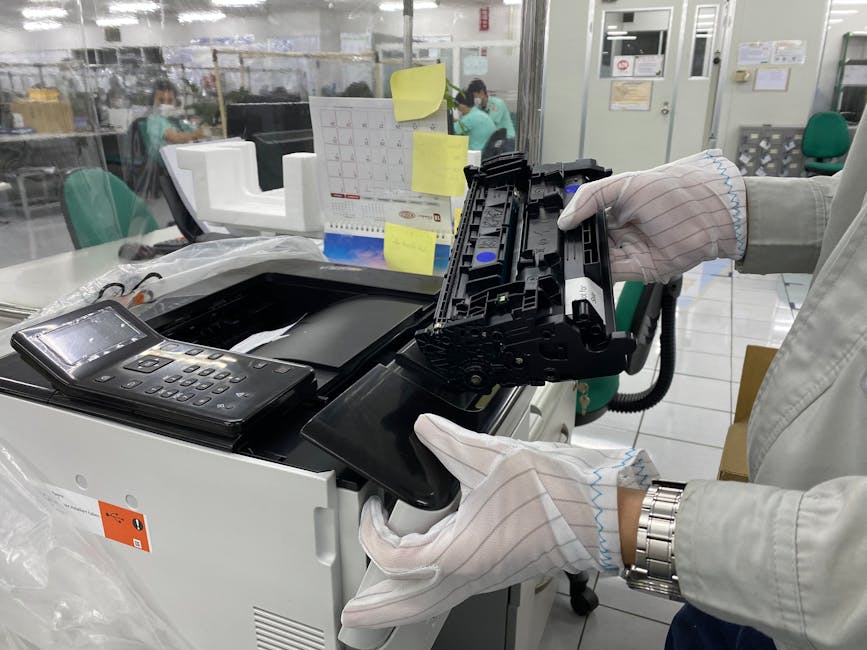
Unlocking Productivity: Top Features for Your Office WiFi Laser Printer
In today’s fast-paced business environment, reliable and efficient printing is not a luxury, but a necessity. When selecting an office WiFi laser printer, the right features can significantly boost productivity, streamline workflows, and reduce operational costs. Moving beyond basic printing capabilities, modern office printers offer a sophisticated suite of tools designed to integrate seamlessly into your network and empower your team. This in-depth guide explores the top features to prioritize when choosing your next office WiFi laser printer, ensuring you invest in a device that truly supports your business needs.
1. Robust WiFi Connectivity and Network Integration:
At the core of any modern office printer is its wireless capability. Look for printers supporting the latest WiFi standards, such as WiFi 6 (802.11ax), for faster, more stable connections, especially in busy network environments. Dual-band WiFi (2.4GHz and 5GHz) offers flexibility, allowing you to connect to the band that offers the best performance and least interference. Beyond simple WiFi, consider Wi-Fi Direct for direct printing from devices without needing to connect to the main network, ideal for guest access or quick ad-hoc printing. Ethernet connectivity remains crucial for wired network stability and is a standard feature to expect. Advanced network management features, such as SNMP (Simple Network Management Protocol) support, are vital for IT administrators to monitor printer status, manage supplies, and troubleshoot issues remotely. Integration with existing network infrastructure, including Active Directory or LDAP for user authentication, enhances security and control.
2. High-Speed Printing and Duplexing:
Time is money, and a slow printer can be a significant bottleneck. Prioritize printers with a high Pages Per Minute (PPM) rating for both monochrome and color printing, especially if your office handles large print volumes. Look for speeds of 30 PPM or higher as a good starting point for most small to medium-sized offices. Equally important is automatic duplex printing (two-sided printing). This feature automatically prints on both sides of the paper, saving significant amounts of paper and reducing waste. It’s an eco-friendly and cost-saving feature that should be non-negotiable for any modern office. Consider the first-page-out time (FPOT), which indicates how quickly the printer starts printing the first page after receiving a job. A faster FPOT is particularly beneficial for short print jobs.
3. Print Quality and Resolution:
For professional documents, presentations, and marketing materials, print quality is paramount. Laser printers are renowned for their sharp text and crisp graphics. Look for a high print resolution, typically measured in dots per inch (DPI). A resolution of 600 x 600 DPI is standard, but 1200 x 1200 DPI or higher will produce noticeably sharper text and finer detail, especially for graphics and images. For color laser printers, consider the color accuracy and the ability to reproduce a wide gamut of colors. If your business frequently prints photographs or detailed graphics, look for printers with enhanced color management capabilities.
4. Versatile Paper Handling and Media Support:
An office printer should be adaptable to various printing needs. Examine the paper input capacity, which refers to the number of sheets the paper trays can hold. Higher capacity trays reduce the frequency of paper refilling, especially during busy periods. Look for printers with multiple paper trays, allowing you to load different paper sizes or types simultaneously (e.g., standard letter, legal, envelopes, or cardstock). The ability to handle various media types, such as plain paper, glossy paper, labels, and transparencies, adds significant versatility. Automatic document feeders (ADF) are essential for scanning, copying, and faxing multi-page documents quickly and efficiently. Consider the duplex scanning capabilities of the ADF, which allows for faster two-sided scanning.
5. Multifunctionality: Scan, Copy, and Fax:
Modern office printers are rarely just printers. All-in-One (AIO) or Multifunction Printers (MFPs) integrate printing, scanning, copying, and often faxing into a single device. This consolidation saves desk space and reduces the need for multiple devices. When evaluating scanning capabilities, look for features like high scan resolution, color scanning, and various scan destinations, including email, network folders, USB drives, and cloud services. Optical Character Recognition (OCR) software is invaluable for converting scanned documents into editable text files, significantly improving document management and searchability. For copying, consider features like collation, reduced/enlarged copying, and document finishing options.
6. Security Features:
In an office environment, data security is paramount. A secure printer protects sensitive information from unauthorized access. Look for printers with robust security features such as user authentication, which restricts access to the printer based on user credentials. Secure print release allows users to release print jobs only after authenticating at the printer, preventing sensitive documents from being left unattended in the output tray. Network security protocols, like IPsec and SSL/TLS encryption, protect data transmitted to and from the printer. Hard drive encryption and secure data erasure are vital for protecting confidential information stored on the printer’s internal memory. Access control lists (ACLs) can further restrict access to specific printer functions.
7. Mobile Printing and Cloud Integration:
The rise of mobile devices and cloud-based workflows necessitates seamless integration. Look for printers that support mobile printing solutions like Apple AirPrint, Google Cloud Print, and Mopria. These allow users to print directly from their smartphones and tablets without installing specific drivers. Dedicated mobile apps from printer manufacturers often provide advanced control over printing, scanning, and device management. Cloud connectivity enables direct printing from or scanning to cloud storage services like Dropbox, Google Drive, and OneDrive, streamlining document sharing and collaboration.
8. Ease of Use and Management:
A user-friendly interface and straightforward management are crucial for minimizing IT support burden and maximizing user adoption. Look for printers with intuitive touchscreen displays that offer easy navigation and clear instructions. Easy-to-replace toner cartridges and clear indicators for ink levels contribute to smooth operation. For IT management, features like remote management software that allows for device monitoring, firmware updates, and configuration changes from a central location are invaluable. Standardized printer drivers and compatibility with common operating systems (Windows, macOS, Linux) simplify deployment and troubleshooting.
9. Cost of Ownership: Toner and Energy Efficiency:
Beyond the initial purchase price, consider the long-term cost of ownership. This includes the price of replacement toner cartridges and their yield (number of pages they can print). High-yield toner cartridges can significantly reduce your per-page printing costs. Look for printers with energy-saving features such as automatic duplexing, sleep modes, and Energy Star certification. These features reduce electricity consumption, lowering your energy bills and environmental impact. Consider the duty cycle of the printer, which indicates the maximum number of pages the printer can reliably print per month. Choosing a printer with a duty cycle that comfortably exceeds your typical monthly volume will ensure longevity and prevent premature wear.
10. Scalability and Future-Proofing:
As your business grows, your printing needs may evolve. Consider printers that offer scalability. This could include the ability to add extra paper trays, upgrade memory, or install optional finishing units (e.g., staplers, sorters). Choosing a printer from a reputable brand known for regular firmware updates and ongoing support ensures your device remains compatible with new software and technologies, offering a degree of future-proofing. Compatibility with emerging printing standards and protocols is also a factor to consider for long-term viability.