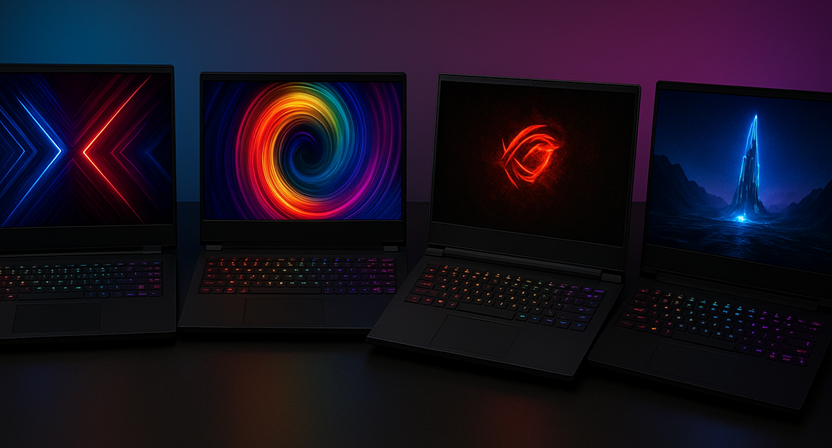
Description: Decode the tech behind modern gaming laptops. Expert advice on GPUs, TGP, cooling, and the best models for Indian gamers and hybrid users across all budgets.
🇮🇳 Introduction: Why Gaming Laptops Dominate the Indian Market
The narrative around PC gaming in India has undergone a monumental transformation. Once viewed as a niche hobby, gaming is now a mainstream, high-growth industry. The Indian gaming PC market is projected to skyrocket, with the laptop segment registering the fastest growth (expected CAGR of 17.3% from 2025 to 2030, reaching US$5.875 billion by 2030). This explosive growth is fuelled by several factors: the rise of competitive esports, the demand for powerful machines for content creation (video editing, streaming, 3D work), and the practical need for a single, portable device that handles both work/studies and intensive play.
Gaming Laptops have emerged as the single smartest solution for the modern Indian user, providing a powerhouse of performance in a portable package. However, buying one is complex. Unlike standard laptops, a “gaming” badge alone means little. The devil is in the details—from the often-hidden TGP of the GPU to the efficiency of the cooling system.
This in-depth guide, written with genuine expertise for the discerning Indian reader, will demystify these critical components, providing the knowledge and actionable insights needed to make an informed, future-proof purchase.
🔬 Section 1: The Holy Trinity of Performance – Decoding Core Components
Every gaming laptop lives and dies by three core components: the Graphics Card (GPU), the Processor (CPU), and the System Memory (RAM). Understanding their specifications is paramount.
The GPU: The True Engine of Gaming Performance
The Graphics Processing Unit (GPU) is the most crucial component for gaming. It’s responsible for rendering the complex 3D environments, textures, and lighting effects that make modern AAA titles immersive.
- NVIDIA vs. AMD: NVIDIA’s GeForce RTX series (40/50 series) and AMD’s Radeon RX series are the major players. NVIDIA currently leads the premium segment, offering cutting-edge features like DLSS (Deep Learning Super Sampling) and superior Ray Tracing performance, which are major performance boosts.
- The TGP Trap (Total Graphics Power): This is the most overlooked specification. A laptop RTX 4070 is NOT the same as a desktop RTX 4070. Due to thermal and power constraints, a GPU in a laptop is deliberately power-limited.
- Actionable Insight: The Total Graphics Power (TGP), measured in Watts (W), dictates the maximum power the GPU can draw, directly impacting its sustained performance. A 150W RTX 4070 will be significantly faster than a 100W RTX 4070, even though the name is the same. Always prioritize a higher TGP within a given GPU model when comparing laptops. A high-wattage mid-range card can often outperform a low-wattage higher-tier card.
- The Performance Gap: Mobile GPUs often utilize different, smaller chips than their desktop counterparts, with fewer CUDA cores and less VRAM. This is why a desktop card can be 30-50% faster than its laptop namesake, a critical fact for managing performance expectations.
The CPU: Preventing the Bottleneck
The Central Processing Unit (CPU) manages game logic, AI, physics, and instructs the GPU on what to draw. Modern processors from Intel (Core i5/i7/i9 HX series) and AMD (Ryzen 7/9 HX series) offer excellent gaming performance.
- Core Count and Clocks: Look for at least 6-8 cores (Intel Core i5/Ryzen 5 or higher). The higher-end HX series (Intel) and high-power HX series (AMD) CPUs are designed for demanding mobile workstations and offer superior sustained performance over standard H-series chips.
- Hybrid Architecture: Modern Intel CPUs use a combination of Performance Cores (P-Cores) for gaming and Efficiency Cores (E-Cores) for background tasks, improving multitasking without sacrificing gaming frame rates.
RAM and Storage: Speed and Capacity
- RAM (Random Access Memory): Aim for a minimum of 16GB DDR5 RAM. Crucially, ensure the laptop is configured in a dual-channel setup (e.g., 2 x 8 GB sticks, not 1 x 16 GB). Dual-channel dramatically increases memory bandwidth, boosting frame rates by 10-15% in many games.
- Storage (SSD): NVMe PCIe Gen 4 SSDs are the new standard. They offer lightning-fast boot-up and game loading times. A minimum of 1TB SSD is recommended, as modern AAA titles like Cyberpunk 2077 or Call of Duty easily consume over 100GB each.
🔥 Section 2: The Cooling Conundrum – Sustaining Peak Performance
In the Indian climate, managing heat is the biggest challenge for gaming laptops. High ambient temperatures combined with intense component heat can cause thermal throttling, where the CPU and GPU intentionally slow down to prevent damage, destroying your frame rate.
Understanding Advanced Cooling Technology
A good gaming laptop’s cooling system is an engineering marvel.
- Vapor Chambers: Found in premium models (e.g., Razer Blade, high-end Legion). A sealed chamber containing a liquid coolant rapidly transfers heat away from the hot components to the heatsinks, offering superior thermal dissipation over traditional heat pipes.
- Liquid Metal Thermal Interface Material (TIM): Brands like ASUS ROG and MSI use liquid metal instead of traditional thermal paste on the CPU. Liquid metal offers significantly better heat conductivity (up to 10x better than standard paste), leading to measurably lower CPU temperatures.
- Fan Design and Airflow: Look for laptops with multiple large fans (often 2-3), numerous heat pipes, and strategically placed vents (bottom, sides, and rear). Good airflow management is key to sustained performance.
Practical Heat Management in India
- The Cooling Pad Necessity: Due to the high ambient temperature, a cooling pad is a near-essential accessory. It elevates the laptop and provides additional airflow to the intake vents. Look for models with adjustable fan positions and a strong, high-RPM fan (e.g., IETS GT300 or similar high-airflow designs).
- Maintenance: Regular cleaning of the laptop’s vents with compressed air (every 3-6 months) is crucial to prevent dust buildup, which acts as an insulator and severely impedes cooling.
| Cooling Technology | Benefit | Typical Application |
| Vapor Chamber | Excellent heat spreading, thinner chassis possible. | Premium/Slim Gaming Laptops |
| Liquid Metal TIM | Superior heat transfer from CPU, lower peak temps. | High-End Performance Models (ASUS ROG) |
| High TGP Design | Allows components to run at higher power/speed. | Performance-focused models (Lenovo Legion, MSI Titan) |
🖥️ Section 3: The Immersive Display and I/O Ecosystem
A powerful internal system is wasted if the display can’t keep up. The screen and connectivity ports complete the gaming experience.
Display Specifications that Truly Matter
- Refresh Rate (Hz): This determines how many times the screen updates per second. For competitive gaming (Valorant, CS:GO), a 144Hz or 165Hz panel is the sweet spot. Higher refresh rates (up to 240Hz or 300Hz) are reserved for professional esports players. Avoid anything under 120Hz for a true gaming experience.
- Resolution (FHD vs. QHD):
- FHD (1920×1080): The standard choice for budget and mid-range laptops. Easy for the GPU to drive high frame rates (100+ FPS).
- QHD (2560×1440) / WQXGA: The modern sweet spot for high-end laptops. Offers a much sharper image while still being manageable for powerful GPUs (RTX 4070/5070 and above) to hit excellent frame rates.
- Panel Technology (IPS vs. OLED/Mini-LED):
- IPS: The workhorse. Good color accuracy, wide viewing angles, and fast response times.
- OLED/Mini-LED: Found in premium laptops (e.g., ASUS ROG, Razer Blade). Offers perfect blacks, infinite contrast, and dazzling brightness, providing a truly stunning visual experience for single-player AAA games.
Essential Ports and Connectivity
The right ports ensure your laptop can seamlessly connect to external monitors, high-speed drives, and the internet.
- Ethernet Port (RJ-45): Crucial for stable, low-latency online gaming. Wi-Fi 6E/7 is fast, but a wired connection is always superior for competitive play.
- USB-C/Thunderbolt: Highly versatile, offering high-speed data transfer, external display output, and sometimes even charging. Essential for connecting high-end peripherals or a docking station.
- Video Out: At least one HDMI 2.1 or DisplayPort is necessary to connect to a high-refresh-rate external gaming monitor.
💰 Section 4: Budget Stratification and Brand Trust for Indian Buyers
The Indian market offers distinct tiers, each catering to specific performance needs and budget constraints.
Gaming Laptop Tiers and Representative Models
| Price Segment | Typical GPU/CPU Specs | Key Focus | Recommended Series |
| Entry-Level (₹60k – ₹90k) | RTX 4050/5050 (Low TGP), Core i5/Ryzen 5 | 1080p Medium/High Settings @ 60-80 FPS. | HP Victus, Acer Nitro V, Dell G15, ASUS TUF |
| Mid-Range (₹90k – ₹1.5 Lakh) | RTX 4060/5060 (High TGP), Core i7/Ryzen 7 | 1080p Ultra / 1440p Medium @ 80-120 FPS. | Lenovo Legion, HP Omen, Acer Predator Helios Neo |
| High-End (₹1.5 Lakh +) | RTX 4070/5070/5080, Core i9/Ryzen 9 HX | 1440p Ultra @ 120+ FPS, Content Creation Power. | ASUS ROG Strix, MSI Raider/Titan, Razer Blade |
Brand Reliability and After-Sales Service in India
In India, a dependable after-sales service network is as valuable as performance specs. Poor service can render a high-end machine useless.
- Lenovo Legion: Consistently praised for striking a perfect balance between performance, cooling efficiency (especially the Pro series), and a robust, accessible service network. Often seen as the safest bet for performance and reliability.
- ASUS ROG/TUF: Offers innovative cooling (Liquid Metal) and dazzling displays. While performance is often peak, service experiences can be variable; ensure you check local service centre reviews before buying.
- Dell Alienware/G Series: Known for sturdy builds and generally reliable customer support, which is a major confidence factor for high-value purchases.
Expert Guidance: For the vast majority of Indian gamers and hybrid users, the Mid-Range (₹90k – ₹1.5 Lakh) offers the absolute best value. These models can handle modern games at high frame rates and double up as powerful workstations for tasks like video editing and software development without unnecessary premium costs.
💡 Section 5: Gaming Laptops for the Hybrid User – More Than Just Gaming
The modern gaming laptop is increasingly a Creator’s Workstation. Its powerful GPU is not just for Cyberpunk 2077; it’s a parallel processor for professional tasks.
The GPU’s Role in Content Creation and AI
- Video Editing (Adobe Premiere Pro/DaVinci Resolve): The GPU accelerates rendering and complex effects, drastically reducing export times. NVIDIA’s NVENC encoder is a huge advantage for live streaming and video export.
- 3D Rendering and Design (Blender, AutoCAD): High core-count CPUs and powerful GPUs are mandatory for fast, complex rendering, making a gaming laptop an indispensable tool for architects and graphic designers.
- AI and Machine Learning: The tensor cores in NVIDIA RTX GPUs are specifically designed for accelerating AI tasks, a rapidly growing field. For students and professionals working in Machine Learning, a high-end gaming laptop becomes a portable research station.
Aesthetic Evolution: The “Professional” Gamer Look
The chunky, aggressive, RGB-overloaded look is fading. A major trend is the rise of professional aesthetic gaming laptops (e.g., Razer Blade, ASUS Zephyrus G14/G16, HP Omen Transcend). These machines feature understated, minimalist designs suitable for classrooms, corporate offices, and client meetings, appealing to the hybrid user who needs power without the flash.
🔒 Conclusion: Invest Smartly, Play Limitlessly
Choosing the right gaming laptop in the dynamic Indian market requires moving beyond simple marketing slogans. It demands a clear understanding of the TGP metric, a critical assessment of the cooling system, and a commitment to essential features like a high-refresh-rate display and dual-channel RAM.
By focusing on the Mid-Range segment for optimal value or investing in a High-End model for creator workloads, you are not just buying a machine for gaming; you are acquiring a powerful, portable workstation that will serve your professional, academic, and recreational needs for years to come. Do your homework, prioritize sustained performance over peak specs, and you will secure the perfect gaming companion.
✍️ Compelling Call to Action
Ready to elevate your game and your career? Stop settling for mediocrity! Click here now to compare the TGP and display specs of the top-rated mid-range gaming laptops and unlock your true performance potential today!

ASUS Chromebook CM1405 (2026), Smartchoice, MediaTek Kompanio 540 Processor, 4GB RAM, 64GB SSD, FHD, 14"(35.5 cm), 60Hz, Chrome OS, Pure Grey, 1.37 Kg, CM1405CM4A-S60034, Thin & Light Laptop
₹20,990.00 (as of September 20, 2026 08:37 GMT +05:30 - More infoProduct prices and availability are accurate as of the date/time indicated and are subject to change. Any price and availability information displayed on [relevant Amazon Site(s), as applicable] at the time of purchase will apply to the purchase of this product.)
Acer Chromebook, Intel Celeron- N4500 Processor, 4GB LPDDR4 RAM, 64GB eMMC, 29.46cm /11.6" inch HD Display, Chrome OS, Intel UHD Graphics,WiFi 5, Black, 1.2 KG, CO731, Thin & Light Laptop
₹17,990.00 (as of September 20, 2026 08:37 GMT +05:30 - More infoProduct prices and availability are accurate as of the date/time indicated and are subject to change. Any price and availability information displayed on [relevant Amazon Site(s), as applicable] at the time of purchase will apply to the purchase of this product.)
Apple 2026 MacBook Air 15″ Laptop with M5 chip: AI and Apple Intelligence, 38.91 cm (15.3″) Liquid Retina Display, 16GB Unified Memory, 512GB SSD Storage, 12MP Center Stage Camera, Touch ID; Silver
₹1,66,990.00 (as of September 20, 2026 08:37 GMT +05:30 - More infoProduct prices and availability are accurate as of the date/time indicated and are subject to change. Any price and availability information displayed on [relevant Amazon Site(s), as applicable] at the time of purchase will apply to the purchase of this product.)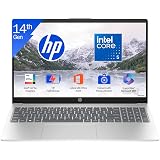
HP 15 (i5 14th Gen), Intel Core 5, 16GB RAM (Upgradeable), 512GB SSD, FHD, Anti-Glare, 15.6''/39.6cm, Win11, M365 Basic(1yr), Office24, Silver,1.59kg, fd0682tu, FHD Camera w/Shutter, Backlit Laptop
₹74,990.00 (as of September 20, 2026 08:37 GMT +05:30 - More infoProduct prices and availability are accurate as of the date/time indicated and are subject to change. Any price and availability information displayed on [relevant Amazon Site(s), as applicable] at the time of purchase will apply to the purchase of this product.)
ASUS Vivobook 14 Flip (2026),Intel Core Ultra 5 226V,Intel Arc iGPU,16GB RAM,512GB SSD,OLED,14"(35.5 cm),Windows 11,M365 Basic(1Y),Office 2024,Matte Gray,1.57 Kg,TP3407SA-SG183WS,AI Laptop
₹96,990.00 (as of September 20, 2026 08:37 GMT +05:30 - More infoProduct prices and availability are accurate as of the date/time indicated and are subject to change. Any price and availability information displayed on [relevant Amazon Site(s), as applicable] at the time of purchase will apply to the purchase of this product.)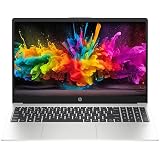
HP 15 (2026), Intel (i3 14th Gen) Core 3 100U - (8 GB/512 GB SSDDOS (MS Office/Windows not Installed) Thin & Light Laptop/15.6" /Turbo Silver/1.5kg
₹48,880.00 (as of September 20, 2026 08:37 GMT +05:30 - More infoProduct prices and availability are accurate as of the date/time indicated and are subject to change. Any price and availability information displayed on [relevant Amazon Site(s), as applicable] at the time of purchase will apply to the purchase of this product.)
ASUS Vivobook 15,13th Gen,Intel Core i5-13420H(Intel UHD iGPU/16GB RAM/1TB SSD/FHD/15.6"/60Hz/Backlit Keyboard/Windows 11/M365 Basic (1Year)*/Office Home 2024/Quiet Blue/1.70 kg) X1502VA-BQ1297WS
Now retrieving the price.
(as of September 20, 2026 08:37 GMT +05:30 - More infoProduct prices and availability are accurate as of the date/time indicated and are subject to change. Any price and availability information displayed on [relevant Amazon Site(s), as applicable] at the time of purchase will apply to the purchase of this product.)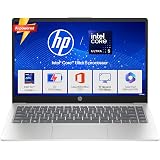
HP 15 Smartchoice, Intel Core Ultra 5 125H 12 TOPS, 24GB DDR5 (Upgradeable) 1TB SSD,Anti-Glare, FHD, 15''/39.6cm,Win11, M365*Office24, Silver, 1.65kg, FD1458TU, FHD Camera w/Shutter, Backlit AI Laptop
₹82,990.00 (as of September 20, 2026 08:37 GMT +05:30 - More infoProduct prices and availability are accurate as of the date/time indicated and are subject to change. Any price and availability information displayed on [relevant Amazon Site(s), as applicable] at the time of purchase will apply to the purchase of this product.)
HP Victus, Intel Core 5 210H, 4GB RTX 3050 A (24GB DDR5, 512GB SSD) FHD, 144Hz, 300 nits, IPS, 15.6''/39.6 cm, Win11, M365* Office24, Mica Silver, 2.29kg, fa2500TX, Backlit, Gaming Laptop
₹92,990.00 (as of September 20, 2026 08:37 GMT +05:30 - More infoProduct prices and availability are accurate as of the date/time indicated and are subject to change. Any price and availability information displayed on [relevant Amazon Site(s), as applicable] at the time of purchase will apply to the purchase of this product.)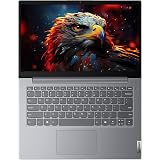
Lenovo V14 Intel Core i5 13th Gen 13420H |16 GB DDR5/512 GB SSD/Windows 11 | Thin and Light Laptop/Intel UHD Graphics/ 14.0" FHD Display/Luna Grey/Copilot Key/1.4 kg/MS Office 2024
₹70,890.00 (as of September 20, 2026 08:37 GMT +05:30 - More infoProduct prices and availability are accurate as of the date/time indicated and are subject to change. Any price and availability information displayed on [relevant Amazon Site(s), as applicable] at the time of purchase will apply to the purchase of this product.)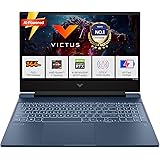
HP Smartchoice Victus, AMD Ryzen 7 7445HS, 6GB RTX 4050, 16GB DDR5(Upgradeable) 512GB SSD, 144Hz, IPS, 300 nits, 15.6''/39.6cm, Win11, Office24, Blue, 2.29kg, fb3130AX/3118AX, Gaming Laptop
₹1,14,990.00 (as of September 20, 2026 08:37 GMT +05:30 - More infoProduct prices and availability are accurate as of the date/time indicated and are subject to change. Any price and availability information displayed on [relevant Amazon Site(s), as applicable] at the time of purchase will apply to the purchase of this product.)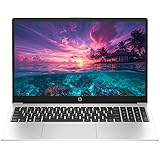
HP 15 (2026), AMD Ryzen 5 Hexa Core 7535U - (8 GB DDR5/512 GB SSD/DOS (MS Office/Windows not Installed) Thin and Light Business Laptop/15.6" FHD/Turbo Silver/1.5kg
₹53,970.00 (as of September 20, 2026 08:37 GMT +05:30 - More infoProduct prices and availability are accurate as of the date/time indicated and are subject to change. Any price and availability information displayed on [relevant Amazon Site(s), as applicable] at the time of purchase will apply to the purchase of this product.)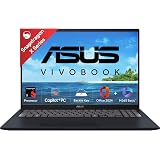
ASUS Vivobook 16, Snapdragon X, 16GB RAM, 512GB SSD, FHD+ 16", Windows 11, Office Home 2024, Quiet Blue, 1.88kg, X1607QA-MB049WS, Qualcomm Adreno iGPU, 45TOPS, M365 Basic (1Year)* Laptop
₹61,990.00 (as of September 20, 2026 08:37 GMT +05:30 - More infoProduct prices and availability are accurate as of the date/time indicated and are subject to change. Any price and availability information displayed on [relevant Amazon Site(s), as applicable] at the time of purchase will apply to the purchase of this product.)
Dell 15 SmartChoice (Previously Inspiron), Intel 13th Gen Core i5-1334U, 16GB, 1TB SSD, FHD,15.6"/39.62cm, Win 11, MSO'24, Silver, 1.62kg, [Dell 15], 12 Month McAfee, Backlit KB, Thin & Light Laptop
₹73,990.00 (as of September 20, 2026 08:37 GMT +05:30 - More infoProduct prices and availability are accurate as of the date/time indicated and are subject to change. Any price and availability information displayed on [relevant Amazon Site(s), as applicable] at the time of purchase will apply to the purchase of this product.)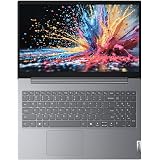
Lenovo 15 (2026), Intel Core i7 13th Gen 13620H - (16 GB DDR5/512 GB SSD/Intel Iris Xe Graphics/Windows 11 Pro) Thin and Light Business Laptop/15.6" FHD Display/Luna Grey/Copilot Key/1.5 kg/MSO 2024
₹79,680.00 (as of September 20, 2026 08:37 GMT +05:30 - More infoProduct prices and availability are accurate as of the date/time indicated and are subject to change. Any price and availability information displayed on [relevant Amazon Site(s), as applicable] at the time of purchase will apply to the purchase of this product.)
HP 15 (2026), AMD Ryzen 5 Hexa Core 7535U - (8 GB DDR5/512 GB SSD/AMD Radeon 660M Graphics/Windows 11 Pro) Thin and Light Business Laptop/15.6" FHD Display/Turbo Silver/Copilot Key/1.5kg/MSO 2024
₹53,790.00 (as of September 20, 2026 08:37 GMT +05:30 - More infoProduct prices and availability are accurate as of the date/time indicated and are subject to change. Any price and availability information displayed on [relevant Amazon Site(s), as applicable] at the time of purchase will apply to the purchase of this product.)
ASUS Chromebook CM1505 (2026), Smartchoice, MediaTek Kompanio 540 Processor, 4GB RAM, 64GB SSD, FHD, 15.6"(39.6 cm), 60Hz, Chrome OS, Fabric Blue, 1.49 Kg, CM1505CM4A-S70080, Thin & Light Laptop
₹22,990.00 (as of September 20, 2026 08:37 GMT +05:30 - More infoProduct prices and availability are accurate as of the date/time indicated and are subject to change. Any price and availability information displayed on [relevant Amazon Site(s), as applicable] at the time of purchase will apply to the purchase of this product.)
Acer Aspire 3 (2026), Intel Core i5 13th Gen 1334U - (16 GB/512 GB SSD/Intel UHD Graphics/Windows 11 Home) Thin and Light Laptop/15.6" FHD IPS Display/Silver/1.5 Kg/MS Office 2024/3 Years Warranty
₹61,690.00 (as of September 20, 2026 08:37 GMT +05:30 - More infoProduct prices and availability are accurate as of the date/time indicated and are subject to change. Any price and availability information displayed on [relevant Amazon Site(s), as applicable] at the time of purchase will apply to the purchase of this product.)
Acer One 15 Smart Laptop AO15-41M-G2 | AMD Ryzen 3 7320U | AMD Radeon 610M Graphics | 8GB LPDDR5 RAM | 256GB NVMe SSD | 15.6" FHD Display | Windows 11 Home | Silver
₹37,970.00 (as of September 20, 2026 08:37 GMT +05:30 - More infoProduct prices and availability are accurate as of the date/time indicated and are subject to change. Any price and availability information displayed on [relevant Amazon Site(s), as applicable] at the time of purchase will apply to the purchase of this product.)