
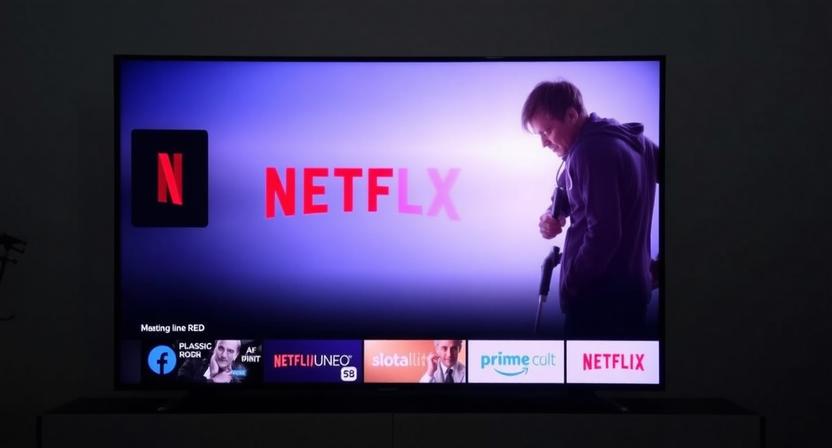
The living room has long been the heart of home entertainment, and the modern evolution of this space is undeniably the Android Smart TV. Far beyond a simple display for broadcast signals, these devices, particularly when seamlessly integrated with streaming giants like Netflix and Amazon Prime Video, transform your television into a dynamic, personalized entertainment hub. This article delves deep into the capabilities, benefits, and considerations of owning an Android Smart TV with Netflix and Prime, empowering you to make the most of your viewing experience.
The Powerhouse Platform: Understanding Android TV
At its core, an Android Smart TV runs on Google’s Android operating system, specifically tailored for the television interface. This familiar and intuitive platform offers a wealth of advantages. Unlike proprietary smart TV systems, Android TV boasts an open ecosystem, granting access to a vast and ever-growing library of applications through the Google Play Store. This means you’re not limited to a pre-selected set of apps; you can download and install a diverse range of streaming services, games, productivity tools, and more.
The interface is designed for effortless navigation, typically featuring a home screen that prioritizes content discovery. You’ll find recommendations based on your viewing history, trending shows, and new releases from your installed apps. Voice control, powered by Google Assistant, is a cornerstone of the Android TV experience. Simply speak commands into your remote, and you can search for movies, control playback, adjust settings, or even ask general knowledge questions. This hands-free interaction significantly enhances usability and accessibility.
Netflix and Prime Video: The Pillars of Streaming
The inclusion of Netflix and Amazon Prime Video as first-class citizens on an Android Smart TV is a game-changer. These two platforms represent a significant portion of the global streaming market, offering an unparalleled breadth of content.
Netflix: Renowned for its vast library of original series, blockbuster movies, documentaries, and stand-up specials, Netflix is a staple for many households. Its recommendation engine is sophisticated, learning your preferences to suggest content you’re likely to enjoy. From critically acclaimed dramas like “Stranger Things” and “The Crown” to popular comedies and action films, Netflix provides a constant stream of entertainment. On an Android TV, the Netflix app is deeply integrated, allowing for easy launching, seamless playback, and access to features like user profiles and download options (on supported devices).
Amazon Prime Video: Complementing Netflix, Amazon Prime Video offers a robust selection of original content, including award-winning shows like “The Marvelous Mrs. Maisel” and “The Boys,” alongside a substantial catalog of licensed movies and TV shows. A key differentiator is its integration with the broader Amazon Prime membership, which often includes benefits like free shipping and access to other Amazon services. For Android TV users, Prime Video provides a similar level of integration, ensuring smooth performance and access to features like X-Ray, which offers real-time cast and crew information during playback.
Beyond the Big Two: A World of Apps
While Netflix and Prime Video are undoubtedly primary draws, the true power of an Android Smart TV lies in its expansive app ecosystem. The Google Play Store on your TV offers access to a multitude of other streaming services, ensuring you can catch up on everything from live sports to niche documentaries. Think Hulu, Disney+, HBO Max (or Max), Apple TV+, Peacock, YouTube, and countless regional and specialized platforms.
Beyond entertainment, the Play Store opens up possibilities for gaming. Many Android TV devices support controllers, allowing you to play a surprisingly wide range of games directly on your television. Educational apps, news aggregators, and even basic productivity tools can also be found, transforming your TV into a more versatile device.
Enhanced Viewing Experience: Picture and Sound Quality
Modern Android Smart TVs are engineered to deliver exceptional visual and auditory experiences. They typically support high-definition resolutions like 4K Ultra HD, offering stunning clarity and detail. Features like HDR (High Dynamic Range) further enhance the picture by expanding the range of colors and contrast, making images more lifelike and vibrant. Technologies like Dolby Vision and HDR10+ ensure that you’re seeing content as the creators intended, with deeper blacks, brighter whites, and a more nuanced color palette.
On the audio front, many Android TVs come equipped with built-in soundbars or advanced audio processing technologies. Support for formats like Dolby Atmos and DTS:X creates an immersive, three-dimensional soundscape, making you feel like you’re in the middle of the action. For audiophiles, the ability to easily connect external soundbars or home theater systems via HDMI ARC (Audio Return Channel) or optical audio ensures a truly cinematic sound experience.
Seamless Connectivity and Smart Home Integration
Android Smart TVs are designed to be the central hub of your digital life. With multiple HDMI ports, you can connect gaming consoles, Blu-ray players, and soundbars. Wi-Fi and Ethernet connectivity ensure stable internet access for smooth streaming. Bluetooth capabilities allow you to connect wireless headphones, speakers, or game controllers.
Furthermore, the integration with Google Assistant extends beyond simple voice commands. Your Android TV can interact with other smart home devices. You can ask it to dim the lights for movie night, display live feeds from your security cameras on the TV screen, or even control your smart thermostat – all through voice commands or the TV interface. This interconnectedness creates a truly intelligent and convenient living space.
User Interface and Navigation: Intuitive and Personalized
The Android TV interface is designed with user-friendliness in mind. The home screen is customizable, allowing you to arrange your favorite apps and content for quick access. Content discovery is a key focus, with personalized recommendations appearing prominently. Searching for content is effortless, whether you’re typing with the on-screen keyboard or, more commonly, using voice search.
Picture-in-picture functionality allows you to watch one program while keeping an eye on another, a handy feature for sports fans or those who like to multitask. The ability to create multiple user profiles within apps like Netflix and Prime Video ensures that each family member has a personalized viewing experience, with their own watchlists and recommendations.
Choosing the Right Android Smart TV
When selecting an Android Smart TV, several factors come into play. Screen size is paramount, dictating the immersive quality of your viewing. Resolution (4K is now standard for most mid-range and high-end models) and HDR support will significantly impact picture quality. The processing power of the TV’s chipset influences how smoothly apps run and how quickly content loads. Look for models with ample RAM and storage for a lag-free experience and the ability to install a good number of apps.
Brand reputation for build quality and software updates is also important. Consider the number and type of ports available, especially if you plan to connect multiple external devices. Finally, read reviews and compare specifications to find a TV that best fits your budget and entertainment needs.
Maximizing Your Android TV Experience
To truly unlock the potential of your Android Smart TV with Netflix and Prime, consider these tips:
- Utilize Voice Search: It’s the fastest and most convenient way to find content.
- Personalize Your Home Screen: Pin your most-used apps and content for easy access.
- Explore the Google Play Store: Don’t be afraid to download new apps and services.
- Connect External Audio: For a truly cinematic experience, invest in a soundbar or home theater system.
- Enable HDR: Ensure your TV is set to display HDR content for the best picture quality.
- Keep Software Updated: Regular updates often bring new features and performance improvements.
- Use Multiple Profiles: This ensures everyone in the household gets personalized recommendations.
In conclusion, an Android Smart TV, especially when equipped with seamless Netflix and Prime Video integration, is more than just a television; it’s a sophisticated entertainment portal. Its open ecosystem, intuitive interface, powerful voice control, and exceptional picture and sound capabilities combine to create an unparalleled viewing experience, making it the undisputed ultimate entertainment hub for the modern home.

TCL 164 cm (65 Inches) 4K UHD Smart QD-Mini LED Google TV | 144Hz Refresh Rate | 3GB RAM | 46W Onkyo 2.1 | Upto 512+ Zones | IMAX Enhanced | 65Q6C
₹79,990.00 (as of September 19, 2026 17:52 GMT +05:30 - More infoProduct prices and availability are accurate as of the date/time indicated and are subject to change. Any price and availability information displayed on [relevant Amazon Site(s), as applicable] at the time of purchase will apply to the purchase of this product.)
VW 80 cm (32 inches) Frameless Series HD Ready QLED TV VW32MAX
₹7,999.00 (as of September 19, 2026 17:52 GMT +05:30 - More infoProduct prices and availability are accurate as of the date/time indicated and are subject to change. Any price and availability information displayed on [relevant Amazon Site(s), as applicable] at the time of purchase will apply to the purchase of this product.)
UNICRON TE 24” INCH HD Ready Android Smart LED TV, WiFi Enabled, 30W Sound Speaker, Built-in Apps Compatible (YouTube, Netflix, Prime Video), Mobile Screencast
₹7,395.00 (as of September 19, 2026 17:52 GMT +05:30 - More infoProduct prices and availability are accurate as of the date/time indicated and are subject to change. Any price and availability information displayed on [relevant Amazon Site(s), as applicable] at the time of purchase will apply to the purchase of this product.)
32 Inch Smart LED Android Smart TV, HD Ready WiFi With 30W Sound Speaker | Screen Mirroring, USB, Built-in Entertainment Apps, Smart Television for Home, Bedroom & Drawing or Living Room
₹10,499.00 (as of September 19, 2026 17:52 GMT +05:30 - More infoProduct prices and availability are accurate as of the date/time indicated and are subject to change. Any price and availability information displayed on [relevant Amazon Site(s), as applicable] at the time of purchase will apply to the purchase of this product.)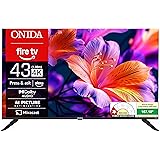
Onida 108 cm (43 inch) Ultra HD 4K Smart LED Fire TV 43UFD
₹24,199.00 (as of September 19, 2026 17:52 GMT +05:30 - More infoProduct prices and availability are accurate as of the date/time indicated and are subject to change. Any price and availability information displayed on [relevant Amazon Site(s), as applicable] at the time of purchase will apply to the purchase of this product.)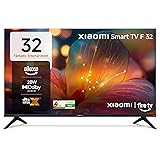
Xiaomi 80 cm (32 inch) F Series HD Ready Smart LED Fire TV L32MB-FIN
₹13,999.00 (as of September 19, 2026 17:52 GMT +05:30 - More infoProduct prices and availability are accurate as of the date/time indicated and are subject to change. Any price and availability information displayed on [relevant Amazon Site(s), as applicable] at the time of purchase will apply to the purchase of this product.)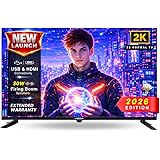
Uniboom_Optima Series 80 cm (32 inch) HD Ready LED TV 2026 Edition with 30W Sonic Boom - True Frameless - Aura Vision+ Display - 2 HDMI - (Non Smart) - 32N-ULT-AED
₹7,990.00 (as of September 19, 2026 17:52 GMT +05:30 - More infoProduct prices and availability are accurate as of the date/time indicated and are subject to change. Any price and availability information displayed on [relevant Amazon Site(s), as applicable] at the time of purchase will apply to the purchase of this product.)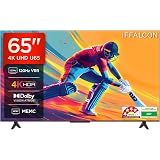
iFFALCON 164 cm (65 Inches) 4K UHD Smart LED Google TV | 120Hz VRR | Dolby Vision & Atmos | Game Master | 65U65
₹39,999.00 (as of September 19, 2026 17:52 GMT +05:30 - More infoProduct prices and availability are accurate as of the date/time indicated and are subject to change. Any price and availability information displayed on [relevant Amazon Site(s), as applicable] at the time of purchase will apply to the purchase of this product.)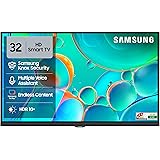
Samsung 80 cm (32 inches) HD Smart LED TV UA32H4550FUXXL
₹17,400.00 (as of September 19, 2026 17:52 GMT +05:30 - More infoProduct prices and availability are accurate as of the date/time indicated and are subject to change. Any price and availability information displayed on [relevant Amazon Site(s), as applicable] at the time of purchase will apply to the purchase of this product.)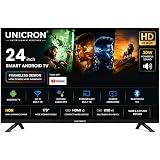
UNICRON 24 inch smart tv Android Frameless HD LED TV | WiFi Enabled | Built-in Apps Compatible (YouTube, Netflix, Prime Video) | HDMI, USB Connectivity | Screenmirror | Slim & Stylish |
₹7,399.00 (as of September 19, 2026 17:52 GMT +05:30 - More infoProduct prices and availability are accurate as of the date/time indicated and are subject to change. Any price and availability information displayed on [relevant Amazon Site(s), as applicable] at the time of purchase will apply to the purchase of this product.)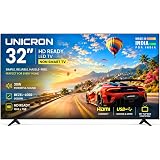
UNICRON 32 Inch Non SMART TV, HD Ready LED Television for Home, Gaming, Office, Restaurants & Security with 30W Sound with IPS A+ Display Panel TE
₹8,899.00 (as of September 19, 2026 17:52 GMT +05:30 - More infoProduct prices and availability are accurate as of the date/time indicated and are subject to change. Any price and availability information displayed on [relevant Amazon Site(s), as applicable] at the time of purchase will apply to the purchase of this product.)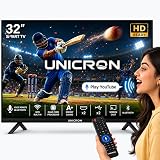
UNICRON 32 Inch Frameless Smart LED TV | Voice Control Android Smart TV | Bluetooth, WiFi, Screen Mirroring | HD Ready Display | HDMI, USB Connectivity | Smart Television for Home | Premium Screen TV
₹11,899.00 (as of September 19, 2026 17:52 GMT +05:30 - More infoProduct prices and availability are accurate as of the date/time indicated and are subject to change. Any price and availability information displayed on [relevant Amazon Site(s), as applicable] at the time of purchase will apply to the purchase of this product.)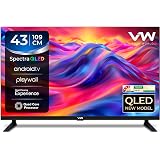
VW 109 cm (43 inches) Spectra Series Full HD Smart QLED Android TV VW43AQ3
₹15,499.00 (as of September 19, 2026 17:52 GMT +05:30 - More infoProduct prices and availability are accurate as of the date/time indicated and are subject to change. Any price and availability information displayed on [relevant Amazon Site(s), as applicable] at the time of purchase will apply to the purchase of this product.)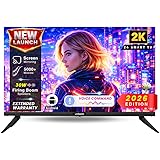
Uniboom Optima 60 cm (24 Inch) HD Smart LED Android TV 2026 | 24S-ULT-AED | Voice Command, Screen Mirror, 30W Speakers, A+ Grade Panel, Wi-Fi, HDMI, USB, Movies, 1000+ certified apps, 1 Yr Warranty
₹7,490.00 (as of September 19, 2026 17:52 GMT +05:30 - More infoProduct prices and availability are accurate as of the date/time indicated and are subject to change. Any price and availability information displayed on [relevant Amazon Site(s), as applicable] at the time of purchase will apply to the purchase of this product.)
Hisense 65 Inch 65E7S Pro | Mini Dimming | Hi-QLED | Native 144Hz Game Mode | 48W Powerful Speakers | Gaming in Dolby Vision | Hands-Free Voice Control
₹69,990.00 (as of September 19, 2026 17:52 GMT +05:30 - More infoProduct prices and availability are accurate as of the date/time indicated and are subject to change. Any price and availability information displayed on [relevant Amazon Site(s), as applicable] at the time of purchase will apply to the purchase of this product.)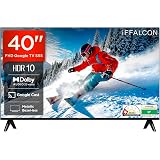
iFFALCON 101 cm (40 inches) FHD Smart Google TV | Dolby Audio 20 watts | HDR 10 | Metallic Bezel-Less | Multiple Viewing Mode | 40S55
₹21,990.00 (as of September 19, 2026 17:52 GMT +05:30 - More infoProduct prices and availability are accurate as of the date/time indicated and are subject to change. Any price and availability information displayed on [relevant Amazon Site(s), as applicable] at the time of purchase will apply to the purchase of this product.)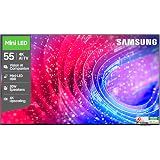
Samsung 55 inch (138cm) Mini LED 4K Vision AI 2026 Smart TV | 30W Speakers | 4K Upscaling | Mini-LED HDR | 150+ Channels | 7 Years OS Upgrade | UA55M2EHAULXL
₹53,900.00 (as of September 19, 2026 17:52 GMT +05:30 - More infoProduct prices and availability are accurate as of the date/time indicated and are subject to change. Any price and availability information displayed on [relevant Amazon Site(s), as applicable] at the time of purchase will apply to the purchase of this product.)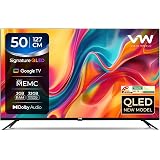
VW Visio World 127 cm (50 inches) Pro Series 4K Ultra HD Smart QLED Google TV VW50GQ2
₹29,999.00 (as of September 19, 2026 17:52 GMT +05:30 - More infoProduct prices and availability are accurate as of the date/time indicated and are subject to change. Any price and availability information displayed on [relevant Amazon Site(s), as applicable] at the time of purchase will apply to the purchase of this product.)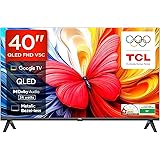
TCL 101 cms (40 inches) Full HD Smart QLED Google TV | Dolby Audio 24 watts | Ai Clarity | Metallic Bezel-Less | Multiple Viewing Mode | 40V5C
₹24,990.00 (as of September 19, 2026 17:52 GMT +05:30 - More infoProduct prices and availability are accurate as of the date/time indicated and are subject to change. Any price and availability information displayed on [relevant Amazon Site(s), as applicable] at the time of purchase will apply to the purchase of this product.)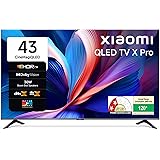
Xiaomi (108 cm) 43 inch X Pro 4K QLED | Dolby Vision & HDR10+| Filmmaker Mode|Gemini AI| Google TV | L43MB-APIN
₹31,999.00 (as of September 19, 2026 17:52 GMT +05:30 - More infoProduct prices and availability are accurate as of the date/time indicated and are subject to change. Any price and availability information displayed on [relevant Amazon Site(s), as applicable] at the time of purchase will apply to the purchase of this product.)
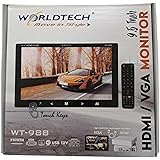
WORLDTECH 9.5 INCH HDMI TV
Now retrieving the price.
(as of September 18, 2026 21:30 GMT +05:30 - More infoProduct prices and availability are accurate as of the date/time indicated and are subject to change. Any price and availability information displayed on [relevant Amazon Site(s), as applicable] at the time of purchase will apply to the purchase of this product.)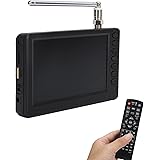
Vbestlife 5 Inch ATSC Mini Digital TV, 1080P HD LED Portable Pocket TV, Rechargeable, Supports USB & TF Card Input, Ideal for Car, Camping & Kitchen
Now retrieving the price.
(as of September 18, 2026 21:30 GMT +05:30 - More infoProduct prices and availability are accurate as of the date/time indicated and are subject to change. Any price and availability information displayed on [relevant Amazon Site(s), as applicable] at the time of purchase will apply to the purchase of this product.)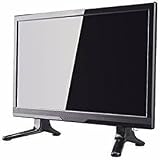
led Portable tv 16.9 inch (39.6 cm) (16.9) Full HD LED TV 1080p Full HD Resolution
₹4,800.00 (as of September 18, 2026 21:30 GMT +05:30 - More infoProduct prices and availability are accurate as of the date/time indicated and are subject to change. Any price and availability information displayed on [relevant Amazon Site(s), as applicable] at the time of purchase will apply to the purchase of this product.)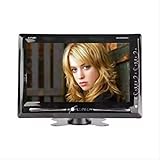
4K 9.5" Led Digital Screen Tv Built-In Av In/Av Out Audio Video Format - Jpeg / Mp3 / Wma / Mp4 Touch Buttons Compatible With Dvd/Dth/Cctv
Now retrieving the price.
(as of September 18, 2026 21:30 GMT +05:30 - More infoProduct prices and availability are accurate as of the date/time indicated and are subject to change. Any price and availability information displayed on [relevant Amazon Site(s), as applicable] at the time of purchase will apply to the purchase of this product.)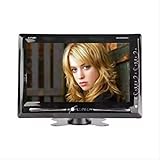
4K 9.5" Led Digital Screen Tv Built-in Av in/Av Out Audio Video Format - JPEG / Mp3 / Wma / Mp4 Compatible with DVD/Dth/CCTV | Built-in Speaker | User-Friendly Touch Buttons |
Now retrieving the price.
(as of September 18, 2026 21:30 GMT +05:30 - More infoProduct prices and availability are accurate as of the date/time indicated and are subject to change. Any price and availability information displayed on [relevant Amazon Site(s), as applicable] at the time of purchase will apply to the purchase of this product.)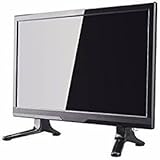
16.9 Inch Full HD LED TV, Portable Television with 1080P Resolution, USB, HDMI, VGA Port, AV Input, Black
Now retrieving the price.
(as of September 18, 2026 21:30 GMT +05:30 - More infoProduct prices and availability are accurate as of the date/time indicated and are subject to change. Any price and availability information displayed on [relevant Amazon Site(s), as applicable] at the time of purchase will apply to the purchase of this product.)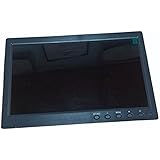
TORLOY 10.1” INCH TV HDMI, VGA, Built in Speaker Support,RCA, USB, RF Ports. 24v to 12 v dc LED TV 10.1”
Now retrieving the price.
(as of September 18, 2026 21:30 GMT +05:30 - More infoProduct prices and availability are accurate as of the date/time indicated and are subject to change. Any price and availability information displayed on [relevant Amazon Site(s), as applicable] at the time of purchase will apply to the purchase of this product.)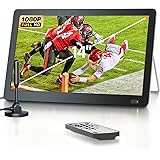
DESOBRY Portable 14 inch TV with ATSC Tuner, Mini LCD TV with Integrated Stand (Ferrous Colour), 1080P
Now retrieving the price.
(as of September 18, 2026 21:30 GMT +05:30 - More infoProduct prices and availability are accurate as of the date/time indicated and are subject to change. Any price and availability information displayed on [relevant Amazon Site(s), as applicable] at the time of purchase will apply to the purchase of this product.)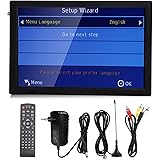
14 Inch Portable Digital TV, 1080P Digital TV with Antenna USB Port and MMC Card Slot 1800 mAh Battery, Supports Various Video Formats
Now retrieving the price.
(as of September 18, 2026 21:30 GMT +05:30 - More infoProduct prices and availability are accurate as of the date/time indicated and are subject to change. Any price and availability information displayed on [relevant Amazon Site(s), as applicable] at the time of purchase will apply to the purchase of this product.)