The digital classroom has become a permanent fixture for students worldwide. From attending live lectures and participating in discussions to completing assignments and accessing a wealth of digital resources, a reliable tablet can transform the learning experience. However, the cost of technology can be a significant barrier for many. Fortunately, a burgeoning market of affordable tablets offers powerful features and robust performance, making them ideal companions for students navigating online education without breaking the bank. This guide delves into what makes a tablet suitable for online classes, essential features to consider, and highlights some of the best budget-friendly options available.
Why a Tablet is Ideal for Online Classes:
Tablets offer a unique blend of portability, intuitive touch interfaces, and versatility that traditional laptops or desktops sometimes lack, especially for the dynamic nature of online learning. Their lightweight design makes them easy to carry between study spaces, whether it’s a dorm room, a library, or a coffee shop. The touch screen interface allows for direct interaction with educational apps, digital textbooks, and interactive whiteboards, fostering a more engaging learning process. Furthermore, many affordable tablets boast impressive battery life, ensuring you can stay connected and productive throughout long study sessions without constant searching for power outlets. The ability to quickly jot down notes, highlight text, and even sketch diagrams directly on the screen adds another layer of efficiency, mimicking the tactile experience of traditional note-taking but with the added benefit of digital organization and searchability.
Key Features to Prioritize in an Affordable Student Tablet:
When scouting for an affordable tablet for online classes, certain specifications are paramount to ensure a smooth and productive experience.
- Display Quality: A decent screen resolution (at least 1280×800, preferably 1920×1080 or Full HD) is crucial for clear readability of text, images, and video lectures. Screen size is also a consideration; while smaller screens are more portable, a larger display (8 inches or more) provides a more comfortable viewing experience for extended periods and better for multitasking.
- Processing Power and RAM: While you won’t be running high-end gaming software, a tablet needs sufficient processing power and RAM to handle multiple apps simultaneously. Look for at least a quad-core processor and 3GB of RAM for smooth multitasking, allowing you to switch between video conferencing, note-taking apps, and web browsers without lag.
- Storage Capacity: Online courses often involve downloading lectures, assignments, and digital textbooks. Aim for at least 32GB of internal storage, with the option for expandable storage via a microSD card. This prevents you from constantly having to delete files to make space.
- Battery Life: A tablet that can last through a full day of classes and study is essential. Look for devices advertised with 8-10 hours of battery life or more.
- Connectivity: Reliable Wi-Fi is a given, but consider Bluetooth for connecting accessories like wireless keyboards or headphones, which can significantly enhance productivity.
- Camera Quality: While not the primary focus, decent front-facing cameras are important for clear video calls during online lectures and group study sessions. A passable rear camera can also be useful for capturing notes from physical textbooks or whiteboards.
- Operating System: The choice between Android and iOS (for iPads) often comes down to personal preference and the ecosystem you’re already invested in. Android offers greater customization and a wider range of hardware options at various price points. Apple’s iPads, even older or refurbished models, offer a polished user experience and a robust app store.
Top Affordable Tablets for Online Learning (Examples):
Several manufacturers consistently deliver excellent value in the budget tablet segment. Here are some popular and well-regarded options that frequently appear on “best affordable tablet” lists for students.
-
Amazon Fire HD Series (e.g., Fire HD 10): Amazon’s Fire tablets are renowned for their affordability and integration with Amazon’s ecosystem. The Fire HD 10, for instance, often features a vibrant 10.1-inch Full HD display, a capable processor for everyday tasks, and impressive battery life. While it runs Fire OS (a fork of Android), it provides access to the Amazon Appstore, which includes many popular educational and productivity apps. For students who are already Amazon Prime members, the value proposition is even higher, with access to Prime Video, Prime Reading, and more. The ability to use split-screen mode is particularly beneficial for multitasking during online lectures.
-
Lenovo Tab Series (e.g., Tab M10 Plus, Tab M8): Lenovo consistently offers well-built and feature-rich tablets at competitive prices. The Lenovo Tab M10 Plus, often featuring a sharp 10.3-inch display, a decent processor, and ample RAM, is a strong contender. Their tablets are known for their solid build quality and clean Android software experience. The Tab M8 provides an even more budget-friendly option for those prioritizing portability and essential functionality. Lenovo often includes features like eye-care modes to reduce blue light, which is a boon for long study sessions.
-
Samsung Galaxy Tab A Series (e.g., Galaxy Tab A7 Lite, Galaxy Tab A8): Samsung’s Galaxy Tab A series is a popular choice for students seeking a reliable Android tablet experience without the premium price tag of their flagship Galaxy Tab S series. The Galaxy Tab A7 Lite is an ultra-portable option, while the Tab A8 offers a larger screen and more robust performance. Samsung tablets benefit from the full Google Play Store, offering an extensive selection of educational apps. Their One UI interface is user-friendly, and features like Samsung Kids can be useful for younger students.
-
Chipotec Tablets (Various Models): While not as widely known as the major brands, companies like CHIPOTEC often offer incredibly aggressive pricing on tablets that can still meet the basic needs of online learning. These devices might have slightly less powerful processors or lower-resolution displays, but for students on a very tight budget, they can be a viable entry point. It’s crucial to read reviews carefully and manage expectations with these ultra-budget options.
-
Refurbished iPads: For students who prefer the Apple ecosystem or are looking for a premium experience at a lower cost, consider purchasing a refurbished iPad from Apple directly or reputable third-party retailers. Older models of the iPad (e.g., iPad 8th or 9th generation) or iPad Air can often be found at significantly reduced prices. Refurbished devices undergo rigorous testing and come with a warranty, offering peace of mind. The iPad’s robust app ecosystem, intuitive interface, and excellent stylus support (with Apple Pencil) make it a powerful tool for education.
Maximizing Your Affordable Tablet for Online Classes:
Once you’ve chosen your budget-friendly tablet, here are some tips to get the most out of it for your online studies:
- Invest in a Stylus: Many affordable tablets don’t come with a stylus, but a capacitive stylus can dramatically improve note-taking and annotation. Look for affordable third-party options compatible with your device.
- Consider a Keyboard Case: For extended typing sessions, a Bluetooth keyboard case can transform your tablet into a more laptop-like experience, boosting productivity for essay writing and coding.
- Organize Your Files: Utilize cloud storage services like Google Drive, Dropbox, or OneDrive to keep your notes, assignments, and lecture recordings accessible from any device and to free up internal storage.
- Utilize Split-Screen and Multitasking: Most modern Android and iPadOS tablets support split-screen functionality. This allows you to have your video lecture on one half of the screen and your note-taking app on the other, fostering seamless engagement.
- Explore Educational Apps: The Google Play Store and Apple App Store are brimming with educational apps. From note-taking and flashcard apps to study aids and digital textbooks, leverage these resources to enhance your learning.
- Optimize Battery Usage: Adjust screen brightness, disable background app refresh for non-essential apps, and close apps you’re not actively using to conserve battery life.
- Maintain Good Wi-Fi: A stable internet connection is paramount for online classes. Ensure you have a reliable Wi-Fi network and, if possible, position yourself close to your router.
By carefully considering your needs and exploring the wealth of affordable options available, you can find a tablet that serves as an invaluable tool for your online academic journey, empowering you to learn effectively and efficiently without financial strain.
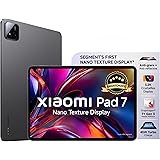
XIAOMI Pad 7 Nano Texture, 11.2 -inch (28.44 CM), LCD, 12GB RAM, 256GB ROM, Wi-Fi, Quad Speakers, Dolby Atmos, Graphite Grey, AI Enabled
Now retrieving the price.
(as of September 21, 2026 02:08 GMT +05:30 - More infoProduct prices and availability are accurate as of the date/time indicated and are subject to change. Any price and availability information displayed on [relevant Amazon Site(s), as applicable] at the time of purchase will apply to the purchase of this product.)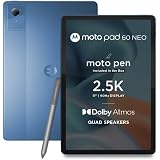
Motorola Moto Pad 60 Neo Tablet, Pantone Malibu Blue, 11 Inch 2.5K 90Hz Display, MediaTek Dimensity 6300, 4GB RAM, 128GB ROM, with Moto Pen
Now retrieving the price.
(as of September 21, 2026 02:08 GMT +05:30 - More infoProduct prices and availability are accurate as of the date/time indicated and are subject to change. Any price and availability information displayed on [relevant Amazon Site(s), as applicable] at the time of purchase will apply to the purchase of this product.)
DOMO Slate SL40 2C Tablet for Students Foundation Exams, 10 Inch Android Tablet, IPS Display, 4G Dual SIM, 4GB RAM, 32GB Storage (Expandable to 1TB), Octa-Core Processor, GPS, WiFi, Bluetooth (Grey)
₹7,990.00 (as of September 21, 2026 02:08 GMT +05:30 - More infoProduct prices and availability are accurate as of the date/time indicated and are subject to change. Any price and availability information displayed on [relevant Amazon Site(s), as applicable] at the time of purchase will apply to the purchase of this product.)
OnePlus Pad 2 (12.1 Inch),12GB RAM, 256GB Storage Snapdragon 8 Gen 3,144Hz Refresh Rate, 6 Speakers, 3K 12.1 Display, AI Features, 9610 mAh Battery, Wi-Fi with Cellular Data Sharing [Nimbus Gray]
₹33,999.00 (as of September 21, 2026 02:08 GMT +05:30 - More infoProduct prices and availability are accurate as of the date/time indicated and are subject to change. Any price and availability information displayed on [relevant Amazon Site(s), as applicable] at the time of purchase will apply to the purchase of this product.)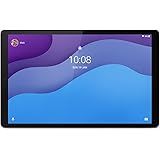
Lenovo Tab M10 HD 2nd Gen (10.1 inch/25.65 cm, 2 GB, 32 GB, Wi-Fi Only) Platinum Grey with Metallic Body and Octa core Processor
₹14,899.00 (as of September 21, 2026 02:08 GMT +05:30 - More infoProduct prices and availability are accurate as of the date/time indicated and are subject to change. Any price and availability information displayed on [relevant Amazon Site(s), as applicable] at the time of purchase will apply to the purchase of this product.)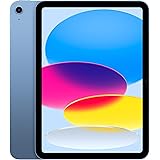
Apple iPad 11″: A16 chip, 27.69 cm (11″) Model, Liquid Retina Display, 128GB, Wi-Fi 6, 12MP Front/12MP Back Camera, Touch ID, All-Day Battery Life — Blue
Now retrieving the price.
(as of September 21, 2026 02:08 GMT +05:30 - More infoProduct prices and availability are accurate as of the date/time indicated and are subject to change. Any price and availability information displayed on [relevant Amazon Site(s), as applicable] at the time of purchase will apply to the purchase of this product.)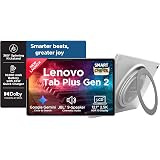
Lenovo Tab Plus Gen 2 {Smartchoice} with JBL 9-unit Speaker System, Wifi only, 12.1" 2.5K Display, 800nits Peak Brightness |8GB RAM + 256GB ROM (Expandable upto 2TB), MediaTek Dimensity 7400| 10200mAh
₹38,999.00 (as of September 21, 2026 02:08 GMT +05:30 - More infoProduct prices and availability are accurate as of the date/time indicated and are subject to change. Any price and availability information displayed on [relevant Amazon Site(s), as applicable] at the time of purchase will apply to the purchase of this product.)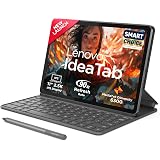
Lenovo Idea Tab (Smartchoice) with Folio Keyboard + Tab Pen | Wi-Fi + 5G |11" Display, 2.5K Resolution, 90Hz Refresh|8GB RAM, 256GB ROM| MediaTek Dimensity 6300| 7040mAh|4 Speakers| USB-C| Luna Grey
₹35,999.00 (as of September 21, 2026 02:08 GMT +05:30 - More infoProduct prices and availability are accurate as of the date/time indicated and are subject to change. Any price and availability information displayed on [relevant Amazon Site(s), as applicable] at the time of purchase will apply to the purchase of this product.)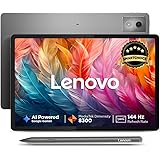
Lenovo {Smartchoice} Idea Tab Pro with Pen Plus|12.7" 3K Display|144 Hz Refresh|8 GB RAM, 128 GB ROM|AI-Enabled| MediaTek Dimensity 8300| Quad JBL Speakers| 10200 mAh Battery with 45 W Charger|WiFi 6e
₹29,999.00 (as of September 21, 2026 02:08 GMT +05:30 - More infoProduct prices and availability are accurate as of the date/time indicated and are subject to change. Any price and availability information displayed on [relevant Amazon Site(s), as applicable] at the time of purchase will apply to the purchase of this product.)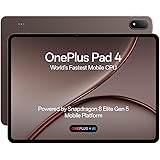
OnePlus, Pad 4, 13.2 inch (33.53 CM), LCD, 12GB RAM, 512GB ROM, WiFi, 8 Speakers, Snapdragon 8 Elite Gen 5, Dune Glow, AI Enabled
₹67,999.00 (as of September 21, 2026 02:08 GMT +05:30 - More infoProduct prices and availability are accurate as of the date/time indicated and are subject to change. Any price and availability information displayed on [relevant Amazon Site(s), as applicable] at the time of purchase will apply to the purchase of this product.)
IKALL N7 Android Tablet 7 Inch Display, Wi-Fi Only, 2GB RAM, 16GB Internal Storage, 3000mAh Battery, Dual Camera, Lightweight Tablet for Learning, Streaming & Everyday Use - Black
₹4,149.00 (as of September 21, 2026 02:08 GMT +05:30 - More infoProduct prices and availability are accurate as of the date/time indicated and are subject to change. Any price and availability information displayed on [relevant Amazon Site(s), as applicable] at the time of purchase will apply to the purchase of this product.)
DOMO Slate SL40 2C Tablet for Students Foundation Exams, 10 Inch Android Tablet, IPS Display, 4G Dual SIM, 4GB RAM+32GB Storage (Expandable to 1TB), Octa-Core Processor, GPS, WiFi, Bluetooth (Grey)
₹7,990.00 (as of September 21, 2026 02:08 GMT +05:30 - More infoProduct prices and availability are accurate as of the date/time indicated and are subject to change. Any price and availability information displayed on [relevant Amazon Site(s), as applicable] at the time of purchase will apply to the purchase of this product.)
IKALL N7 Pro 7-Inch Android Wi-Fi Tablet, Black 2GB RAM, 16GB Storage, 3000mAh Battery, Dual Camera, Compact & Lightweight
₹4,149.00 (as of September 21, 2026 02:08 GMT +05:30 - More infoProduct prices and availability are accurate as of the date/time indicated and are subject to change. Any price and availability information displayed on [relevant Amazon Site(s), as applicable] at the time of purchase will apply to the purchase of this product.)
Redmi Pad 2, 11-inch (27.94 CM CM), LCD Display - 2.5K Sharp & Clear, 4GB RAM, 128GB ROM, Wi-Fi, Quad Speakers, Dolby Atmos, Graphite Grey, AI Enabled
₹19,699.00 (as of September 21, 2026 02:08 GMT +05:30 - More infoProduct prices and availability are accurate as of the date/time indicated and are subject to change. Any price and availability information displayed on [relevant Amazon Site(s), as applicable] at the time of purchase will apply to the purchase of this product.)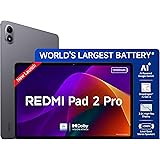
Redmi Pad 2 Pro, 12.1-inch (30.73 CM), LCD Display - 2.5K Sharp & Clear, 8GB RAM, 128GB ROM, Wi-Fi, Quad Speakers, Dolby Atmos, Graphite Grey, AI Enabled
₹28,999.00 (as of September 21, 2026 02:08 GMT +05:30 - More infoProduct prices and availability are accurate as of the date/time indicated and are subject to change. Any price and availability information displayed on [relevant Amazon Site(s), as applicable] at the time of purchase will apply to the purchase of this product.)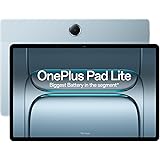
OnePlus,Pad Lite, 11-inch (27.94 CM CM), LCD, 6GB RAM, 128GB ROM, WiFi, Quad Speakers, 9340mAh Battery, Aero Blue, Not AI Enabled
₹19,999.00 (as of September 21, 2026 02:08 GMT +05:30 - More infoProduct prices and availability are accurate as of the date/time indicated and are subject to change. Any price and availability information displayed on [relevant Amazon Site(s), as applicable] at the time of purchase will apply to the purchase of this product.)
PEICHENG Kids Tablet 7 inch Android 12.0 for Toddler, 4GB RAM 32GB ROM Bluetooth IPS Screen Parental Control Dual Camera Shockproof Case for Educational Games (Orange)
₹6,499.00 (as of September 21, 2026 02:08 GMT +05:30 - More infoProduct prices and availability are accurate as of the date/time indicated and are subject to change. Any price and availability information displayed on [relevant Amazon Site(s), as applicable] at the time of purchase will apply to the purchase of this product.)
Brave Ark (SmartChoice) Android Tablet with Pen + BT-Keyboard| 12.95"(32cm) 2.8K 144Hz Display| Snapdragon 8s Gen 3| AI-Enabled|12GB RAM, 256GB ROM| Segment's Biggest 14550mAh Battery| 8 Speakers|WiFi
₹42,999.00 (as of September 21, 2026 02:08 GMT +05:30 - More infoProduct prices and availability are accurate as of the date/time indicated and are subject to change. Any price and availability information displayed on [relevant Amazon Site(s), as applicable] at the time of purchase will apply to the purchase of this product.)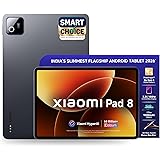
XIAOMI Pad 8, 11.2 -inch (28.44 CM), LCD 3.2K, 8GB RAM, 128GB ROM, Wi-Fi, Quad Speakers Dolby Atmos, Supports Focus Pen Pro, Graphite Grey, AI Enabled
₹38,999.00 (as of September 21, 2026 02:08 GMT +05:30 - More infoProduct prices and availability are accurate as of the date/time indicated and are subject to change. Any price and availability information displayed on [relevant Amazon Site(s), as applicable] at the time of purchase will apply to the purchase of this product.)