Navigating the academic landscape today often demands more than just textbooks. Students require versatile tools that can seamlessly transition from note-taking in lectures to research in the library, creative projects, and even some light entertainment. For those seeking a potent combination of portability, performance, and a dedicated typing experience, tablets with integrated or compatible keyboards have become indispensable. While the price tag can climb rapidly, discerning shoppers can still find exceptional devices that offer premium features without breaking the bank of $3000. This guide delves into the top tablets available for students who need a powerful, keyboard-equipped solution for their academic journey, focusing on models that offer a compelling blend of functionality, longevity, and value within this generous budget.
Understanding Student Needs: Beyond the Basics
Before diving into specific models, it’s crucial to define what makes a tablet ideal for students. Beyond a crisp display and decent processing power, key considerations include:
- Performance: The ability to run multiple applications simultaneously, handle demanding software (like editing suites or complex simulations), and offer smooth multitasking is paramount.
- Keyboard Experience: A comfortable, responsive keyboard is non-negotiable for extensive typing. This includes key travel, layout, and overall build quality.
- Stylus Support: For subjects requiring drawing, diagramming, or intricate annotation, a high-quality stylus with low latency and pressure sensitivity is a significant advantage.
- Battery Life: Students are constantly on the move. All-day battery life is essential to avoid being tethered to a power outlet during long study sessions or between classes.
- Storage: Ample storage is needed for operating systems, applications, large project files, and media. Expandable storage options are a bonus.
- Portability and Durability: Lightweight designs are easier to carry, while robust build quality ensures the device can withstand the rigors of student life.
- Software Ecosystem: The availability of educational apps, productivity tools, and seamless integration with other devices is a vital factor.
- Connectivity: Reliable Wi-Fi is standard, but cellular connectivity can be a lifesaver for students who need to stay connected on the go without Wi-Fi access.
The Elite Tier: Tablets Offering Unparalleled Value Under $3000
Within the $3000 budget, students can access a range of premium tablets that often blur the lines between laptop and tablet. These devices prioritize performance, display quality, and a refined user experience, making them excellent investments for demanding academic pursuits.
1. Apple iPad Pro (M2 Chip) with Magic Keyboard and Apple Pencil (2nd Gen)
While the iPad Pro itself can exceed $1000 depending on configuration, when paired with the premium Magic Keyboard and the Apple Pencil, it comfortably fits within the $3000 bracket, offering an unparalleled ecosystem for many students. The M2 chip delivers laptop-grade performance, effortlessly handling demanding tasks like video editing, 3D rendering, and complex coding. The Liquid Retina XDR display (on the 12.9-inch model) is a visual masterpiece, offering incredible brightness, contrast, and color accuracy, perfect for reviewing detailed diagrams or creative work.
The Magic Keyboard is a revelation, transforming the iPad Pro into a highly capable laptop. Its trackpad is precise, and the backlit keys offer a satisfying typing experience. The Apple Pencil (2nd Gen) magnetically attaches to the iPad Pro for charging and pairing, boasting remarkable low latency and pressure sensitivity, making it ideal for note-taking, sketching, and annotating PDFs. The iPadOS ecosystem is rich with powerful creative and productivity apps, and the integration with other Apple devices is seamless. For students in creative fields, engineering, or those who value a polished and intuitive user experience, the iPad Pro remains a top contender.
- Key Features: M2 chip for exceptional performance, stunning Liquid Retina XDR display, robust multitasking capabilities, excellent stylus support with Apple Pencil, premium Magic Keyboard with trackpad, extensive app ecosystem.
- Ideal For: Creative arts, design, engineering, computer science, students seeking a premium all-in-one device.
2. Microsoft Surface Pro 9 with Signature Keyboard and Slim Pen 2
The Microsoft Surface Pro 9 continues to be a formidable choice for students seeking a true laptop-replacement experience in a tablet form factor. Powered by Intel 12th Gen Core processors (or optional ARM-based processors for enhanced battery life), it offers robust performance for everyday tasks, productivity suites, and even some light gaming. The 13-inch PixelSense Flow display is sharp and vibrant, with a 120Hz refresh rate for fluid scrolling and drawing.
The Surface Pro Signature Keyboard is a well-designed accessory that provides a comfortable and tactile typing experience, complete with a generous trackpad. The Surface Slim Pen 2 is a significant upgrade, offering enhanced haptic feedback and tilt support, making it feel incredibly natural for writing and drawing. The Windows 11 operating system provides the familiarity and power of a desktop environment, with access to a vast library of software, including specialized academic and professional applications. For students who need the flexibility of a tablet but the full power and software compatibility of a Windows laptop, the Surface Pro 9 is an outstanding option.
- Key Features: Powerful Intel processors, vibrant PixelSense Flow display with 120Hz refresh rate, comfortable Signature Keyboard with trackpad, advanced Surface Slim Pen 2 with haptic feedback, full Windows 11 functionality.
- Ideal For: Business, computer science, engineering, students who need a full Windows experience and extensive software compatibility.
3. Samsung Galaxy Tab S9 Ultra with Book Cover Keyboard and S Pen
Samsung’s flagship Galaxy Tab S9 Ultra is a powerhouse that challenges the very definition of a tablet. Its massive 14.6-inch Dynamic AMOLED 2X display is simply breathtaking, offering unparalleled color accuracy, contrast, and a buttery-smooth 120Hz refresh rate. This expansive screen real estate is fantastic for multitasking, immersive content consumption, and detailed work. Under the hood, the Qualcomm Snapdragon 8 Gen 2 for Galaxy chipset delivers blazing-fast performance, ensuring that even the most demanding applications run without a hitch.
The included Book Cover Keyboard provides a solid typing experience, though it might not offer the same level of tactile feedback as some dedicated laptop keyboards. However, it’s highly functional and integrates seamlessly with the tablet. The S Pen is included and offers excellent low latency and pressure sensitivity, making it a joy for note-taking and creative tasks. Samsung DeX software allows for a desktop-like experience when connected to the keyboard, further enhancing its productivity potential. For students who prioritize a large, vibrant display and top-tier performance, the Tab S9 Ultra is a compelling choice, especially for those already invested in the Android ecosystem.
- Key Features: Expansive 14.6-inch Dynamic AMOLED 2X display, top-tier Snapdragon 8 Gen 2 for Galaxy performance, included Book Cover Keyboard, excellent S Pen integration, Samsung DeX for a desktop-like experience.
- Ideal For: Multimedia, design, students who value a large, immersive display and powerful Android performance.
4. Lenovo Tab P12 Pro with Precision Pen 3 and Keyboard Pack
The Lenovo Tab P12 Pro offers a compelling blend of premium features at a more accessible price point within the $3000 budget, leaving ample room for accessories. Its 12.6-inch AMOLED display is stunning, delivering vibrant colors and deep blacks, perfect for detailed work and multimedia. Powered by a Qualcomm Snapdragon 870 chipset, it provides robust performance for multitasking and running demanding applications.
The optional Keyboard Pack offers a comfortable typing experience with decent key travel, and the Precision Pen 3 is a highly capable stylus with low latency and pressure sensitivity, making it ideal for note-taking and digital art. Lenovo’s focus on productivity is evident, and the Android operating system, combined with Lenovo’s optimizations, offers a smooth and efficient user experience. For students seeking a high-quality tablet with excellent display technology and strong stylus and keyboard support without venturing into the absolute highest price brackets, the Tab P12 Pro is a fantastic value proposition.
- Key Features: Vivid 12.6-inch AMOLED display, strong Snapdragon 870 performance, capable Precision Pen 3, comfortable optional Keyboard Pack, good value for its premium features.
- Ideal For: General productivity, note-taking, digital art, students seeking a high-quality Android tablet experience.
Beyond the Top Picks: Other Considerations
While the above tablets represent the pinnacle of what students can achieve within the $3000 budget, other devices might cater to specific niche needs. For instance, some users might prefer a more traditional laptop form factor with a detachable keyboard, offering a more robust physical keyboard and potentially more ports.
Stylus and Keyboard Integration: A Deeper Dive
When evaluating stylus and keyboard options, consider the following:
- Stylus Latency: Lower latency means the on-screen ink appears almost instantaneously with your pen strokes, crucial for natural note-taking and drawing.
- Pressure Sensitivity: The ability of the stylus to detect varying levels of pressure allows for nuanced line weights and shading in artistic applications.
- Tilt Support: This feature allows the stylus to mimic the effects of a real pen or brush, enabling shading and varying line thickness based on the angle of the stylus.
- Keyboard Build Quality: Look for keys with good tactile feedback, adequate key travel, and a comfortable layout. Backlighting is a significant advantage for late.
DOMO Slate SL40 2C 10 Inch Android Tablet, IPS Display, 4G Dual SIM, 4GB RAM+32GB Storage (Expandable to 1TB), Octa-Core Processor, GPS, WiFi, Bluetooth, for Students Foundation Exams (Grey)
₹7,940.00 (as of October 10, 2026 09:13 GMT +05:30 - More infoProduct prices and availability are accurate as of the date/time indicated and are subject to change. Any price and availability information displayed on [relevant Amazon Site(s), as applicable] at the time of purchase will apply to the purchase of this product.)
Lenovo Tab (Smartchoice) | 10.1 Inch Display| Wi-Fi Only| 4 GB RAM + 64 GB ROM (Expandable up to 1 TB)| Metal Body| Dual Speakers with Dolby Atmos| Android 14| Color: Polar Blue
₹15,499.00 (as of October 10, 2026 09:13 GMT +05:30 - More infoProduct prices and availability are accurate as of the date/time indicated and are subject to change. Any price and availability information displayed on [relevant Amazon Site(s), as applicable] at the time of purchase will apply to the purchase of this product.)
Lenovo Idea Tab Pro Gen 2 with Pen Plus {Smartchoice} 13" Display, 3.5K Resolution, 144Hz Refresh | 8GB, 256GB | Snapdragon 8s Gen 4 | 10200mAh, 4 JBL Speakers, USB 3.0 with DP-Out, Wi-Fi 7, Luna Grey
₹41,999.00 (as of October 10, 2026 09:13 GMT +05:30 - More infoProduct prices and availability are accurate as of the date/time indicated and are subject to change. Any price and availability information displayed on [relevant Amazon Site(s), as applicable] at the time of purchase will apply to the purchase of this product.)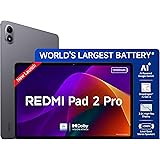
Redmi Pad 2 Pro, 12.1-inch (30.73 CM), LCD Display - 2.5K Sharp & Clear, 8GB RAM, 128GB ROM, Wi-Fi, Quad Speakers, Dolby Atmos, Graphite Grey, AI Enabled
₹26,999.00 (as of October 10, 2026 09:13 GMT +05:30 - More infoProduct prices and availability are accurate as of the date/time indicated and are subject to change. Any price and availability information displayed on [relevant Amazon Site(s), as applicable] at the time of purchase will apply to the purchase of this product.)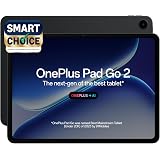
OnePlus, Pad Go 2 [Smartchoice], 12.1 inch (30.73 CM), LCD, 8GB RAM, 256GB ROM, Wi-Fi + 5G, Quad Speakers, Eye Care,Shadow Black, AI Enabled
₹35,999.00 (as of October 10, 2026 09:13 GMT +05:30 - More infoProduct prices and availability are accurate as of the date/time indicated and are subject to change. Any price and availability information displayed on [relevant Amazon Site(s), as applicable] at the time of purchase will apply to the purchase of this product.)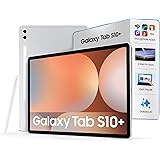
Samsung Galaxy Tab S10+ [Smartchoice], 12.4-inch (31.5 CM), Dynamic AMOLED 2X Display, 12GB RAM, 256GB ROM, Wi-Fi, Quad Speakers, S Pen, Platinum Silver, AI Enabled
₹88,999.00 (as of October 10, 2026 09:13 GMT +05:30 - More infoProduct prices and availability are accurate as of the date/time indicated and are subject to change. Any price and availability information displayed on [relevant Amazon Site(s), as applicable] at the time of purchase will apply to the purchase of this product.)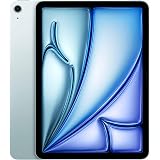
Apple iPad Air 27.59 cm (11″) (M4): Liquid Retina Display, 128 GB, 12MP Front/Back Camera, Wi-Fi 7 with Apple N1, Touch ID, All-Day Battery Life — Blue
₹74,999.00 (as of October 10, 2026 09:13 GMT +05:30 - More infoProduct prices and availability are accurate as of the date/time indicated and are subject to change. Any price and availability information displayed on [relevant Amazon Site(s), as applicable] at the time of purchase will apply to the purchase of this product.)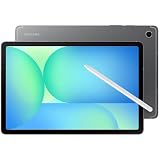
Samsung Galaxy Tab S10 FE 10.9" Tablet 128GB SSD 8GB RAM Wi-Fi with S-Pen Gray SM-X520NZALXAR
₹68,522.00 (as of October 10, 2026 09:13 GMT +05:30 - More infoProduct prices and availability are accurate as of the date/time indicated and are subject to change. Any price and availability information displayed on [relevant Amazon Site(s), as applicable] at the time of purchase will apply to the purchase of this product.)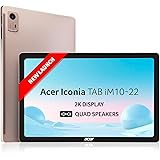
Acer Iconia Tab10 | 10.36" | 2K IPS Display, 480 Nit | Quad Speakers | 6GB + 128GB (Expandable) | Wi-Fi + (Calling)
₹17,990.00 (as of October 10, 2026 09:13 GMT +05:30 - More infoProduct prices and availability are accurate as of the date/time indicated and are subject to change. Any price and availability information displayed on [relevant Amazon Site(s), as applicable] at the time of purchase will apply to the purchase of this product.)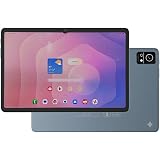
DOMO Slate SL40 OS10 1C 10 Inch Android Tablet 4G Dual SIM, 4GB RAM, 32GB Storage (Expandable to 1TB), Octa-Core Processor, WXGA Incell Display, 13MP Camera, GPS, WiFi, Bluetooth, Type-C Blue
Now retrieving the price.
(as of October 10, 2026 09:13 GMT +05:30 - More infoProduct prices and availability are accurate as of the date/time indicated and are subject to change. Any price and availability information displayed on [relevant Amazon Site(s), as applicable] at the time of purchase will apply to the purchase of this product.)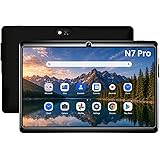
IKALL N7 Pro 7-Inch Android Wi-Fi Tablet, Black 2GB RAM, 16GB Storage, 3000mAh Battery, Dual Camera, Compact & Lightweight
₹4,149.00 (as of October 10, 2026 09:13 GMT +05:30 - More infoProduct prices and availability are accurate as of the date/time indicated and are subject to change. Any price and availability information displayed on [relevant Amazon Site(s), as applicable] at the time of purchase will apply to the purchase of this product.)
DOMO Slate SL40 2C Tablet for Students Foundation Exams, 10 Inch Android Tablet, IPS Display, 4G Dual SIM, 4GB RAM+32GB Storage (Expandable to 1TB), Octa-Core Processor, GPS, WiFi, Bluetooth (Grey)
Now retrieving the price.
(as of October 10, 2026 09:13 GMT +05:30 - More infoProduct prices and availability are accurate as of the date/time indicated and are subject to change. Any price and availability information displayed on [relevant Amazon Site(s), as applicable] at the time of purchase will apply to the purchase of this product.)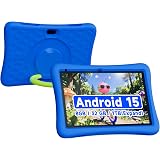
ZZB 10 Inch Kids Tablet, Android 15.0, 8GB (3+5 Extended) RAM 32GB ROM (Expandable to 1TB) Dual Camera 6000mAh Preloaded with Kids Apps Tablet with Case, Android Tablets
₹13,999.00 (as of October 10, 2026 09:13 GMT +05:30 - More infoProduct prices and availability are accurate as of the date/time indicated and are subject to change. Any price and availability information displayed on [relevant Amazon Site(s), as applicable] at the time of purchase will apply to the purchase of this product.)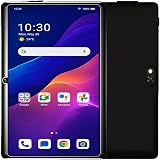
IKALL N7 Android Tablet 7 Inch Display, Wi-Fi Only, 2GB RAM, 16GB Internal Storage, 3000mAh Battery, Dual Camera, Lightweight Tablet for Learning, Streaming & Everyday Use - Black
₹4,149.00 (as of October 10, 2026 09:13 GMT +05:30 - More infoProduct prices and availability are accurate as of the date/time indicated and are subject to change. Any price and availability information displayed on [relevant Amazon Site(s), as applicable] at the time of purchase will apply to the purchase of this product.)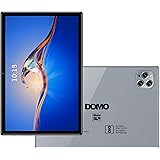
DOMO Slate SL39 4G Tablet 10.1 inch Tab, 4G Connectivity, 4GB RAM + 32GB ROM, inbuilt Storage, 1TB Expandable, Dual SIM Slot, Bluetooth, Octa Core CPU GPS, [Grey]
₹7,499.00 (as of October 10, 2026 09:13 GMT +05:30 - More infoProduct prices and availability are accurate as of the date/time indicated and are subject to change. Any price and availability information displayed on [relevant Amazon Site(s), as applicable] at the time of purchase will apply to the purchase of this product.)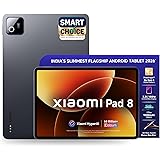
XIAOMI Pad 8, 11.2 -inch (28.44 CM), LCD 3.2K, 12GB RAM, 256GB ROM, Wi-Fi, Quad Speakers Dolby Atmos, Supports Focus Pen Pro, Graphite Grey, AI Enabled
₹41,990.00 (as of October 10, 2026 09:13 GMT +05:30 - More infoProduct prices and availability are accurate as of the date/time indicated and are subject to change. Any price and availability information displayed on [relevant Amazon Site(s), as applicable] at the time of purchase will apply to the purchase of this product.)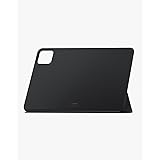
Xiaomi Pad 6 Cover - Black
₹600.00 (as of October 10, 2026 09:13 GMT +05:30 - More infoProduct prices and availability are accurate as of the date/time indicated and are subject to change. Any price and availability information displayed on [relevant Amazon Site(s), as applicable] at the time of purchase will apply to the purchase of this product.)
Bigme Color eReader, Eink 6 Inch Color E-Book Readers Android E-Readers Digital Electronic Paper Tablet with Android 14, 4G+64GB, Electronic Reading Device
Now retrieving the price.
(as of October 10, 2026 09:13 GMT +05:30 - More infoProduct prices and availability are accurate as of the date/time indicated and are subject to change. Any price and availability information displayed on [relevant Amazon Site(s), as applicable] at the time of purchase will apply to the purchase of this product.)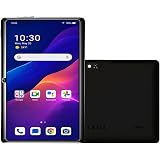
IKALL N7 - Android Wi-Fi Tablet, 2GB RAM, 16GB Storage, Wi-Fi Only, 3000mAh Battery, 7" Display Compact & Lightweight, Ideal for Learning & Entertainment – Black
₹4,149.00 (as of October 10, 2026 09:13 GMT +05:30 - More infoProduct prices and availability are accurate as of the date/time indicated and are subject to change. Any price and availability information displayed on [relevant Amazon Site(s), as applicable] at the time of purchase will apply to the purchase of this product.)