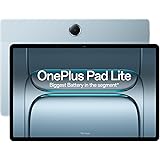
The modern business landscape demands agility and constant connectivity. For professionals on the go, a powerful yet portable device is no longer a luxury but a necessity. Enter the lightweight Windows tablet, a category of devices that has rapidly evolved to become the ultimate business travel companion, blending the familiar functionality of Windows with the unburdened portability of a tablet. These devices offer a compelling alternative to bulky laptops, providing a seamless transition between productivity tasks and on-the-fly information access.
The Rise of the Lightweight Windows Tablet
Gone are the days when tablets were primarily consumption devices. With the advent of Windows 10 and its successor, Windows 11, Microsoft has fostered an ecosystem where the familiar desktop operating system thrives on touch-enabled hardware. This convergence has allowed manufacturers to create incredibly thin and light devices that don’t compromise on the core Windows experience. They offer the full power of desktop applications, robust security features, and a familiar user interface, all packed into a form factor that slips easily into any briefcase or carry-on.
Key Features Defining the Business-Ready Lightweight Tablet
When considering a lightweight Windows tablet for business travel, several key features stand out:
- Portability and Weight: This is the defining characteristic. We’re talking devices typically weighing under 2 pounds, often closer to 1.5 pounds, with slim profiles that are a joy to carry. This significantly reduces travel fatigue and makes working from airport lounges, train seats, or coffee shops effortless.
- Display Quality and Size: A crisp, vibrant display is crucial for extended work sessions. Look for resolutions of at least Full HD (1920×1080) for sharp text and images. Screen sizes generally range from 10 to 13 inches, offering a good balance between screen real estate for productivity and overall device portability. Many also boast excellent color accuracy and brightness, making them usable even in challenging lighting conditions.
- Performance and Processing Power: Don’t let the slim form factor fool you. Modern lightweight Windows tablets are powered by efficient yet capable processors, often Intel Core i3, i5, or i7, or AMD Ryzen equivalents. These are more than sufficient for running typical business applications like Microsoft Office Suite, web browsers, communication apps, and even some light creative software. Ample RAM (8GB or more) is essential for smooth multitasking.
- Storage Options: Solid-state drives (SSDs) are standard, offering fast boot times and application loading. Capacities of 128GB, 256GB, or even 512GB are common, providing enough space for operating system, applications, and essential business files. Cloud storage integration further alleviates storage concerns.
- Battery Life: For business travel, all-day battery life is non-negotiable. Many lightweight Windows tablets are engineered for efficiency, delivering 8-10 hours or more of real-world usage on a single charge. This means you can leave your charger behind for shorter trips or power through long travel days without hunting for an outlet.
- Connectivity: Essential for business, look for Wi-Fi 6 for faster, more reliable wireless connections. Bluetooth 5.0 or higher is standard for peripheral connectivity. Many models also offer optional LTE or 5G support, providing internet access wherever cellular signals are available, a game-changer for remote work.
- Build Quality and Durability: Business travel can be demanding. A robust build, often featuring aluminum or magnesium alloy chassis, provides peace of mind. Durable screens with scratch-resistant coatings are also a significant advantage.
- Detachable Keyboard and Stylus Support: This is where the tablet truly transforms into a productivity powerhouse. Most business-focused lightweight Windows tablets offer optional, often magnetically attached, keyboards that provide a tactile typing experience. Many also support active stylus input, enabling precise annotation, note-taking, and digital sketching, akin to using a pen and paper.
Transforming Your Workflow: How Lightweight Tablets Empower Business Travel
The impact of a lightweight Windows tablet on your business travel workflow is profound:
- Enhanced Productivity on the Go: Seamlessly transition from checking emails on the train to creating presentations in a hotel room. The full Windows OS means you can run all your familiar desktop applications without compromise.
- Effortless Note-Taking and Annotation: With stylus support, you can capture meeting notes directly, mark up documents in real-time during client calls, or even sketch out ideas during brainstorming sessions. This digitized approach is more efficient and easier to organize than traditional paper methods.
- Streamlined Presentations: Project your screen directly or connect to external displays for impromptu client presentations. The portability ensures you’re always prepared to showcase your work.
- Reduced Travel Burden: Ditch the heavy laptop bag. The lightweight tablet significantly reduces the physical strain of carrying your technology, allowing you to focus on your business objectives.
- Improved Collaboration: Share documents, participate in video conferences, and collaborate on projects with colleagues from anywhere. The always-connected nature of many tablets, especially with LTE, ensures you’re never out of reach.
- Versatile Usage Scenarios: Beyond traditional work, these devices excel as e-readers for industry publications, media consumption devices during downtime, and even as portable entertainment hubs on long journeys.
Choosing the Right Lightweight Windows Tablet for Your Needs
The market offers a diverse range of lightweight Windows tablets, each with its strengths. Consider these popular categories and manufacturers:
- 2-in-1 Convertibles: These devices feature a hinge that allows the screen to fold back 360 degrees or detach entirely from the keyboard. This offers maximum flexibility, functioning as a traditional laptop when needed and a tablet for consumption or presentations. Brands like HP (Spectre x360, Envy x360), Dell (XPS 2-in-1, Inspiron 2-in-1), and Lenovo (Yoga series) excel in this category.
- Detachable Tablets: These are primarily tablets with an optional keyboard accessory. They often prioritize the tablet experience while still offering robust Windows functionality. Microsoft’s Surface Pro line is the quintessential example, renowned for its premium build, excellent stylus integration, and powerful performance. Other manufacturers like Samsung and Huawei also offer compelling detachable Windows tablets.
- Business-Specific Lines: Some manufacturers have dedicated business lines that emphasize security features, manageability, and robust build quality. Think of devices tailored for enterprise environments.
Essential Accessories for the Mobile Professional
To maximize the utility of your lightweight Windows tablet for business travel, consider these essential accessories:
- Detachable Keyboard: As mentioned, this is often the most crucial accessory, transforming the tablet into a capable laptop. Look for one with comfortable key travel and a responsive trackpad.
- Active Stylus: For note-taking, annotation, and creative tasks, a high-quality stylus with pressure sensitivity is invaluable.
- Portable Power Bank: Extend your battery life even further, especially during long travel days or when outlets are scarce.
- USB-C Hub/Dock: Expand your connectivity options with additional USB-A ports, HDMI output, Ethernet, and SD card readers.
- Protective Sleeve or Case: Safeguard your investment during transit.
- Wireless Mouse: For more precise cursor control in certain applications, a compact wireless mouse can be beneficial.
The Future of Mobile Productivity
Lightweight Windows tablets represent a significant leap forward in mobile productivity. They bridge the gap between the portability of a tablet and the power of a desktop operating system, offering business professionals an unparalleled combination of flexibility, performance, and convenience. As technology continues to evolve, we can expect even lighter, more powerful, and more feature-rich devices that will further redefine the boundaries of business travel and remote work. For the discerning business traveler, investing in a well-chosen lightweight Windows tablet is an investment in efficiency, agility, and a more seamless professional life on the move.
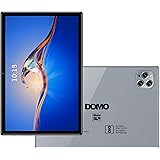
DOMO Slate SL39 4G Tablet 10.1 inch Tab, 4G Connectivity, 4GB RAM + 32GB ROM, inbuilt Storage, 1TB Expandable, Dual SIM Slot, Bluetooth, Octa Core CPU GPS, [Grey]
₹7,499.00 (as of October 10, 2026 09:13 GMT +05:30 - More infoProduct prices and availability are accurate as of the date/time indicated and are subject to change. Any price and availability information displayed on [relevant Amazon Site(s), as applicable] at the time of purchase will apply to the purchase of this product.)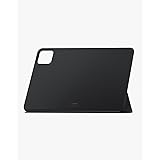
Xiaomi Pad 6 Cover - Black
₹600.00 (as of October 10, 2026 09:13 GMT +05:30 - More infoProduct prices and availability are accurate as of the date/time indicated and are subject to change. Any price and availability information displayed on [relevant Amazon Site(s), as applicable] at the time of purchase will apply to the purchase of this product.)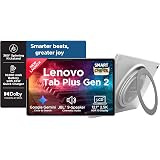
Lenovo Tab Plus Gen 2 {Smartchoice} with JBL 9-unit Speaker System, Wifi only, 12.1" 2.5K Display, 800nits Peak Brightness |8GB RAM + 256GB ROM (Expandable upto 2TB), MediaTek Dimensity 7400| 10200mAh
₹36,999.00 (as of October 10, 2026 09:13 GMT +05:30 - More infoProduct prices and availability are accurate as of the date/time indicated and are subject to change. Any price and availability information displayed on [relevant Amazon Site(s), as applicable] at the time of purchase will apply to the purchase of this product.)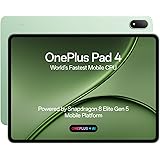
OnePlus, Pad 4, 13.2 inch (33.53 CM), LCD, 12GB RAM, 512GB ROM, WiFi, 8 Speakers, Snapdragon 8 Elite Gen 5, Sage Mist, AI Enabled
₹67,999.00 (as of October 10, 2026 09:13 GMT +05:30 - More infoProduct prices and availability are accurate as of the date/time indicated and are subject to change. Any price and availability information displayed on [relevant Amazon Site(s), as applicable] at the time of purchase will apply to the purchase of this product.)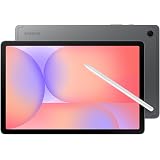
Samsung X400 Galaxy Tab S10 Lite 10.9" Wi-Fi, 128GB 6GB Ram, Grey
₹34,999.00 (as of October 10, 2026 09:13 GMT +05:30 - More infoProduct prices and availability are accurate as of the date/time indicated and are subject to change. Any price and availability information displayed on [relevant Amazon Site(s), as applicable] at the time of purchase will apply to the purchase of this product.)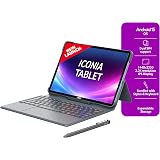
Acer Iconia Tab11 with Stylus & Keyboard | 11.45" | 2.2K IPS Display, 450 Nit | Quad Speakers | 8GB + 128GB (Expandable) | Wi-Fi + (Calling) | Fingerprint Reader| Slim Metal Body| Blue
₹25,490.00 (as of October 10, 2026 09:13 GMT +05:30 - More infoProduct prices and availability are accurate as of the date/time indicated and are subject to change. Any price and availability information displayed on [relevant Amazon Site(s), as applicable] at the time of purchase will apply to the purchase of this product.)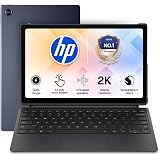
HP Omnipad 12 with Detachable Keyboard, Touchscreen, 12''/30.38cm, 2K, 400 nits, 90Hz, 8GB LPDDR5, 128GB UFS, WiFi 6E, DTS Quad Speakers, Upto 18 Hours Battery, Blue, Lightweight Tablet
₹46,490.00 (as of October 10, 2026 09:13 GMT +05:30 - More infoProduct prices and availability are accurate as of the date/time indicated and are subject to change. Any price and availability information displayed on [relevant Amazon Site(s), as applicable] at the time of purchase will apply to the purchase of this product.)
Bigme Color eReader, Eink 6 Inch Color E-Book Readers Android E-Readers Digital Electronic Paper Tablet with Android 14, 4G+64GB, Electronic Reading Device
Now retrieving the price.
(as of October 10, 2026 09:13 GMT +05:30 - More infoProduct prices and availability are accurate as of the date/time indicated and are subject to change. Any price and availability information displayed on [relevant Amazon Site(s), as applicable] at the time of purchase will apply to the purchase of this product.)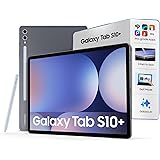
Samsung Galaxy Tab S10 Plus [Smartchoice], S Pen in-Box, 31.5 cm (12.4 inch) Dynamic AMOLED 2X Display, 12 GB RAM, 256 GB Storage, Wi-Fi Tablet, Moonstone Gray
₹1,01,999.00 (as of October 10, 2026 09:13 GMT +05:30 - More infoProduct prices and availability are accurate as of the date/time indicated and are subject to change. Any price and availability information displayed on [relevant Amazon Site(s), as applicable] at the time of purchase will apply to the purchase of this product.)
Redmi Pad 2, 11-inch (27.94 CM CM), LCD Display - 2.5K Sharp & Clear, 4GB RAM, 128GB ROM, Wi-Fi, Quad Speakers, Dolby Atmos, Graphite Grey, AI Enabled
₹17,499.00 (as of October 10, 2026 09:13 GMT +05:30 - More infoProduct prices and availability are accurate as of the date/time indicated and are subject to change. Any price and availability information displayed on [relevant Amazon Site(s), as applicable] at the time of purchase will apply to the purchase of this product.)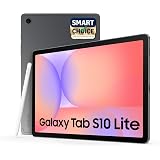
Samsung Galaxy Tab S10 Lite [Smartchoice], 10.9-inch (27.7 CM), LCD Display, 6GB RAM, 128GB ROM, Wi-Fi, Dual Speakers, S Pen, Gray, AI Enabled
Now retrieving the price.
(as of October 10, 2026 09:13 GMT +05:30 - More infoProduct prices and availability are accurate as of the date/time indicated and are subject to change. Any price and availability information displayed on [relevant Amazon Site(s), as applicable] at the time of purchase will apply to the purchase of this product.)
DOMO Slate SL40 2C 10 Inch Android Tablet, IPS Display, 4G Dual SIM, 4GB RAM+32GB Storage (Expandable to 1TB), Octa-Core Processor, GPS, WiFi, Bluetooth, for Students Foundation Exams (Grey)
₹7,940.00 (as of October 10, 2026 09:13 GMT +05:30 - More infoProduct prices and availability are accurate as of the date/time indicated and are subject to change. Any price and availability information displayed on [relevant Amazon Site(s), as applicable] at the time of purchase will apply to the purchase of this product.)
DOMO Slate SL40 2C Tablet for Students Foundation Exams, 10 Inch Android Tablet, IPS Display, 4G Dual SIM, 4GB RAM, 32GB Storage (Expandable to 1TB), Octa-Core Processor, GPS, WiFi, Bluetooth- Grey
Now retrieving the price.
(as of October 10, 2026 09:13 GMT +05:30 - More infoProduct prices and availability are accurate as of the date/time indicated and are subject to change. Any price and availability information displayed on [relevant Amazon Site(s), as applicable] at the time of purchase will apply to the purchase of this product.)
OnePlus, Pad 2, 12.1 inch (30.73 CM), LCD, 12GB RAM, 256GB ROM, Wi-Fi + Cellular Data Sharing, 6 Speakers, Snapdragon 8 Gen 3, Nimbus Gray, AI Enabled
Now retrieving the price.
(as of October 10, 2026 09:13 GMT +05:30 - More infoProduct prices and availability are accurate as of the date/time indicated and are subject to change. Any price and availability information displayed on [relevant Amazon Site(s), as applicable] at the time of purchase will apply to the purchase of this product.)
DOMO Slate SL40 2C Tablet for Students Foundation Exams, 10 Inch Android Tablet, IPS Display, 4G Dual SIM, 4GB RAM, 32GB Storage (Expandable to 1TB), Octa-Core Processor, GPS, WiFi, Bluetooth (Grey)
Now retrieving the price.
(as of October 10, 2026 09:13 GMT +05:30 - More infoProduct prices and availability are accurate as of the date/time indicated and are subject to change. Any price and availability information displayed on [relevant Amazon Site(s), as applicable] at the time of purchase will apply to the purchase of this product.)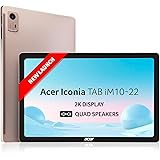
Acer Iconia Tab10 | 10.36" | 2K IPS Display, 480 Nit | Quad Speakers | 6GB + 128GB (Expandable) | Wi-Fi + (Calling)
₹17,990.00 (as of October 10, 2026 09:13 GMT +05:30 - More infoProduct prices and availability are accurate as of the date/time indicated and are subject to change. Any price and availability information displayed on [relevant Amazon Site(s), as applicable] at the time of purchase will apply to the purchase of this product.)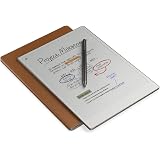
RemarkabIe Paper Pro (Bundle of 3 Items: 11.8'' Paper Pro Color Tablet - Marker Plus - Brown Leather Folio Cover
Now retrieving the price.
(as of October 10, 2026 09:13 GMT +05:30 - More infoProduct prices and availability are accurate as of the date/time indicated and are subject to change. Any price and availability information displayed on [relevant Amazon Site(s), as applicable] at the time of purchase will apply to the purchase of this product.)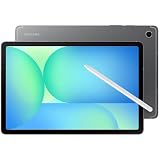
Samsung Galaxy Tab S10 FE 10.9" Tablet 128GB SSD 8GB RAM Wi-Fi with S-Pen Gray SM-X520NZALXAR
₹68,522.00 (as of October 10, 2026 09:13 GMT +05:30 - More infoProduct prices and availability are accurate as of the date/time indicated and are subject to change. Any price and availability information displayed on [relevant Amazon Site(s), as applicable] at the time of purchase will apply to the purchase of this product.)
IKALL N7 Android Tablet 7 Inch Display, Wi-Fi Only, 2GB RAM, 16GB Internal Storage, 3000mAh Battery, Dual Camera, Lightweight Tablet for Learning, Streaming & Everyday Use - Black
₹4,149.00 (as of October 10, 2026 09:13 GMT +05:30 - More infoProduct prices and availability are accurate as of the date/time indicated and are subject to change. Any price and availability information displayed on [relevant Amazon Site(s), as applicable] at the time of purchase will apply to the purchase of this product.)