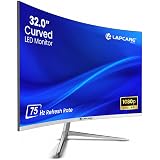
Description: Master the art of choosing a computer monitor in India. Explore in-depth guides on panel types (IPS, VA, OLED), 4K/Mini-LED trends, eye care features, and specs for gaming, work, and design.
The Indian Monitor Market: A Digital Display Revolution
The humble computer monitor, once a mere output device, has transformed into the single most critical interface between a user and the digital world. For the rapidly digitizing Indian consumer, the monitor market is experiencing explosive growth, driven by key factors: the rise of remote work, a booming gaming and esports culture, and an increasing focus on digital content creation.
Data suggests that the overall Indian display market is poised for robust expansion, with a projected CAGR of 4.6% between 2025 and 2033, reaching an estimated value of USD 8,403 Million by 2033. This growth highlights a massive shift in consumer preference, moving away from basic displays toward high-value, feature-rich screens.
Key Market Drivers in India
- Remote Work and Hybrid Models: The post-pandemic era cemented the need for high-quality, ergonomic monitors for home offices. Productivity users are actively seeking larger screens (27-inch and above) and convenient connectivity like USB-C with Power Delivery.
- The Gaming Boom: The demand for high-refresh-rate displays (144Hz, 240Hz, and beyond) is consistently outpacing other categories, particularly among the youth and competitive esports communities. Gaming monitors with low response times are a top search trend.
- Content Creation: With platforms like YouTube and Instagram reels flourishing, creators require professional-grade monitors offering exceptional colour accuracy and high resolution (QHD and 4K) to ensure their work looks perfect.
Essential Monitor Specifications: Understanding the Core Technology
Selecting the right monitor is a strategic decision that depends on your primary use. Here is a breakdown of the key technical specifications you must master.
Panel Technology: IPS, VA, TN, and the Rise of OLED
The panel type dictates a monitor’s fundamental characteristics in terms of colour, speed, and contrast.
| Panel Type | Key Strength | Ideal Use Case | Indian Market Trend |
| IPS (In-Plane Switching) | Best Colour Accuracy, Wide Viewing Angles (178°) | Graphic Design, Photo/Video Editing, All-Round Use | Dominant in mid-to-high-end for professionals and everyday users. |
| VA (Vertical Alignment) | Highest Native Contrast Ratio, Deep Blacks | Movie Watching, Single-Player Gaming, Curved Monitors | Popular in the mid-range segment for an immersive media experience. |
| TN (Twisted Nematic) | Fastest Response Time, Highest Refresh Rates | Competitive Esports and Fast-Paced Gaming (Budget-Focused) | Declining, now primarily limited to budget-friendly, ultra-fast gaming models. |
| OLED/Mini-LED | Perfect Blacks, Infinite Contrast, Superior HDR Performance | Premium Gaming, High-End Content Creation | Rapid growth in the premium segment; seen as the ultimate display technology. |
Actionable Insight: For a balanced user (work, studies, casual media), an IPS panel is generally the best choice for its superior colour and viewing angles. For serious gamers, the jump to a high-refresh-rate VA or IPS is worth the investment.
Resolution and Pixel Density: Clarity Matters
Resolution is the total number of pixels on the screen, expressed as width x height.
- Full HD (FHD) – 1920 x 1080: The budget standard. Ideal for 22-inch to 24-inch monitors for basic office work and casual use.
- Quad HD (QHD) – 2560 x 1440: The sweet spot for most users. Offers a sharp image and more screen real estate, making it perfect for 27-inch monitors, mid-range gaming, and productivity.
- 4K Ultra HD (UHD) – 3840 x 2160: Essential for professional video editing and design. Requires a screen size of 27 inches or more to truly appreciate the detail and a powerful graphics card to run smoothly.
Pixel Density (PPI): A higher PPI (Pixels Per Inch) means a sharper image. A 27-inch QHD monitor offers a comfortable PPI, while a 27-inch 4K monitor offers exceptional, crystal-clear sharpness.
Refresh Rate (Hz) and Response Time (ms): The Gamer’s Metrics
These two specs are the lifeblood of a gaming monitor and directly impact visual fluidity.
- Refresh Rate (Hz): The number of times the screen updates per second.
- 60-75Hz: Standard for office work and general use.
- 120-144Hz: The new minimum standard for enjoyable, fluid gaming and better visual comfort even in daily use.
- 240Hz+: Reserved for competitive esports professionals where every millisecond counts.
- Response Time (ms): How quickly a pixel can change its state (e.g., from grey to grey – GtG). Lower is always better.
- 1ms (GtG or MPRT): The benchmark for gaming monitors to eliminate motion blur and ghosting.
- 4ms – 5ms: Acceptable for general use and content creation.
Adaptive Sync (AMD FreeSync / NVIDIA G-SYNC): These technologies synchronise the monitor’s refresh rate with the graphics card’s frame rate, eliminating screen tearing and stuttering. They are now considered essential for all modern gaming monitors.
Focus on Eye Health: The Crucial Features for Indian Users
Given the long hours spent in front of screens for work, education, and entertainment, eye care features are not a luxury but a necessity in the Indian context. Leading brands are now receiving TÜV Rheinland or Eyesafe® certifications for their monitors, ensuring safety and comfort.
Technologies to Protect Your Vision
- Flicker-Free Technology: Traditional monitors use Pulse Width Modulation (PWM) to control brightness, which causes the backlight to rapidly flicker. This flicker, though often imperceptible, can cause eye strain and headaches. Flicker-Free monitors maintain a constant backlight, significantly reducing this fatigue.
- Low Blue Light Mode: Blue light is known to disrupt sleep cycles and potentially strain the eyes over long periods.
- Hardware Solutions: Modern monitors offer a hardware-level Low Blue Light (LBL) solution (like HP Eye Ease or Dell ComfortView Plus) that reduces harmful blue light emissions without significantly compromising colour accuracy, a crucial factor for content creators.
- Software Filters: These change the colour temperature to a warmer (more yellow/red) tone, which can be useful but may affect the accuracy of colours on the screen.
- Ergonomic Stands: An adjustable stand is fundamental. Look for:
- Height Adjustment: To position the top edge of the screen at or slightly below eye level.
- Tilt and Swivel: To adjust the screen angle easily.
- Pivot: For rotating the screen 90 degrees (portrait mode), which is a huge benefit for coders and document readers.
Case Study: The BenQ Brightness Intelligence Plus (B.I.+)
Monitors featuring B.I.+ use an Ambient Light Sensor to automatically detect the lighting conditions in your room and adjust the screen brightness and colour temperature accordingly. This mimics how your eye naturally adjusts, making the transition from a bright afternoon to a dim evening seamless and gentle on your vision.
Choosing Your Perfect Monitor: A User-Centric Approach
The modern monitor is highly specialized. Tailoring your purchase to your specific needs is the key to maximising your investment.
The Professional & Productivity User (Work/Study)
- Priority: Screen real estate, clarity, connectivity, and eye comfort.
- Recommended Specs:
- Size: 27-inch to 32-inch.
- Resolution: QHD (2560 x 1440) is the sweet spot.
- Panel: IPS (for great viewing angles and text clarity).
- Key Feature: USB-C with Power Delivery (PD). A single USB-C cable can transfer video/data and charge your laptop (typically 65W to 90W), drastically decluttering your desk—a feature increasingly in demand in the Indian market.
The Content Creator & Graphic Designer
- Priority: Colour accuracy, resolution, and wide colour gamut.
- Recommended Specs:
- Resolution: 4K UHD (3840 x 2160) on a 27-inch or 32-inch screen.
- Panel: High-end IPS or OLED for pixel-perfect colour and contrast.
- Colour Standards: Look for 100% sRGB, high Adobe RGB coverage, and ΔE < 2 (colour difference value) for professional-grade accuracy. Certification like Calman Verified or Pantone Validated adds immense value.
The Competitive Gamer & Esports Enthusiast
- Priority: Speed, low input lag, and fluid motion.
- Recommended Specs:
- Refresh Rate: Minimum 144Hz, ideally 240Hz.
- Response Time: 1ms MPRT (Moving Picture Response Time) or GtG (Grey-to-Grey).
- Resolution: 1080p for maximum frame rates, or 1440p for a balance of speed and visual detail.
- Key Feature: Adaptive Sync (FreeSync/G-SYNC) compatibility.
The Media and Entertainment Buff (Movie/Casual Gaming)
- Priority: Contrast, deep blacks, and immersive viewing.
- Recommended Specs:
- Panel: VA or OLED for a cinematic contrast ratio and HDR performance.
- Aspect Ratio: Standard 16:9 or an Ultrawide 21:9 (e.g., 3440 x 1440) for a truly immersive experience that replaces a dual-monitor setup.
- Curve: A gentle curve (e.g., 1800R or 1500R) is popular for ultrawide models, helping to pull the edges of the screen into your natural field of view.
Connectivity and Future-Proofing Your Monitor Investment
A monitor’s lifespan often exceeds that of the computer it is connected to. Ensuring it has the correct ports is essential for future compatibility.
| Port Type | Use Case | Key Features |
| DisplayPort (DP) | Best for Gaming and High Refresh Rates | Supports the highest resolutions and refresh rates (e.g., 4K @ 144Hz) and is the standard for G-SYNC. |
| HDMI | Universal Compatibility (PC, Console, TV Box) | HDMI 2.1 is mandatory for 4K @ 120Hz on modern gaming consoles (PS5/Xbox Series X). |
| USB-C (Alt-Mode) | Modern Single-Cable Solution | Transfers video/data and provides Power Delivery (PD) to charge a laptop. The ultimate port for a clean workspace. |
| USB Hub (USB-A/B) | Productivity | Allows the monitor to act as a charging and data hub, connecting your mouse, keyboard, and external drives directly to the display. |
Important Note: Always check the specific version of the port (e.g., HDMI 2.0 vs. 2.1, DisplayPort 1.4 vs. 2.0) as this determines the maximum resolution and refresh rate it can support.
The Cutting Edge: Mini-LED and OLED Technology in 2025
The high-end of the monitor market in India is being reshaped by two groundbreaking technologies that deliver unparalleled image quality:
- Mini-LED (Full Array Local Dimming – FALD): This involves placing thousands of tiny LEDs behind the LCD panel, grouped into hundreds or thousands of ‘dimming zones’.
- Benefit: Achieves a contrast ratio and peak brightness far superior to standard LED/IPS, coming close to OLED’s black levels without the risk of burn-in. It is a fantastic, bright solution for HDR content.
- OLED (Organic Light Emitting Diode): Each pixel in an OLED panel emits its own light and can be individually turned completely off, resulting in “perfect blacks” and an infinite contrast ratio.
- Benefit: The absolute best picture quality, near-instantaneous response time (as low as 0.1ms), and incredible colour vibrancy. Once exclusive to high-end TVs, OLED monitors are now becoming more accessible to premium Indian gamers and creators, especially with new features designed to mitigate burn-in.
Practical Tips for a Superior Monitor Setup
Achieving an optimal viewing experience goes beyond just the hardware. Follow these practical tips for a better digital life:
- Calibration: Out-of-the-box settings are rarely perfect. Use an online guide or a dedicated colorimeter to calibrate your monitor for the most accurate colour and brightness, especially crucial for photo work.
- Optimal Distance: Position the monitor about arm’s length away from you. This ensures a comfortable viewing experience and reduces strain.
- Lighting: Avoid placing your monitor directly in front of a window (glare) or a bright wall (creates high contrast with the screen). The best setup is a dim, uniform background with soft, ambient light in the room.
- Cable Management: A clean desk enhances focus. Utilize the cable pass-through features on ergonomic stands, and use Velcro ties to manage wires for a neat, professional workspace.
Conclusion: Investing in Your Digital Future
The computer monitor is the central nexus of your digital life—be it for earning your livelihood, engaging in high-stakes gaming, or simply connecting with loved ones. For the Indian consumer, the options have never been more advanced or more confusing. By understanding the core metrics—Panel Type, Resolution, Refresh Rate, and essential Eye Care features—you are now empowered to cut through the marketing noise and make a genuinely informed decision.
Investing in a high-quality monitor is not an expense; it is a long-term investment in your productivity, creativity, and, most importantly, your eye health.
Compelling Call to Action (CTA)
Ready to transform your digital experience? Use this comprehensive guide to compare the latest models and find the computer monitor that perfectly aligns with your professional ambition and gaming passion. Don’t settle for less—your eyes deserve the best display technology available today!
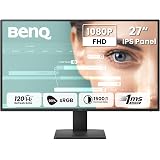
BenQ GW2791P 27"(68.58 cm) 120Hz FHD(1920x1080p) IPS Monitor|99% sRGB|Eye-careU|HDMI(v1.4)|DP(v1.2)|Ultra Thin Bezel|1 ms|Eyesafe|VESA MediaSync|Low Blue Light|TUV-Certified
₹9,998.00 (as of September 19, 2026 15:35 GMT +05:30 - More infoProduct prices and availability are accurate as of the date/time indicated and are subject to change. Any price and availability information displayed on [relevant Amazon Site(s), as applicable] at the time of purchase will apply to the purchase of this product.)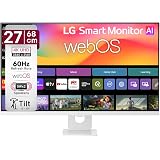
LG 27U731SB 68 cm (27 Inch) UHD (3840 x 2160) IPS Smart Monitor with webOS26, Wi-Fi, Bluetooth, Miracast, AirPlay, Speakers 5WX2, HDMI, USB-C (PD 65W), Slim Stand, 3-Side Virtually Borderless (White)
₹28,499.00 (as of September 19, 2026 15:35 GMT +05:30 - More infoProduct prices and availability are accurate as of the date/time indicated and are subject to change. Any price and availability information displayed on [relevant Amazon Site(s), as applicable] at the time of purchase will apply to the purchase of this product.)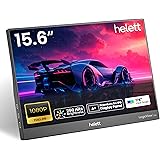
helett® LogicView™ lite 15.6" Single Screen Portable Monitor for Windows,Mac&Android A+ Grade 1920x1080 FHD IPS Display,250 Nits, 60Hz,Ultra Slim|USB Type-C & HDMI, Built-in Speakers|1Year Warranty
₹6,598.00 (as of September 19, 2026 15:35 GMT +05:30 - More infoProduct prices and availability are accurate as of the date/time indicated and are subject to change. Any price and availability information displayed on [relevant Amazon Site(s), as applicable] at the time of purchase will apply to the purchase of this product.)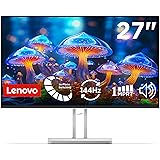
Lenovo L27-4C| 27 Inch (68.58 cm) Ultraslim Monitor, FHD 1920x1080, IPS, 144Hz, 99% sRGB, 1ms, 2x3W Speakers, Dual HDMI, Display Port, Audio Port, AMD FreeSync,Eyesafe, Bezel-Less, VESA Mount, Grey
₹11,729.00 (as of September 19, 2026 15:35 GMT +05:30 - More infoProduct prices and availability are accurate as of the date/time indicated and are subject to change. Any price and availability information displayed on [relevant Amazon Site(s), as applicable] at the time of purchase will apply to the purchase of this product.)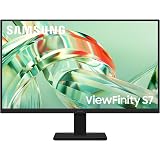
Samsung 27 Inch 4K ViewFinity S7 Monitor | 4K (3840 x 2160) | IPS Panel | 1.07 Billion Colors | Ports-HDMI/DP/Headphone |HDR10|sRGB 99%| PIP & PBP |Game Mode | Tilt Adjustable | LS27H710EAWXXL | Black
₹20,499.00 (as of September 19, 2026 15:35 GMT +05:30 - More infoProduct prices and availability are accurate as of the date/time indicated and are subject to change. Any price and availability information displayed on [relevant Amazon Site(s), as applicable] at the time of purchase will apply to the purchase of this product.)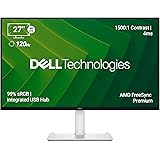
Dell S2725QC 27" 4K (3840 * 2160) USB-C Monitor|Titan Grey|IPS 120Hz| 350 cd/m2 |4 ms, Contrast 1,500:1| Tilt, Height, Pivot & Swivel|Ports: 2X HDMI| 2 * 5W Speakers|99% SRGB |AMD Freesync Premium
₹32,099.00 (as of September 19, 2026 15:35 GMT +05:30 - More infoProduct prices and availability are accurate as of the date/time indicated and are subject to change. Any price and availability information displayed on [relevant Amazon Site(s), as applicable] at the time of purchase will apply to the purchase of this product.)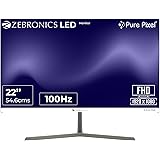
Zebronics Full HD LED Monitor, 21.5 Anti-Glare Screen, 100Hz Refresh Rate, Ultra Slim, Bezel-Less Display, 250nits Brightness, HDMI & VGA, Wall Mountable (A122)
₹5,499.00 (as of September 19, 2026 15:35 GMT +05:30 - More infoProduct prices and availability are accurate as of the date/time indicated and are subject to change. Any price and availability information displayed on [relevant Amazon Site(s), as applicable] at the time of purchase will apply to the purchase of this product.)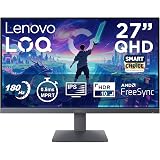
Lenovo LOQ 27Q-10 (Smartchoice) | 27" (68.5cm) QHD (2560x1440) IPS 180Hz Gaming Monitor | 0.5ms, HDR10 Compliance, AMD FreeSync, 99% sRGB, 2xHDMI 2.1 TMDS, 1xDP 1.4| Tilt | Lunar Grey | 68F3GACBIN
₹14,999.00 (as of September 19, 2026 15:35 GMT +05:30 - More infoProduct prices and availability are accurate as of the date/time indicated and are subject to change. Any price and availability information displayed on [relevant Amazon Site(s), as applicable] at the time of purchase will apply to the purchase of this product.)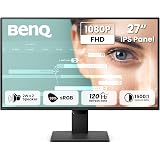
BenQ GW2790P 27"(68.58 cm) 120Hz FHD(1920x1080p) IPS Monitor|99% sRGB|Eye-careU|HDMI(v1.4)|DP(v1.2)|Ultra Thin Bezel|1 ms|Eyesafe|VESA MediaSync|B.I.| Speakers|Visual Optimizer|TUV-Certified
₹10,899.00 (as of September 19, 2026 15:35 GMT +05:30 - More infoProduct prices and availability are accurate as of the date/time indicated and are subject to change. Any price and availability information displayed on [relevant Amazon Site(s), as applicable] at the time of purchase will apply to the purchase of this product.)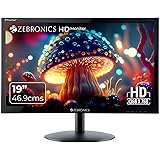
ZEBRONICS Zeb-V19Hd 18.5 Inch (46.99 Cm) Led Monitor with Supporting Hdmi, Vga Input, Hd 1366 X 768 Pixels, 16.7M Colors, Glossy Panel, Slim Design & Wall Mountable, Black
₹2,699.00 (as of September 19, 2026 15:35 GMT +05:30 - More infoProduct prices and availability are accurate as of the date/time indicated and are subject to change. Any price and availability information displayed on [relevant Amazon Site(s), as applicable] at the time of purchase will apply to the purchase of this product.)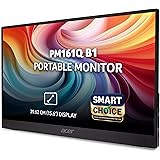
Acer Smartchoice PM161Q B1 15.6 Inch Full HD Portable Monitor | IPS Panel | 2 x USB Type-C & HDMI | 4 ms | Adaptive-Sync | Ultra-Slim 700 g | Built-in Speakers | Ideal for Laptop, Phone & Travel Use
₹7,299.00 (as of September 19, 2026 15:35 GMT +05:30 - More infoProduct prices and availability are accurate as of the date/time indicated and are subject to change. Any price and availability information displayed on [relevant Amazon Site(s), as applicable] at the time of purchase will apply to the purchase of this product.)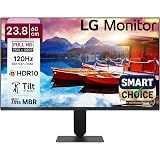
LG24U411A-BN Smartchoice 60 cm (24-inch) Full HD (1920 x 1080) IPS Monitor, 3-Side Virtually Borderless, 1ms MBR, 120Hz, sRGB 99%(Typ.), HDR10, Reader Mode, Flicker Safe, VGA, HDMI, Slim Stand, Black
₹7,499.00 (as of September 19, 2026 15:35 GMT +05:30 - More infoProduct prices and availability are accurate as of the date/time indicated and are subject to change. Any price and availability information displayed on [relevant Amazon Site(s), as applicable] at the time of purchase will apply to the purchase of this product.)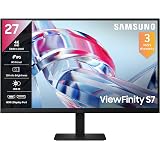
Samsung 27" (68.47cm) 4K UHD Monitor|4K 3840 x 2160|IPS Panel|HDR 10|SRGB 99%|1.07 Billion Colors|Wide Viewing Angle|Ports-HDMI,DP,Headphone|PIP|PBP|Eye Saver Mode|LS27H700EAWXXL |Black
₹20,599.00 (as of September 19, 2026 15:35 GMT +05:30 - More infoProduct prices and availability are accurate as of the date/time indicated and are subject to change. Any price and availability information displayed on [relevant Amazon Site(s), as applicable] at the time of purchase will apply to the purchase of this product.)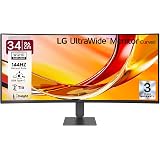
LG 34U640B 86 cm (34 Inch) 21:9 UltraWide WQHD (3440x1440) Curved Monitor(1800R), 144Hz, sRGB 99%(Typ.), HDR10, Anti-Glare, HDMI X 2, DP, USB-C (PD 65W), PBP, PIP, Tilt/Height Adjustable Stand (Black)
₹32,499.00 (as of September 19, 2026 15:35 GMT +05:30 - More infoProduct prices and availability are accurate as of the date/time indicated and are subject to change. Any price and availability information displayed on [relevant Amazon Site(s), as applicable] at the time of purchase will apply to the purchase of this product.)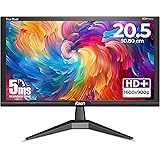
Foxin LED Monitor Crystal 20.5 inch (52.07 cm), HD 1600 x 900p, 60Hz, 5ms Response Time, HDMI & VGA Ports, 16.7M Colors, Wall Mountable Computer Monitor for PC, CCTV & Laptop Screen Extender | Black
₹2,699.00 (as of September 19, 2026 15:35 GMT +05:30 - More infoProduct prices and availability are accurate as of the date/time indicated and are subject to change. Any price and availability information displayed on [relevant Amazon Site(s), as applicable] at the time of purchase will apply to the purchase of this product.)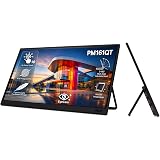
Acer PM161QT 15.6 Inch Full HD IPS Portable Touch Monitor | 10-Point Multi-Touch | USB Type-C & Mini HDMI | Anti-Fingerprint Screen | Built-in Speakers | VisionCare | Multi Angle Adjustable Stand
₹9,999.00 (as of September 19, 2026 15:35 GMT +05:30 - More infoProduct prices and availability are accurate as of the date/time indicated and are subject to change. Any price and availability information displayed on [relevant Amazon Site(s), as applicable] at the time of purchase will apply to the purchase of this product.)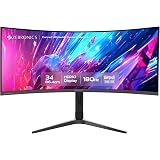
Zebronics PA234 34 Inch 1500R Curved Ultrawide Gaming Monitor, UWQHD 3440x1440, 180Hz, 1ms MPRT, HDR10, Adaptive Sync, 100% sRGB, Height/Pivot/Swivel/Tilt Adjust, 2 x DP, 2 x HDMI Ports
Now retrieving the price.
(as of September 19, 2026 15:35 GMT +05:30 - More infoProduct prices and availability are accurate as of the date/time indicated and are subject to change. Any price and availability information displayed on [relevant Amazon Site(s), as applicable] at the time of purchase will apply to the purchase of this product.)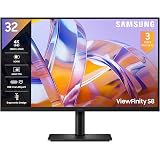
Samsung 32" ViewFinity S8 Monitor| 4K 3840 x 2160 |350nits| 1.07 Billion Colors| SRGB 99% | PIP | PBP | HDR10 |Display Port| HDMI Port | Multiple USB Ports | Eye Care|LS32H802UAWXXL|Black
₹35,399.00 (as of September 19, 2026 15:35 GMT +05:30 - More infoProduct prices and availability are accurate as of the date/time indicated and are subject to change. Any price and availability information displayed on [relevant Amazon Site(s), as applicable] at the time of purchase will apply to the purchase of this product.)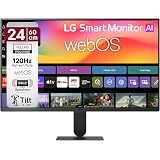
LG 24U511SB 60 cm (24 Inch) Full HD (1920x1080) IPS Smart Monitor, 120Hz, webOS26, Wi-Fi, Bluetooth, AirPlay, 5W X 2 Speakers, HP Out, HDMI x2, USB-A, Reader Mode, 3-Side Virtually Borderless (Black)
₹14,199.00 (as of September 19, 2026 15:35 GMT +05:30 - More infoProduct prices and availability are accurate as of the date/time indicated and are subject to change. Any price and availability information displayed on [relevant Amazon Site(s), as applicable] at the time of purchase will apply to the purchase of this product.)