
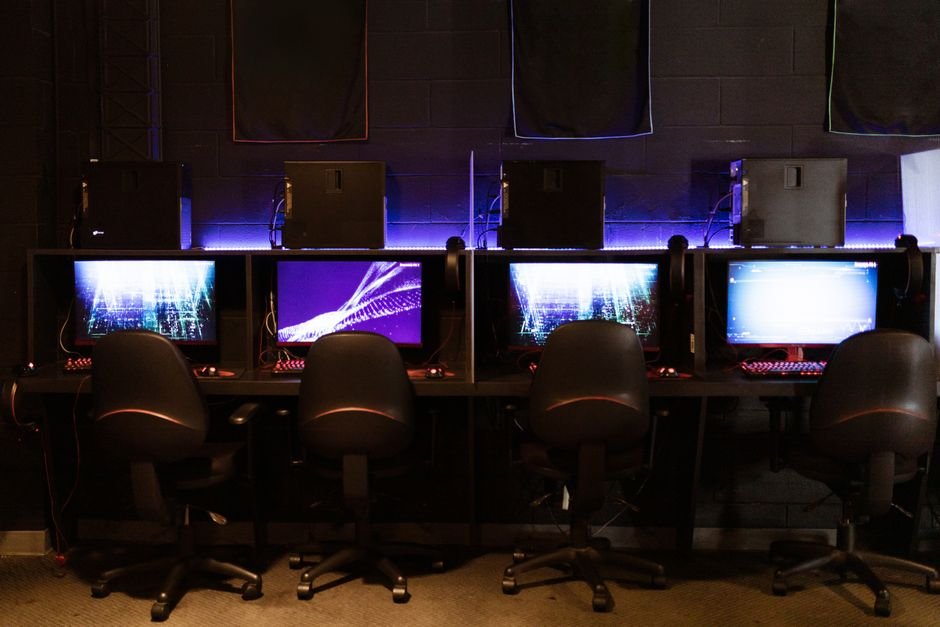
Unlock Peak Performance: The Undeniable Impact of a 240Hz Monitor on Your FPS
In the relentless pursuit of smoother gameplay and the fleeting advantage that separates victory from defeat, PC gamers constantly seek ways to elevate their frame rates (FPS). While powerful GPUs and optimized game settings are often the headline acts, the unsung hero of a truly responsive gaming experience is the monitor. Specifically, the jump to a 240Hz refresh rate monitor represents a significant leap forward, offering a tangible and often dramatic improvement in how you perceive and interact with your virtual worlds. This article delves deep into the intricate role a 240Hz monitor plays in maximizing your FPS, exploring the underlying technology, the tangible benefits, and the factors to consider when making this crucial upgrade.
Understanding Refresh Rate: The Foundation of Smoothness
At its core, a monitor’s refresh rate, measured in Hertz (Hz), dictates how many times per second the display updates the image on your screen. A standard 60Hz monitor refreshes 60 times every second, meaning each frame is displayed for approximately 16.67 milliseconds. In contrast, a 240Hz monitor refreshes a staggering 240 times per second, displaying each frame for a mere 4.17 milliseconds. This rapid succession of images is what creates the illusion of motion. The higher the refresh rate, the more individual frames are presented to your eyes in a given timeframe, leading to a demonstrably smoother and more fluid visual experience.
The FPS-Monitor Synergy: When Frame Rate Meets Refresh Rate
The true magic of a 240Hz monitor unfolds when your system can consistently output frame rates that match or exceed its refresh rate. If your graphics card is rendering 200 FPS, and your monitor can display those frames at 240Hz, you’re essentially seeing almost every single frame your GPU produces. This synchronization is crucial.
When your FPS is lower than your monitor’s refresh rate, the monitor might display the same frame multiple times before a new one is ready. This is not inherently bad, but it limits the potential for smoothness. Conversely, if your monitor’s refresh rate is significantly lower than your FPS (e.g., 60Hz with 200 FPS), the monitor becomes the bottleneck. It can only display 60 unique frames per second, meaning 140 frames produced by your GPU are effectively lost or rendered redundant to your visual perception.
A 240Hz monitor, therefore, acts as a catalyst, allowing your high FPS to translate directly into a perceivable increase in visual fluidity. The gap between consecutive frames shrinks dramatically, leading to a cascade of benefits.
The Tangible Benefits of a 240Hz Monitor for High FPS Gaming
The impact of a 240Hz monitor on your gaming experience is not just theoretical; it’s visceral and directly translates into gameplay advantages:
- Reduced Motion Blur: This is arguably the most significant benefit. When objects move quickly across the screen on a lower refresh rate monitor, the pixels don’t have enough time to fully change color, resulting in a smearing effect known as motion blur. A 240Hz monitor, by refreshing so rapidly, drastically minimizes this blur. This allows you to track fast-moving targets with far greater clarity, even in chaotic firefights.
- Enhanced Responsiveness and Input Lag Reduction: Input lag is the delay between your physical action (e.g., pressing a mouse button) and the corresponding action appearing on screen. While GPU processing and display response times also contribute, refresh rate plays a vital role. With a 240Hz monitor, the time it takes for a new frame to be displayed after it’s rendered is significantly reduced. This means your actions are reflected on screen almost instantaneously, leading to a feeling of direct control and a competitive edge, especially in twitch-shooter games.
- Improved Target Acquisition and Tracking: In fast-paced games like Counter-Strike: Global Offensive, Valorant, or Apex Legends, milliseconds matter. The ability to quickly spot an enemy, lock onto them, and track their movements is paramount. The reduced motion blur and enhanced clarity provided by a 240Hz display allow for faster target acquisition. You can more easily discern subtle movements and react accordingly, giving you a distinct advantage in duels.
- Smoother Visual Experience and Reduced Eye Strain: The constant flickering and stuttering inherent in lower refresh rates can lead to eye strain and fatigue during long gaming sessions. The ultra-smooth motion of a 240Hz monitor is much easier on the eyes, allowing for prolonged periods of comfortable gameplay. This sustained comfort can also lead to improved focus and reaction times over time.
- Greater Immersion: While not directly tied to FPS numbers, the sheer visual fluidity offered by a 240Hz monitor significantly enhances immersion. The world feels more alive, more responsive, and more believable, drawing you deeper into the game.
The Criticality of Matching Your FPS to 240Hz
It’s crucial to reiterate that the benefits of a 240Hz monitor are maximized when your system can consistently push frame rates close to that 240 FPS mark. If your gaming rig struggles to maintain 100 FPS in your favorite titles, upgrading to a 240Hz monitor will offer some improvement due to reduced input lag and potentially less perceived choppiness, but you won’t fully realize its potential.
This highlights the importance of a balanced PC build. A high-end GPU is essential for generating those high frame rates, but it needs to be paired with a capable CPU that won’t bottleneck the GPU, and sufficient RAM. If your current system is not capable of consistently achieving high FPS, investing in a 240Hz monitor might be premature. Consider upgrading your core components first.
Key Technologies Enhancing the 240Hz Experience
Beyond the raw refresh rate, several other display technologies work in conjunction with a 240Hz panel to deliver the best possible gaming experience:
- Adaptive-Sync Technologies (NVIDIA G-Sync and AMD FreeSync): These technologies are vital for eliminating screen tearing and stuttering, especially when your FPS fluctuates. When your GPU’s frame rate doesn’t perfectly align with your monitor’s refresh rate, Adaptive-Sync allows the monitor to dynamically adjust its refresh rate to match the GPU’s output. This ensures a smooth, tear-free experience even when you’re not hitting a constant 240 FPS. For 240Hz monitors, the benefits of Adaptive-Sync are even more pronounced due to the tighter tolerances.
- Low Response Time (GtG): While refresh rate dictates how often the image updates, response time (measured in milliseconds, typically Gray-to-Gray or GtG) refers to how quickly a pixel can change from one color to another. A low response time is crucial to prevent ghosting and smearing, especially in conjunction with high refresh rates. Modern 240Hz monitors typically boast response times of 1ms or less, ensuring that each rapidly displayed frame is crisp and clear.
- Panel Type (TN, IPS, VA): The panel type influences color accuracy, viewing angles, and response times.
- TN (Twisted Nematic): Traditionally the fastest response times, making them a popular choice for high refresh rate gaming. However, they often suffer from poorer color reproduction and viewing angles.
- IPS (In-Plane Switching): Offer superior color accuracy and wider viewing angles compared to TN panels, but historically had slower response times. Modern IPS panels have significantly closed the gap, making them a viable and often preferred option for 240Hz.
- VA (Vertical Alignment): Provide excellent contrast ratios and deeper blacks than TN and IPS panels. Their response times have improved but can still be a limiting factor for the absolute fastest competitive gaming compared to the best TN and IPS panels. For a 240Hz monitor, TN and high-performance IPS panels are generally the most sought-after for competitive gamers.
Choosing the Right 240Hz Monitor: Beyond the Refresh Rate
When selecting a 240Hz monitor, consider these factors to ensure you’re making the optimal choice for your needs:
- Resolution: While 240Hz is a significant upgrade, the resolution you choose will impact the GPU load. For competitive gaming where maximizing FPS is paramount, 1080p (Full HD) is often the sweet spot for 240Hz. It’s easier for GPUs to push extremely high frame rates at this resolution, allowing you to fully leverage the monitor’s capabilities. Higher resolutions like 1440p are becoming more common at 240Hz, but require a more powerful GPU.
- Screen Size: This is largely a matter of personal preference. Larger screens can offer a more immersive experience, but at very close viewing distances, they can make it harder to take in the entire screen at once, which can be a disadvantage in fast-paced competitive games. Common sizes for 240Hz monitors range from 24 to 27 inches.
- Ergonomics and Features: Look for monitors with adjustable stands (height, tilt, swivel, pivot) for optimal viewing comfort. Features like built-in speakers, USB hubs, and KVM switches can add convenience.
- Adaptive-Sync Compatibility: Ensure the monitor supports the Adaptive-Sync technology that matches your GPU (G-Sync for NVIDIA, FreeSync for AMD). Many monitors now offer “G-Sync Compatible” certification, meaning they work