
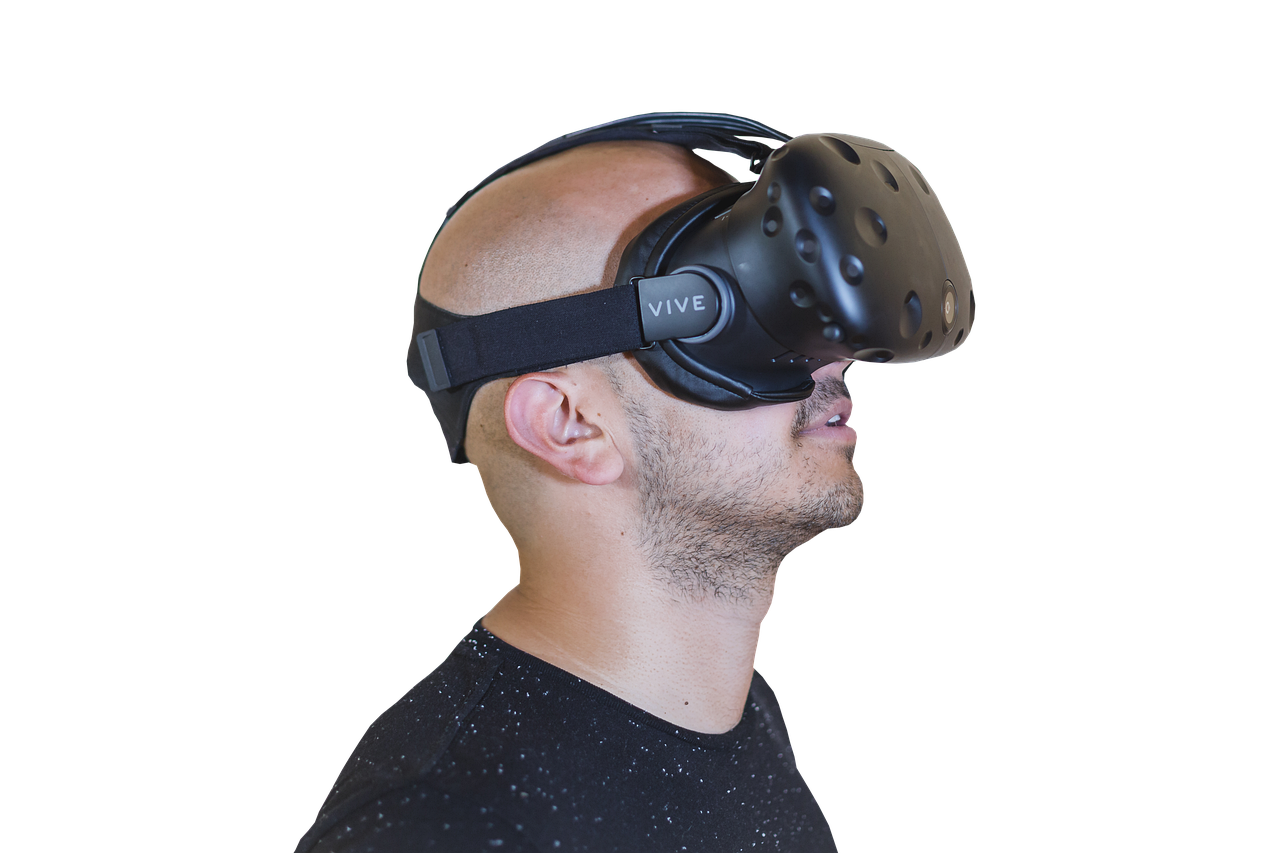
The Ultimate VR Gaming Rig: Choosing Your Headset
Embarking on the immersive journey of virtual reality gaming demands a pivotal decision: selecting the right headset. This isn’t merely a peripheral; it’s your gateway to digital realms, directly impacting visual fidelity, comfort, tracking precision, and overall immersion. The VR landscape is a dynamic ecosystem, with new contenders emerging and established players refining their offerings. To build the ultimate VR gaming rig, understanding the nuances of each headset is paramount.
Standalone vs. PC-Tethered: The Fundamental Divide
The first crucial distinction lies between standalone and PC-tethered VR headsets. Standalone headsets, like the Meta Quest 3, offer unparalleled freedom. They house all processing power, storage, and display technology within the headset itself, eliminating the need for a powerful gaming PC and cumbersome cables. This portability makes them accessible and convenient, perfect for casual gamers or those with limited space. However, their graphical capabilities are inherently limited by their onboard hardware, meaning they often can’t match the visual fidelity of their PC-tethered counterparts.
PC-tethered headsets, such as the HTC VIVE Pro 2 or Valve Index, connect to a high-end gaming PC. This connection unlocks immense processing power, allowing for significantly more detailed graphics, complex physics, and larger, more intricate virtual environments. If you’re seeking the absolute pinnacle of visual fidelity and performance, a PC-tethered headset paired with a robust gaming rig is the undisputed champion. The trade-off, of course, is the requirement for a powerful and expensive PC, as well as the constraint of physical cables tethering you to your computer.
Key Considerations for Every VR Headset
Regardless of your chosen category, several core specifications dictate a headset’s performance and your VR experience:
1. Display Resolution and Refresh Rate: The Visual Foundation
Resolution dictates the sharpness and clarity of the virtual world. Higher resolutions translate to fewer visible pixels, resulting in a more realistic and less “screen-door effect” image. Look for headsets offering at least 1832 x 1920 pixels per eye (Quest 3) or significantly higher for PCVR (e.g., 2448 x 2448 per eye on the Quest Pro).
Refresh rate, measured in Hertz (Hz), determines how smoothly motion is rendered. A higher refresh rate reduces motion sickness and creates a more fluid, natural experience. Aim for 90Hz as a minimum, with 120Hz and even 144Hz offering a noticeable improvement in visual comfort and responsiveness, especially during fast-paced gameplay.
2. Field of View (FOV): Expanding Your Horizons
FOV refers to the extent of the virtual world you can see at any given moment. A wider FOV enhances immersion by filling more of your peripheral vision, making you feel more present in the virtual environment. Traditional displays often have a limited FOV, but VR aims to replicate human vision. Look for headsets with an FOV of at least 100 degrees; wider FOVs (110-130 degrees) provide a more compelling sense of presence.
3. Tracking Technology: Precision in Motion
Accurate and responsive tracking is the bedrock of VR gaming. It ensures your movements in the real world are faithfully translated into the virtual world, preventing disorientation and frustration. There are two primary tracking methods:
- Inside-Out Tracking: This is the dominant technology in standalone headsets. Cameras on the headset itself track your position and the position of your controllers in relation to your environment. It’s convenient and requires no external sensors.
- Outside-In Tracking: This method uses external base stations or sensors placed in your play space to track the headset and controllers. It generally offers the highest precision and a larger tracking volume but requires more setup. Valve Index and HTC VIVE headsets often utilize this.
4. Comfort and Ergonomics: Extended Play Sessions
VR gaming can involve extended periods of wear. A poorly designed headset can lead to discomfort, pressure points, and fatigue. Consider:
- Weight Distribution: A balanced headset that doesn’t put excessive strain on your face or neck is crucial.
- Head Strap Design: Adjustable and padded head straps provide a secure and comfortable fit.
- Face Gasket: The material and fit of the face gasket impact comfort and light leakage. Many headsets offer interchangeable gaskets for different face shapes.
- IPD Adjustment (Interpupillary Distance): This allows you to adjust the distance between the lenses to match the distance between your pupils, ensuring a clear and comfortable image.
5. Audio: The Immersive Soundtrack
While visual fidelity is paramount, integrated audio plays a significant role in immersion. Many headsets feature built-in headphones or speakers. Look for spatial audio capabilities that accurately simulate sound direction and distance, further enhancing your sense of presence. For audiophiles, the option to use your own high-quality headphones is a valuable feature.
6. Controllers: Your Virtual Hands
VR controllers are your primary means of interaction. They should be comfortable to hold, offer intuitive button layouts, and possess accurate tracking. Haptic feedback, which simulates touch and vibration, can greatly enhance the feeling of realism. Some advanced controllers offer finger tracking for more nuanced interactions.
Top VR Headset Contenders for Ultimate Gaming Rigs
Here’s a closer look at some of the leading contenders, categorized by their strengths:
Standalone Powerhouses (with PC VR capabilities):
- Meta Quest 3: The current king of the standalone market, the Quest 3 offers a significant upgrade over its predecessor. Its higher resolution displays, improved passthrough capabilities (allowing for mixed reality experiences), and powerful Snapdragon XR2 Gen 2 processor deliver impressive visuals and performance. Crucially, it can connect to a PC via Meta Link or Air Link, providing access to the vast library of PC VR titles, making it an incredibly versatile option. Its affordability and ease of use make it an excellent entry point for many.
- Meta Quest Pro: While positioned as a more professional device, the Quest Pro’s advanced features, including eye and face tracking, premium build quality, and excellent standalone performance, also make it a compelling choice for VR enthusiasts. Its higher price point reflects its advanced sensor suite and more refined design, offering a glimpse into the future of VR interaction. It also boasts PC VR connectivity.
PC-Tethered Champions (for Uncompromised Fidelity):
- Valve Index: Still a benchmark for PC VR, the Valve Index excels in its incredibly wide FOV, high refresh rate (up to 144Hz), and exceptional tracking via its Lighthouse base stations. Its “Knuckles” controllers offer advanced finger tracking and a comfortable grip. While older, its overall package remains incredibly strong for those prioritizing pure PC VR immersion and willing to invest in the base station ecosystem.
- HTC VIVE Pro 2: Boasting an astonishing 5K resolution per eye, the VIVE Pro 2 offers unparalleled visual clarity for PC VR. Its wide FOV and high refresh rate further contribute to an immersive experience. It leverages SteamVR tracking, offering robust and precise motion capture. The VIVE Pro 2 is a premium choice for those who demand the absolute sharpest visuals in their PC VR adventures.
- Pimax Crystal: Known for its ultra-high resolution and customizable optics, the Pimax Crystal pushes the boundaries of visual fidelity in PC VR. It offers exceptional clarity and a wide FOV, catering to users who crave the most detailed virtual worlds. However, its complexity and higher price point make it a more niche, enthusiast-level option.
Building Your Ultimate VR Gaming Rig: Beyond the Headset
Choosing the right headset is just the first step. To unlock its full potential, consider these complementary components:
- Powerful Gaming PC: For PC-tethered headsets, a high-end CPU (e.g., Intel Core i7/i9 or AMD Ryzen 7/9) and a top-tier GPU (e.g., NVIDIA GeForce RTX 4080/4090 or AMD Radeon RX 7900 XTX) are essential for smooth frame rates and high graphical settings.
- Adequate RAM: 16GB of RAM is a minimum, with 32GB recommended for demanding VR titles.
- Fast Storage: An NVMe SSD is highly recommended for quick game loading times.
- Comfortable Play Space: Ensure you have sufficient clear space for your VR adventures, especially for room-scale experiences.
- High-Quality Audio: While integrated audio is improving, consider investing in good headphones for an even more immersive soundscape.
- VR Accessories: Prescription lens inserts, aftermarket face gaskets, and controller grips can further enhance comfort and usability.
The ultimate VR gaming rig is a synergistic combination of hardware and software, with the headset serving as the critical interface. By carefully considering your budget, desired level of immersion, and available PC power, you can select a headset that will transport you to incredible virtual worlds and redefine your gaming experience.